

There are some tricks to the alpha mask, I would suggest searching for Coridiums (creator of Asimov skins) video tutorial on Youtube and just looking at that because he goes through it all.
Posts by biXen
-
-
Quote from SotaPoika
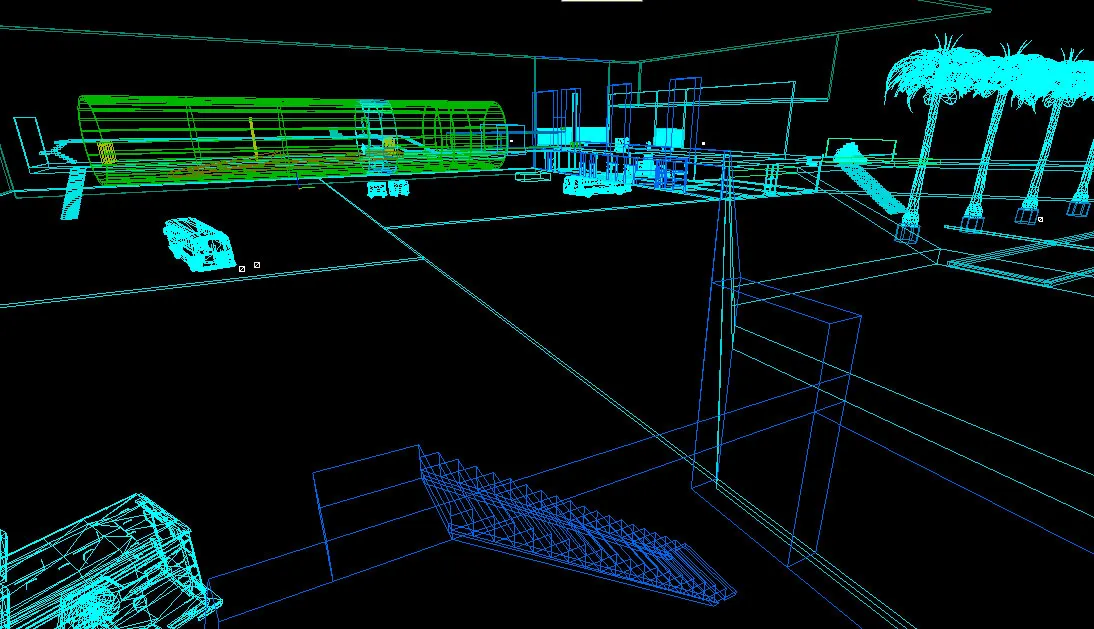
Showing a normal 3d-view Hammer-screenshot is already "eww" to me, but you took it to a whole new level with showing the wireframe-view! :B
 Yeah, I am used to teh ugly now as I am working on the proper skyboxing so I can't compile it currently without leaks
Didn't want to give anything away though, that's not fun

-
My CS map WIP doesn't show too much, but I'm impressed if you figure out the setting

Making it for the competition, but won't be complete for that. Probably 75% blocked now, removed architectural details after testing them, and most objects and shapes are placeholders for better modelled objects. After blocking and strategic objects are placed, hopefully some playtesting while I prioritize which objects to detail first after the architectural details.
More details when I make my project thread. Spent a LOT of time thinking and planning this one.
-
Yeah not looking bad that. You'll probably want some more fill light, but the tone is definitely night like.
-
Looks very good. Will add to my workshop and give it a run through. But honestly, it looks very dark. It makes me wonder if your monitor is set up properly. You should consider boosting it or playability will take a hit. Just look at the in-game maps.
-
Yeah I played with bots so I don't know how representative it is. They seem to have different collective ideas on every round
Anyway just a thought, it's one of the more enjoyable maps I've played in my latest workshop rounds so I guess that's positive either way. -
To be honest I was very surprised at how few proper tutorials there are for 3dsmax or maya to source/hammer and things like that. Sure, there is some (old) stuff, but with the amount of user created content I'd guess there was more.
Anyways, I was speaking about the sky from the sky list that is dusk time of day

The process of making and converting HDRs is pretty much the same no matter what software you use, but of course that can be complicated enough on it's own. I'm lucky enough to have made my own custom environments for 3D scenes so I've already done a lot of that.
For your problem, if you have limited visibility outside, just create a fake skymap which doesn't cast shadow and don't let the skybox contribute to lighting at all or create a fake skybox that is just a starry night picture or whatever you want. Even in arch vis 3D scenes "outdoor lighting" is usually just faked with area lights.
If something is too complicated or doesn't work as you want, do what Pixar would do, fake it
-
You can use dusk and make the light_environment a bit darker. I don't think you really should have it that much darker if you have an outside area, as it will likely be unbelievable light sources when you light up areas enough outside of that.
For skyboxes, I am making a custom one myself, but I bought the one to use. There are plenty of sites that offer them to buy, there are also free ones, if you search for sIBL you will get a set of them.
To use them in game you have to do some conversions because CSGO uses a different format than they come in. If you aren't using HDR skybox you can use "cube the sphere" (Google) to create the 6 images CSGO takes as input. If you use HDR you need to use a different program to avoid losing lighting information when you convert the images.
It's a pretty complicated process if you haven't used HDR's before at all. The other thing you need to do is to cut the images when you create them for CSGO, this is all described in the Valve documentation though, just search for Source skybox and you'll find links to most of this.
I am thinking of creating a tutorial for all the processes I find to be a bit complicated with the whole Source/Hammer thing, but no promises, as I have way too little time already for the contest
-
Didn't seem flat at all to me when I played it, so I suggest doing that before commenting on the lighting. Could open up some more in some indoor areas to make more interesting lighting there, but otherwise I really liked the map. Played with bots, they are not superbright so hard to say what works or not
-
Looks great, just the simple fact that the bomb pointers are in yellow looks very nice on this map imo. Will add it and play when I get some time later
-
 Quote from Guadalupe
Thank you for giving me feedback. I don't know why people follow the "if it's not broken don't fix it" and design their maps around dust2 and nuke, I think it inhibits people's potential. And I know what you mean about the walls, but I do hate in competitive maps when you have visual barriers that don't match physical barriers (such as a traffic barricade that you could jump over, but in actuality, it's a playerclip wall reaching to the ceiling). So, I tried to keep the barriers as consistent with what you're able to do as possible.
The Ts vs. CTs on office is something I also wanted to avoid, and at that cost, I wanted to make it if anything CT sided. The basement portion in a mock competitive playtest with some friends was the only advantage to Ts that we saw, and it helped balance the amount of Ts that would have to dedicate to defending that area because of the ones that had to rush outside to defend that hostie. However, I understand what you're saying, it's tight, and the staircases are very steep (other people have told me this, too).
I can understand that point, big dilemma for me how to block off players because on my map there's no natural way to do it. But I think because T's start where they do if you go on the outside of the map, the choke point ends up in a pretty boring place. It could have been interesting in the outside area, just a tad further along for the CT's. Especially considering the other choke is a hallway too.
-
I am fairly new to Hammer as well, but I'll give my 5 cents.
1) There's no strict rule that the height needs to be 128 or the floor needs to be 16. Those are guidelines, the best thing you can do is check in-game what's comfortable or not. It shouldn't feel like the roof is on top of you.
2) You can always cut up a an outside wall, or have a ledge or something that breaks it up, allows you to just use the same texture and just shift it a bit. Also beware that there's textures that are made in more than one piece.
3) There are reasons to stick these numbers, such as texturing, but not for everything. It's more natural to have things random, as long as they aren't wrong/hindering. Humans will think a level where everything is rotated in perfect 90 degree angles as unnatural, because real life isn't perfect.
4) It's possible ot make something with blocks and export as a prop which you can then import back into your map. So might not be something you need to worry about. That said, the good maps have a scary amount of custom props, and if you can see that you could use a whole set of them it might be worth adjusting your level to that, while still in block/greybox mode. If not you are better off living without it first and just using a placeholder for it.
5) Block and greybox until it feels right, then test it a lot. I would try out some concepts if I had any, such as special architectural elements I wanted to have in the level. Might texture a bit then, but go back to greybox until it all feels right. Then work on lighting and texturing for the important areas. Props are not important until later for me, I will just have placeholders. In fact I'm not even sure if I can get props for everything I want.
6) Not a big proper map, the closest I've seen is 3kliksphilips videos and the articles here that are linked from the beginner's thread.
-
Played a bit on this map against the bots while I worked on my sensitivity settings. I think it's a nice looking map, and there's a fun tight feel to it. I would say it feels pretty fresh, because I often feel many maps feel as a dust or nuke clone. I think some of your nice outside area/details could be shown more, you have pretty much walled it in with literally walls
That said for the rounds I played, (full casual game on CT and T) it felt very heavy on the opposite side of the map from the outside, so to speak. For that reason it feels like a lot of the map is unused. I am also not a fan of the tight hall (the grey one) with 90 degree corners and the staircases that are so deep/tall. But that's just personal opinion. I was very hesitant about having a staircase / level in my own map, but have decided on some things that make it ok, so guess I shouldn't say you shouldn't have one
-
 Quote from laminutederire
You could try creating a brush, assigning to one of its faces one of the old texture, then replace it by the new one in the face sheet editor. However if you already did this that wouldn't work ! But I'd say that if it works in-game let these warnings be and don't torture yourself
I can't even find the old textures, folder deleted. But I guess I could just recreate the folder, copy the textures in and do what you say. Maybe that would fix it.
Yeah I guess I can forget about it, but I'm a bit afraid of getting some other problem because of this down the line. Experience as a programmer speaking there
-
References. Collect them and use them, can't say it enough. I am completely lost without it, because how things look in your brain just isn't how it would be done in real life in most cases, and it can save you a lot of time making something that seems it would look great in your head but doesn't really work after you are done.
-
This is from the part that gives a caution:
QuoteDisplay MoreLoading E:\Steam\steamapps\common\Counter-Strike Global Offensive\sdk_content\maps\lojack\cs_lojack_007.vmf
Map revision 125
material "cs_10kmiles/bixen_tilesplain_0108_11" not found.
Material not found!: CS_10KMILES/BIXEN_TILESPLAIN_0108_11
material "cs_10kmiles/bixen_colorglass" not found.
Material not found!: CS_10KMILES/BIXEN_COLORGLASS
fixing up env_cubemap materials on brush sides...
ProcessBlock_Thread: 0...1...2...3...4...5...6...7...8...9...10 (0)CS_10KMILES is the old mapname/folder name
-

Hi,
I have a little problem with my map when I compile it. I changed name and thus location of my map and textures a little while ago, and when I compile it says not found on those old custom material names/positions. The textures work fine so it's obviously finding the new locations fine. But I would like to get rid of the errors, any ideas? I can't see the old textures on any brush or in the texture list.
-
I am not completely understanding this. Why would anything intersect? If you design on the grid, or at least where things come together this won't happen?
I must admit I'm a bit worried for my map, when I see how much props is needed, by looking at maps like dust2 etc. It takes time and the pipeline is bad.
-
Looking good, very natural. The only thing I would comment on is your light fixtures looking very overblown and not fitting to the object.
-
The towers would be a great addition. Some "depth" in the height of the maps looks great on all maps.