


I'm finally back working on my de_losttemple remake. Got more references and better ideas for the visuals now.
Here's a quick WIP with placeholder textures and bad lighting 
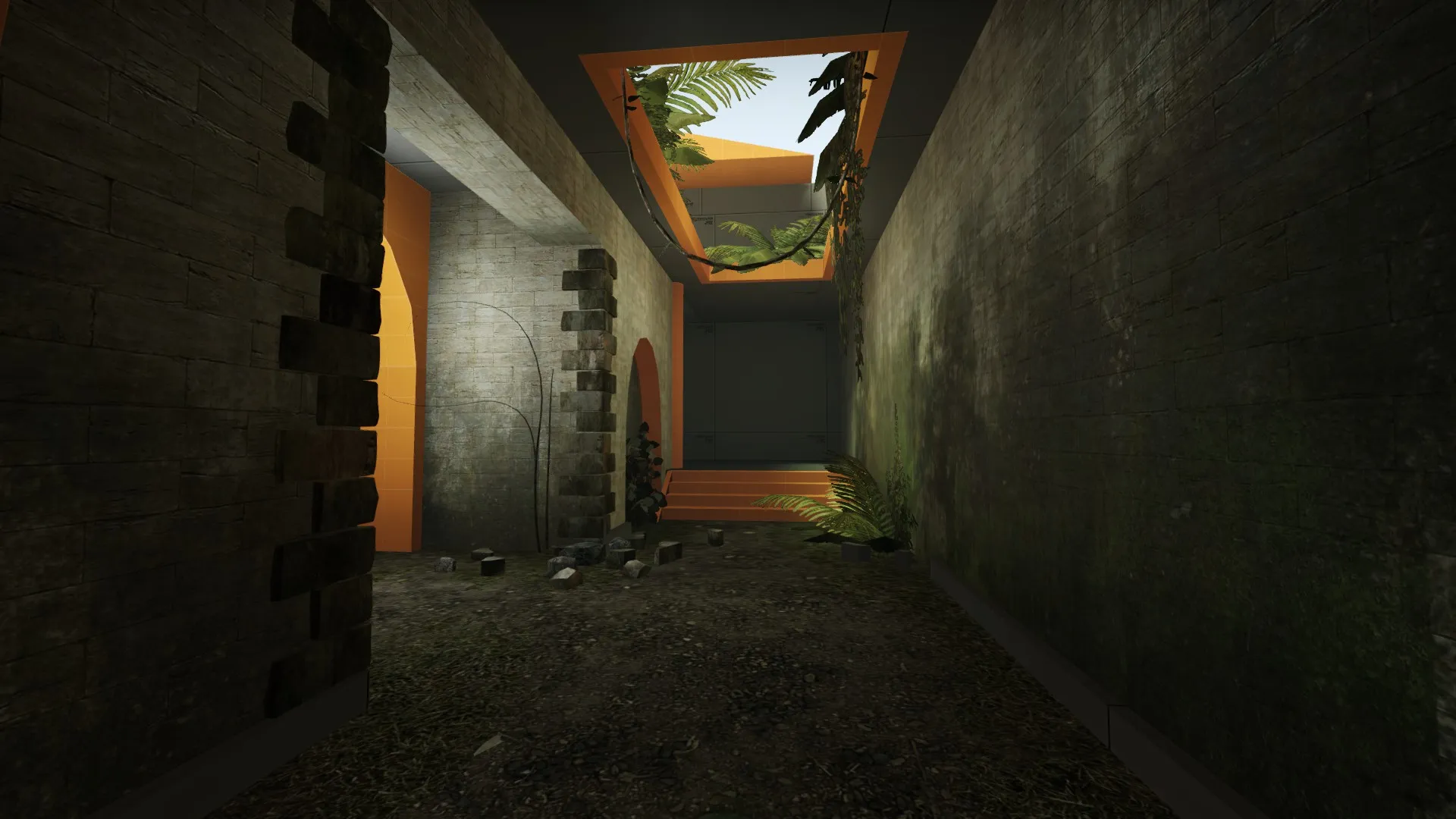
I'm finally back working on my de_losttemple remake. Got more references and better ideas for the visuals now.
Here's a quick WIP with placeholder textures and bad lighting
Unfortunately we can't submit our map, because we are far from finished. Still it was nice to take part in the contest, for example it made me learn blender finally, so I can make some simple props and get them in the game.
We absolutely want to finish this map and plan to release it early next year.
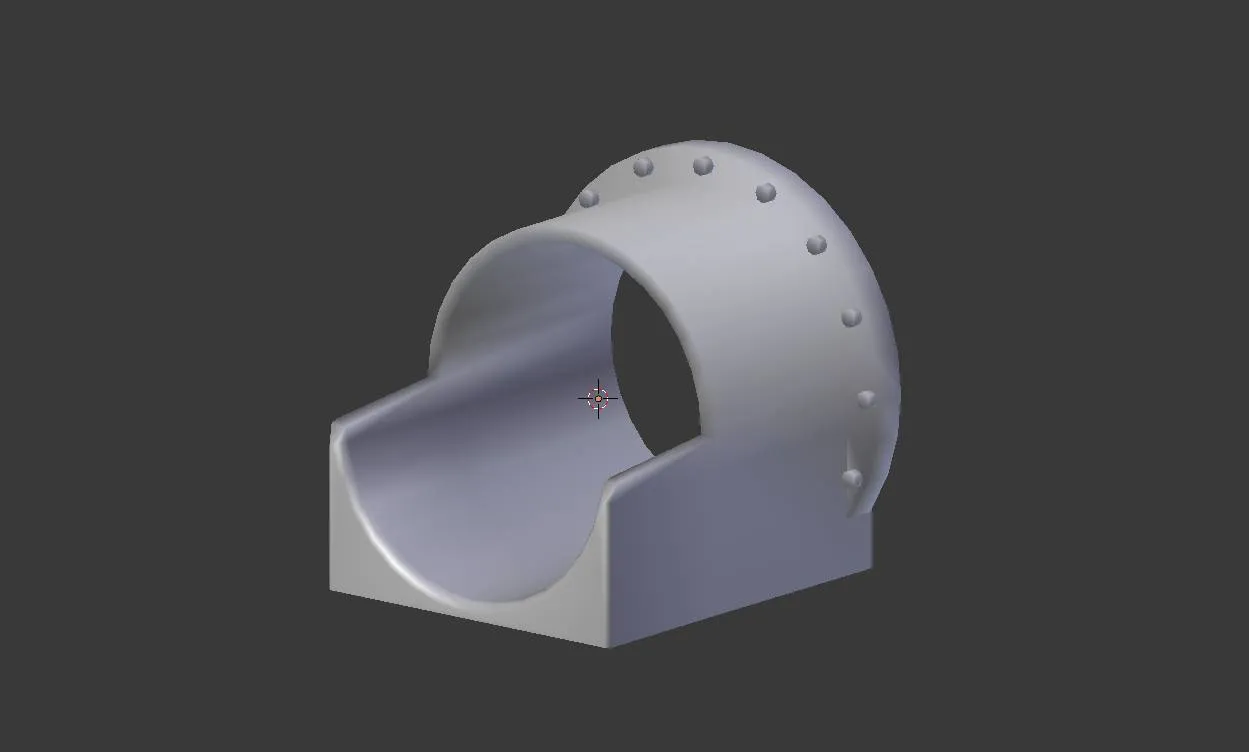
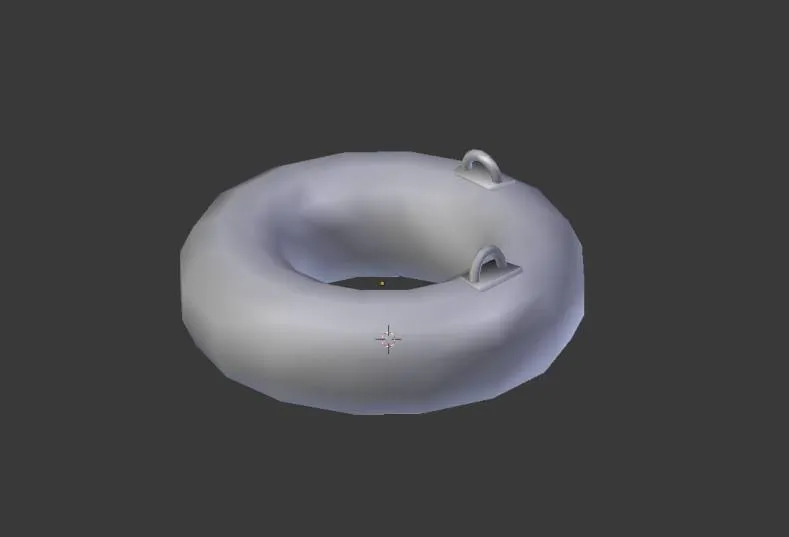
I have to get back to this thread because I'm running into more problems. What I want is an UV like this:
 Quote from Radix
On 10/6/2017 at 5:35 PM, Radix said: I personally used to place the seams where the shape requires them to be to get little distortion and preferably where they are barely visible. Then just hit "unwrap" and scale/rotate/move the unwrapped UV mesh so that it looks fine.
Something like this: (a rock from cs_militia)
The UV islands represent their relative scale which results in evenly spread detail across the model.
What I get when I unwrap is something like this:
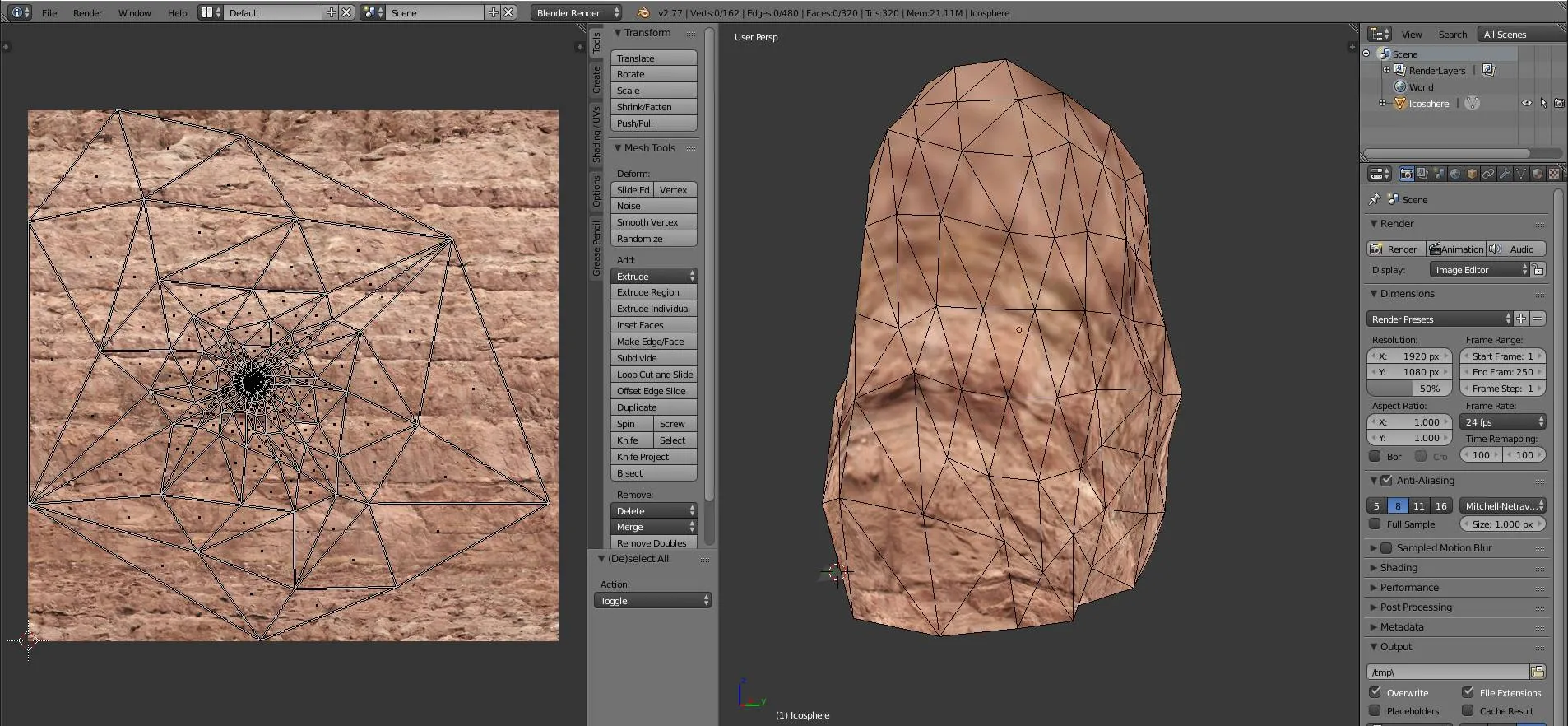
In this case I added a seam to the bottom of the model, this just serves the demonstration of the issue. The closer a face is to the seam, the larger it's UV island becomes. For the upper part of the rock Blender just generated really tiny faces. This obviously results in a totally blurry texture.
When I add a seam across the middle then I get roughly right scaled UV islands. But this divides the UV in two parts and results in an ugly visible seam across the model. I would have to paint over it.
But maybe there is a better solution and someone can tell me what the cause of this behavior is. Btw I already went in object mode and hit Ctrl+A to "Apply Rotation & Scale", so this can't be the issue.
We are happy about the additional month. Maybe we can get the map in an acceptable state. Progress was too slow lately, but now I'm back on it and highly motivated Still there's much to do.
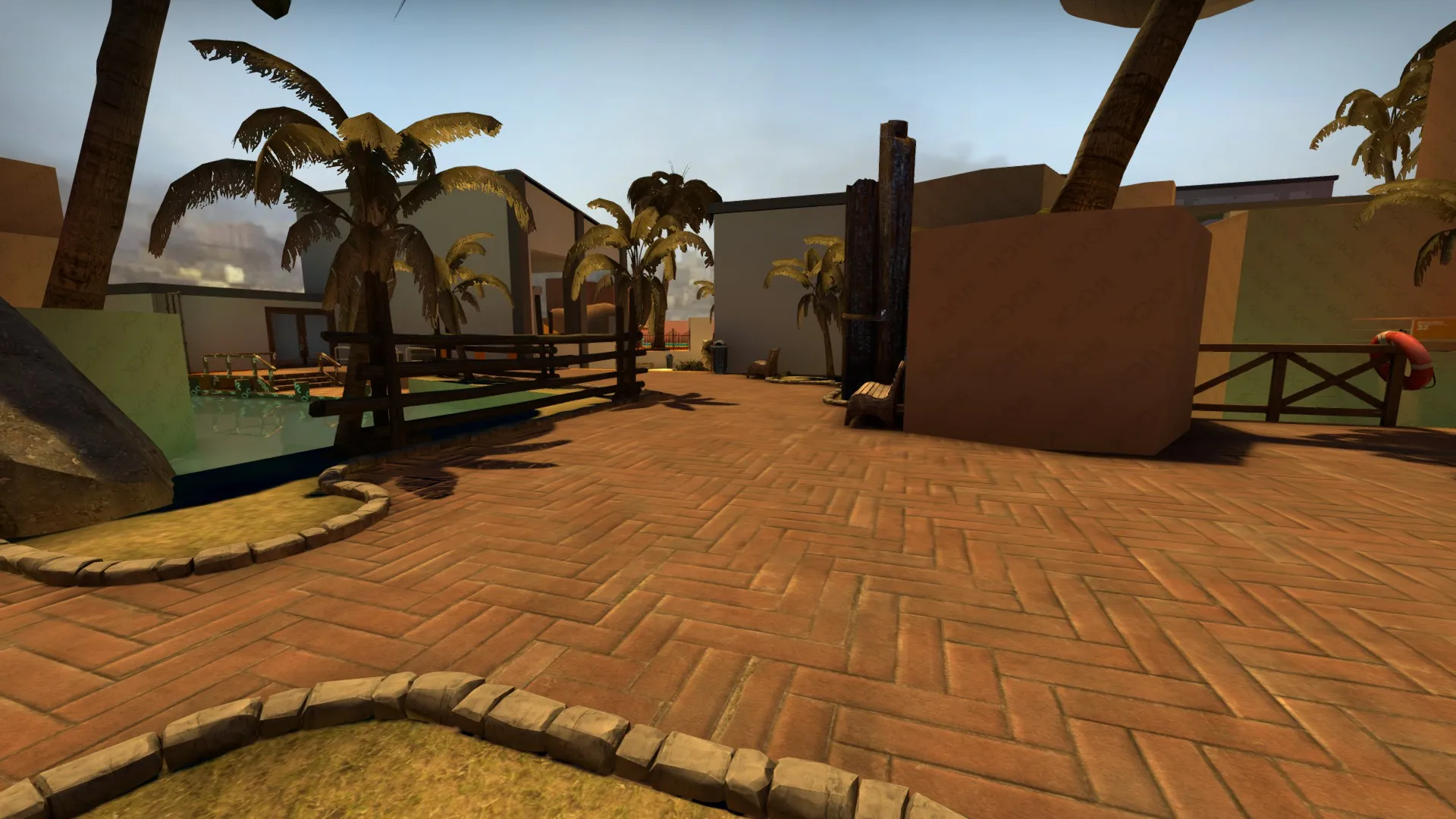
Anyway here's a recent WIP screenshot of the area I worked on recently. I'm also working on multiple models an hope I can show some of them soon.
Quote from Radix1 hour ago, Radix said: Yeah, a lot of new stuff if you are a beginner (I'm pretty new to making models as well). So maybe just go step by step and start with something easy. I don't think that your rock props really need to be seamless (pretty much all CS:GO default rock props are NOT).
Don't forget to switch to smooth shading (screenshot you posted above).
Thanks for the reminder 
Also I never noticed the seams on Valve models. All those errors in the details players fail to see... I will try it with a normal unwrap.
By the way: Why is the UV unwrap on your picture larger than the texture. Any reason for that?
27 minutes ago, Pericolos0 said: Any reason why you want it to be square? Any texture size that is a power of 4 should work in most game engines!
Originally I thought I could just use a "normal" texture which is used on brushes and get it applied randomly on the model so I don't have to worry about the seams.
So I watched that tutorial and it looks amazing what this guy does, but it's hard to follow at some points. I don't know if I can reproduce that with my low skills 
Anyway thanks for the help Radix, I think I understand it now. What I need to do is cutting the UV in two halves and then just use blenders built-in texture paint to edit my diffuse map until I got rid of all visible seams. I will try that.
Hi there,
while I know what UV mapping is and how to unwrap objects in Blender, I still have a beginner question. How do I create a square UV map for a seamless texture?
I want to to texture the two rocks in the attached picture with a seamless texture because I think this would be the best solution, right? Each rock has 320 faces, but I don't know how I can tell Blender to just use a square UV map and not a complicated unwrapped pattern.
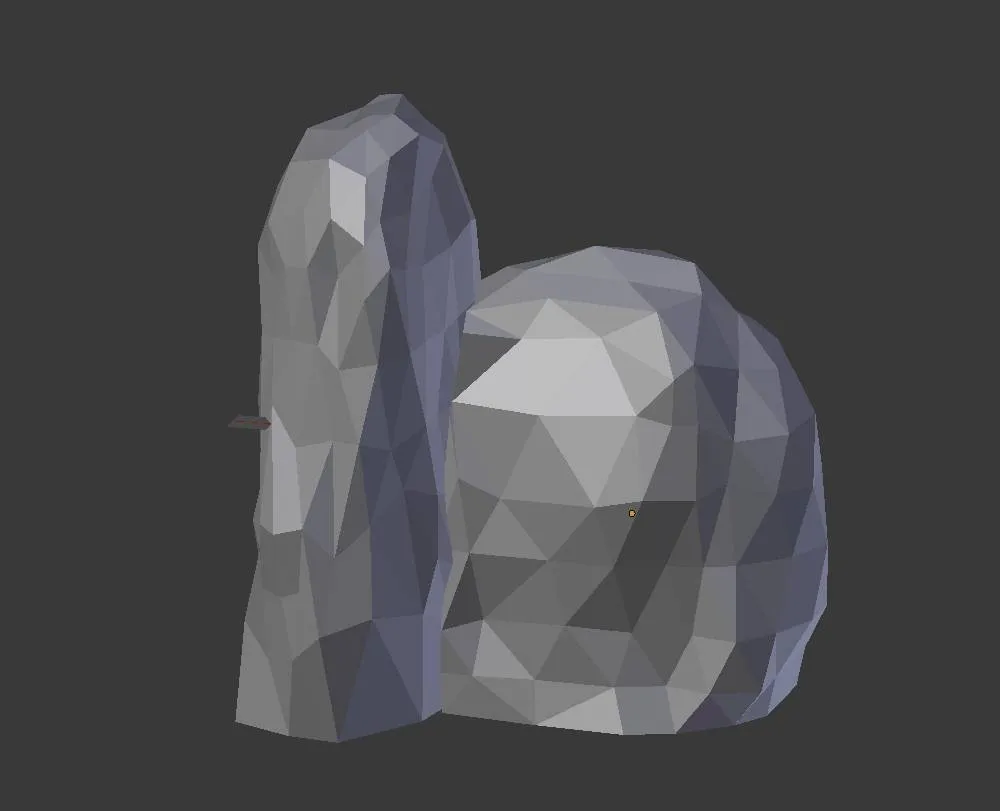
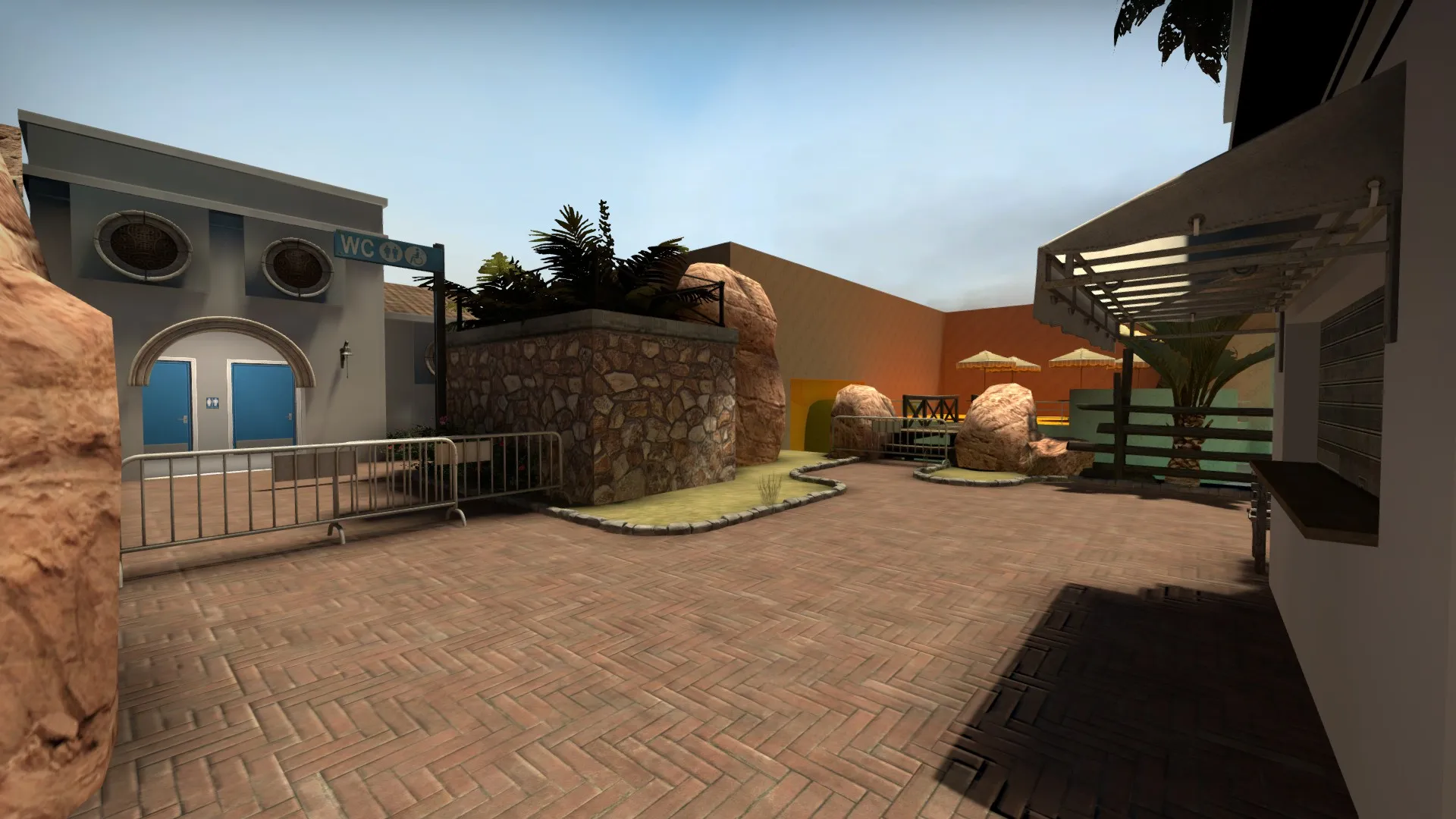
To break the silence here's a WIP model screenshot. Nothing special but I'm working on more.
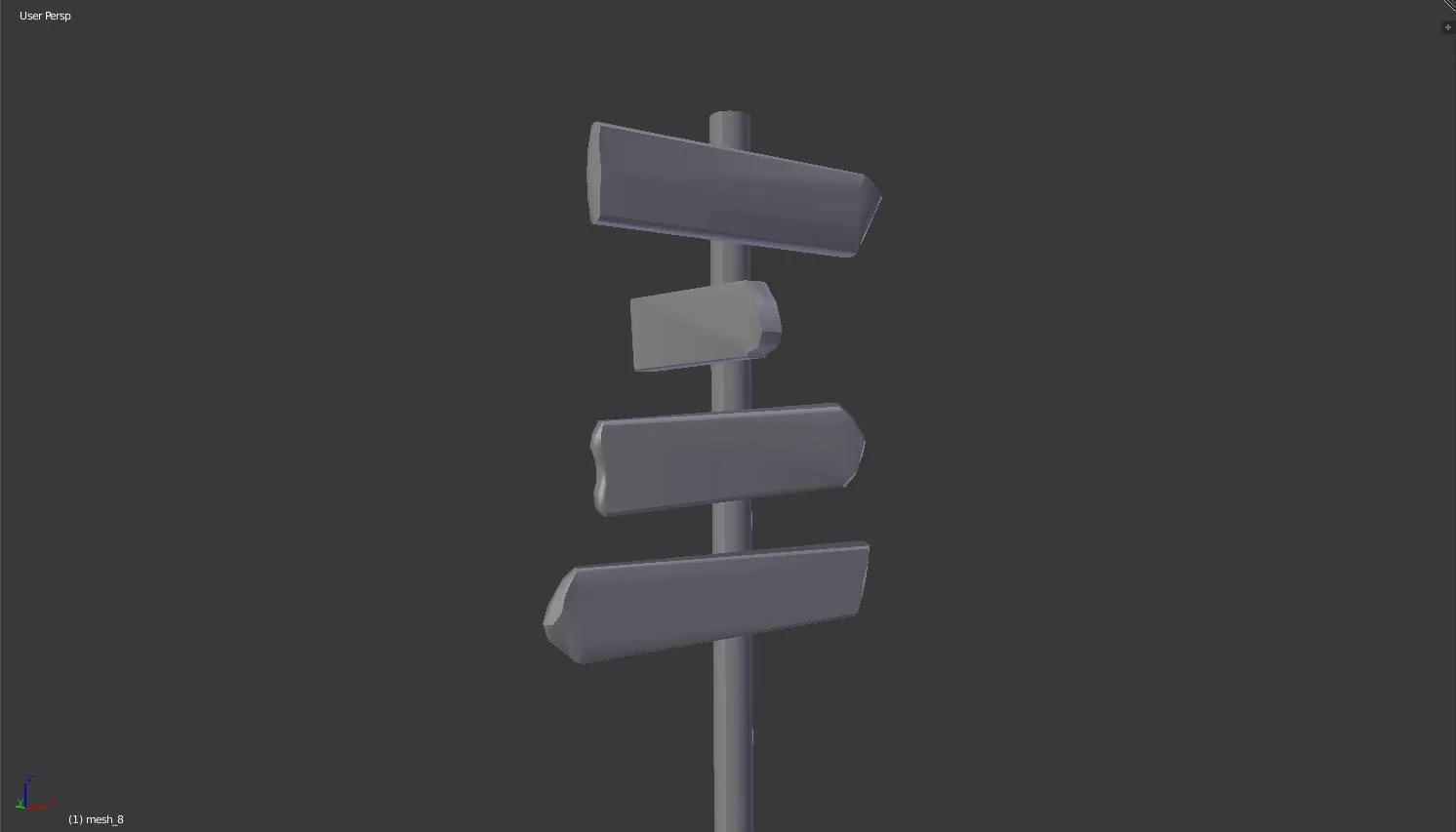
Also I made some changes to several areas to set them up for the visuals. Layout still remains the same. I hope we can put out a bigger update soon
Awesome work, really looking forward to this map. As mentioned before, good work with the rocks and of course all the other self-made stuff Are waterfalls completely gone or will they return? Would love to know how you made them. Anyway I just added you on steam.
I'll just use this thread because it's not that old and it already partly covers what I'm looking for.
Finally I've learned the basic of blender and I think I'm ready to make some models. Well, just meshes for now, I'll get to texturing and stuff like that later. But maybe I can already do some stuff which I can use in my map later. So basically what I'm looking for is ways to make trees, grass and ivy in Blender. I've already seen that there are things like "ivy generators" - but are the results good to be used in the source engine?
Recently I discovered a nice tutorial which I decided to go through. It's from 2010 and based on an older version of Blender. But the guy shows how to make a greek column with ivy on it, so I just had to watch it. I was like 75% through but then the guy suddenly comes up with a script to attach the leaves to the branches of the ivy. He switches to some kind of scripts window, which I just can't find and executes a "tree from curves" script.
Links to good (and up to date) tutorials are also fine!  Quote from text_fish
I'm just posting in here to troll the other people who keep checking back every ten minutes in to thinking there might be some exciting new info.
Sorry. See you in ten minutes.
great job 
too bad I have to work all day, but will be excited to see the announcement in the evening 
Sadly I have to cancel my playtest on 24.02.  Would take a spot on 05.03. instead.
If swst.turn doesn't mind I would also like to have that slot on 24.02. for my map de_losttemple. Did a long break, so the map is still not that far, but I could really use some input and feedback from the community 
I'll add it for him  http://steamcommunity.com/sharedfiles/fi…s/?id=308275526
We'll add this map on our public server soon.
Same here, I'm trying to learn 3D modeling to get better at mapping and be able to create unique environments in the future. Will be a long way to go, but I hope it's worth it  Talked to a guy recently, he told me to choose one of the big three (3DS Max, Maya, Blender) and stick with it. Because I can't pay like 4000€ a year, the choice was easy for me: Blender. The advantage is that you've always got the most recent version and yeah, it's free. But if you're planning to get a job in the industry some day, then you won't get far with Blender. You'll have to learn the expensive professional software from Autodesk then.
Anyway, I wanted to ask if someone here knows good tutorials for Blender which especially help with creating static props for games like CS:GO?
I played it two days ago and I really enjoyed it. Totally feels like a mixture between Rankin and Ironic, but I like both maps, so it's ok for me Movement flow is also good, you can easily jump from one floor to another. Thanks for making this map, I'll definitely play it once in a while.
Quote from text_fishDisplay MoreAnduriel, I loved lost temple in source so I was pleased to play it again in CS:GO. Are you one of the original authors, or did you get permission to port it?
I don't really like the addition of the connector in middle. It essentially connects to another connector, so it feels a bit superfluous and it undermines that midway point that the original did so well, whereby it really felt like the two teams were clashing along a straight line cutting through the middle of the map.
The scale of the map seems to have changed a bit as well. I guess the Source version could probably be badly spammed by molly's so that seems like a sensible decision, but I think the swamp route could be made a little narrower for more interesting grenade action.
Thematically speaking obviously it's difficult to tell where you're going as it's mostly gray box, but it seems like you might be doing a more Roman/Greek temple than the old tropical/Aztecish one?
First of all: No, I'm not one of the original authors. The original de_losttemple was made by Magikus and StarD00d (as d00ds.com). But there's a little bit of background story. Back in the days of Counter-Strike: Source Magikus and I were part of a team running a german CS Fansite. I learned how to use the hammer editor because of his mapping tutorials. But Magikus quit many years ago and nowadays I'm running the site. SirK joined our team during the CS:GO Beta. So the remake is not from the same people, but from the same community And yes we've got permission from StarD00d to port the map, he also sent us the original VMF (thanks to him at this point!).
Now let's get to your feedback. During the playtest I felt that the map is too much T-sided. The new connector doesn't work out that well, you're right with that. It feels like the Terrorists have to much options and as CT you just don't know what exactly you should cover. I think I'll just remove the connector and focus on the other routes. Which brings me to your second point. The scale of the whole map is the same, but it changed a little in the individual parts of the map. I'll take your advice and try to make some of the areas (including the middle route) a bit narrower to make it harder for the terrorists to get through.
About the visuals: As you guessed correctly where going for a roman/greek temple style. I think the next version will include some custom textures as well.
Thanks for your feedback!
Would love to get the second spot on 17.04. for a first playtest of de_losttemple by SirK and me. Map is still in an early stage, but it would be great to get some layout and gameplay feedback.
Just wanted to upload two editor shots of a CS:GO map I'm currently working on with my mate SirK. It's in an early stage, so still a long way to go. Wanted to share it also to motivate myself.
[Blocked Image: http://i.imgur.com/hJt8ISd.jpg]
[Blocked Image: http://i.imgur.com/D10Ug92.jpg]
It's been over a year since release, but I finally brought the map to the Workshop. I updated it for the Workshop Release: fixed some bugs, added some details, but nothing special. Hope you enjoy it.
Download: http://steamcommunity.com/sharedfiles/fi…s/?id=217471630
[Blocked Image: http://cloud-3.steampowered.com/ugc/3424160647632391773/9CC8740C01C7D23D6B431F4534F3442E4DCFD83A/]