

I made a custom node for that aswell: https://share.allegorithmic.com/libraries/2071

totally random texture thread
-
-
any other stuff from substance share you use or can recommend?
-
Two custom nodes that i use A LOT are
Hugo Beyer's noise polisher: http://hugobeyer.artstation.com/pages/free-stuff
Bruno Cracks: https://share.allegorithmic.com/libraries/22
Others that i like:
Get slope: https://share.allegorithmic.com/libraries/1172
Filter random: https://share.allegorithmic.com/libraries/2272
ID map from greyscale: https://share.allegorithmic.com/libraries/2289
-
 Quote from Steppenwolf
1 hour ago, Steppenwolf said: Hugo Beyer's noise polisher: http://hugobeyer.artstation.com/pages/free-stuff
I never know I needed this so bad in my life until you showed me it. Too bad the dropbox link doesn't work, goddammit

-
This should work (see attached file). Otherwise i believe it's included in this substance from him: https://share.allegorithmic.com/libraries/965
And yea it's pretty awesome node. Really helps for getting more polished "zbrushy" look on stuff, less noisy and procedural. Super awesome for making some erosion like terrain effects aswell.
-
[Blocked Image: http://i.imgur.com/GnNI5OS.png]
[Blocked Image: http://i.imgur.com/eR1IfFR.png]
[Blocked Image: http://i.imgur.com/ALLtVGr.jpg]
[Blocked Image: http://i.imgur.com/B4I3v2A.png]
[Blocked Image: http://i.imgur.com/VsVoSoM.png]
Base Color | Heightmap | Normalmap | Roughness
-
The crevices on the basecolor look pretty dark for a pbr texture. That's what the ao map is there for. The new hbao node does a very good job for that. Under PBR Utilities you can also find a PBR Albedo Safe Color node that you can plug in before your basecolor output in case you're unsure if some values are too dark or too bright.
-
Quote from Steppenwolf
3 minutes ago, Steppenwolf said: The crevices on the basecolor look pretty dark for a pbr texture. That's what the ao map is there for. The new hbao node does a very good job for that. Under PBR Utilities you can also find a PBR Albedo Safe Color node that you can plug in before your basecolor output in case you're unsure if some values are too dark or too bright.
Thanks, I didn't know much about this. I only knew certain value ranges aren't good for PBR. Also I know I made it in the PBR workflow (because I've never made a Substance that way) but the diffuse I ended up blending a lot of stuff into it so it looks good in CS:GO as well. I'll post a screenshot of it in-game soon ™
-
In that case it's fine. For CS:GO you need a diffuse texture anyway which you can make by multiplying the ao map on top of the basecolor.
-
I'm trying to get going with @Yanzl's Source Shader but it seems to me that the diffuse isn't showing properly.
For instance when I use @Motanum's example substance it looks like this:
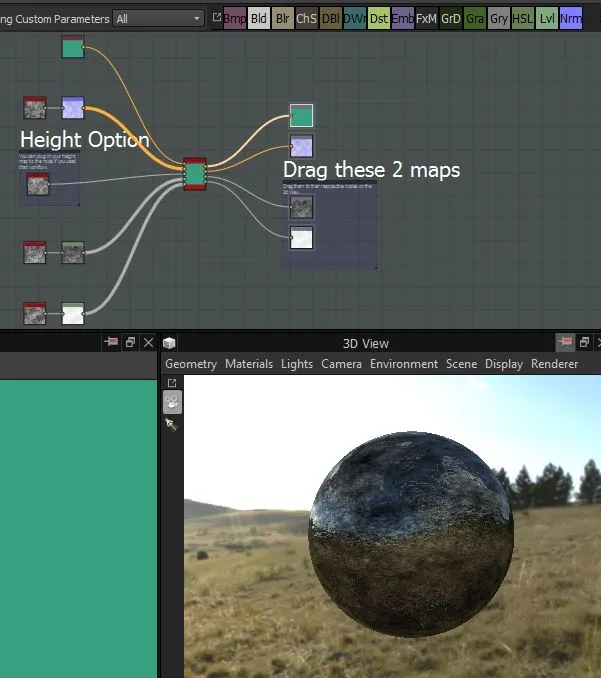
while I'm sure it should look like this
[Blocked Image: http://i.imgur.com/3ojlXUZ.jpg]
Apparently it works fine for everybody else so I'm obviously doing something wrong.
Hint requested.
-
@esspho You need to have at least one light enabled, both in 3D view lights and in the shader parameters.
-
 Quote from Yanzl
4 hours ago, Yanzl said: @esspho You need to have at least one light enabled, both in 3D view lights and in the shader parameters.
Thanks.

-
[Blocked Image: https://i.imgur.com/JEXNtE8.png]
[Blocked Image: https://i.imgur.com/mNsmPuv.png]
Optional misc. I don't want to clutter the post :).
Spoiler Diffuse | Heightmap | Normalmap | Roughness
[Blocked Image: https://i.imgur.com/1suqyLw.png]
Substance Graph
[Blocked Image: https://i.imgur.com/113oXCX.png]
In-game comparing normalmap vs no normalmap.
[Blocked Image: https://i.imgur.com/TOExa6Q.jpg]
[Blocked Image: https://i.imgur.com/slQwxxQ.jpg]
-
Wanted to share some work I did on the skys in day of infamy. I used vue studio to render out all the skys.
[Blocked Image: http://i.imgur.com/pW8bXgE.jpg]
[Blocked Image: http://i.imgur.com/Z79WIim.jpg]
[Blocked Image: http://i.imgur.com/gqAHsvs.jpg]
[Blocked Image: http://i.imgur.com/7kQWvPf.jpg]
[Blocked Image: http://i.imgur.com/Jc16H6f.jpg]
[Blocked Image: http://i.imgur.com/RdPBc5T.jpg]
[Blocked Image: http://i.imgur.com/zaEqAxq.jpg]
[Blocked Image: http://i.imgur.com/4pzqEdv.jpg]
There is more, I just dont want to spam with a ton of images
Also wanted to thank the other level designers and environment artists that made the levels awesome!
edit: does this really count as a texture? (I mean they are but maybe I should of posted it somewhere else idk)
-
Wow ! Nice work on these sky !
-
Finally got some more personal work to show off after a bit of a dry spell
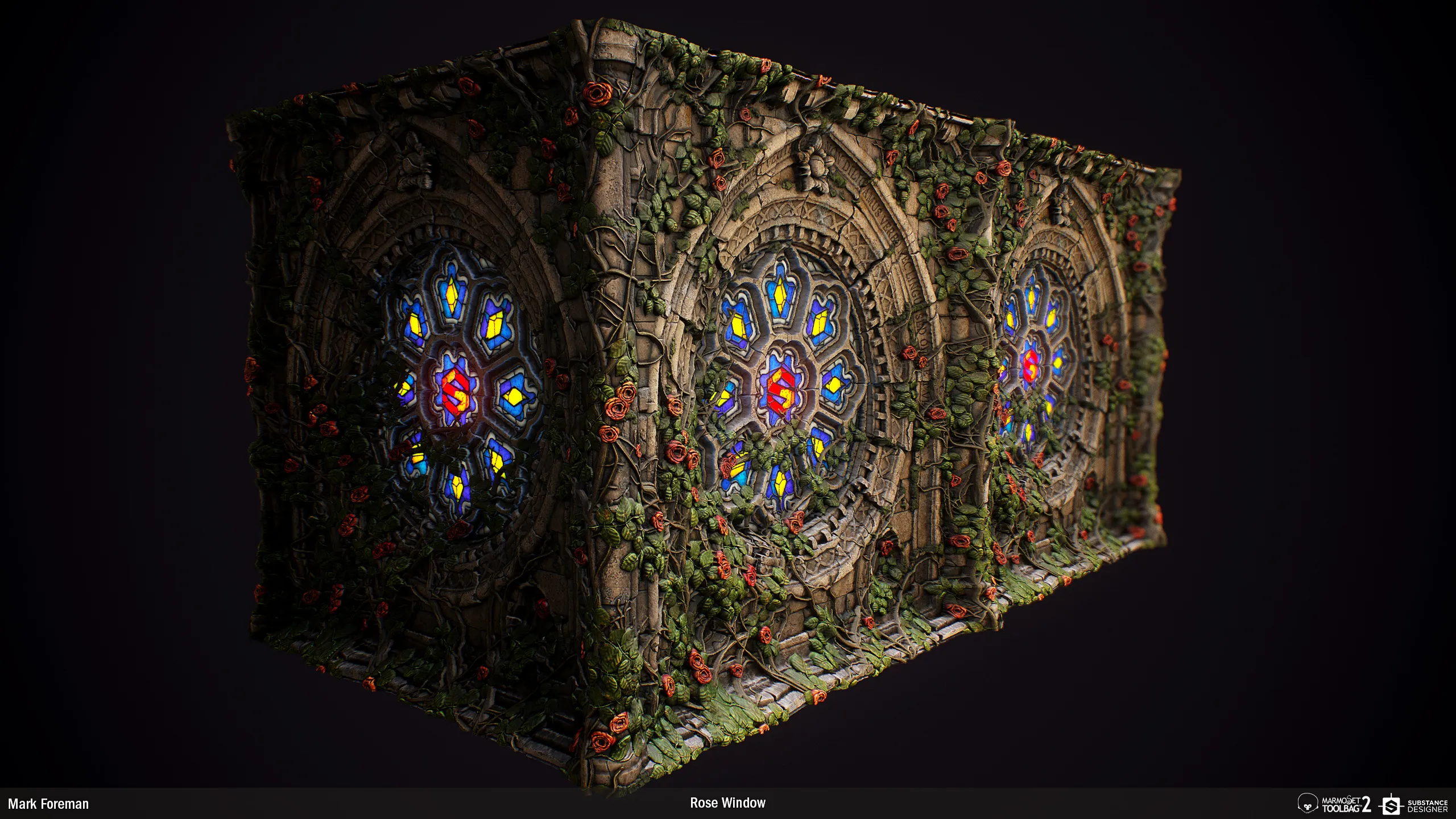
 The Allegorithmic guys invited me to give the new Substance Designer 6 a test drive, so I made a new substance using the new nodes. Mostly the curve node which allows you to precisely control gradients.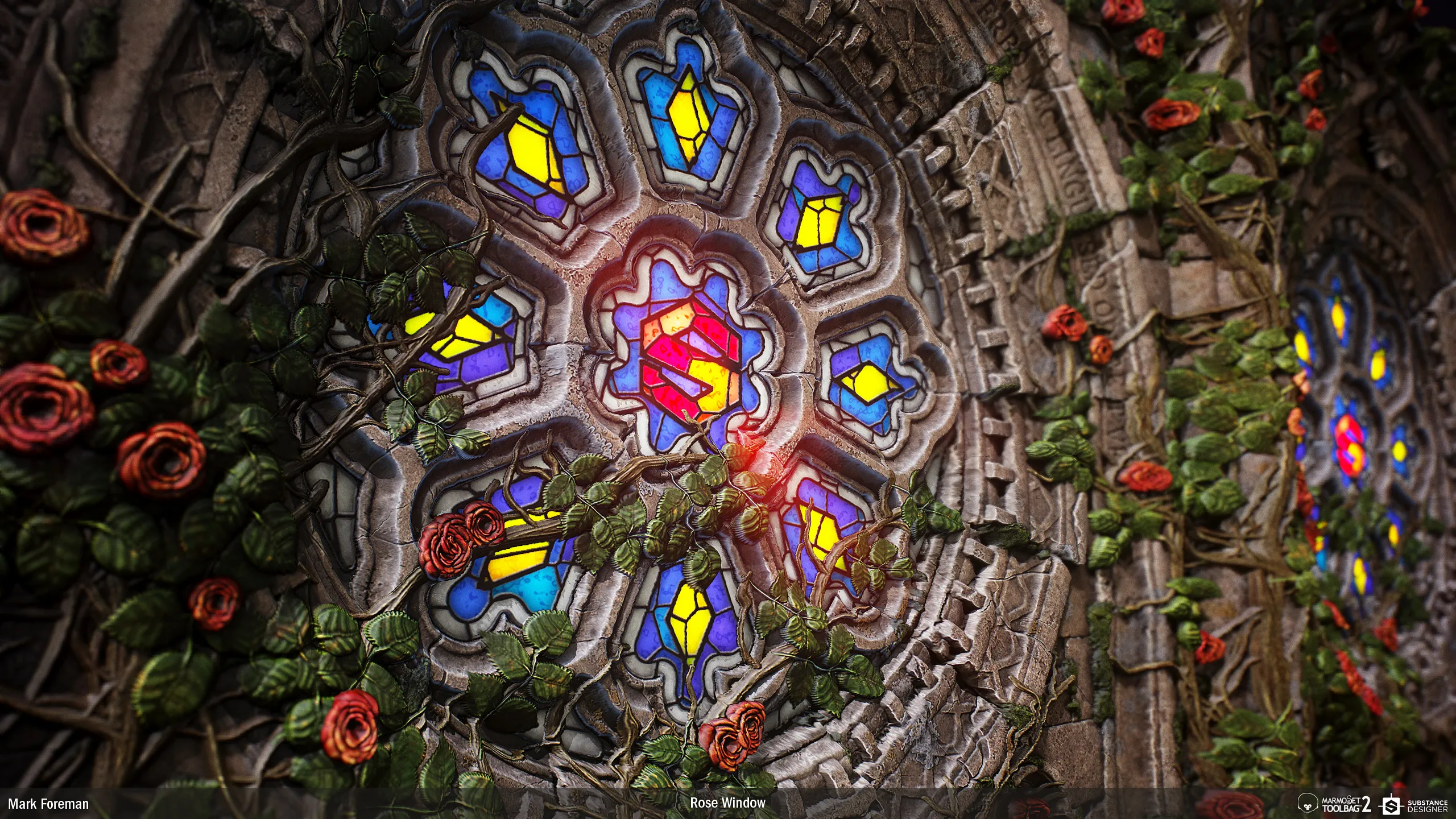
-
-
Jebus crabst...
-
Damn dug, I've got a long ways to go. Looking forward to checking out the new nodes in 6.
-
That's insane.
-
Participate now!
Don’t have an account yet? Register yourself now and be a part of our community!