1. Forums
  2. Discord
  3. About Mapcore
  4. Patreon Supporters
  • Login
  • Register
  • Search
This Thread
  • Everywhere
  • This Thread
  • This Forum
  • Articles
  • Pages
  • Forum
  • More Options
  1. Mapcore
  2. Discussions
  3. Level Design

Level Design Help Files

  • von*ferret
  • December 13, 2005 at 8:01 AM
  • 'RZL
    • June 7, 2018 at 6:07 PM
    • #141
    Quote from Vilham

    On 6/5/2018 at 3:26 PM, Vilham said: Hey a bit of a necro but the first post in the thread now auto embeds stuff which totally breaks everything.

    Fixed now! Had to remove one video about cs:go level design unfortunately, since it broke everything.

    Anyway, did anyone find any resources in the meantime that we could add to the collection?

  • poLemin
    • June 7, 2018 at 6:40 PM
    • #142
    Quote

    32 minutes ago, 'RZL said: Anyway, did anyone find any resources in the meantime that we could add to the collection?

    I was surprised that http://www.clement-melendez.com/portfolio/arti…l/introduction/ was not on this list! Please add!

  • esspho
    • June 10, 2018 at 4:46 PM
    • #143
    Quote

    On 6/7/2018 at 7:07 PM, 'RZL said: Fixed now! Had to remove one video about cs:go level design unfortunately, since it broke everything.

    Anyway, did anyone find any resources in the meantime that we could add to the collection?
    What about this classic?

    Ben’s small bible of realistic multiplayer leveldesign

  • morozov
    • July 18, 2018 at 11:45 AM
    • #144

    I created .AI and .PDF editable file, with color markup like panorama ui radar.Download[Blocked Image: https://pp.userapi.com/c847018/v847018472/a0b36/kAeHKvJCzh0.jpg]

  • Radix
    • August 3, 2018 at 12:38 PM
    • #145

    Probably I'm the last person to know this but afaik no one shared this so far:

    It seems like CS:GO community mappers can now use the static prop combine ("autocombine") feature which is used in new official CS:GO maps (especially de_nuke) to improve performance significantly.

    So we have a guide how to use this: https://developer.valvesoftware.com/wiki/Static_Prop_Combine

    Not as easy as I hoped, because we will need the source files of every model (*.qc etc.). But still good to know.

  • Skybex
    • August 7, 2018 at 12:47 PM
    • #146
    Quote from Radix

    On 8/3/2018 at 2:38 PM, Radix said: Probably I'm the last person to know this but afaik no one shared this so far:

    It seems like CS:GO community mappers can now use the static prop combine ("autocombine") feature which is used in newer official CS:GO maps (especially de_nuke) to improve performance significantly.

    So we have a guide how to use this: https://developer.valvesoftware.com/wiki/Static_Prop_Combine

    Not as easy as I hoped, because we will need the source files of every model (*.qc etc.). But still good to know.

    Any idea if this factors in the new prop scaling?

  • MikeGon
    • August 7, 2018 at 4:12 PM
    • #147
    Quote from Radix

    On 8/3/2018 at 7:38 AM, Radix said: Probably I'm the last person to know this but afaik no one shared this so far:

    It seems like CS:GO community mappers can now use the static prop combine ("autocombine") feature which is used in newer official CS:GO maps (especially de_nuke) to improve performance significantly.

    So we have a guide how to use this: https://developer.valvesoftware.com/wiki/Static_Prop_Combine

    Not as easy as I hoped, because we will need the source files of every model (*.qc etc.). But still good to know.

    Wow, very interesting tool!

    I hope its stable enough already, I kind of want to try it with an expensive map of mine...

    I'll share my discoveries here if I do so!

  • Serialmapper
    • August 8, 2018 at 11:01 AM
    • #148

    Is there a way to create a custom texture for source engine, namely for CS:GO, that does not attach to vertex points? I would like to use it on stretched displacements. The current textures stretch together with the displacements and look ugly.

  • Skybex
    • August 8, 2018 at 2:39 PM
    • #149

    I think this is what you are looking for

    https://developer.valvesoftware.com/wiki/$seamless_scale

  • That50'sGuy
    • August 12, 2018 at 2:40 AM
    • #150
    Quote from Skybex

    On ‎8‎/‎8‎/‎2018 at 9:39 AM, Skybex said: I think this is what you are looking for

    https://developer.valvesoftware.com/wiki/$seamless_scale

    Yes, that works. But it also seems to get rid of my texture scale settings (Something you use on HR_ textures)

  • Serialmapper
    • August 25, 2018 at 9:02 AM
    • #151

    Is there a way ( a setting, a workaround) in CSGO Hammer editor to make 4way blend materials be visible from 3D Shaded Textured Polygons? currently they are visible only from 3D Textured. Thank you in advance.

  • Serialmapper
    • September 2, 2018 at 9:06 AM
    • #152

    I'm sorry to pollute this topic with strange questions, i have another one.

    I know how to make a radar for CSGO, i know how to work with layers and channels but i just cannot figure out how to make a new type csgo radar overview using the files provided by @untor earlier in this topic. So the question is: what are the steps? Thank you in advance.

  • morozov
    • September 2, 2018 at 12:33 PM
    • #153
    Quote from Serialmapper

    3 hours ago, Serialmapper said: I'm sorry to pollute this topic with strange questions, i have another one.

    I know how to make a radar for CSGO, i know how to work with layers and channels but i just cannot figure out how to make a new type csgo radar overview using the files provided by @untor earlier in this topic. So the question is: what are the steps? Thank you in advance.

    I did it in Adobe Illustrator I prepared the layers with ready-made styles and colors. At this point, the stage of work is as follows. 1. You might made outline the silhouette of your map. 2. Then fill the areas of the map, according to the color palette. It is better to do this from the bottom to the highest level. 3. Then draw coverings and objects. Use the prepared style. 4. Then key zones are drawn, such as the place where bombs are laid, respawn, etc. My files, for the most part a tip for the design of radar. I tried to make it as similar as possible to the original.

  • Serialmapper
    • October 9, 2018 at 6:26 PM
    • #154

    In CS:GO i have a simple custom water material derived from a default one, however i want that my material to be able to reflect the sun sprite from the sky as i would see in nature. My settings for the reflection parameters are below. Is source engine capable of what i want? and if so what are the proper settings/parameters to enable that? the env_sun it's an entity but "$reflectentities" 1 doesn't seem to work for it.

    // Reflection $realtimereflection 1 "$reflecttexture" "_rt_WaterReflection" "$reflecttint" "{ 170 170 170}" "$reflectentities" 1     $reflect2dskybox 1 "$reflectamount" "0.9"

  • poLemin
    • October 10, 2018 at 7:40 AM
    • #155
    Quote from Serialmapper

    13 hours ago, Serialmapper said: In CS:GO i have a simple custom water material derived from a default one, however i want that my material to be able to reflect the sun sprite from the sky as i would see in nature. My settings for the reflection parameters are below. Is source engine capable of what i want? and if so what are the proper settings/parameters to enable that? the env_sun it's an entity but "$reflectentities" 1 doesn't seem to work for it.

     // Reflection $realtimereflection 1 "$reflecttexture" "_rt_WaterReflection" "$reflecttint" "{ 170 170 170}" "$reflectentities" 1     $reflect2dskybox 1 "$reflectamount" "0.9"

    I cannot tell with certainty if what you want is actually doable, but if you look at Canals, you'll see that Valve painted the sun into the 2d skybox and have a more detailed sprite in front of it. That way, the sun is somewhat reflected in the water.

  • Radix
    • October 31, 2018 at 12:53 PM
    • #156
    Quote from Radix

    On 8/3/2018 at 1:38 PM, Radix said: It seems like CS:GO community mappers can now use the static prop combine ("autocombine") feature which is used in new official CS:GO maps (especially de_nuke) to improve performance significantly.

    So we have a guide how to use this: https://developer.valvesoftware.com/wiki/Static_Prop_Combine

    Not as easy as I hoped, because we will need the source files of every model (*.qc etc.). But still good to know.

    Did anyone manage to make use of this feature already?

    I'm currently trying to make it work, but no success yet...

  • Serialmapper
    • October 31, 2018 at 1:09 PM
    • #157

    Same here, very frustrating. I had tried it but every time says something about a .qc path, although i respected their indications, the stub .qc, their examples from csgo\scripts\hammer\spcombinerules. checked and rechecked everything. Maybe an alternative would be to import in 3dsmax the models from that scene in the same position as in the map, join them and export them as a model.

  • blackdog
    • November 5, 2018 at 6:52 PM
    • #158

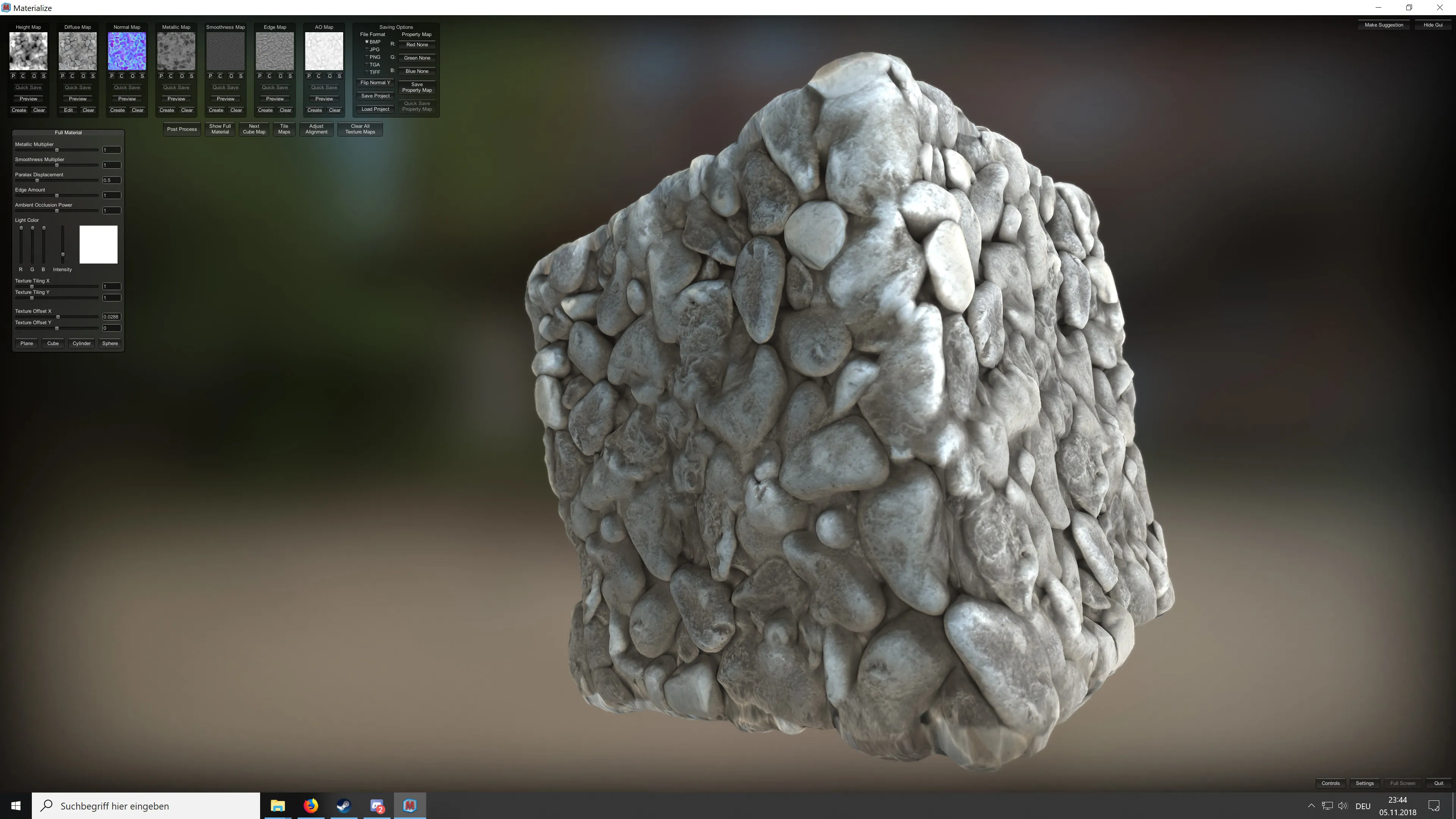
    Since there are some 2D tools/resources mentioned in here, I’ll drop this that has come up on my YouTube: a free alternative to Substance Designer that seems to be doing a pretty good job!

    External Content www.youtube.com
    Content embedded from external sources will not be displayed without your consent.
    Through the activation of external content, you agree that personal data may be transferred to third party platforms. We have provided more information on this in our privacy policy.

  • esspho
    • November 5, 2018 at 10:47 PM
    • #159
    Quote from blackdog

    3 hours ago, blackdog said: Since there are some 2D tools/resources mentioned in here, I’ll drop this that has come up on my YouTube: a free alternative to Substance Designer that seems to be doing a pretty good job!

    External Content www.youtube.com
    Content embedded from external sources will not be displayed without your consent.
    Through the activation of external content, you agree that personal data may be transferred to third party platforms. We have provided more information on this in our privacy policy.

    This is insanely easy. Thanks for sharing!

  • Serialmapper
    • December 24, 2018 at 4:03 PM
    • #160

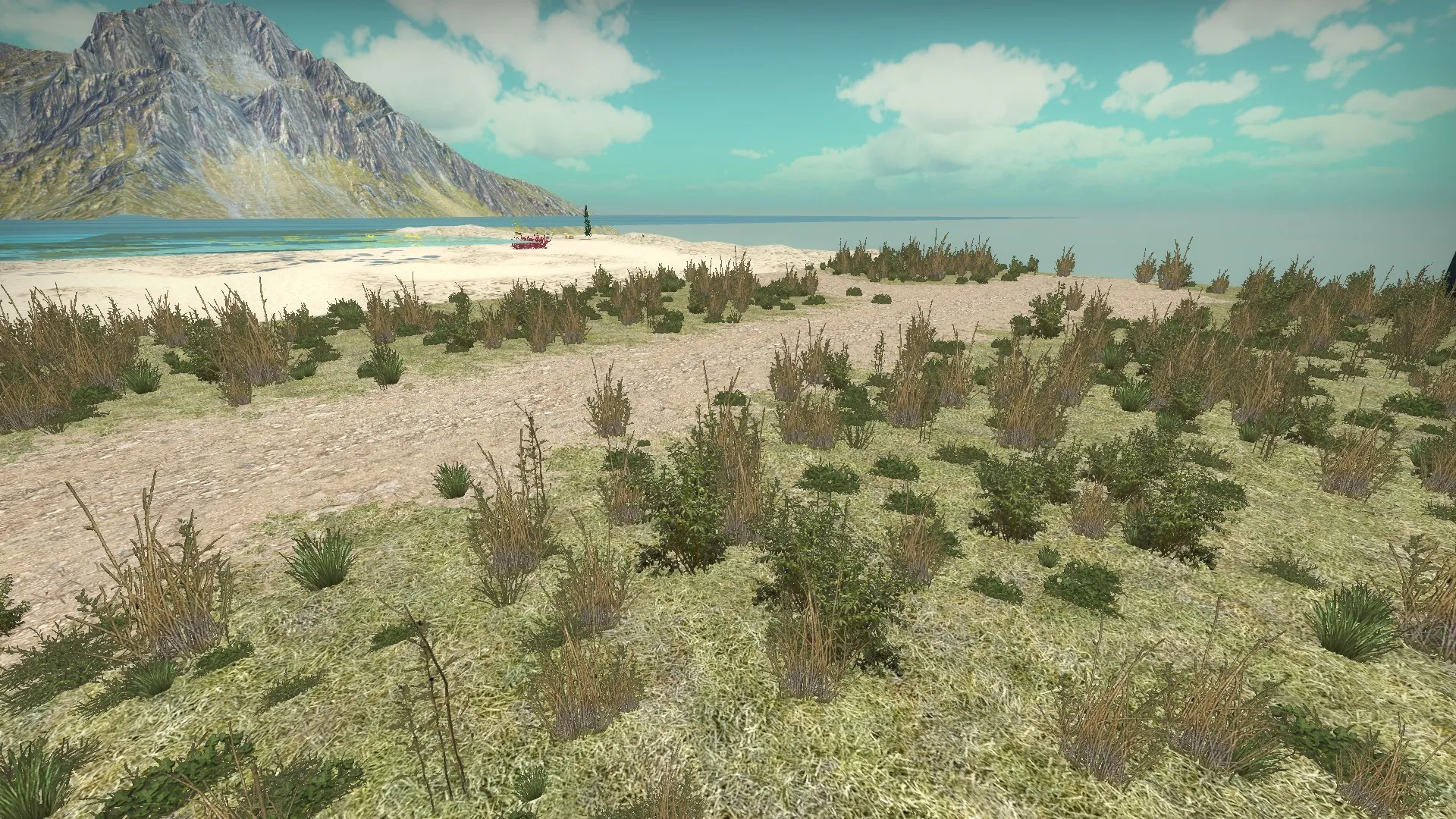
    Regarding detail sprites in CS:GO, i managed to create a .vbsp file derived from the default one using some default sprite materials slightly altered. You may download them from here.

    Below is the result on a small test map. The blend material is made also from default textures. I couldn't make it work on a 4 way blend material. Also i tried other default sprite materials and they don't seem to work. On this one, using sprite_shape tri or cross gives very ugly visual bugs. Currently i'm trying to make my own custom sprites using @TopHATTwaffle guide.


Participate now!

Don’t have an account yet? Register yourself now and be a part of our community!

Register Yourself Login
Discord

The Mapcore Discord is our lively IRC channel of the 2000s reborn. Chat about level design, gaming, and more.

Latest Posts

  1. Tangerine

    Harry Poster
    July 18, 2026 at 11:10 AM
  2. Any of the old guard still around? D:

    Warby
    July 12, 2026 at 8:23 PM
  3. About our archived forums

    Thrik
    June 30, 2026 at 2:12 PM
  4. Mapcore Discord

    mason_fan123
    June 24, 2026 at 8:52 PM
  5. [CS2] Valley

    Serialmapper
    June 22, 2026 at 11:56 AM
  6. Free Music / SFX Resource - Over 2500 Tracks

    Eric Matyas
    June 18, 2026 at 12:32 PM
  7. Pango [WIP]

    Elowen
    June 11, 2026 at 10:13 AM
  8. [CS2] Dvina

    Jeremy Rivera
    June 11, 2026 at 10:03 AM
  9. Bridges 2.0 by NEXSIDE, MAP SHOWCASE. ( Steam Workshop )

    MrTrane18
    June 1, 2026 at 7:46 PM
  10. Classic Maps Reborn For CS2

    SillySpaceCat
    May 31, 2026 at 10:33 PM
  1. Privacy Policy
  2. Contact
Powered by WoltLab Suite™