

Learning texturing with Substance Painter. Barrel model created in Blender.
[Blocked Image: http://i.imgur.com/mGi32SZ.jpg]

Learning texturing with Substance Painter. Barrel model created in Blender.
[Blocked Image: http://i.imgur.com/mGi32SZ.jpg]
Looks nice!
Did you use any tuorials for this? Just asking, because I'm learning SD and Blender too.
 Quote from Squad
1 hour ago, Squad said: Looks nice!
Did you use any tuorials for this? Just asking, because I'm learning SD and Blender too.
Thanks  This one is completely my own, but I have been working with Blender for a few years now and for learning Substance I used tutorials from their site and Youtube channel.
 Quote from Pink Flamingo
20 hours ago, Pink Flamingo said: Guys i dont know is this the place but i have some questions about blender and hammer sdk. I have some detailed and textured 3d models in blender and i want to export and use in my cs:go map. But the problem is there is no up-to-dated tutorial for that. I can export to smd file via source plugin in blender. But some guys on forums says " you need to have a texture." Well hey! Its already textured" How can i split uv material from 3d object in blender. If someone knows or did this before, please help me. That would be awesome.
Correct me if I am wrong, but you've texture your model in blender, and now you want to export that? If so you're going to have to learn about baking textures, it's not terribly hard, but I think that's what you're asking.
I guess he downloaded a .blend (blender files) of a finished model and he wants to use it.
You can extract the texture from the UV Editing window :
[Blocked Image: http://i.imgur.com/131kzqj.png]
Find in the images being used in your .blend the one you want to extract in this list :
[Blocked Image: http://i.imgur.com/TM8z78G.png]
And then save it :
[Blocked Image: http://i.imgur.com/U2HoXCb.png]
But make sure you have the rights to do this and don't forget to mention the creator of the asset.
Don't download models from the internet unless it's for learning or to use as reference (gun model makers tend to download .cad files of certain parts and keep them around for reference or pop it into zbrush and dynamesh)
First time car modeling. Some bumps there but cant bother with it anymore.
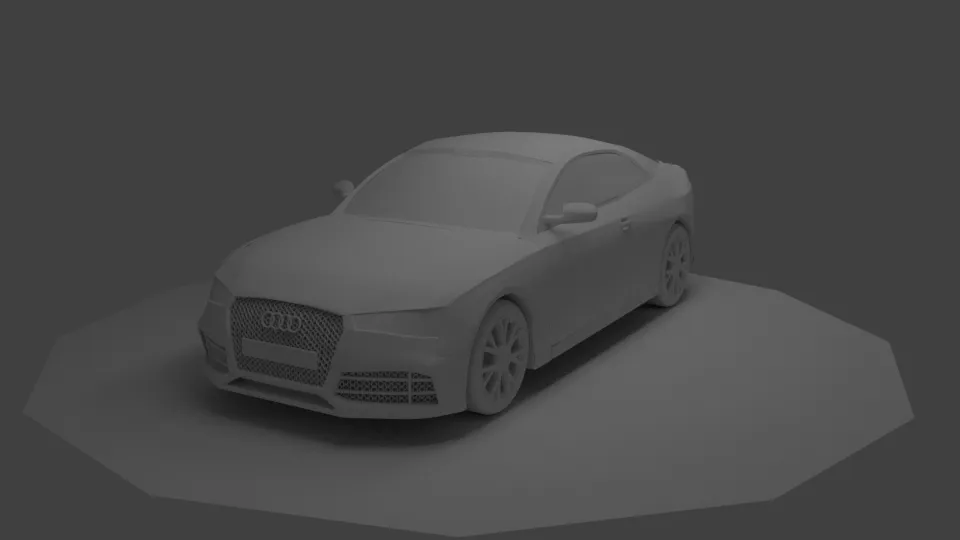
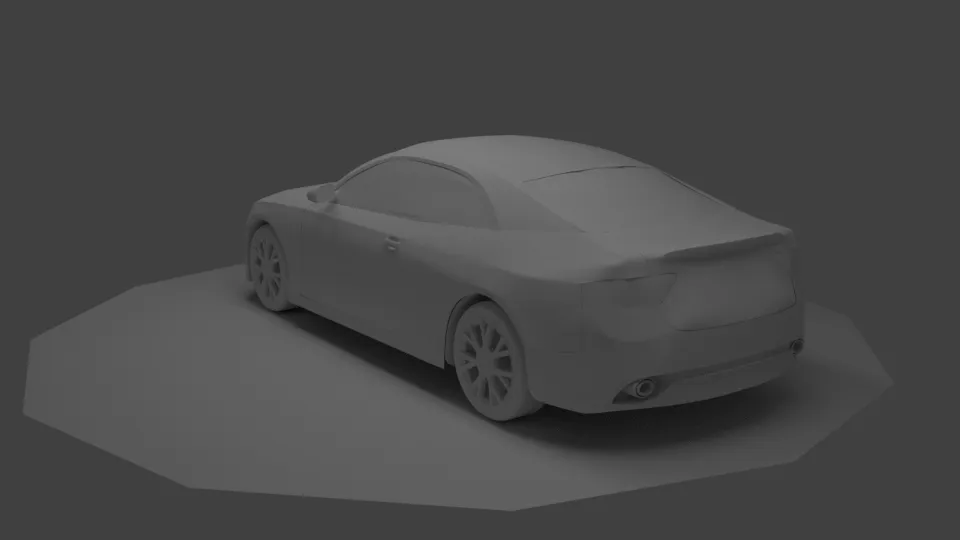
Here's a few tips:
- Throw a high spec shader on it WHILE you model, you'll see the pinching errors a lot better.
- Fix your pinches before you move any forward, there's a lot of them! If you wait too long it'll be harder to make changes to the geo, because the more tesselated the mesh is the harder it becomes to make big changes.
- Throw some quick materials on there so you can start reading the diferent materials right away, just drop a low spec black material to plastics, high spec glossy paint to body, etc.
- Don't stop now, wtf you're almost done lol
Can you point places which need need work / are pinching, I see some obvious ones but not that many.
Are you using max? You have a lot of wonky vertices not flowing as they should, and it's creating pinches in the sub-d surfaces. When I start getting this on my meshes, I take a step back, get rid of a few edge loops, select the problematic areas, throw a relax modifier, and start to model the shape all over with a better vertex flow.
[Blocked Image: http://i.imgur.com/to8WeRp.jpg]
I am using blender. What does relax modifier do?
Edit. Actually some pinches you have marked are supposed to be shapes of the car.
It makes wonky vertices flow along their respective edges in a more natural way.
I did a quick google and you can do it in Blender too
[Blocked Image: https://wiki.blender.org/uploads/0/0c/Scripts_manual_mesh_relax.gif]
Quote from Pink Flamingo3 hours ago, Pink Flamingo said: I couldnt find any solition for my issue and made it out in hammer. Making a ferris wheel is easy only when its used in 3d skybox.
The content cannot be displayed because it is no longer available.
This really shouldn't be made out of brushes. If you allready made some models you should also be able to bring them into the game. Everything that is needed is on the valve developer community. Go for it.
>random model thread
>brushes
Also, listen to robot man, this type of stuff should not be made out of brushes, but know that you will be opening a can of worms in attempting to create your first model.
[Blocked Image: http://i.imgur.com/s4ZjFki.jpg]
Any experienced substance designer users have an idea of how to procedurally apply snow to the lower crevices of the model? I'm planning on adding snow to most of my exterior models.
Ambient Occlusion + Position input -> mask?
 Quote from kinggambit
23 minutes ago, kinggambit said: [Blocked Image: http://i.imgur.com/s4ZjFki.jpg]
Any experienced substance designer users have an idea of how to procedurally apply snow to the lower crevices of the model? I'm planning on adding snow to most of my exterior models.
Ambient Occlusion + Position input -> mask?
Yup that's how I'd do it. Clamp your position map with a histogram scan to wherever you need the snow to be on your mesh, and add an inverted AO. Make the snow as a separate material and add it via a material blend node.
Second attempt at car modeling.
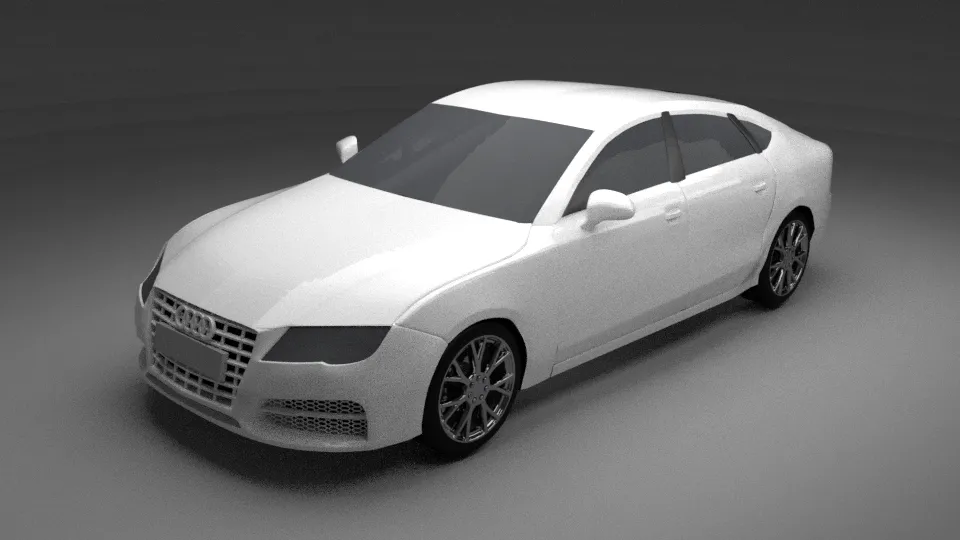
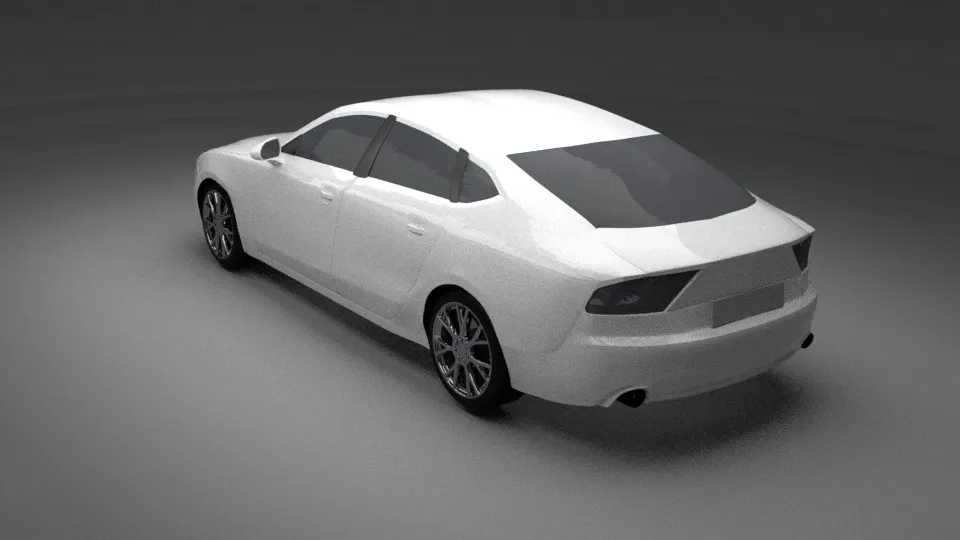
@KOLARI Looks great dude !!!
I can see you're having troubles for defining which edges should be hard and which edges should be smooth.
By default, everything is flat obviously ...
[Blocked Image: http://i.imgur.com/mjyr72F.png]
And when you smooth your object, everything is smooth, not depending from any angle between the faces
[Blocked Image: http://i.imgur.com/YRxhPu6.png]
In Edit mode, select an edge and press CTRL + E, and then Mark Sharp
[Blocked Image: http://i.imgur.com/93LS4kv.png]
Finally, you need to change that Edge split modifier you may have used (i'm assuming you're using it), uncheck "Edge angle" and check "Sharp Edges"
[Blocked Image: http://i.imgur.com/0mU6qoy.png]
Then, you'll have full control over which edges are sharp and all the others will be smooth.
I hope that helps
[Blocked Image: http://i.imgur.com/WdO9DrG.png]
Smoothing groups are old stuff! Get on editing the vertex normals of your models
 Quote from Vorontsov
21 minutes ago, Vorontsov said: Smoothing groups are old stuff! Get on editing the vertex normals of your models
Yeah smoothing tends to fuck over shading on props sometimes in Source. It has frustrated me quite a deal.
Don’t have an account yet? Register yourself now and be a part of our community!
