1. Forums
  2. Discord
  3. About Mapcore
  4. Patreon Supporters
  • Login
  • Register
  • Search
This Thread
  • Everywhere
  • This Thread
  • This Forum
  • Articles
  • Pages
  • Forum
  • More Options
  1. Mapcore
  2. Discussions
  3. Level Design

The random model thread!

  • KIIIA
  • August 29, 2005 at 6:28 PM
  • AtsEst
    • July 15, 2015 at 6:32 PM
    • #5,221
    Quote from kinggambit

    not sure if this thread is for asking questions but any Zbrush users know how to approach high-to-low-poly when there's a bunch of holes that you have to convert into an opacity map? (colors are the desired low poly)


    [Blocked Image: http://i.imgur.com/rR8Ebh7.jpg]

    Baking pieces separately, but that would be my general advice not in any way specific to Zbrush..
  • Sigma
    • July 15, 2015 at 7:16 PM
    • #5,222

    Actually, this is something I could use some understanding on as well. So aside from exploded mesh baking and setting the different UV islands to different smooth groups (standard baking practices)... what does one do differently than a normal, non-open mesh?

  • leplubodeslapin
    • July 17, 2015 at 7:39 PM
    • #5,223

    Another prop i made recently

    [Blocked Image: http://i.imgur.com/H9Kwlec.png][Blocked Image: http://i.imgur.com/IVOwyTl.png]

    Low poly (with 478 tris)

    [Blocked Image: http://i.imgur.com/uQDWW4x.png]

    And at the end you get :

    [Blocked Image: http://i.imgur.com/UJKXEWE.jpg]

    I still need to work on the texture though (which is only a 512² btw, diffuse + spec, no normalmap)

  • Sigma
    • July 27, 2015 at 2:40 PM
    • #5,224

    [Blocked Image: https://forums.unrealtournament.com/attachment.php?attachmentid=18332&d=1437947905]


    [Blocked Image: https://forums.unrealtournament.com/attachment.php?attachmentid=18333&d=1437948231]


    Just working on some Unreal Tournament 4 environment art. Started a stone brazier yesterday.

    [Blocked Image: https://forums.unrealtournament.com/attachment.php?attachmentid=18473&d=1438349481]

    [Blocked Image: https://forums.unrealtournament.com/attachment.php?attachmentid=18475&d=1438349481]

    EDIT: Some additional work a little bit at a time.


    [Blocked Image: http://i.imgur.com/GnIk9sR.png]

    Just keeps getting better. update as of 8-1-2015

  • Sigma
    • August 8, 2015 at 1:07 AM
    • #5,225

    [Blocked Image: http://i.imgur.com/cnvOWrE.png]

    The alarm light being used in a level (Yellow emissive lights). Does this make me an environment artist now?

    [Blocked Image: http://i.imgur.com/iUan4KW.jpg]


    Nothing like a simple alarm light for Unreal Tournament 4

  • Gale
    • August 26, 2015 at 10:31 PM
    • #5,226

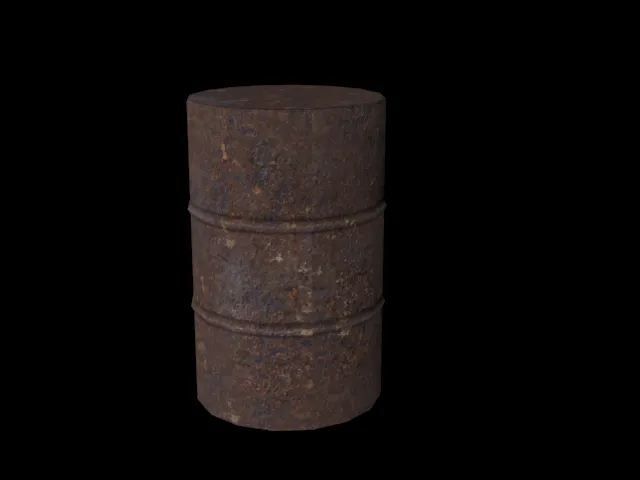
    Made my first model ever. I think I did an OK job with 0 experience with working with meshes(besides source 2 alpha & beta), and no experience with 3ds max. It's a barrel, clearly, but there is much wrong with it. The texture doesn't tile worth crap, and the baked shadows and highlights are way too pronounced. I made it over a month ago, but hopefully I can make the time to create a 6 panel wooden door. I'm still trying to wrap my head around working with meshes, like how to create cuts in 3ds max so I can actually start forming the panels for said door. While I'd like to figure it out on my own, I may not be able to, and tips are greatly appreciated!

  • spence
    • August 27, 2015 at 5:43 PM
    • #5,227

    Maybe run through a tutorial or two to get up to speed on some different ways to use the tools in 3dsmax - I think this free 5-part series is decent for beginners. Even if you don't want to jump right into a high/low poly workflow and follow the tutorial to the letter, you can still take away some techniques about working with meshes.

  • Sjonsson
    • September 9, 2015 at 9:27 AM
    • #5,228

    Not sure where I'd post this but I felt that making an entirely new thread wasn't a appropriate. So I thought I'd post it here: it's a Photogrammetry tutorial made by one of my colleagues at the school.


    External Content www.youtube.com
    Content embedded from external sources will not be displayed without your consent.
    Through the activation of external content, you agree that personal data may be transferred to third party platforms. We have provided more information on this in our privacy policy.

    More stuff is going to come up later. Here's the Youtube channel: https://www.youtube.com/channel/UCAg1CKbpsntTTNQRCbJezFw

  • Pampers
    • September 9, 2015 at 11:02 AM
    • #5,229

    Always shoot with RAW, for characters, shoot inside with a good light setup and a neutral background so you can mask out the object you want, and use a tripod :P Always bring a macbet chart and create a color profile, color correct your photos in adobe camera raw or similar. Remove vignetting and chromatic abberation, but don't sharpen the images as it adds artifacts and noise and don't correct the lens distortion since agisoft compensates for that during alignment :)

  • Dennispls
    • September 15, 2015 at 8:18 AM
    • #5,230

    Here is my mopst recent random model:

    https://skfb.ly/GUuM

  • knj
    • September 15, 2015 at 8:32 AM
    • #5,231

    That is fucking nice man!

  • Dennispls
    • September 15, 2015 at 9:44 AM
    • #5,232
    Quote from knj

    That is fucking nice man!

    Thanks man!

  • Sjonsson
    • September 15, 2015 at 1:54 PM
    • #5,233
    Quote from Pampers

    Always shoot with RAW, for characters, shoot inside with a good light setup and a neutral background so you can mask out the object you want, and use a tripod :P Always bring a macbet chart and create a color profile, color correct your photos in adobe camera raw or similar. Remove vignetting and chromatic abberation, but don't sharpen the images as it adds artifacts and noise and don't correct the lens distortion since agisoft compensates for that during alignment :)

    That's some really good advice, thanks!

  • Dennispls
    • September 16, 2015 at 4:48 PM
    • #5,234

    Hello guys,

    A slight update on this. I have tried to make the blade look a bit more interesting and worn. I have updated the sketchfab model and attached a screenshot below:
    [Blocked Image: http://i.imgur.com/JArvJlF.png]

  • leplubodeslapin
    • September 24, 2015 at 2:34 PM
    • #5,235

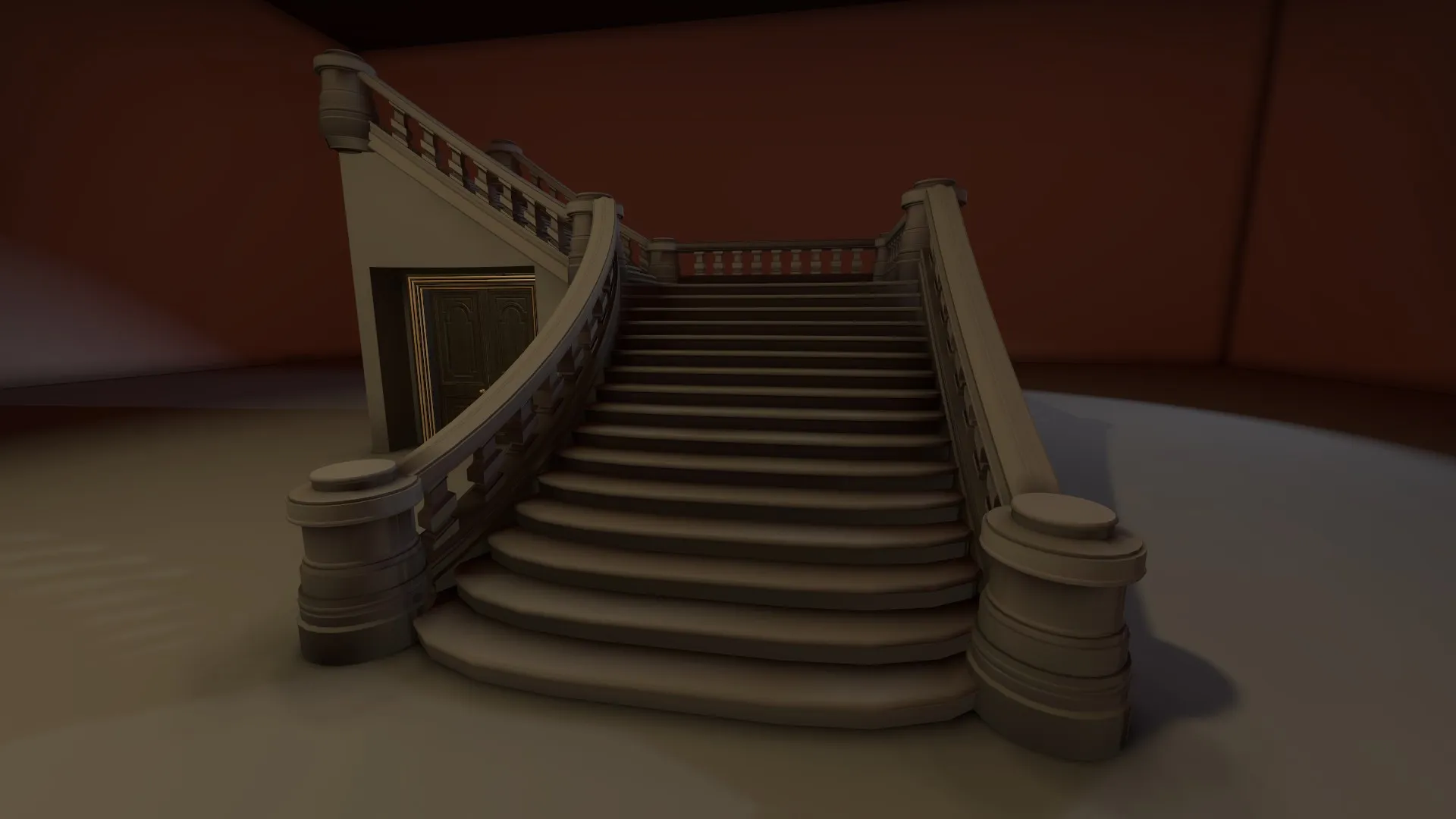
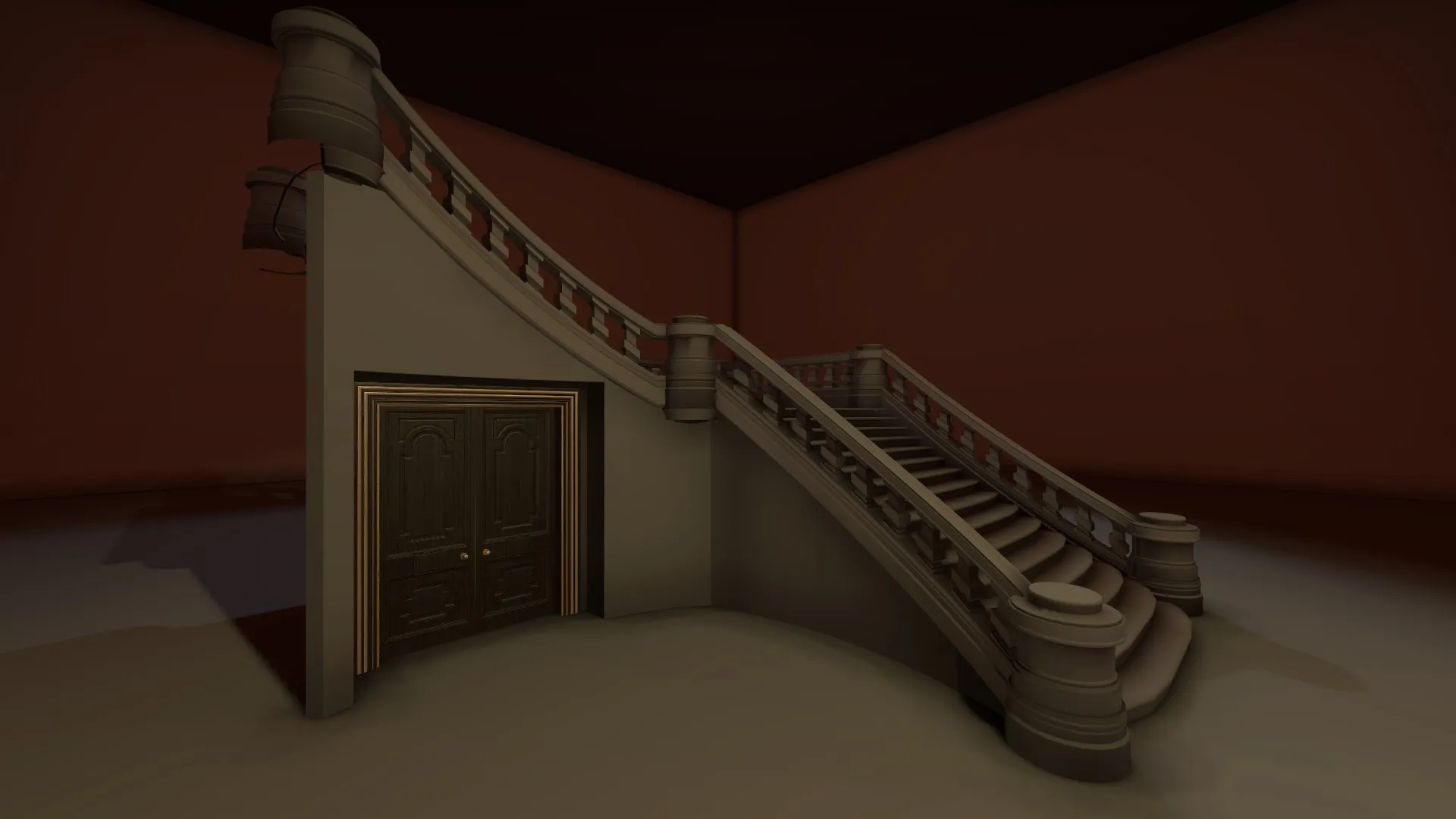
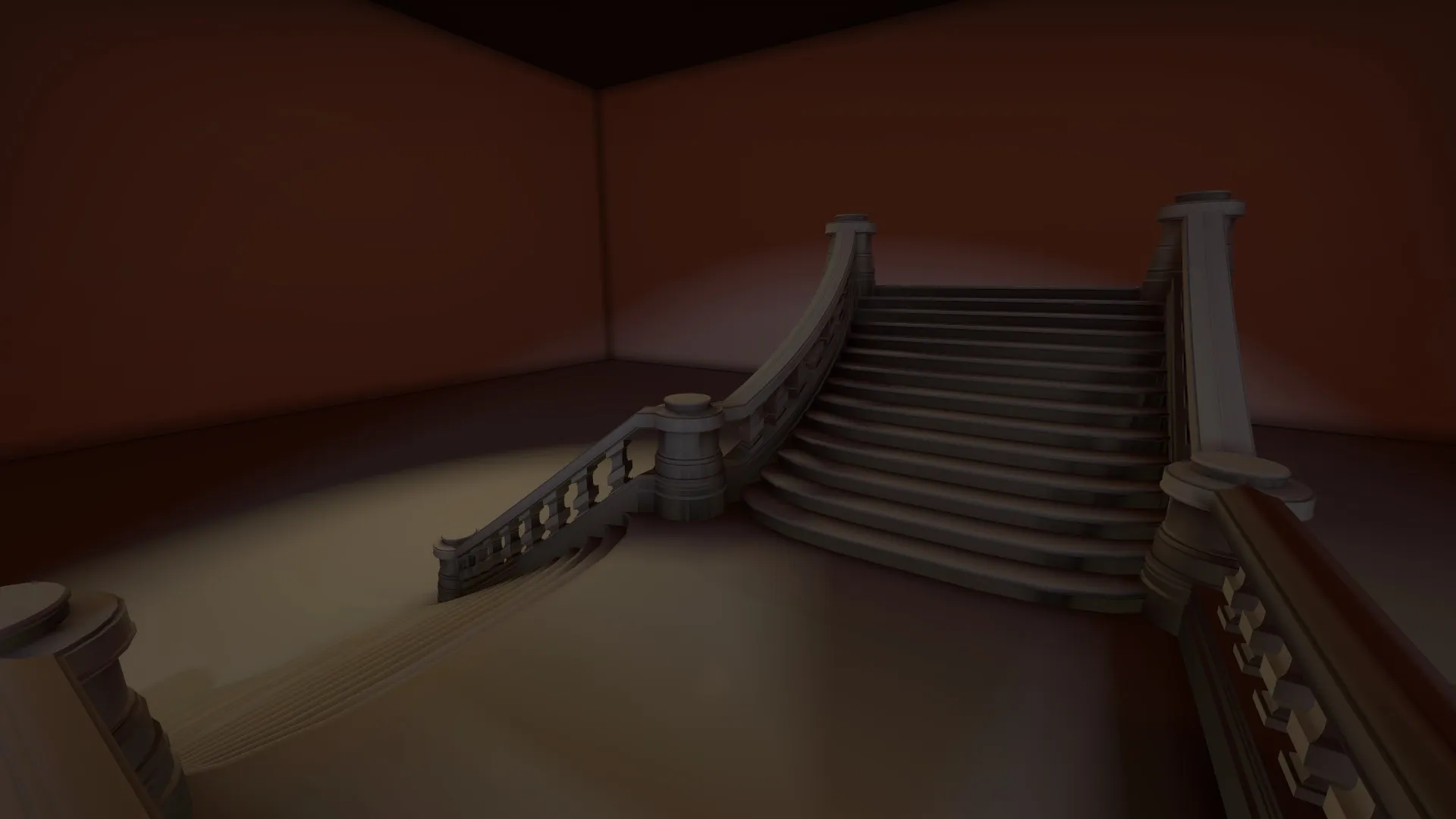
    I'm working on a fancy stairs models

  • Sigma
    • September 24, 2015 at 2:44 PM
    • #5,236

    I think its the perspective distorting it (it is a curved staircase after all...) but does the upper half bow downwards a little?

    http://i.imgur.com/xIc7WHf.jpg

    Started meshing my Unreal Tournament level. Probably prematurely but I will be able to get some glamor shots more quickly. Good exercise.

  • leplubodeslapin
    • September 24, 2015 at 3:05 PM
    • #5,237
    Quote from Sigma

    I think its the perspective distorting it (it is a curved staircase after all...) but does the upper half bow downwards a little?

    Yes it is, slightly. Almost everything is curved actually... ^^'

    Ortho views:


    http://image.noelshack.com/fichiers/2015/39/1443103424-1.png

    http://image.noelshack.com/fichiers/2015/39/1443103424-2.png

    http://image.noelshack.com/fichiers/2015/39/1443103423-3.png

  • kinggambit
    • September 25, 2015 at 12:54 PM
    • #5,238
    Quote from leplubodeslapin

    Goddamn gorgeous! Polycount/texture size? I need to push myself to make more detailed assets like that!

  • leplubodeslapin
    • September 25, 2015 at 5:33 PM
    • #5,239
    Quote from kinggambit

    Goddamn gorgeous! Polycount/texture size? I need to push myself to make more detailed assets like that!

    Thank you very much. Yeah ... well it's a quite expensive but i did my best to reduce this. The thing is that i'm not using a normalmap (because of the lighting issues it brings), so everything is in the geo in order to make nice curved reflections when the texturing will be done.

    So, the model is in 3 parts :

    • The steps and all the pillars : 8 302 tris (wireframe). The texture is a 1024x512 texture, here's the UV.
    • The handrails : 4 092 tris (wireframe). The texture is a 1024x512 texture, here's the UV.
    • The big round pillars : 8 x 1017 = 8 136 tris (wireframe). The texture is a 512x512 texture, here's the UV.

    So, 20 530 tris in total for the whole stair, it's quite a lot but i think it's worth it. I'm glad with the result i get for now, I still need to work on the collision model and the texturing obviously.

  • Sigma
    • September 25, 2015 at 8:09 PM
    • #5,240
    Quote from leplubodeslapin

    Thank you very much. Yeah ... well it's a quite expensive but i did my best to reduce this. The thing is that i'm not using a normalmap (because of the lighting issues it brings), so everything is in the geo in order to make nice curved reflections when the texturing will be done.

    That's actually not a bad thing as there is a discussion on polycount regarding placing information in a texture map (normals) versus just simply modeling the geometry and adjusting the vertex normals to properly reflect the desired lighting and smoothing outcomes. You might take a look at it here.

Participate now!

Don’t have an account yet? Register yourself now and be a part of our community!

Register Yourself Login
Discord

The Mapcore Discord is our lively IRC channel of the 2000s reborn. Chat about level design, gaming, and more.

Latest Posts

  1. About our archived forums

    Thrik
    June 30, 2026 at 2:12 PM
  2. Mapcore Discord

    mason_fan123
    June 24, 2026 at 8:52 PM
  3. [CS2] Valley

    Serialmapper
    June 22, 2026 at 11:56 AM
  4. Any of the old guard still around? D:

    Thrik
    June 20, 2026 at 10:11 PM
  5. Free Music / SFX Resource - Over 2500 Tracks

    Eric Matyas
    June 18, 2026 at 12:32 PM
  6. Pango [WIP]

    Elowen
    June 11, 2026 at 10:13 AM
  7. [CS2] Dvina

    Jeremy Rivera
    June 11, 2026 at 10:03 AM
  8. Bridges 2.0 by NEXSIDE, MAP SHOWCASE. ( Steam Workshop )

    MrTrane18
    June 1, 2026 at 7:46 PM
  9. Classic Maps Reborn For CS2

    SillySpaceCat
    May 31, 2026 at 10:33 PM
  10. [CS2] Dvina

    Pulbusha
    May 29, 2026 at 5:54 PM

Users Viewing This Thread

  • 14 Guests
  1. Privacy Policy
  2. Contact
Powered by WoltLab Suite™