

Hey, everybody, how can I fix this?
WARNING: Model has 2-dimensional geometry (less than 0.500 inches thick on any axis)!!!
Software: Blender

Hey, everybody, how can I fix this?
WARNING: Model has 2-dimensional geometry (less than 0.500 inches thick on any axis)!!!
Software: Blender
I realise this is sort of a 'necro' as the thread has been up for so long without reply, but in the unlikely event someone bumps in this thread looking for this error, it's simple: Your collision mesh has an element or part that is less than 0.5 inches thick. Make sure all part of your collision mesh are convex and aren't thinner than 0.5 inches in any direction. This error often happens when:
Let us know if it was any of those errors. If anybody else comes across this error, make sure to check out this list.
 Quote from JorisCeoen
On 6/23/2020 at 9:41 PM, JorisCeoen said: You have unsmoothed parts of the collision mesh. Select ALL parts of the mesh, and assign them a single smoothing group (for instance, assign all parts with smoothing group 1 and it's fixed).
but where is that because I don't know much about blender and I mess up a lot with the program
If you're getting this error then it usually means that there's a problem with your collision model. There are a few traps you can walk into. Most important is that your model has to be convex and you have to smooth the parts of your collision mesh one by one. I'll try to give you a start here.
Let's say this is your model:
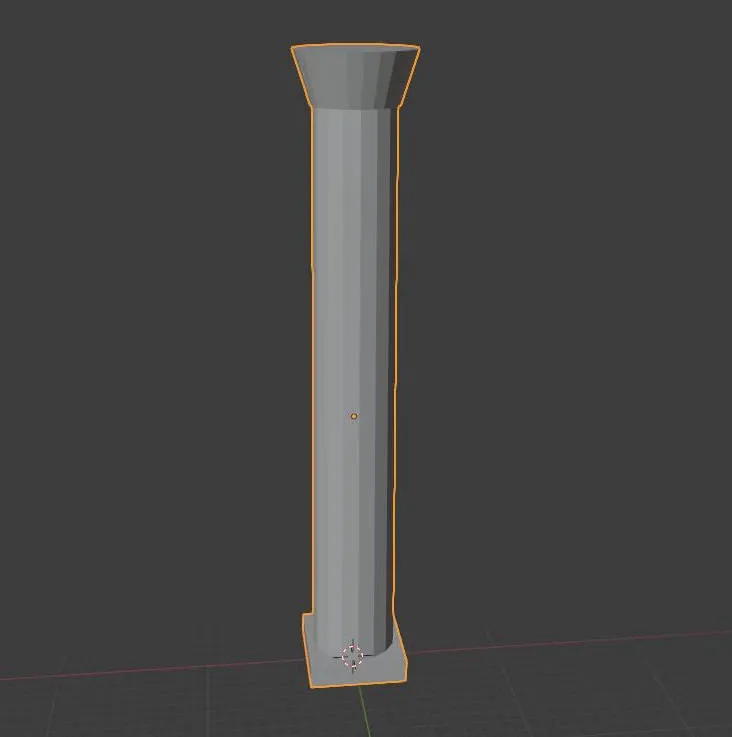
This is a concave shape. For your collision model, you have to split it in multiple convex parts. You can do this in multiple ways. For example select the respective faces in edit mode, press "P", which will open the "Separate" menu and click on "Selection". I'm also pretty sure that your separated parts must not miss any faces or the error will still occur. So you go into edit mode again and select the edges which would build up the missing face. Press "F" to fill the hole. Antoher way would be that you just recreate the meshes from scratch.
So you want your model to be split like this:
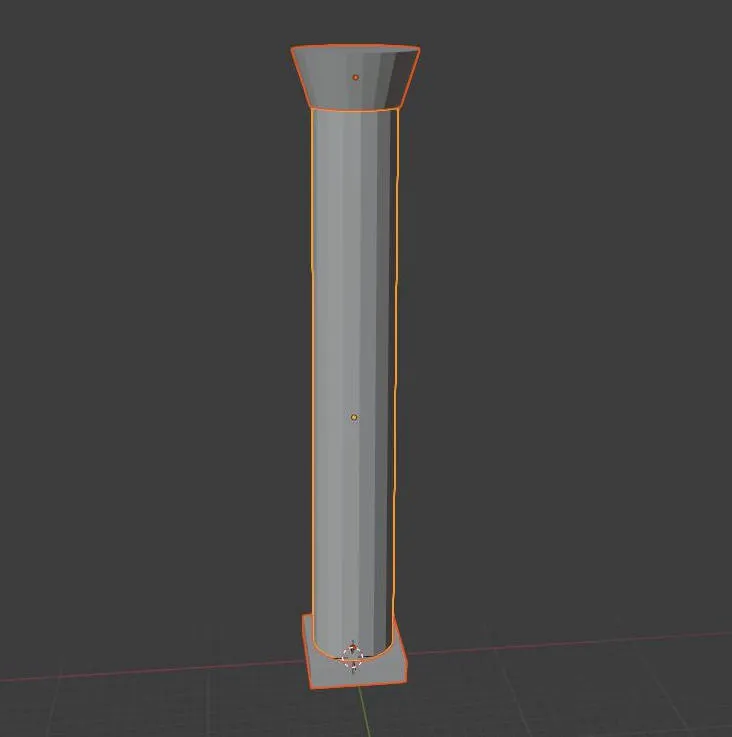
This example collision model consists of three individual parts. Every single one of these three meshes is convex, which is important for you collision to be accurate. Now you have to apply smooth shading on these parts one by one. You simply do this by selecting one mesh, right click and choose "Shade Smooth".
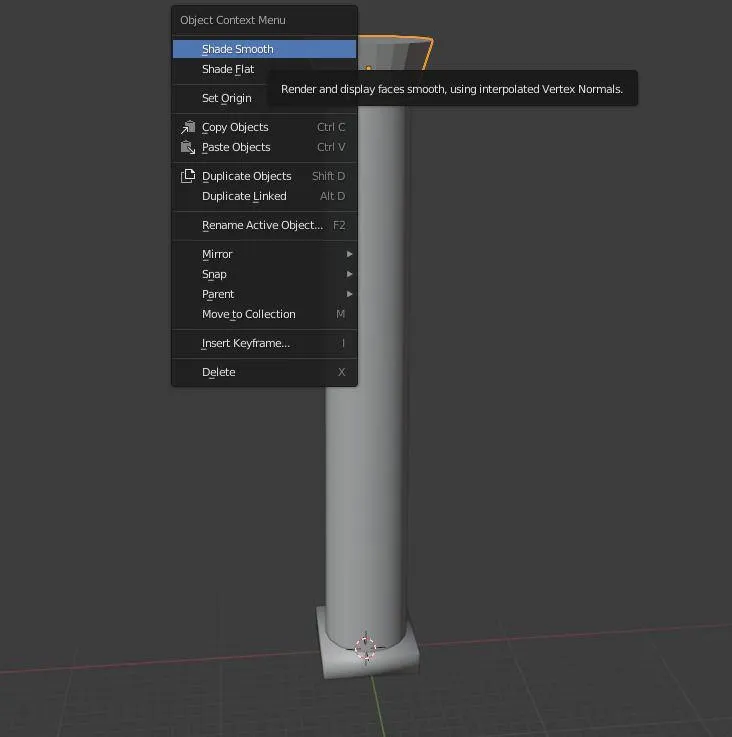
Now your collision mesh should be set up correctly. I think you can then just join these meshes again for exporting. After the export you can Ctrl+Z to go back to the state where they aren't joined.
Hopefully this will help you at least a little bit. You may run into additional problems. For example the error message will continue to be there if you have bad geometry like duplicated vertices in one of your meshes. Also your collision model must not include cloned meshes. If you need additional help, then just come back to this thread 
Don’t have an account yet? Register yourself now and be a part of our community!