

Blacksite Danger Zone map decompiled:
Hammer will not run very smooth with this map!
https://www.dropbox.com/s/54xq50stuexq…cksite.vmf?dl=0
Sirocco Danger Zone map decompiled:
Prop scaling on the oil pipes is wrong!

Blacksite Danger Zone map decompiled:
Hammer will not run very smooth with this map!
https://www.dropbox.com/s/54xq50stuexq…cksite.vmf?dl=0
Sirocco Danger Zone map decompiled:
Prop scaling on the oil pipes is wrong!
I'm very interested to see how they made the detail sprites work in the map. I've been trying to get them to work for so long now. Thank you for this!
Thanks T-Rexer.
For those who had the first same question as me: 20608 x 20608
It appears optimisation mostly comes down to a shit load of horizontal hint brushes?
Unsurprisingly, in game the environment is a lot less detailed (at least on the small scale) than other recent maps such as Dust2 and Nuke. A lot of the interiors are CS:S quality.
 Quote from text_fish
5 hours ago, text_fish said: Thanks T-Rexer.
For those who had the first same question as me: 20608 x 20608
It appears optimisation mostly comes down to a shit load of horizontal hint brushes?
Unsurprisingly, in game the environment is a lot less detailed (at least on the small scale) than other recent maps such as Dust2 and Nuke. A lot of the interiors are CS:S quality.
battleroyale quality
a shitload of new assets
Yesh, I needed rocks 
 Quote from ElectroSheep
18 hours ago, ElectroSheep said: Yesh, I needed rocks
Me too
Goddamnit, I want to make a map on this gamemode now 
 Quote from CoconutDawg
2 hours ago, CoconutDawg said: In relation to this map's textures (under the 'hr_massive' category in Hammer SDK) how does the four way blend or any blend work? I try to blend but it just adds more or takes away grass (the tall grass that looks like a sprite) and I try using the sculpt tool's 'Blend' option under the displacement settings but that does nothing as well. What's Valve's secret?
I think Valve used not anounced tools. Or Valve used Sprinkle tools, for .vbsp grass, but i don't know how it work. This tools EZ for prop_static and other entities.
Spoiler [Blocked Image: https://pp.userapi.com/c844724/v844724574/14a8e1/tAHVteL13go.jpg]
On 12/7/2018 at 1:49 AM, I ♡ The 1950's said: I'm very interested to see how they made the detail sprites work in the map. I've been trying to get them to work for so long now. Thank you for this!
the grass in blacksite just seem like normal old-fashioned detailsprites ..i guess
it definitely works but a lot of commands cause errors and my grass doesnt look as good but it could be the quality of the texture im using
[Blocked Image: https://i.imgur.com/OSHzIyJ.jpg]
my vmt:
Grass { "$basetexture" "sawmill/detailsprites/detailsprites_sawmill" $alphatest 1 $vertexcolor 1 }
"$alphatest" and "$vertexcolor" are the only needed and working commands as i know of(everything else makes it glitch out)
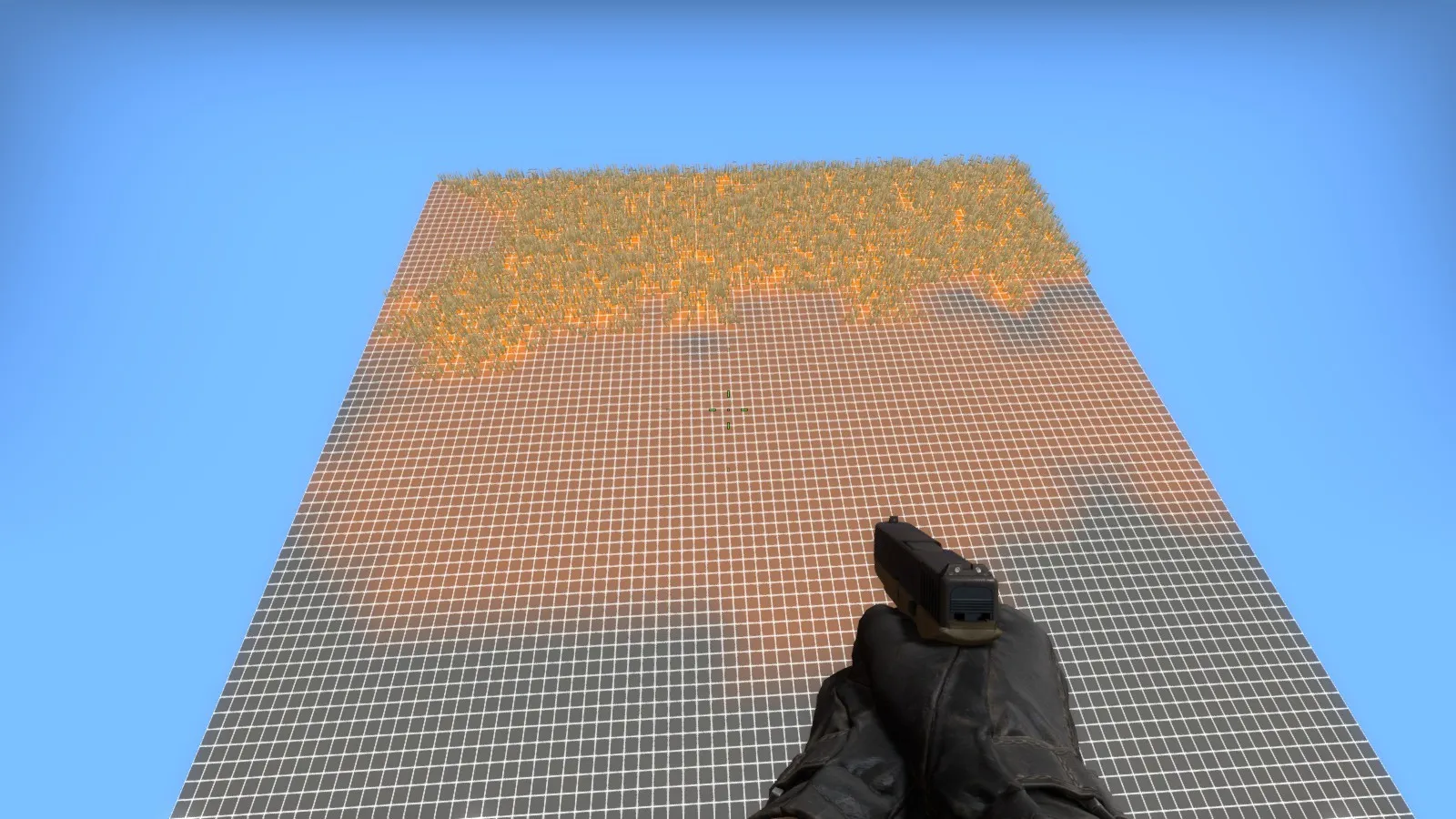
1. Decrease Tools - Options - 3D views - Detail render distance value to make Hammer happy. 2. How it's done? Again I'm tried to discover without help from Valve - with success.
I created a simple material using one of %detailtype made by Valve for a new map, "survival_grass_2" and I covered one big (~20k) displaced plane by this material.
Spoiler "WorldVertexTransition"
{
"$basetexture" "mamorex/dev64_orange" "$basetexture2" "mamorex/dev64_grey" "%detailtype" "survival_grass_2"
}
Here's the effect:
Spoiler
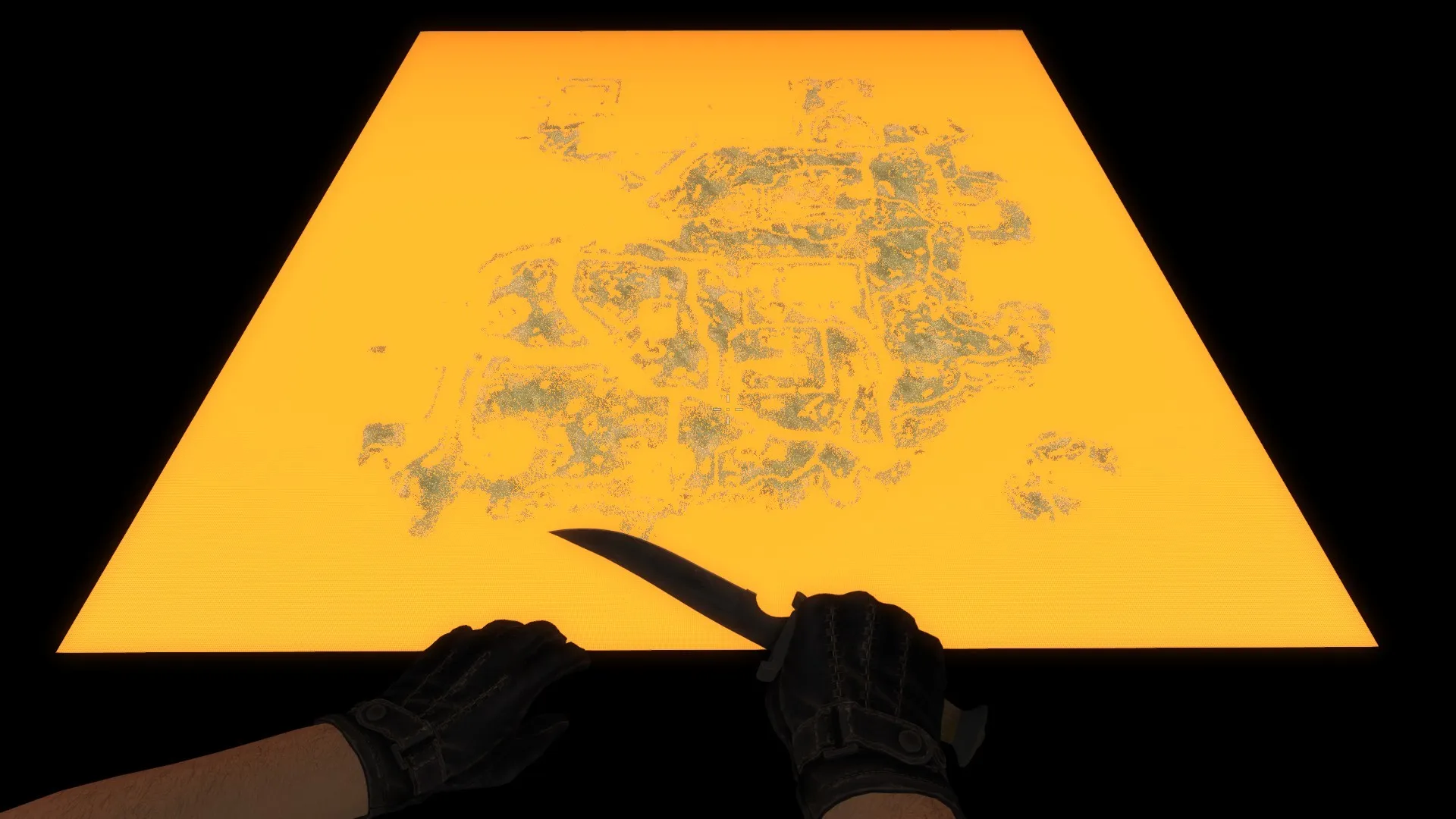
detail.vbsp is in csgo folder, the other files not, so I used GCFScapes.
survival_grass_2 using a "detail\detailsprites_survival" for detail sprites.
Spoiler grass { "$basetexture" "detail/detailsprites_survival" "$masks" "detail/detailsprites_survival_masks" "$alphatest" "1" "$vertexcolor" "1" "$worldspacetype" "detail/test_massive9_grass_type" "$worldspacetint" "detail/test_massive9_grass_tint" "$worldspaceburn" "_rt_grassburn" "$worldspacezone" "_rt_zoneprojection" %notooltexture "1" // "$worldspacescale" ".75" "$minimumspritesize" "22" }
So, Valve created three masks:
"$worldspacetint" "detail/test_massive9_grass_tint"
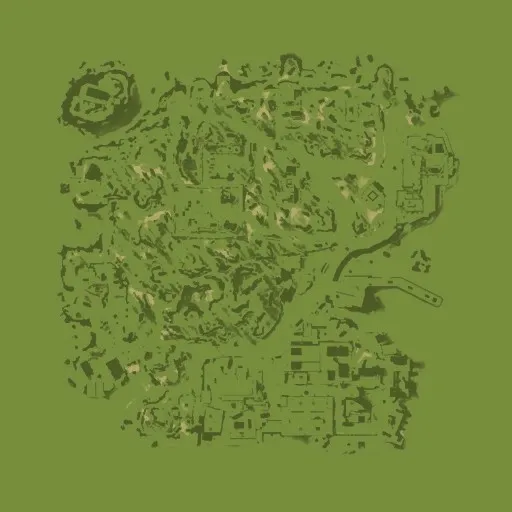
It looks like the darker = cover by grass, lighter = no grass.
"$worldspacetype" "detail/test_massive9_grass_type"
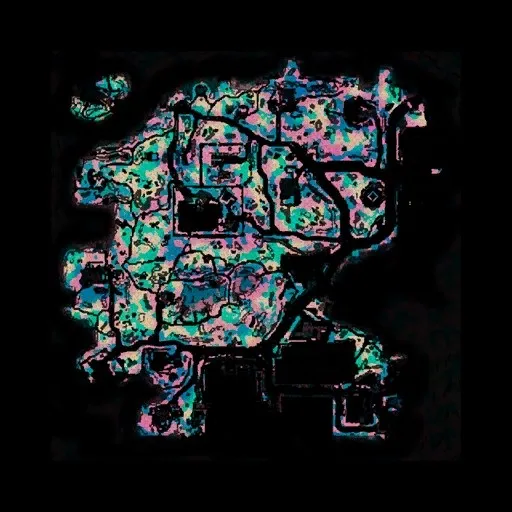
A few colors to decide, what type of grass will be placed.
"$masks" "detail/detailsprites_survival_masks"
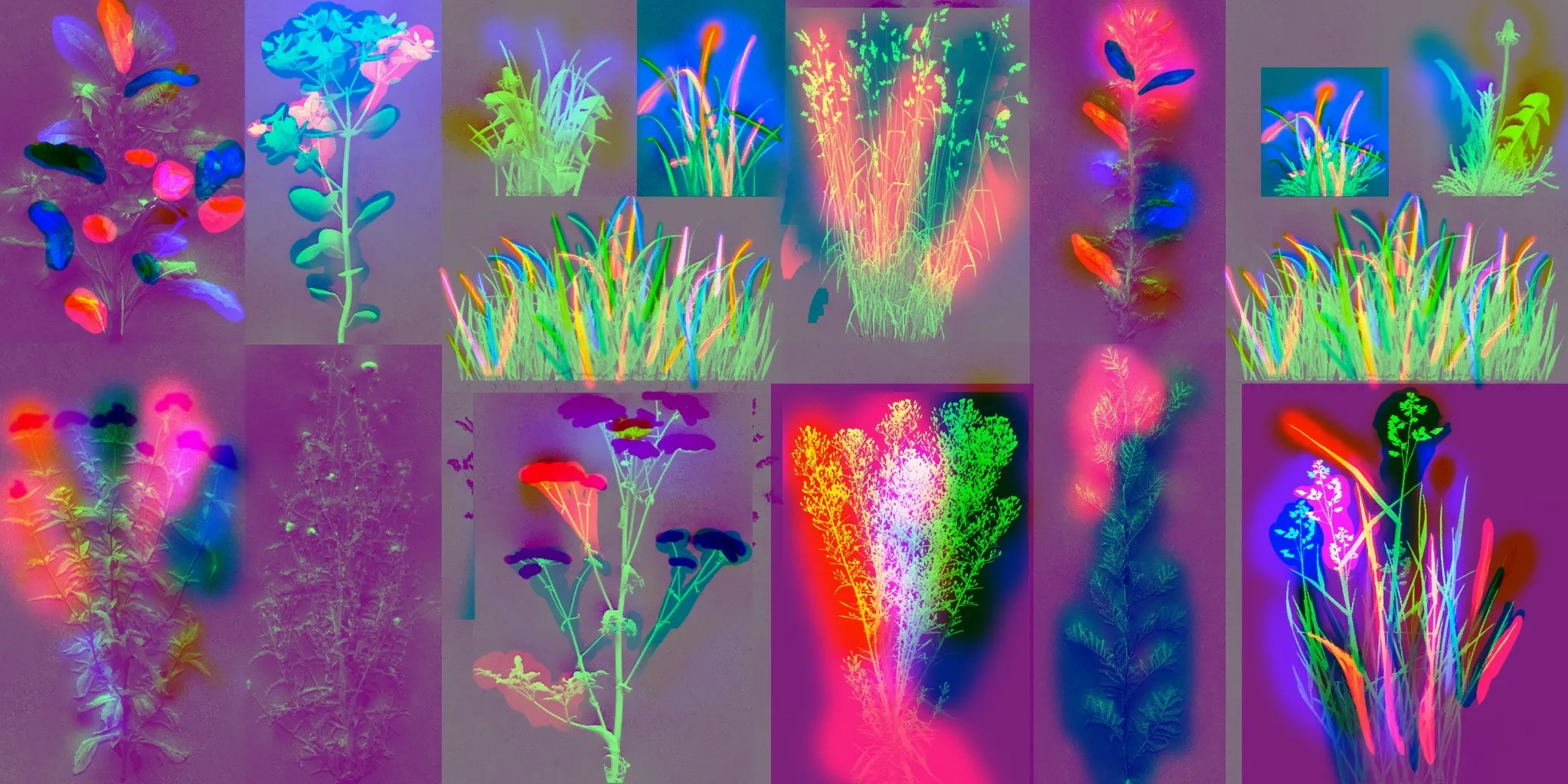
I don't know, how it works, but colors are the same as in the previous one.
So, if you want to use a detail sprites in your map like Valve, you must create a .vbsp file with a new detail sprites type and detail sprites material with a new masks, specially designed to your map.
If you delete masks entries from your custom detail sprites material, sprites are placed or not by blend alpha value and parameters from .vbsp file.
Spoiler
Alright, I did some testing with the new detail sprites and found out how more specifically how they work. @Mamorex was on the right track but there's a few key things you left out.
Removing $alphatest from the material or adding $translucent
First, the detail sprites material - it's 2 detail sprite sheets side by side, so version A and version B. The different versions have to have same sprite positions and sizes. You only specify version A coordinates in the .vbsp.
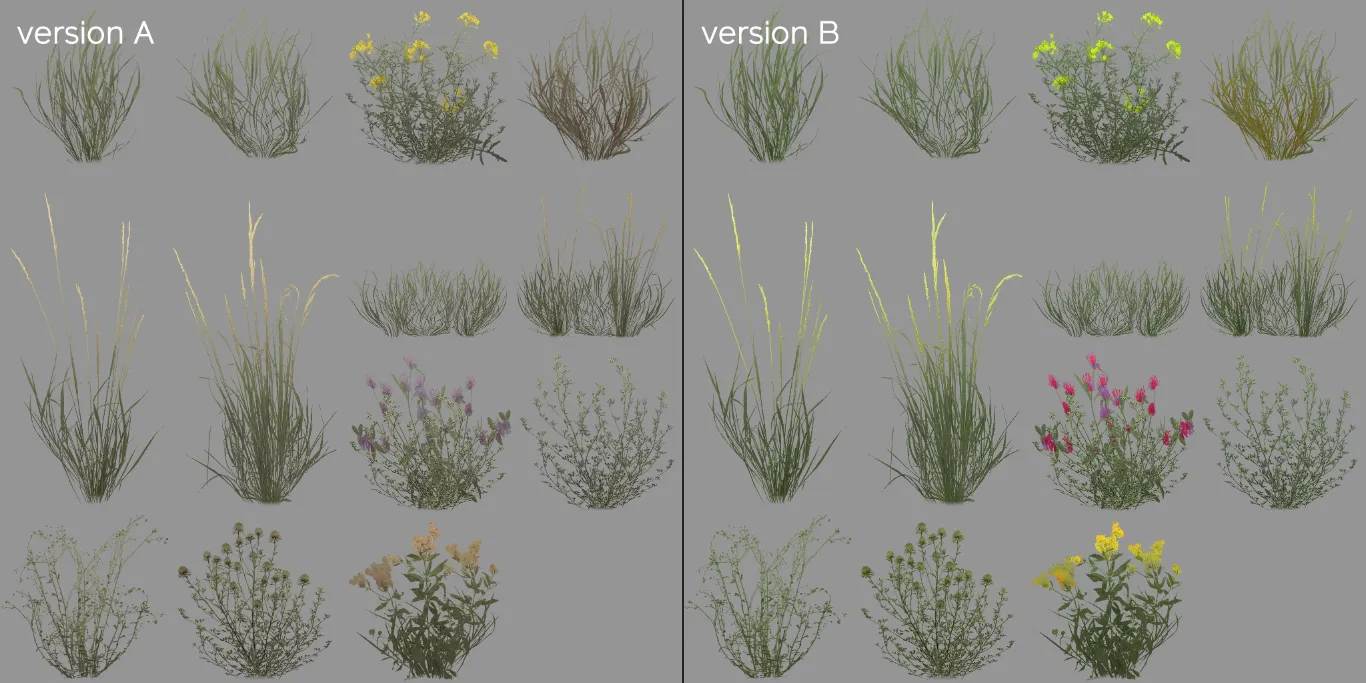
Next up, the detail sprites masks. Red and blue are for wind offset -- so you can have different parts of the sprites sway in the wind differently, you can see Valve isolated some blades of grass for this effect. The green channel is a tint mask and controls how much the sprites are affected by the $worldspacetint.
That brings us to the world space textures. They seem to automatically get resized to fit the whole map area, so it you resize the map you'd have to resize the textures too.
The world space tint texture is pretty self explanatory, controls what color to tint the grass, 127 grey means no tint.
The world space masks texture uses the red channel to select which version of the sprites to use -- 0 is version A and anything more is version B.
The green channel of the texture controls the sprite size -- 127 is default, with darker making the sprites smaller and brighter making the sprites larger. The vmt command $minimumspritesize controls the cutoff point for the sprites, so the sprites smaller than the specified value don't get rendered which can act as a placement mask.
I don't know what the blue channel of this texture does, changing it had no effect on the sprites for me.
All this means sprites still get placed by vbsp on map compile, so they still use displacement alpha for the placement, but the new masks can manipulate sprites size and color after map compile.
[Blocked Image: https://media.discordapp.net/attachments/193863930693550080/522458842559152129/unknown.png?width=1347&height=758]
Also reminds me of @[HP] Europa game
Would it be possible to use this new detail sprite system on a vertical plane to make ivy on a wall, or will the masks only allow for horizontal(ish) detail?
 Quote from Yanzl
On 12/12/2018 at 8:33 PM, Yanzl said: [...]
Wow this looks amazing!
I'm relative new to sprites, maybe you could help me out and upload the .bsp and the detailsprites, and everything you need?
That would help me alot. So I can see how its done 
greetz smoGG
Added Sirocco to the downloads for anyone interested
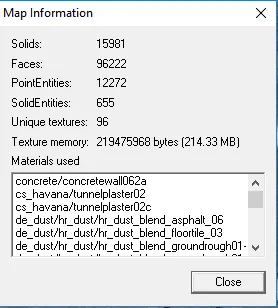
Almost 16k solids. For reference, Blacksite has around 11k.
nice!
trying it out myself while re-purposing my battle island map
[Blocked Image: https://pbs.twimg.com/media/D6DMEwDWsAAFZgO.jpg:large]
how it looks in hammer
[Blocked Image: https://pbs.twimg.com/media/D6L3BeBUcAY3lua.jpg]
how it looks in game (without details)
[Blocked Image: https://pbs.twimg.com/media/D6L52uIUcAI6nGx.jpg]
added some details (but still need to work on the masks)
[Blocked Image: https://pbs.twimg.com/media/D6SD_jMWwAAgV86.jpg]
Quote from text_fishOn 12/15/2018 at 6:32 AM, text_fish said: Would it be possible to use this new detail sprite system on a vertical plane to make ivy on a wall, or will the masks only allow for horizontal(ish) detail?
I've played the HL2 Cinematic Mod, and some of the caves in that game have detail sprite grass on the walls and even the ceiling. So I'm certain it could be possible.
On 12/10/2018 at 1:59 PM, untor said: I think Valve used not anounced tools. Or Valve used Sprinkle tools, for .vbsp grass, but i don't know how it work. This tools EZ for prop_static and other entities.
http://# Reveal hidden contents [Blocked Image: https://pp.userapi.com/c844724/v844724574/14a8e1/tAHVteL13go.jpg]
Ohhh...wow, this tool looks very useful! mass placing props has always been time sink in hammer (even with 'expert'-mode), had no idea this existed until I read your post! 
Don’t have an account yet? Register yourself now and be a part of our community!