


So I've been trying to correctly import a custom animated mesh into source, in and out for a few weeks now...
I've looked through countless guides, wiki pages, tutorials etc. and I could not get the animation to look correct in Source :(. I hope some of you wizards can help me out here!
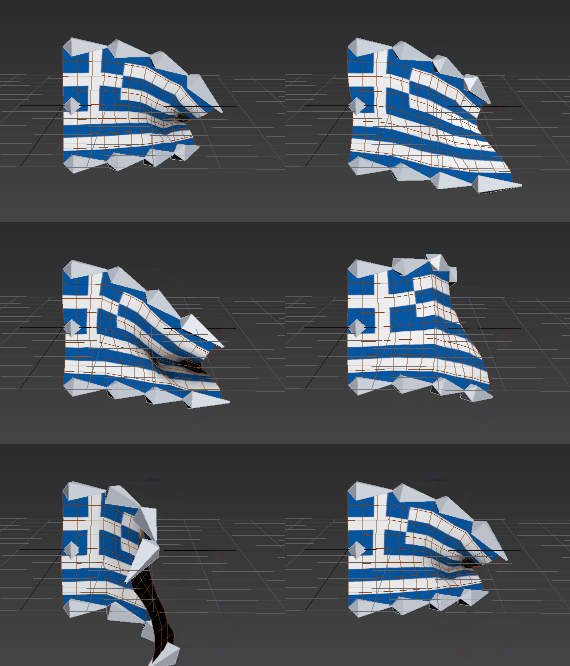
Let me illustrate what's going on. I made this rigged animation in 3ds max:
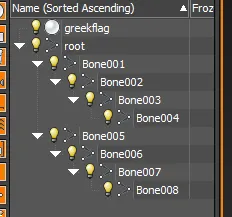
the scene setup looks like this:
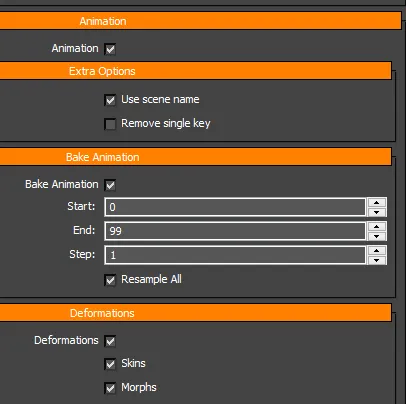
When I export it to fbx, I have these flags checked:
Here's what the animation looks like in Blender:
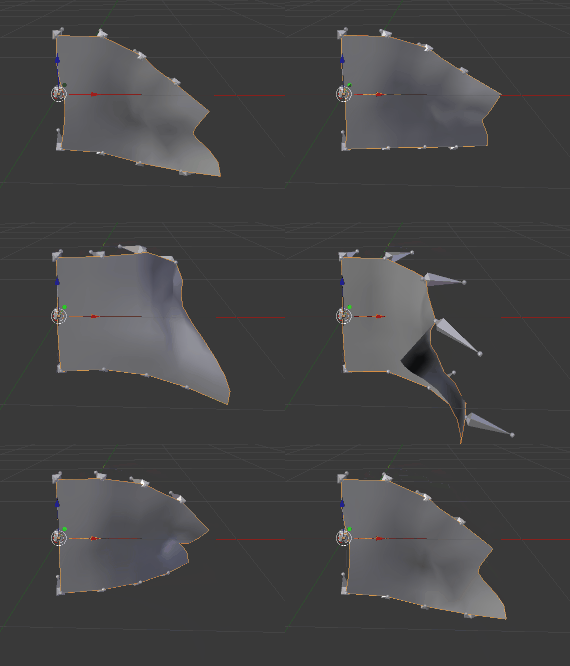
Still good! Now here's my setup for the Source Engine Export plugin:
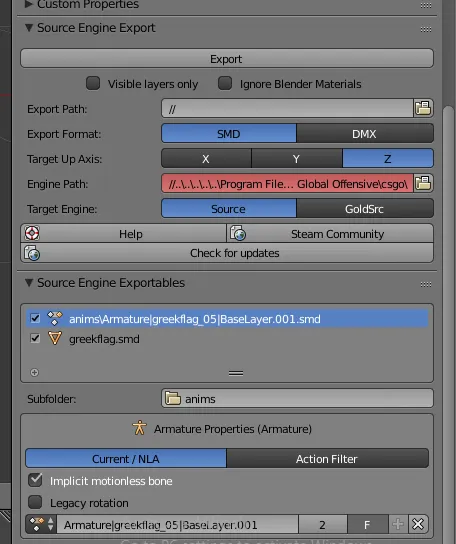
I scale the flag to a specific size before exporting, because I need 2 versions of the flag in my map - a small and a large one. Then I hit "Export".
Here's what my .QC file looks like:
$modelname "de_opal/greekflag.mdl" $model "body" "greekflag.smd" //$root "root"
$cdmaterials "models/de_opal/" $surfaceprop "greekflag"
$sequence "greekflag_05" "anims/Armature_greekflag_05_BaseLayer.smd"
I then drag the .qc file over studiomdl.bat, and open Hammer to see what it looks like:
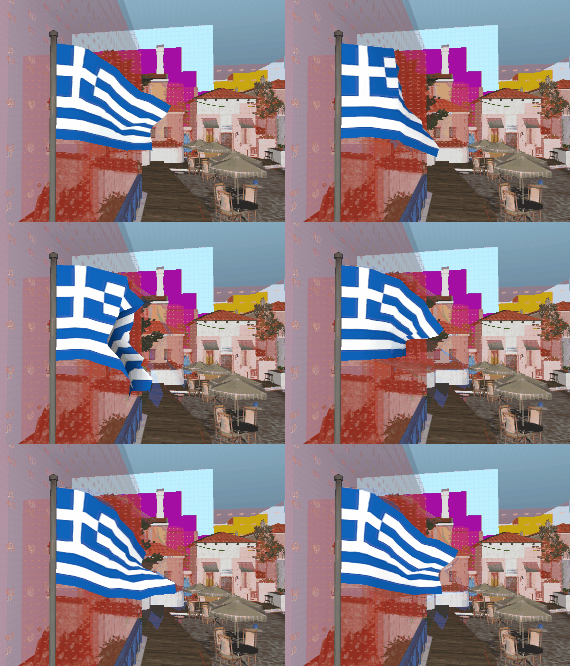
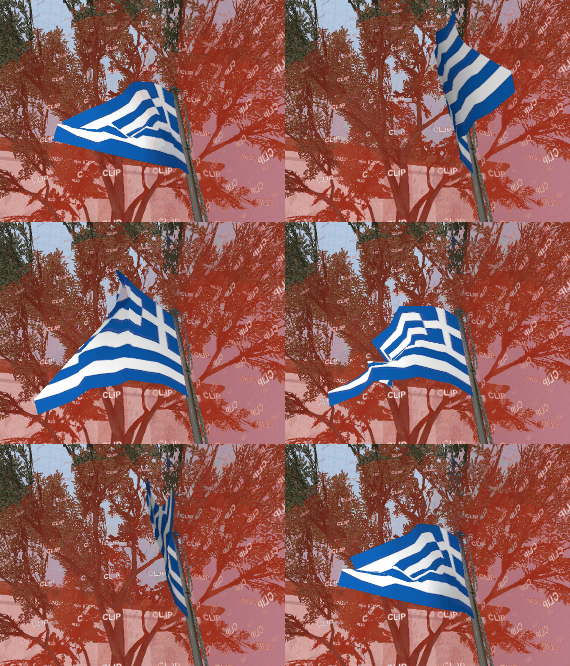
Notice how rough the movement is, and how "jagged" the vertices are. It looks horrible!
(and it looks just as bad in H-L Model Viewer)
Here's a few thing I tried so far, off the top of my head:
- In Blender, set "Legacy Rotation" in Source Engine Export plugin to true
- In Blender, set "Implicit motion less bone" in Source Engine Export plugin to false
- Scale it up in 3ds max before exporting to Blender
- Exporting the SMD with a scale of 1.0, and scaling it using the $scale command in the .qc instead
- In 3ds max, attach the mesh to the root bone, and make it part of the hierarchy
...and none of that worked! The model would either act the same, or not be visible at all!
I really need some help figuring that out - Have you guys seen this issue before?
Cheers!
-Mike
