1. Forums
  2. Discord
  3. About Mapcore
  4. Patreon Supporters
  • Login
  • Register
  • Search
This Thread
  • Everywhere
  • This Thread
  • This Forum
  • Articles
  • Pages
  • Forum
  • More Options
  1. Mapcore
  2. Discussions
  3. Level Design

[UE4] Station C3 - Sci-fi Environment (WIP)

  • Filipe Goncalves
  • May 17, 2016 at 5:28 PM
  • Filipe Goncalves
    • June 2, 2016 at 4:05 PM
    • #21

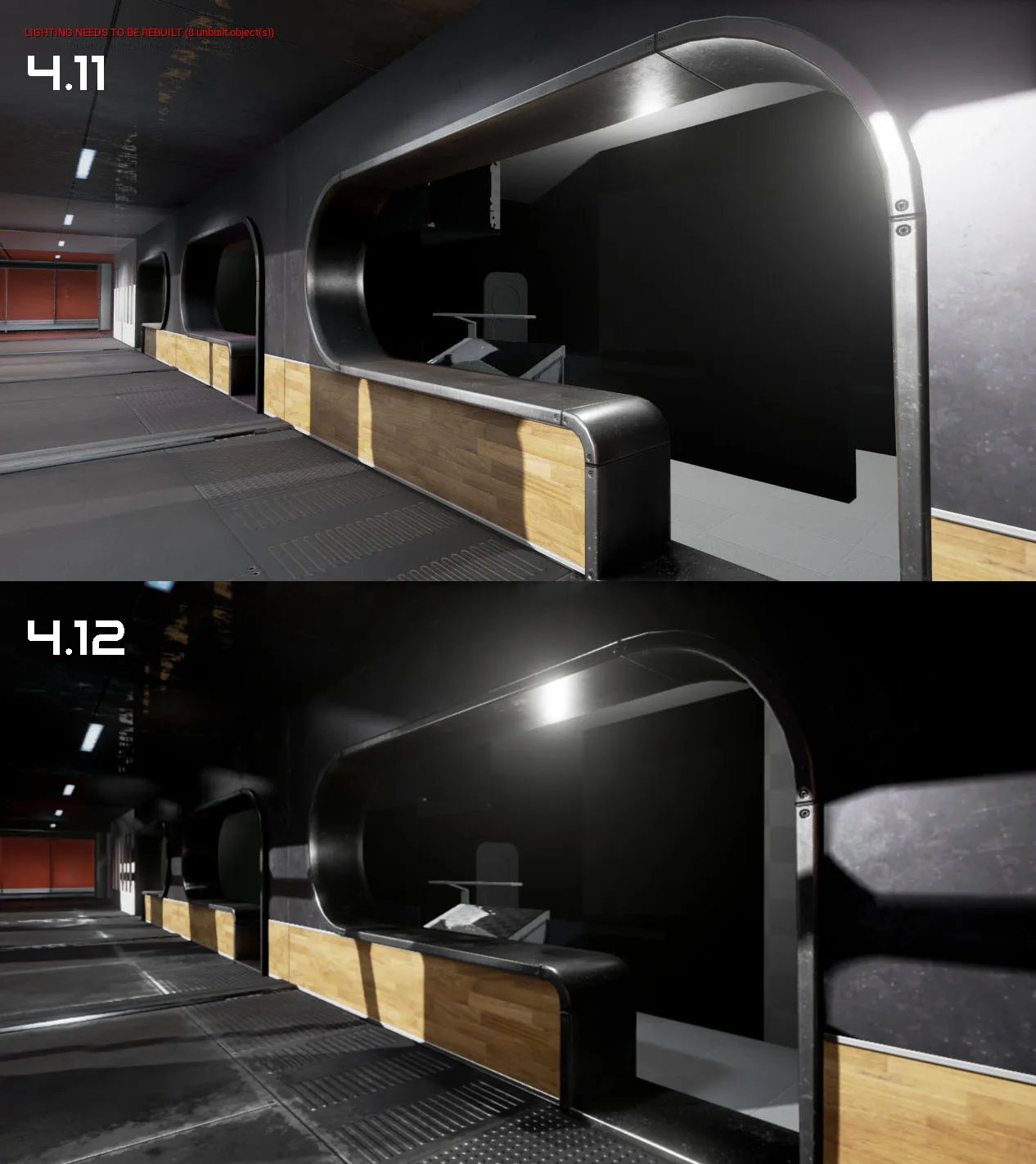
    Yesterday I updated unreal from version 4.11 to 4.12 After I converted the project I noticed that things looked different. Everything is darker, more contrasty and some materials way more reflective. If you look at the floor this is very obvious. The rough areas on the floor turned almost white in version 4.12 I already tweaked a lot of parameters but I still can't replicate the look I had in version 4.11... Any suggestions?


  • Klassic
    • June 2, 2016 at 6:28 PM
    • #22
    Quote from Filipe Goncalves

    2 hours ago, Filipe Goncalves said: Yesterday I updated unreal from version 4.11 to 4.12 After I converted the project I noticed that things looked different. Everything is darker, more contrasty and some materials way more reflective. If you look at the floor this is very obvious. The rough areas on the floor turned almost white in version 4.12 I already tweaked a lot of parameters but I still can't replicate the look I had in version 4.11... Any suggestions?


    Honestly, I like 4.12 more :)

  • Minos
    • June 2, 2016 at 6:28 PM
    • #23

    Did you try rebaking the map?

  • Filipe Goncalves
    • June 2, 2016 at 6:47 PM
    • #24
    Quote from Klassic

    17 minutes ago, Klassic said: Honestly, I like 4.12 more :)

    Yes you're not the first to tell me that :)

    I feel reflections may be a little too strong. I guess I'll have to rework the roughness map :(

    Quote from Minos

    18 minutes ago, Minos said: Did you try rebaking the map?

    What do you mean by rebaking the map? You mean the level light build? If that's the case yes I have rebuilt the lighting.

  • Filipe Goncalves
    • June 3, 2016 at 12:52 AM
    • #25

    This is a bug. Answer from one of the Unreal developers: " I was able to track this down. I hoisted the max roughness mip count out of the shader into the c++ side and the "- 1" to get the max mip index was still being applied on both sides (in c++ and hlsl). I will have this fixed in the next HotFix. Thank you so much for reporting it. "

  • Minos
    • June 3, 2016 at 1:32 AM
    • #26

    That's why I usually wait several weeks before converting my projects to the latest Unreal version...Something major always breaks on new versions XD

  • Filipe Goncalves
    • June 13, 2016 at 1:51 AM
    • #27

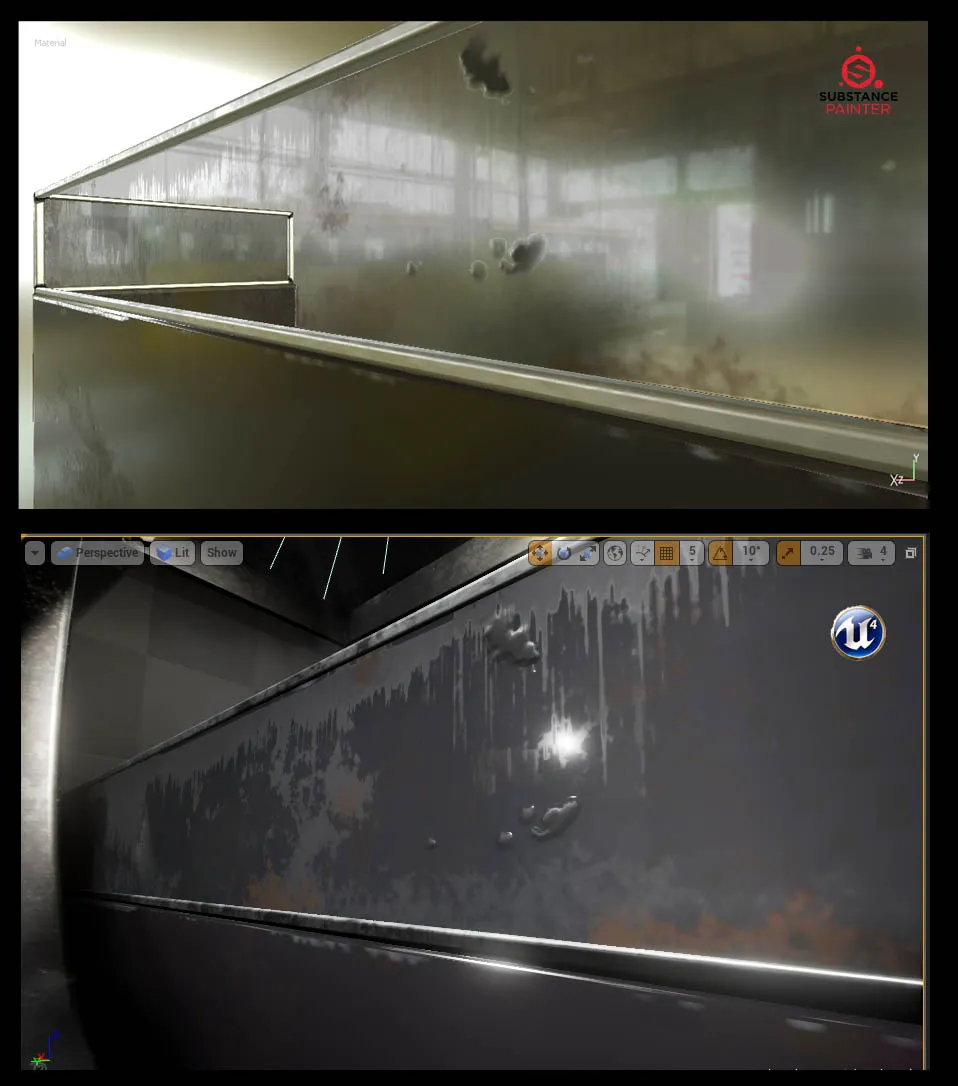
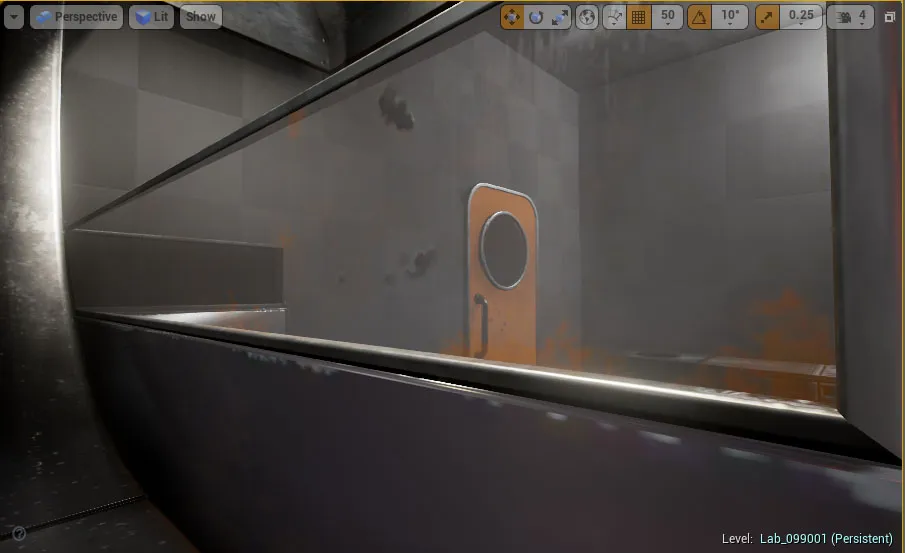
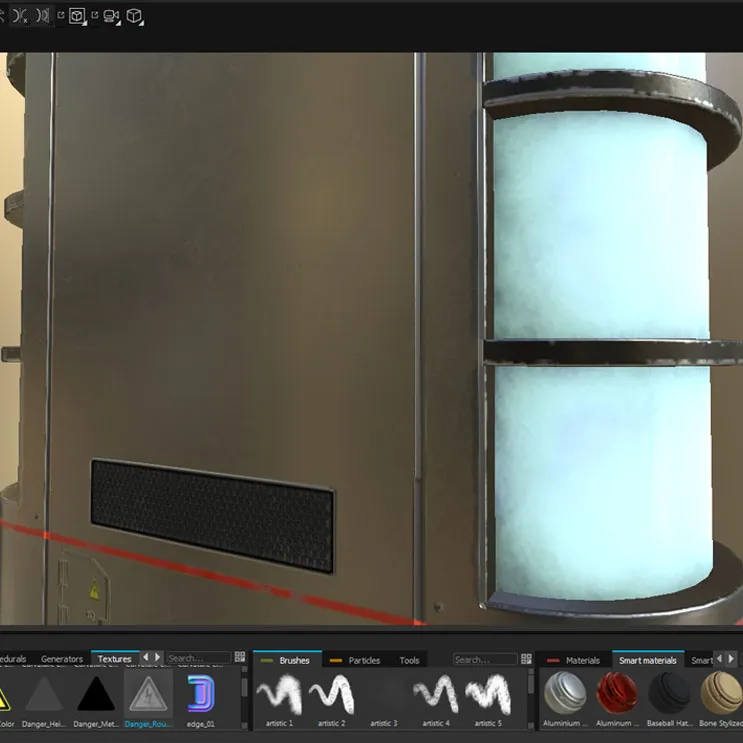
    I'm having a hard time making this glass material look right inside UE4. It's very different from what I get in Substance Painter as you can see. The glass is not a separate object, it's part of the same mesh, so when I set the material to translucent inside UE4, other parts of the mesh get transparent too... so I decided to try changing the material blending mode to masked. Now the object is opaque but the glass transparency doesn't accept intermediate values: its either is completly transparent or completly opaque... Any clues on how to solve this? Thanks.


  • spence
    • June 13, 2016 at 4:38 PM
    • #28

    Masked blending mode is for "cutout" style masking - either the material is completely opaque or completely transparent, but never anything "in-between". Maybe separate the glass part into its own mesh/material?

  • Filipe Goncalves
    • June 13, 2016 at 5:15 PM
    • #29
    Quote from spence

    35 minutes ago, spence said: Masked blending mode is for "cutout" style masking - either the material is completely opaque or completely transparent, but never anything "in-between". Maybe separate the glass part into its own mesh/material?

    Yes. I tried making everything in one material but didn't work. With a separate material everything works fine.


  • Filipe Goncalves
    • June 16, 2016 at 1:27 AM
    • #30

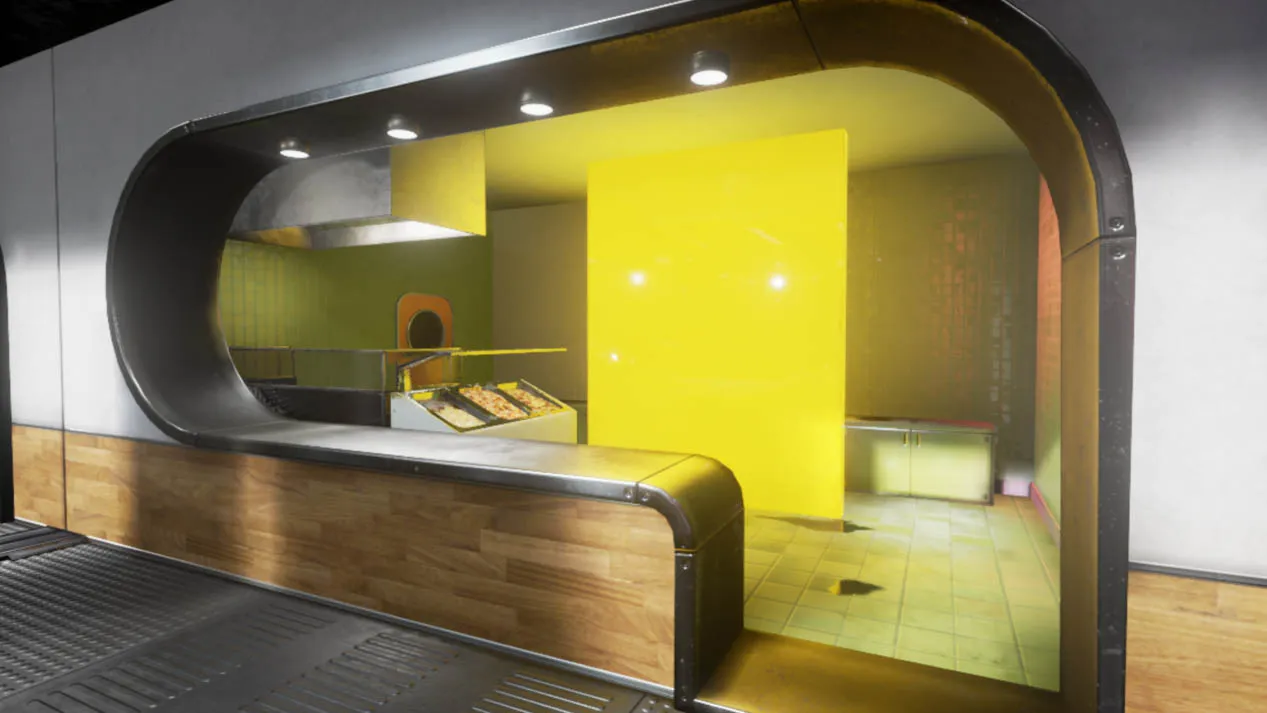
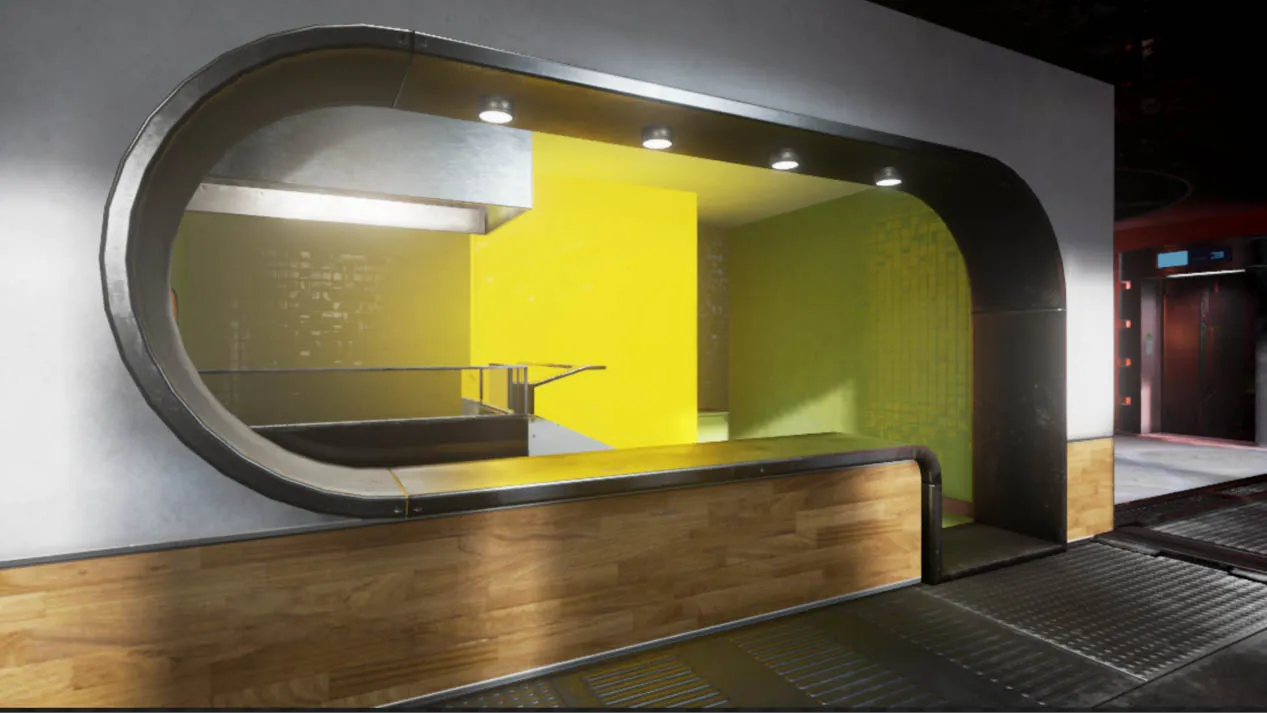
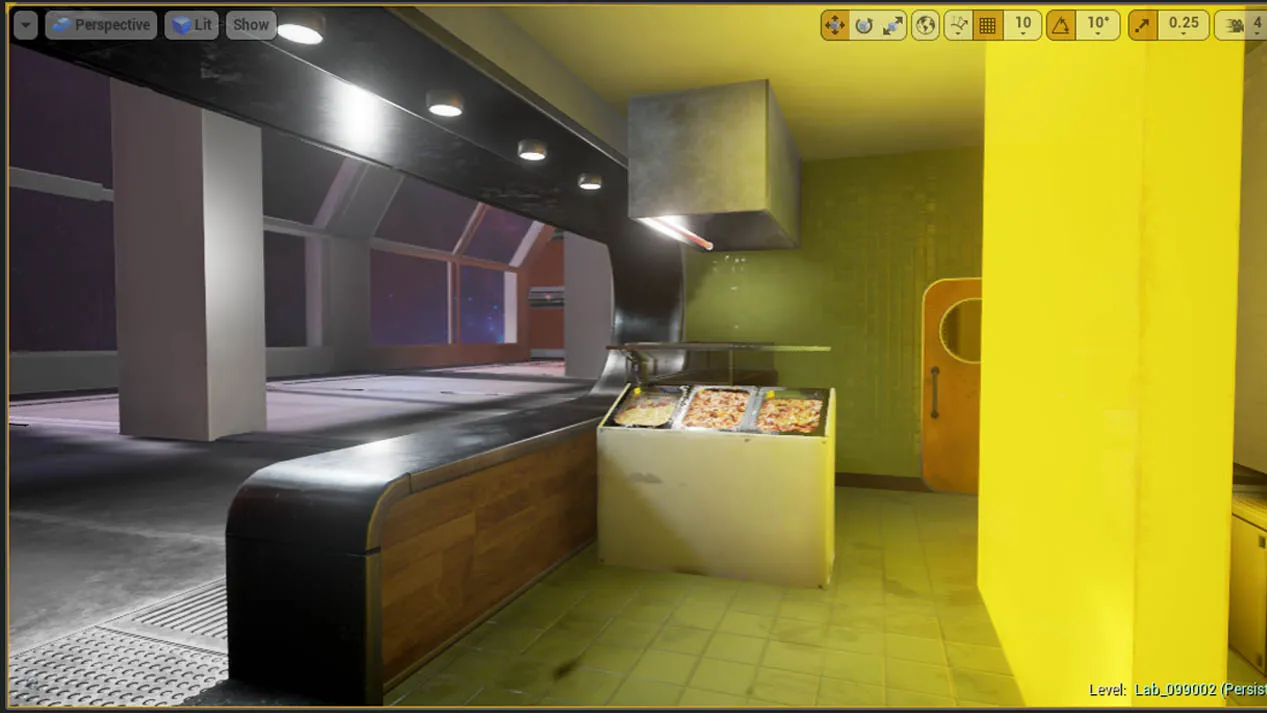
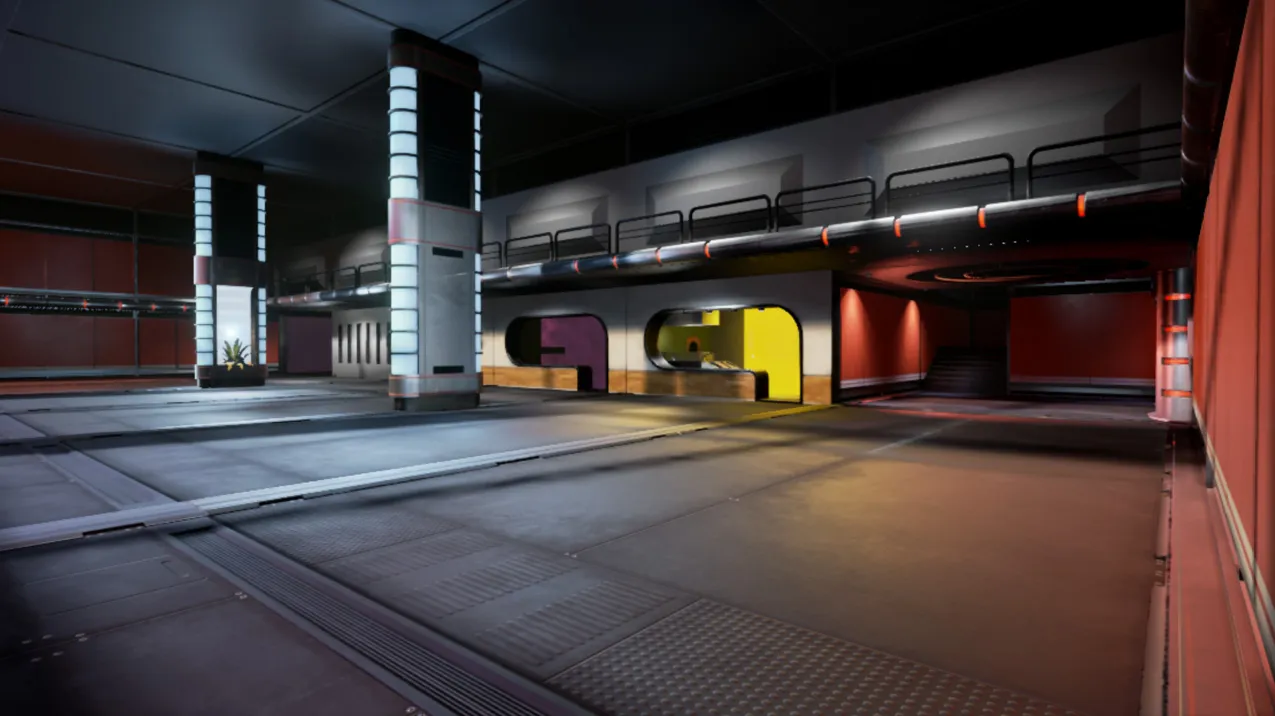
    Environment Update


  • BJA
    • June 16, 2016 at 2:37 PM
    • #31

    Nice updates! Are you still making a space station? looks more and more like a night club/bar/restaurant to me.

  • Filipe Goncalves
    • June 16, 2016 at 3:02 PM
    • #32
    Quote from BJA

    20 minutes ago, BJA said: Nice updates! Are you still making a space station? looks more and more like a night club/bar/restaurant to me.

    Thanks for commenting. Yes it's still some sort of sci-fi environment. This is a mall/restaurant area. Right now it's not looking very sci-fi, I agree with you. When I looked at these last images I had the same feeling. My goal was a low tech not very futuristic sci-fi but I guess I have to "sci-fi-it" a bit more.

  • Filipe Goncalves
    • June 17, 2016 at 12:12 AM
    • #33

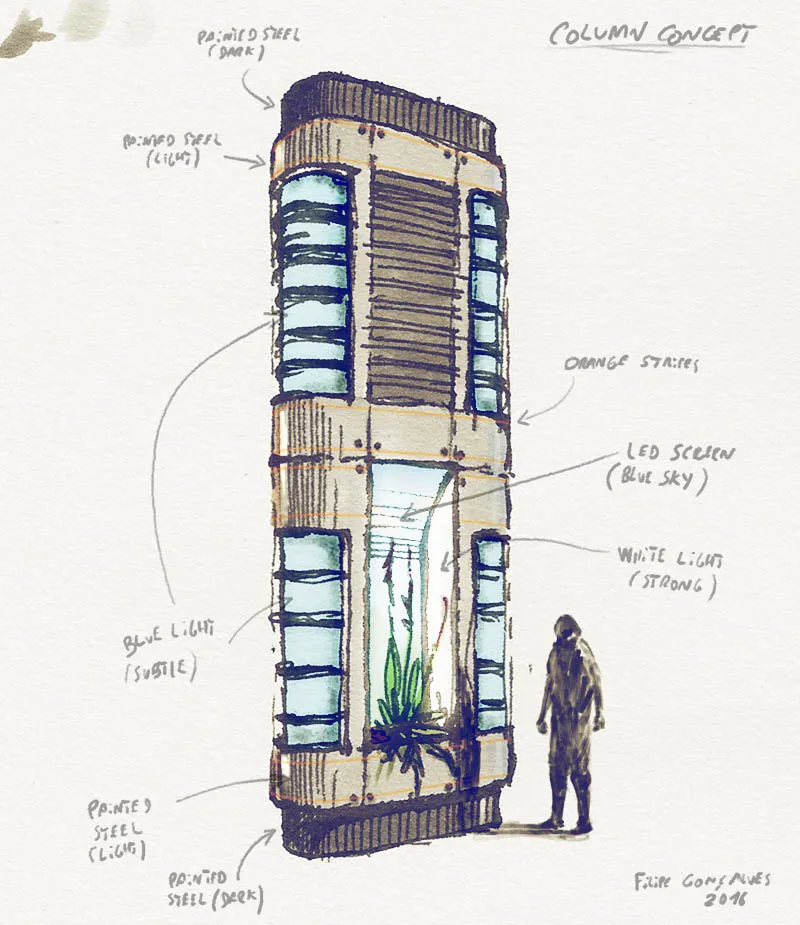
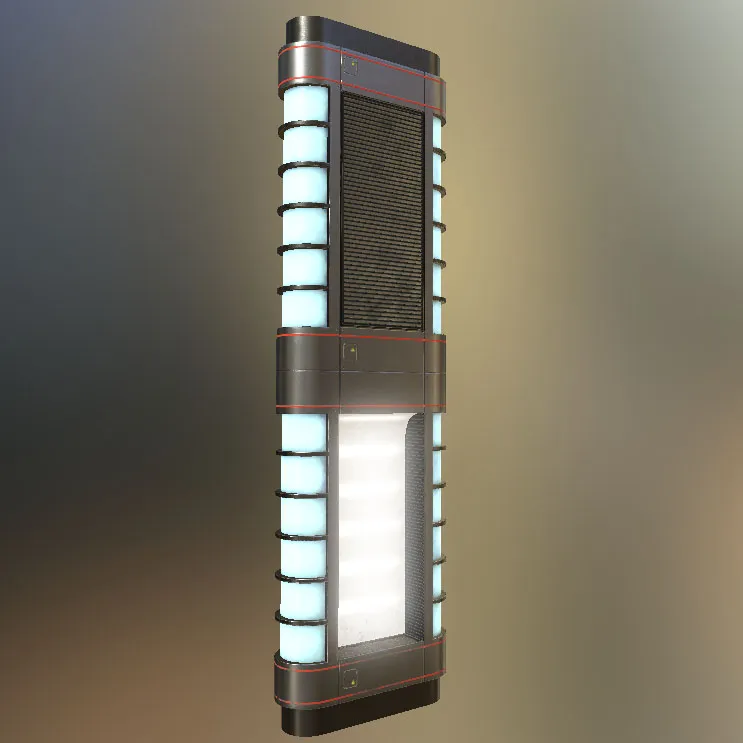
    Concept for a sci-fi column that I'll be modeling next


  • Filipe Goncalves
    • June 26, 2016 at 1:37 AM
    • #34

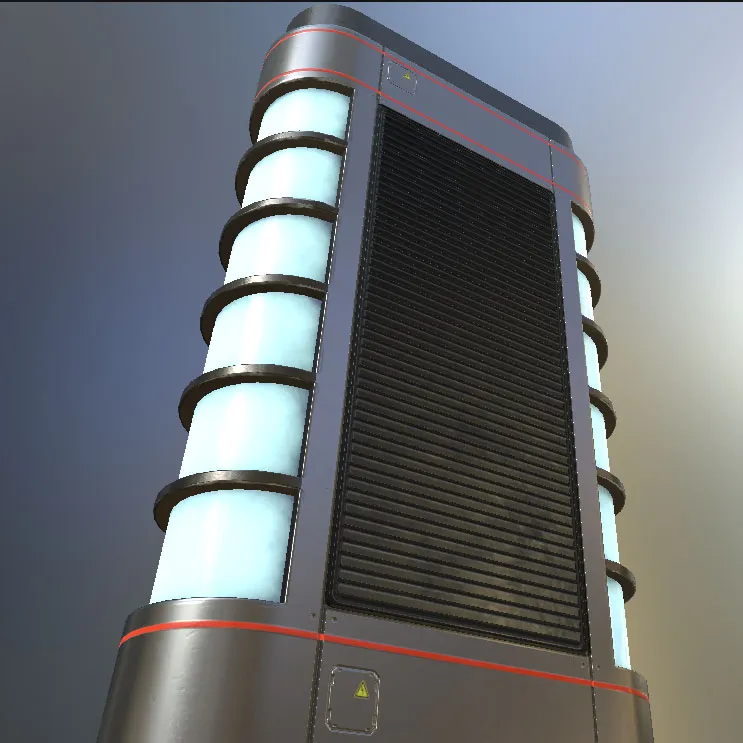
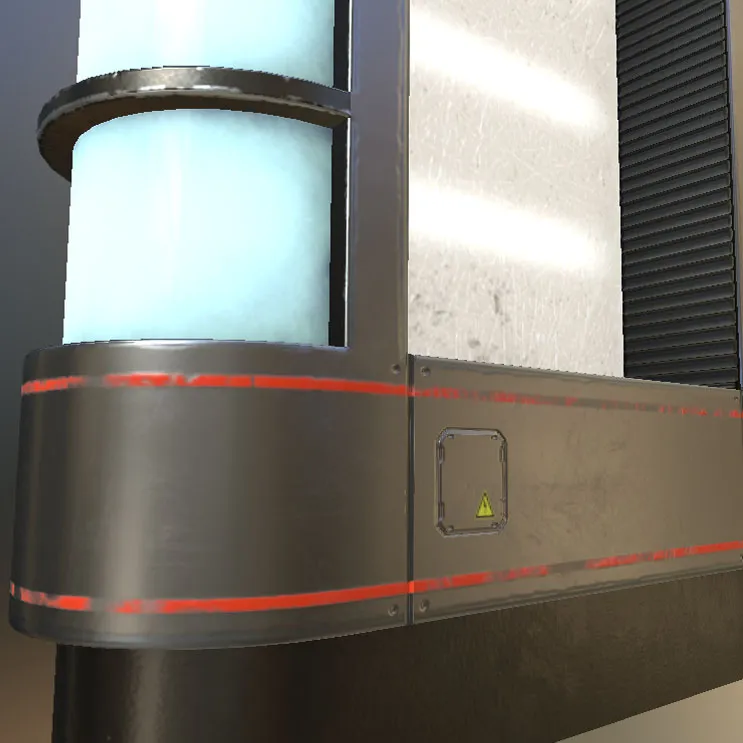
    Small update. Column is not finishied yet.


  • Filipe Goncalves
    • September 2, 2016 at 3:12 AM
    • #35

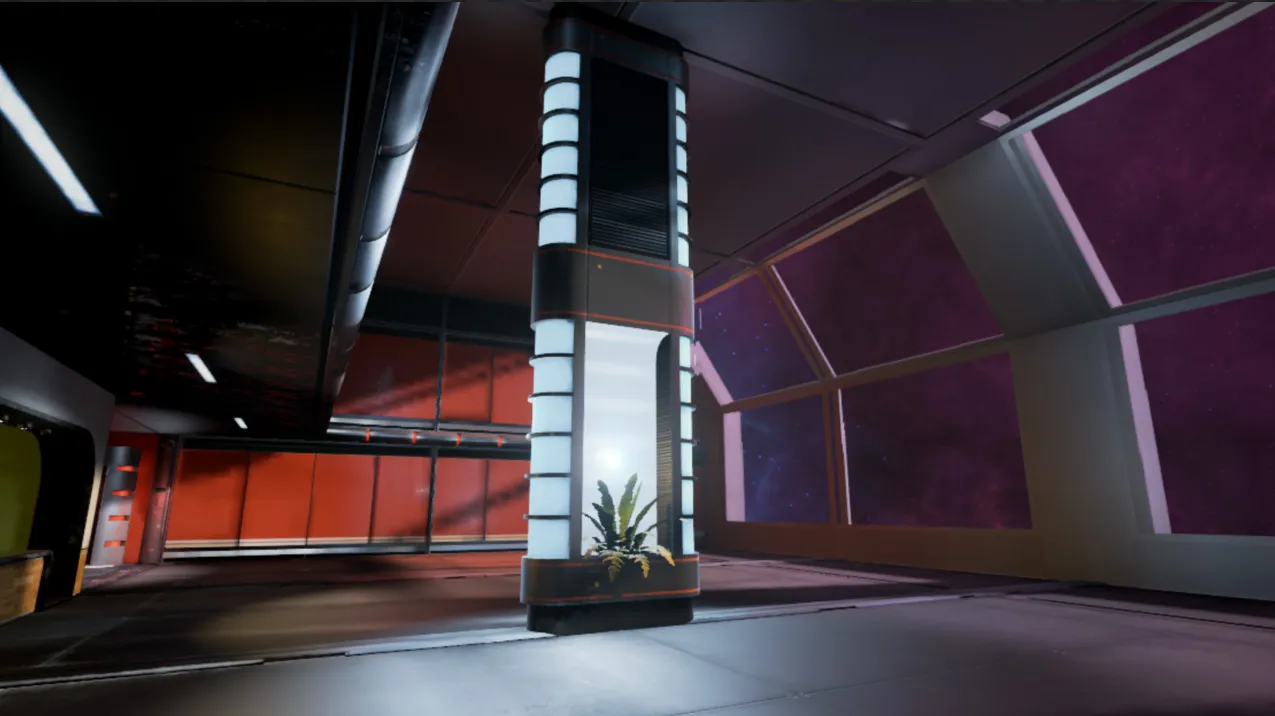
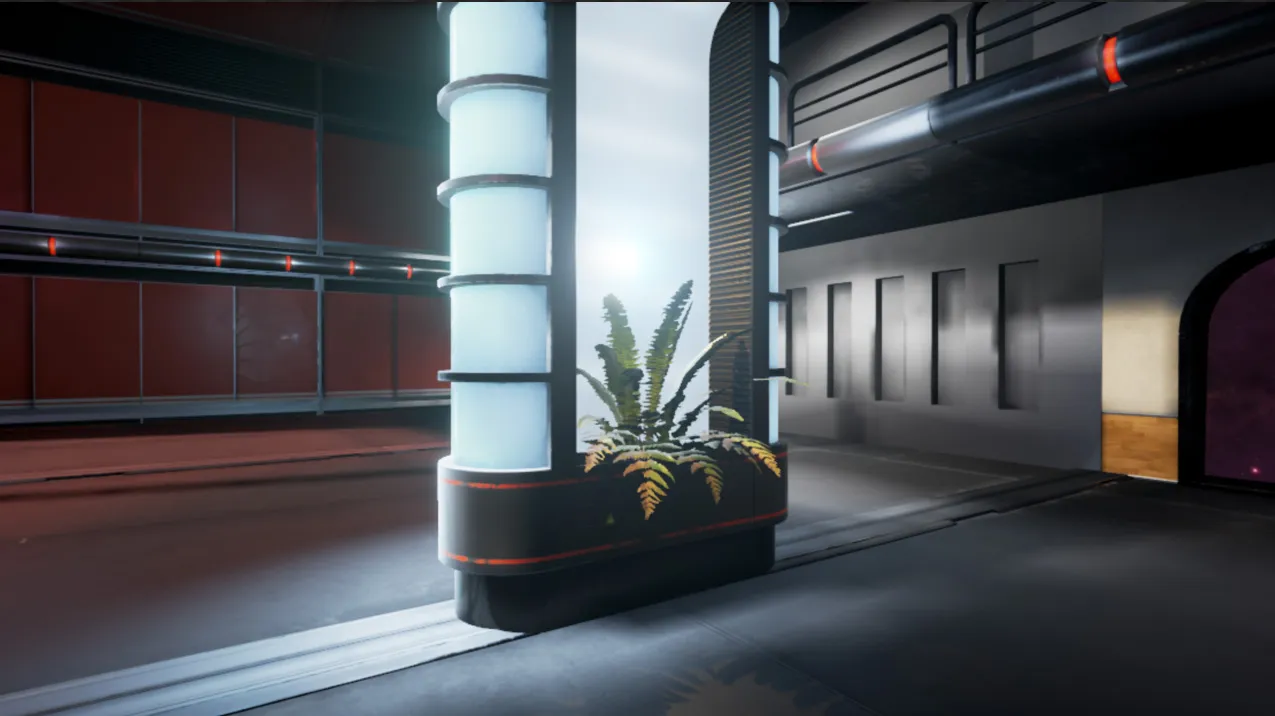
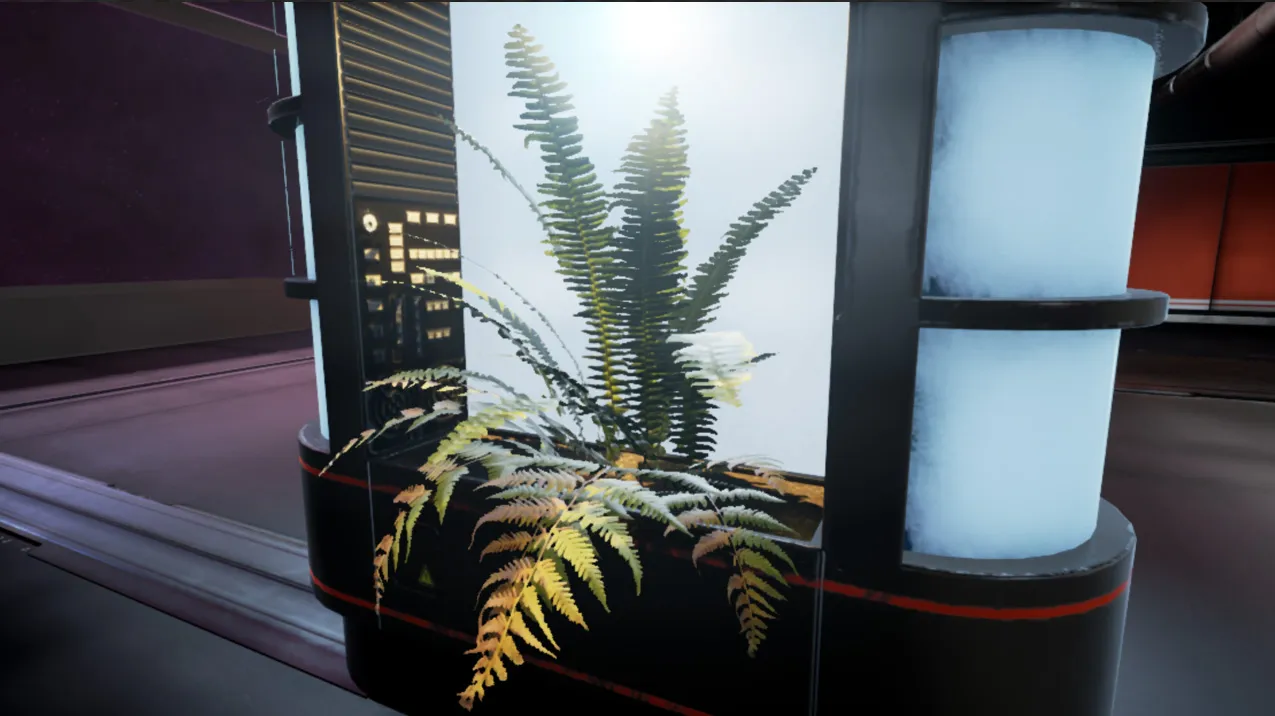
    Sci-Fi Environment WIP (UE4) Here's a small update after a long pause. Sorry about that, I'm going to post more often from now on. The fern is from megascans :)


  • Filipe Goncalves
    • September 2, 2016 at 4:55 PM
    • #36

    Testing my brand new fern, made with megascans textures.Also testing sound occlusion. You can hear the sound change as the player goes to the back of the column (turn up your sound!)

  • Filipe Goncalves
    • September 8, 2016 at 3:26 AM
    • #37

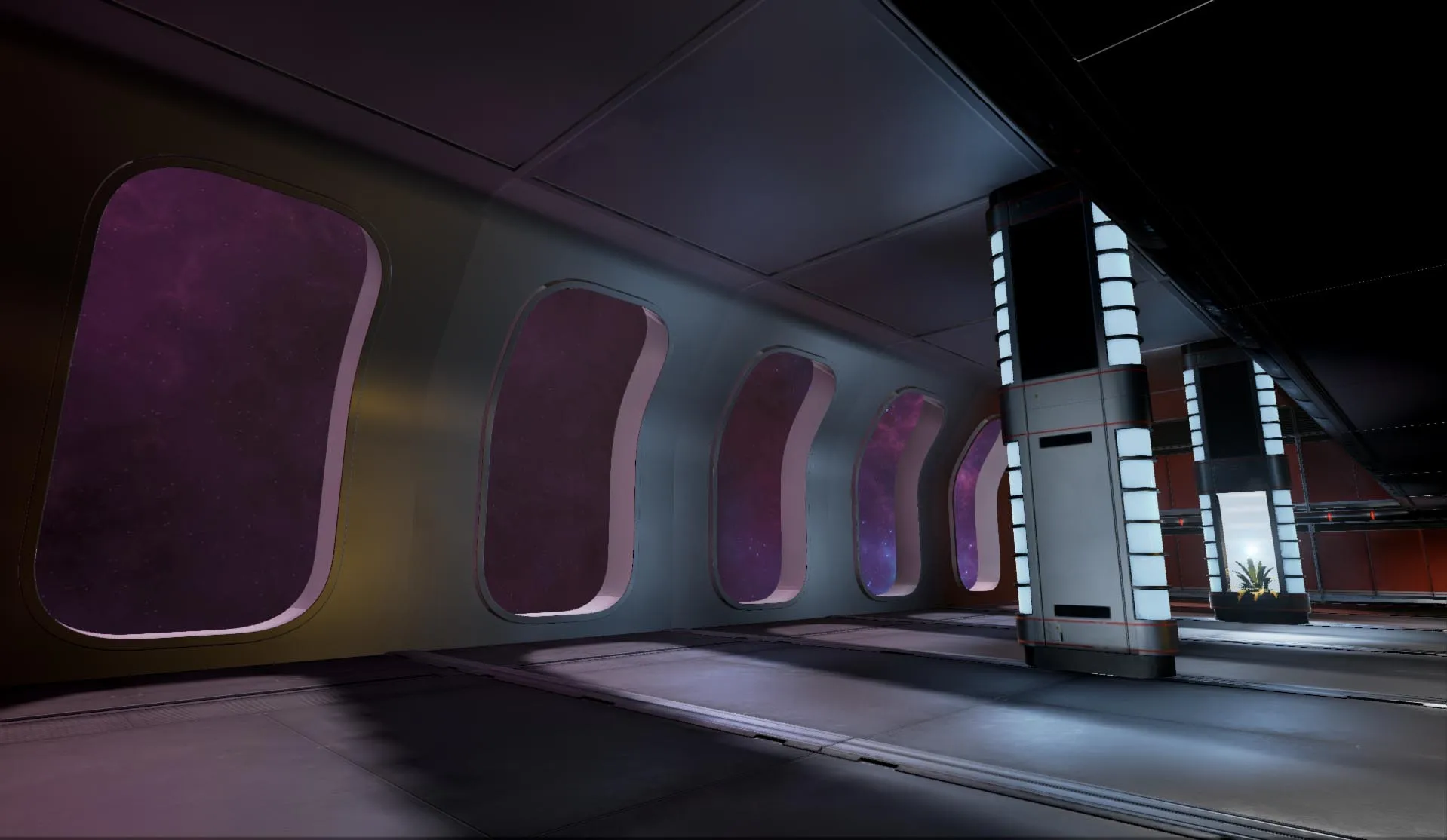
    Sci-Fi environment WIPSmall update. Changing the look of the large windows.


  • Filipe Goncalves
    • September 8, 2016 at 4:12 PM
    • #38

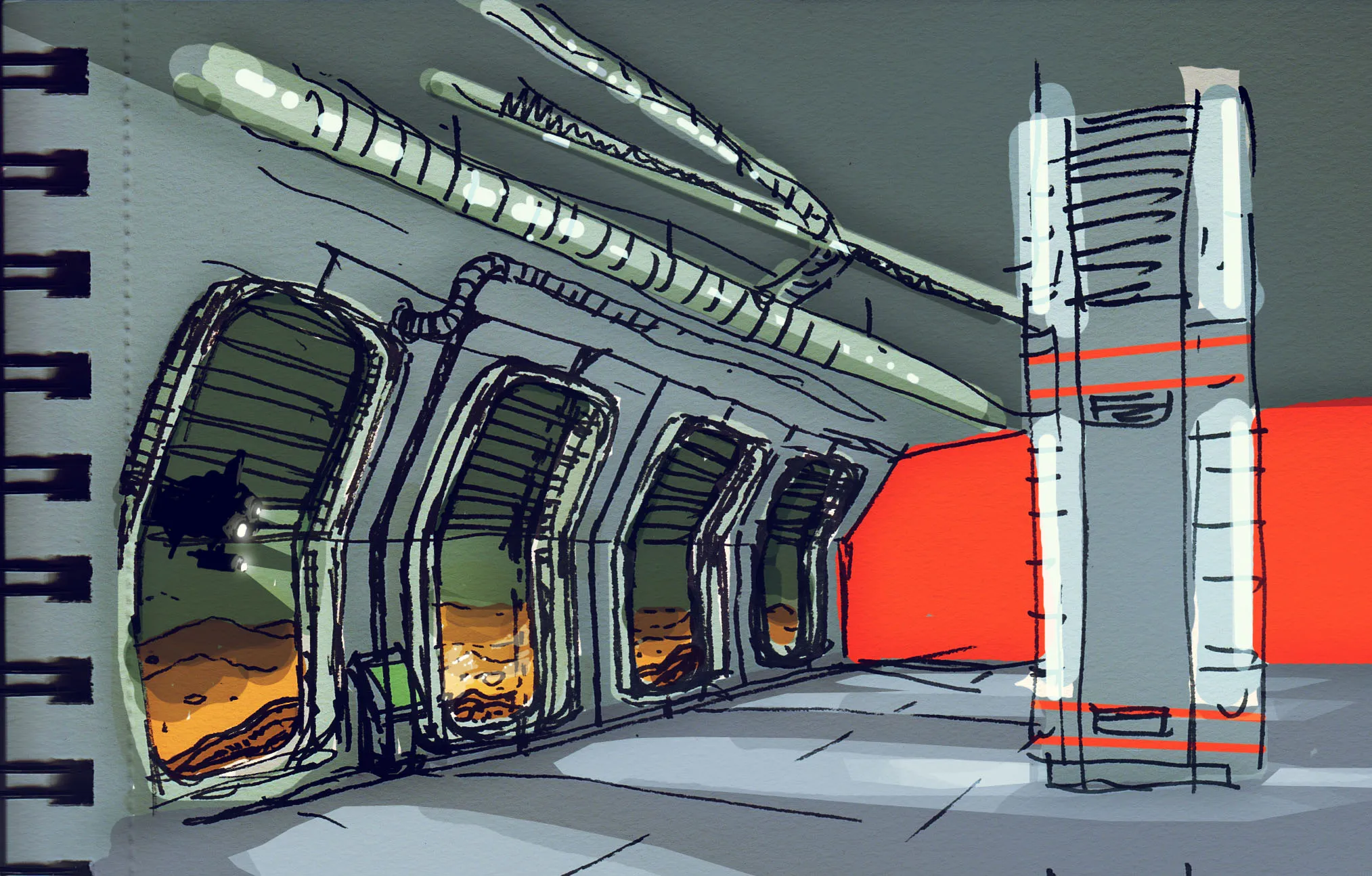
    Here's a quick sketch I made for the new windows with a super dirty paintover in photoshop. Instead of being a station in space this will be a station settled on the bottom of a sea of methane, in the moon Titan. I thought it would look cool with an underwater (methane in this case) view. Some of the ground mud and rocks would be in contact with the external glass for a cool effect. I imagine submarines passing by with strong spotlights to illuminate their way.


  • -HP-
    • September 8, 2016 at 8:28 PM
    • #39

    Some really solid stuff you got here, keep it up!

  • Filipe Goncalves
    • October 17, 2016 at 1:42 AM
    • #40

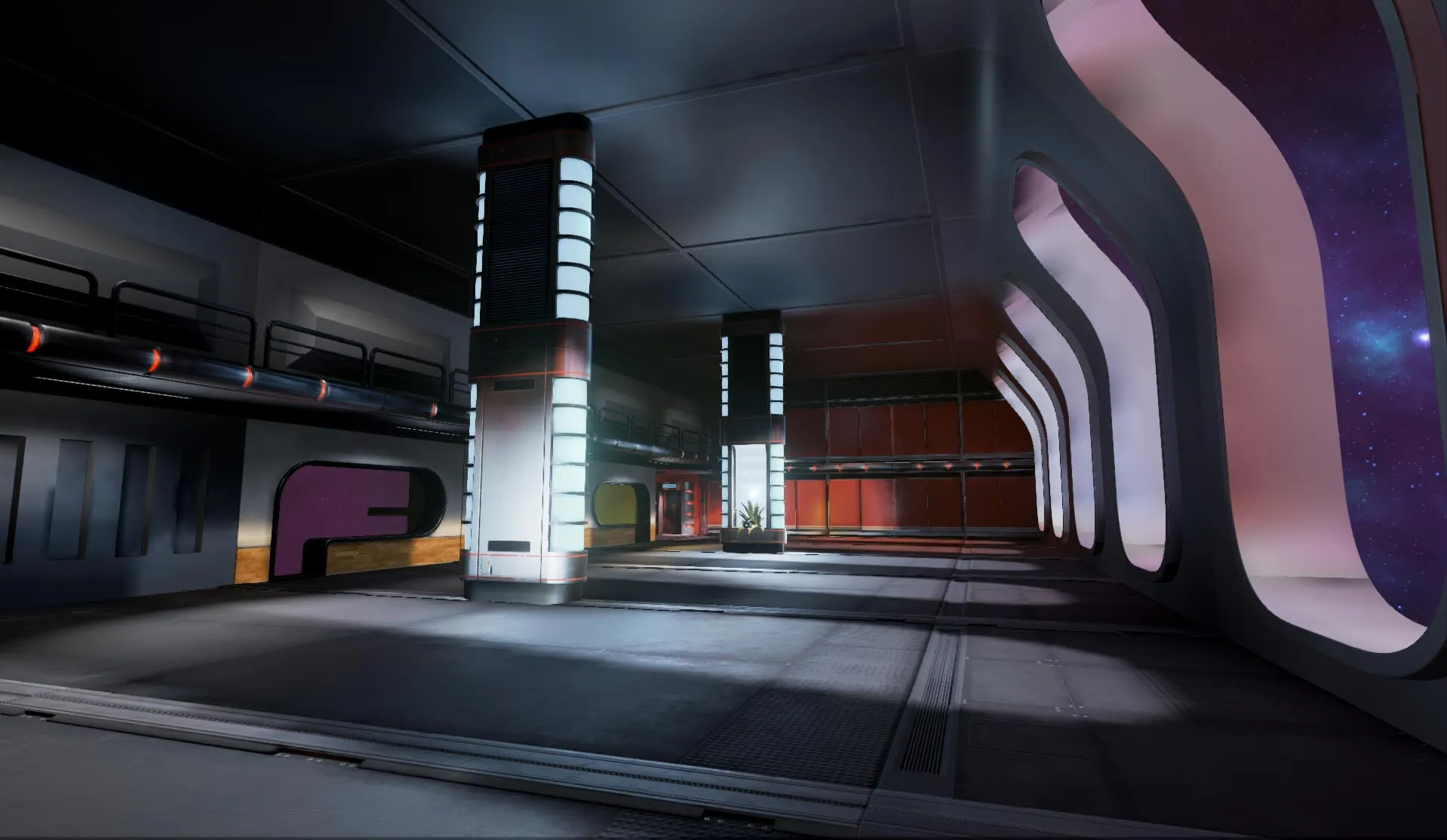
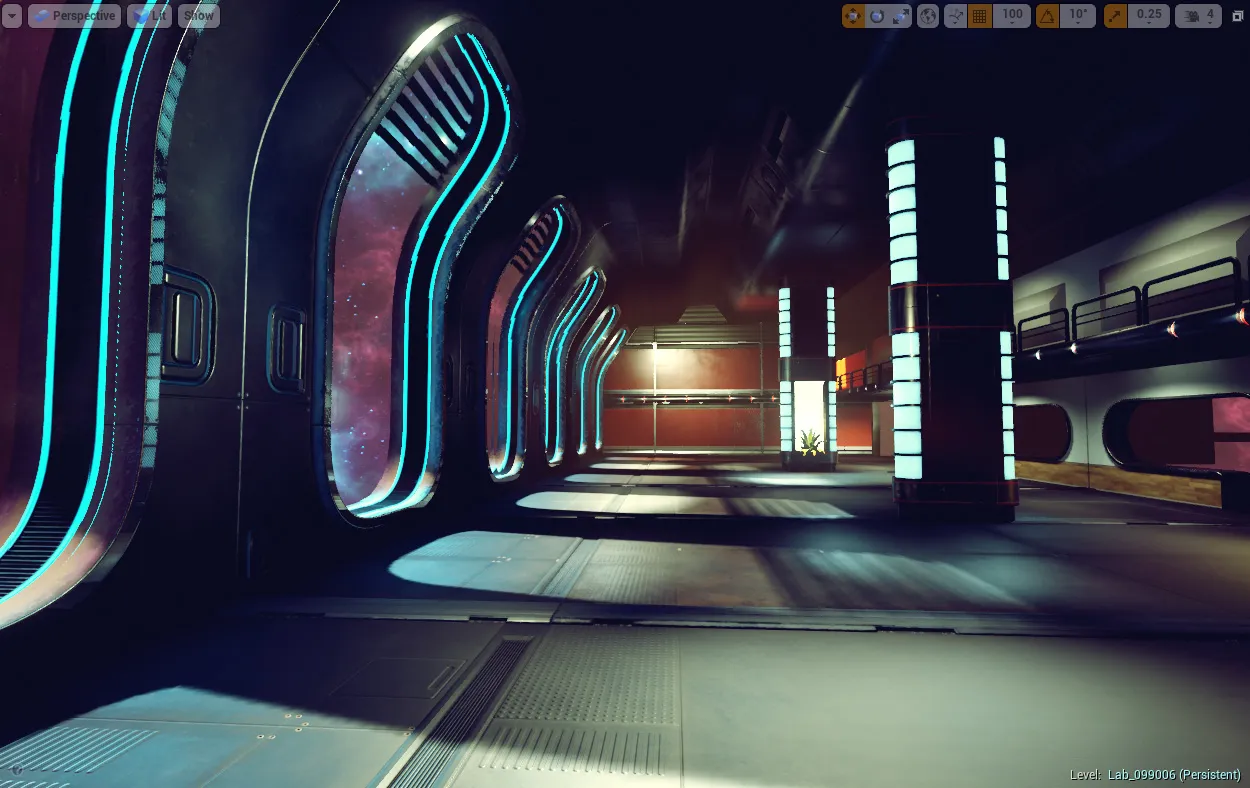
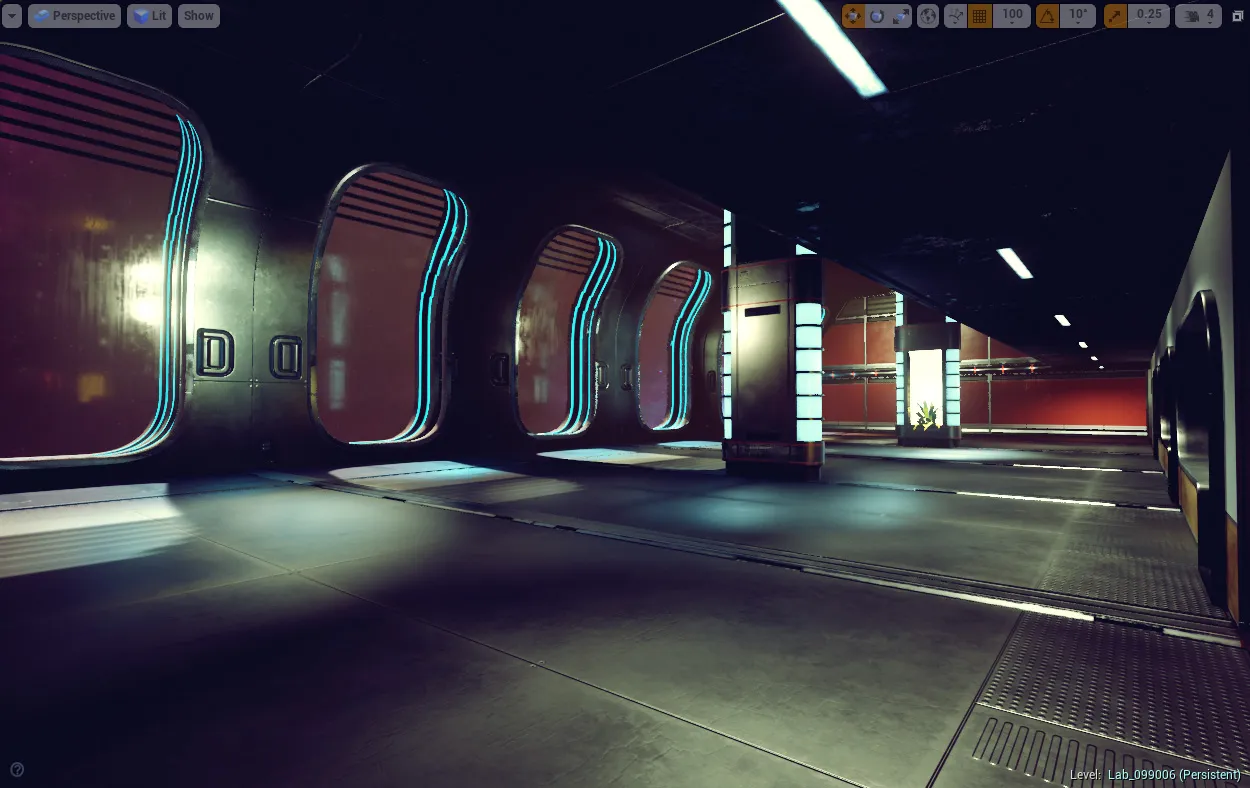
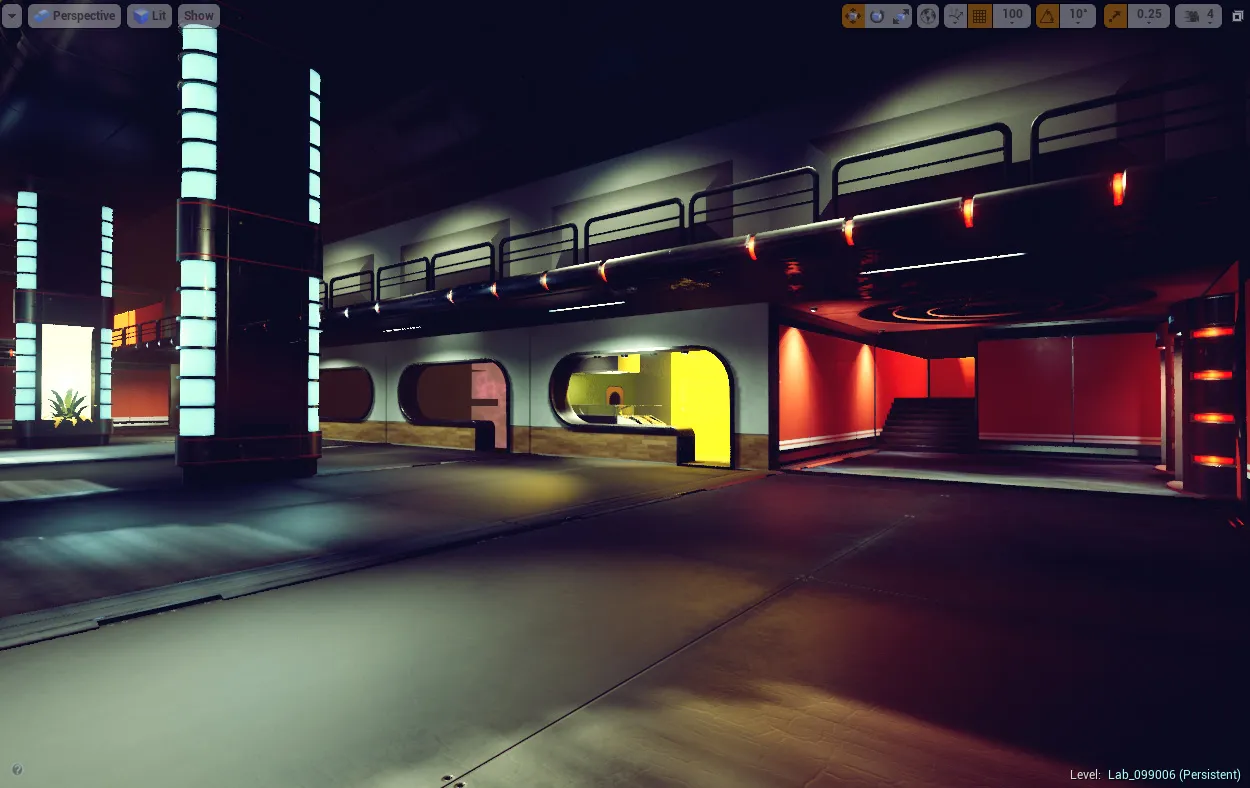
    It's been hard to get some time to work on this, but here's another update.

    New windows.

    Playing with LUTs.

    :)

Participate now!

Don’t have an account yet? Register yourself now and be a part of our community!

Register Yourself Login
Discord

The Mapcore Discord is our lively IRC channel of the 2000s reborn. Chat about level design, gaming, and more.

Latest Posts

  1. Tangerine

    Harry Poster
    July 18, 2026 at 11:10 AM
  2. Any of the old guard still around? D:

    Warby
    July 12, 2026 at 8:23 PM
  3. About our archived forums

    Thrik
    June 30, 2026 at 2:12 PM
  4. Mapcore Discord

    mason_fan123
    June 24, 2026 at 8:52 PM
  5. [CS2] Valley

    Serialmapper
    June 22, 2026 at 11:56 AM
  6. Free Music / SFX Resource - Over 2500 Tracks

    Eric Matyas
    June 18, 2026 at 12:32 PM
  7. Pango [WIP]

    Elowen
    June 11, 2026 at 10:13 AM
  8. [CS2] Dvina

    Jeremy Rivera
    June 11, 2026 at 10:03 AM
  9. Bridges 2.0 by NEXSIDE, MAP SHOWCASE. ( Steam Workshop )

    MrTrane18
    June 1, 2026 at 7:46 PM
  10. Classic Maps Reborn For CS2

    SillySpaceCat
    May 31, 2026 at 10:33 PM
  1. Privacy Policy
  2. Contact
Powered by WoltLab Suite™