

 Quote from Squad
But the blockbullets doesn't work like they should. The name suggests it block bullets, so thickness shouldn't even matter for in this case.
Yeah, you're right. It would be nice, if Valve would fix this.

Quote from SquadBut the blockbullets doesn't work like they should. The name suggests it block bullets, so thickness shouldn't even matter for in this case.
Yeah, you're right. It would be nice, if Valve would fix this.
valve does it... FMPONE does it... I'm so confused.
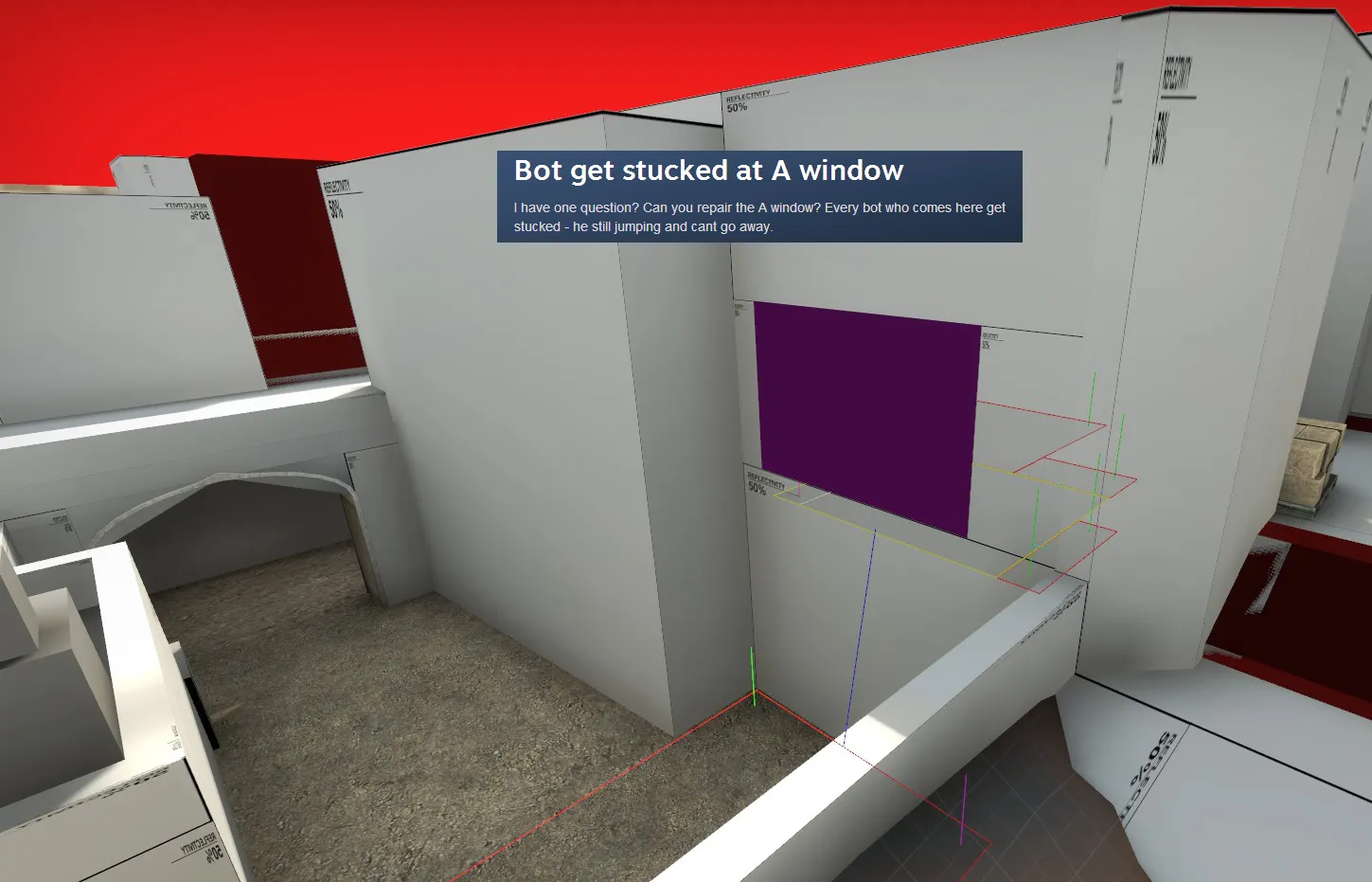
Player Clip OP
easier to view in hammer? if you use Red for all the smoothing clips and purple for all the boost-stopping clips...
I've used blockbullets and it works the way it should (it blocks all bullets, duh). It was inside a normal func_detail to make it impenetrable though.
EDIT: I've retested properly and it doesn't seem to work. I think you can block bullets with a nodraw brush though but i'm not sure.
If the bullet enter a proper material but exit through a nodraw surface it won't penetrate.
Player clip and clip both block the bomb for obvious reasons. If you want to block the bomb but not players you can use a func_clipvphysics, but be careful you can't get the bomb stuck.
I still don't have a definitive answer why this is done. And what a shame my pictures are gone:(
edit: pictures were there, just had to be resubmitted to the thread..
why player clip in this area only?
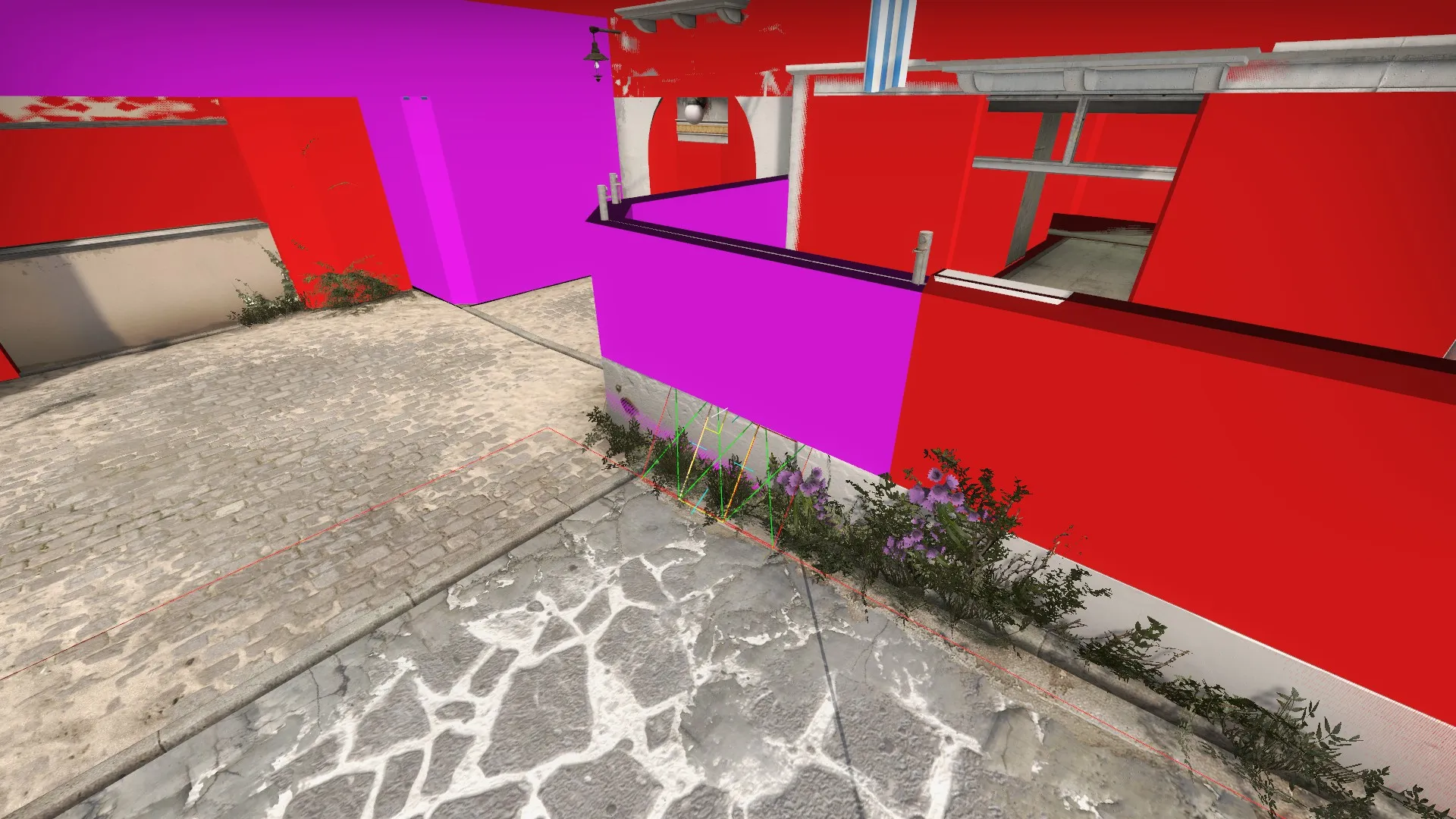
I suspect its just a case of typing "clip" in the texture browser and picking a different one by mistake. Then not changing it later because it doesn't really matter.
to allow throwing bomb through the playerclip is the answer
Whaaat? This is a thing? I always thought player clips are blocking the bomb aswell :o Always learning something new..
I think bots are ignoring player clip, they can often get stuck trying to get through.
 Quote from El_Exodus
Whaaat? This is a thing? I always thought player clips are blocking the bomb aswell :o Always learning something new..
They are. 
 Quote from FMPONE
to allow throwing bomb through the playerclip is the answer
raidx chart at the top says both clips block c4... And I could not throw the bomb threw this particular section, or from mid to bricks/construction..
 Quote from tomm
I think bots are ignoring player clip, they can often get stuck trying to get through.
yes nav is generated threw the player clip. so In this map for example you must go back and edit the NAV by hand for things like this.
Quote from El_ExodusWhaaat? This is a thing? I always thought player clips are blocking the bomb aswell :o Always learning something new..
I created a test map and found that both clips blocked the bomb.
Thought we cleared this issue a long time ago
Different Source games have different uses of clip brushes (either by design or simply an unattended bug...because, Valve :-D)
In the case of CSGO, "clip" and "player clip" are exactly the same (refer to my post in this thread on page 1, link)
FMPONE: player clip and clip brushes will BOTH block the C4
hamilton5: As we discussed 9 months ago in this thread, use clip brushes in CSGO to avoid having to manually delete nav meshes from the non-playable areas of the map. nav meshes simply ignore player clips and extend to outside the playable areas, which will lead to chaotic deathmatch spawns and bots trying to furiously jump on map borders if left as is. Clips on the other hand will prevent the nav meshes from extending beyond them which will make your life easier and keep the DM spawns neat (unless you like to spend 2-3 hrs deleting nav meshes then please use player clips :D)
In summary (for CSGO):
Raidix compiled a nice chart earlier in this thread that you can refer to also.
Hope this helps and clears things out.
Only reason I used it is because I thought it allowed bomb to pass. Clip ftw I guess
does each source sdk have its own clip textures for each game or are all tool textures the same? nav mesh would not even generate in the trees on cobblestone. I can't help but think there is more to it. thanks for the let down.
So I shouldn't use playerclip all over the place to stop boost spots etc? Playerclip is useless for CSGO then?
 Quote from Bodd Jonar
So I shouldn't use playerclip all over the place to stop boost spots etc? Playerclip is useless for CSGO then?
http://imgur.com/a/s051A - *shurg*
Someone needs to do a mythbusting video on this!
IMO they used to have specific purposes in HL2 but have since lost their specific functions for multiplayer games.
Don’t have an account yet? Register yourself now and be a part of our community!