

Thank you for your custom cubemaps tutorial, especially your vtex.bat tool! I originally tried to create custom HDR cubemaps by importing TGA files with VTFedit. However, this led to cubemaps looking like this. By creating a PFM file of the cubemap cross and using vtex.bat to generate the VTF, I was finally able to create a proper looking HDR cubemap.
Posts by sn0wsh00
-
-
Renaming SpaceEngine cubemap faces to Source Engine cubemap faces can be tedious, so I wrote a batch program to speed up this process:
Spoiler set skyboxname=SkyboxNameHere rename "sky_neg_x.vtf" "%skyboxname%bk.vtf" rename "sky_neg_y.vtf" "%skyboxname%dn.vtf" rename "sky_neg_z.vtf" "%skyboxname%lf.vtf" rename "sky_pos_x.vtf" "%skyboxname%ft.vtf" rename "sky_pos_y.vtf" "%skyboxname%up.vtf" rename "sky_pos_z.vtf" "%skyboxname%rt.vtf"
This script in particular renames the VTF files that are created with VTFEdit's import tools.
-
With Hammer++ now supporting CS:GO, I thought it would be good to create a topic where we can share our thoughts the tool.
For me, I haven't compiled anything with it yet, but so far I'm really liking all the new features, especially lighting and materials preview. Only brushes cast shadows in the preview, but it's still better than not having any lighting preview at all. Here's how this looks like for my map fy_neon_fangs:
[Blocked Image: https://i.imgur.com/KhzHdtf.gif]
The only problem I've encountered so far is that, unlike in vanilla Hammer, I'm unable to use the arrow keys to rotate the camera in the 3D view. They still don't work even when I unbind those keys from the nudge actions. But that's just a very minor gripe, and I'll probably get used to the mouselook toggle technique anyways.
-
Here are some skyboxes that I created in SpaceEngine that I though I could share with you guys, divided by theme. These skyboxes use VTF version 7.5 and were originally created for CS:GO. However, they do work with GMOD and Source Filmmaker.
Earth-Moon system
- EarthSpace01: Earth from medium Earth orbit (1 skybox)
- EarthSpace02 pack: Earth from the Earth-Moon L5 Lagrange point (3 skyboxes)
- EarthSpace03 pack: Earth from geostationary orbit (3 skyboxes)
- EarthSpace04 pack: Earth from low Earth orbit (3 skyboxes)
Nebulas
- Nebula Skybox Pack #1: 6 skyboxes
- Nebula Skybox Pack #2: 6 skyboxes
Skybox Packs
- SpaceEngine Skybox Pack #1: 9 skyboxes
- SpaceEngine Skybox Pack #2: 5 skyboxes
- SpaceEngine Skybox Pack #3: 9 skyboxes
- SpaceEngine Skybox Pack #4: 9 skyboxes
Other SpaceEngine skyboxes
- Black Hole skyboxes: 2 skyboxes
- Installation05_01: Features Halo's Installation 05 (1 skybox)
- MoonWaterHorizon skyboxes: 2 skyboxes
- StarField skyboxes: 2 skyboxes
These skyboxes feature either 1024x1024 or 2048x2048 faces. Most of these files are compressed with either BGRA8888 or DXT5. I've found DXT5 to be about as good in quality as BGRA8888, but with a much smaller file size. The only major difference I found between DXT5 and BGRA8888 are with sun halos, in that sun halos are a lot more apparent with DXT5 than with BGRA8888. Fortunately, skybox faces don't need have the same compression format, so some faces can be DXT and other faces can be BGRA8888.
And now some screenshot samples:
MoonHab_02 (from SpaceEngine Skybox Pack #1)
Spoiler [Blocked Image: https://i.imgur.com/NUlknJk.jpg]
EarthSpace03 (from the EarthSpace03 pack)
Spoiler [Blocked Image: https://i.imgur.com/YTfzdtu.jpg]
Nebula_04 (from Nebula Pack #1)
Spoiler [Blocked Image: https://i.imgur.com/qLBYFsD.jpg]
Installation05_01, on the map csgo_halo_ascension (my CS:GO port of Halo's Ascension map)
Spoiler [Blocked Image: https://i.imgur.com/FqRMIUb.jpg]
IceMoon_01 (from SpaceEngine Skybox Pack #3)
Spoiler [Blocked Image: https://i.imgur.com/lAbJLoV.jpg]
VenusLike_02 (from SpaceEngine Skybox Pack #4)
Spoiler [Blocked Image: https://i.imgur.com/i8O6fw1.jpg]
-
I recently created a geodesic dome model for my Vertumnus fight yard maps (Day version, Night version) in CS:GO. I used this video as a guide on how to create the dome:
[Blocked Image: https://i.imgur.com/LyNi6H2.jpg]
This is probably something very basic for a lot of you guys, but as a 3D modeling noob, I'm pretty proud that I was able to create and import this model into CS:GO without many issues. I mean, Blender isn't exactly MS Paint.
I also created a collision mesh for the dome:
[Blocked Image: https://i.imgur.com/myWP32Z.jpg]
Model download link:
-
Version 0.33
For this update, I overhauled the layout around Chamber B to make it less CT sided. Here are some GIFs:
[Blocked Image: https://i.imgur.com/AcCX4Eq.gif]
[Blocked Image: https://i.imgur.com/g3AFRy4.gif]
[Blocked Image: https://i.imgur.com/HRkGfX4.gif]
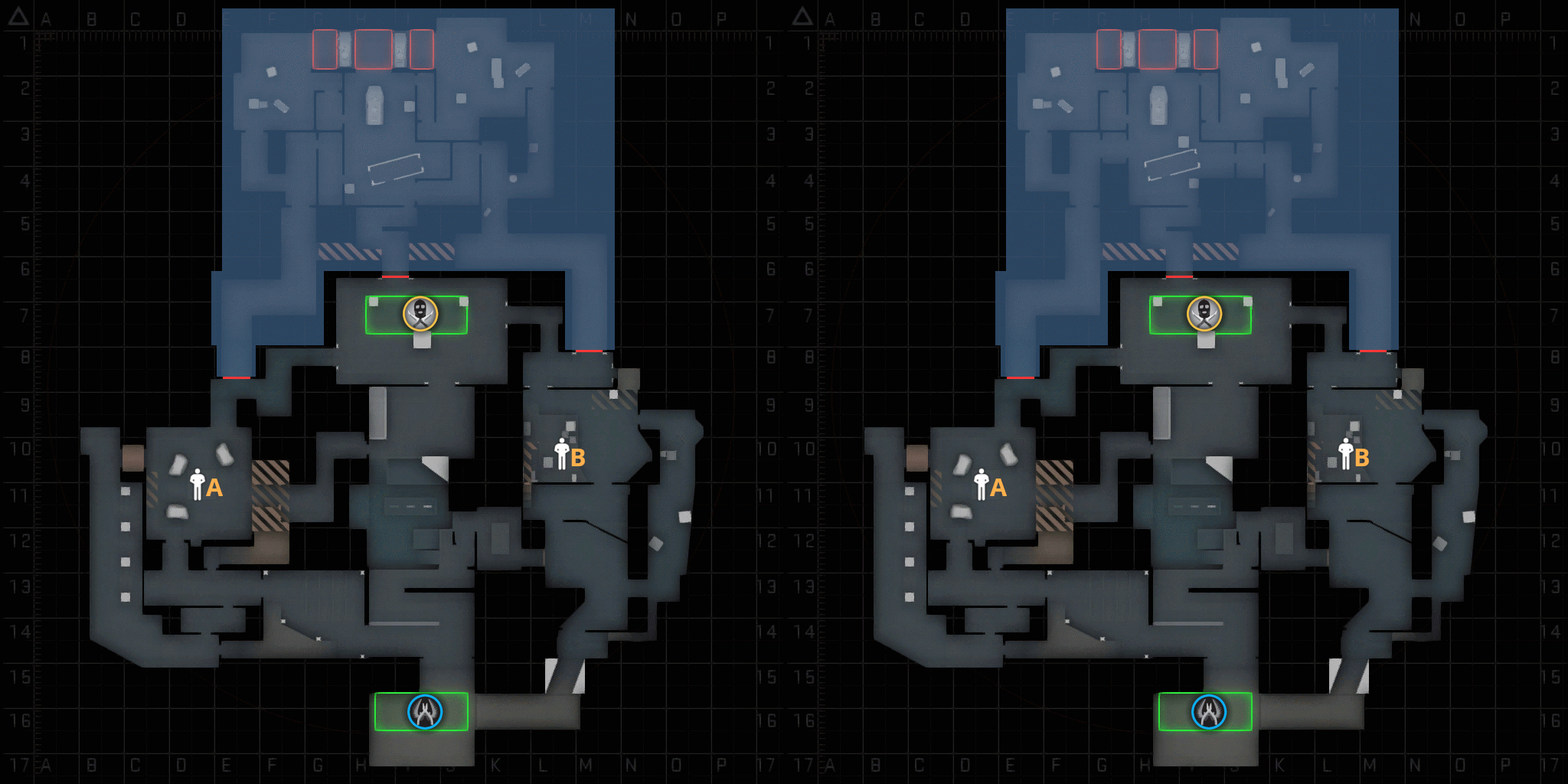
And here's how these changes look on radar:
[Blocked Image: https://i.imgur.com/MtlaOlY.gif]
To summarize, I removed access through the bottom entrance, replacing them with closed doors, and widened the existing side entrance into Chamber B. While you can't enter Chamber B through the bottom entrance anymore, you can still wall-bang through those doors. I also modified the main B path to remove direct access to the vents and connect mid closer to the chamber. In turn, this update should make it quicker to reach the vents going through mid.
-
Version 0.32
For versions 0.31 and 0.32, I decided to overhaul the appearance of Chamber A and the mid-to-A connector to give them an even more of Asian/Japanese look. Here are some GIFs of the changes:
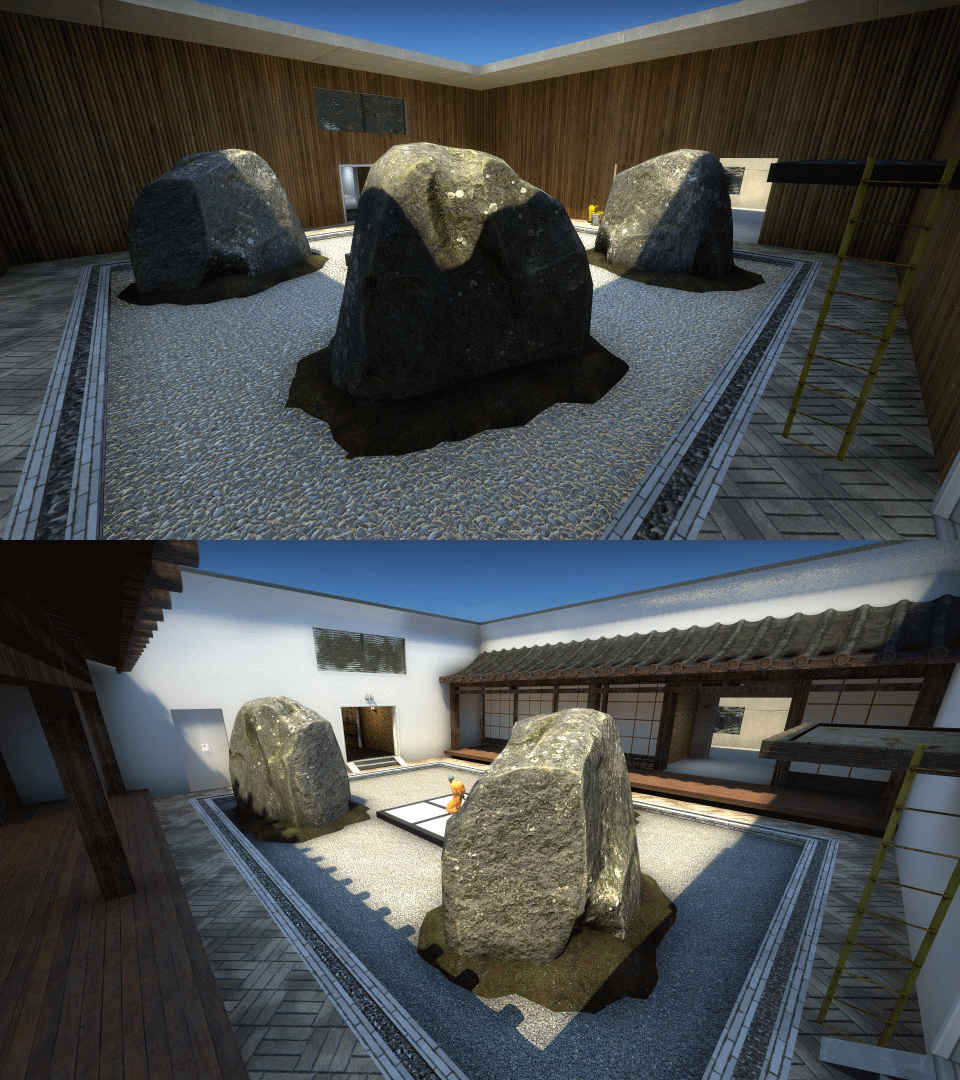
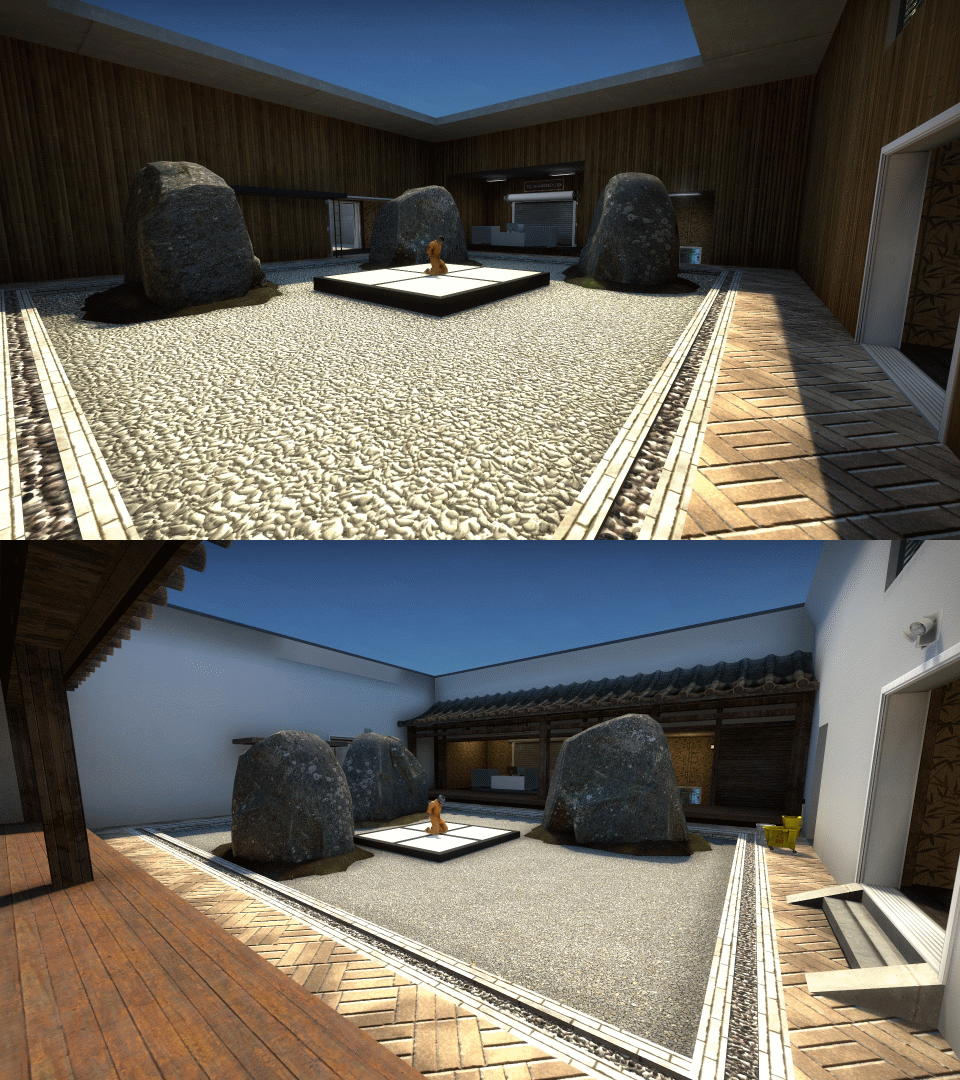
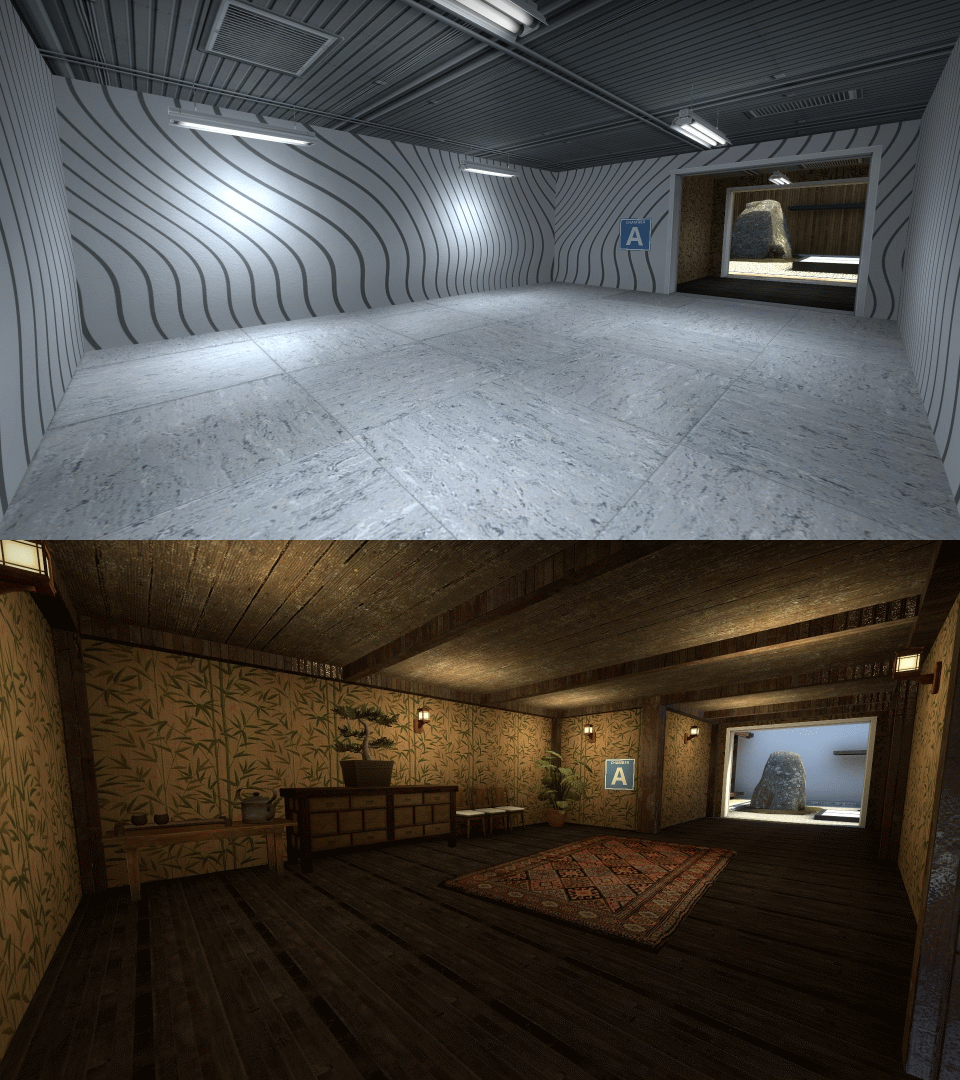
As you can see from the GIFs, I installed a couple of engawas in the chamber, added some furniture in the connector and changed some of the lighting. Some of the assets added in this update were taken from Jingshen. While I think the chamber looks better in this update, I also feel that the engawas might have made Chamber A a bit more cluttered. Would like to hear what other players think about the new layout.
-
Version 0.3
I made major changes in cs_exodium in update following the 0.21 playtest:
- In addition to removing the 10 second delay to the T-spawn door, I also added a short delay to the corresponding chamber door when a hostage is picked up (5 seconds in Chamber A, 4 seconds in Chamber B). For example, if a CT picks up a hostage in Chamber A, the door in Chamber A will open 5 seconds later, while the doors at T-spawn and Chamber B will immediately open. If CTs somehow manage to pick up both hostages at the same time, then there will be no such delays.
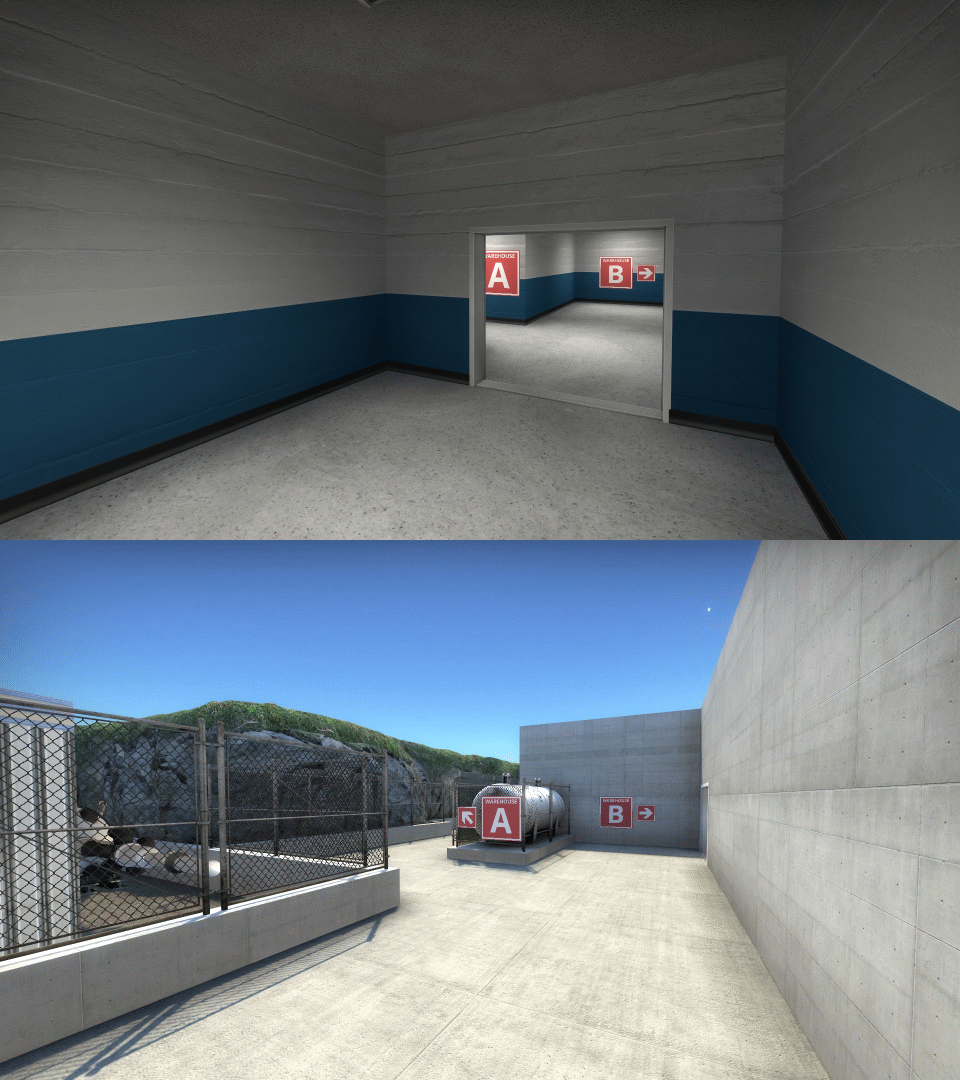
- I overhauled paths between the chambers and warehouses so that they are now outdoor walkways instead of hallways
- Given that CTs had a major advantage attacking Chamber A, I decided to remove access to the offices above Chamber A, leaving only two CT entrances into A. CTs still have 3 entrances into Chamber B
- To declutter Warehouse B, I removed the Exodium-branded trailer. Don't worry, you can see still see it in the junkyard near the Chamber A to Warehouse A/B path.
- Players can now rotate around the hostage rescue zone. A bunch of crates were added to prevent a single player from guarding all three exits at once.
- Warehouse-Chamber paths are now directly to the back of the hostage chambers, so to encourage the terrorists to defend inside the chambers, instead of the hallways behind the chambers
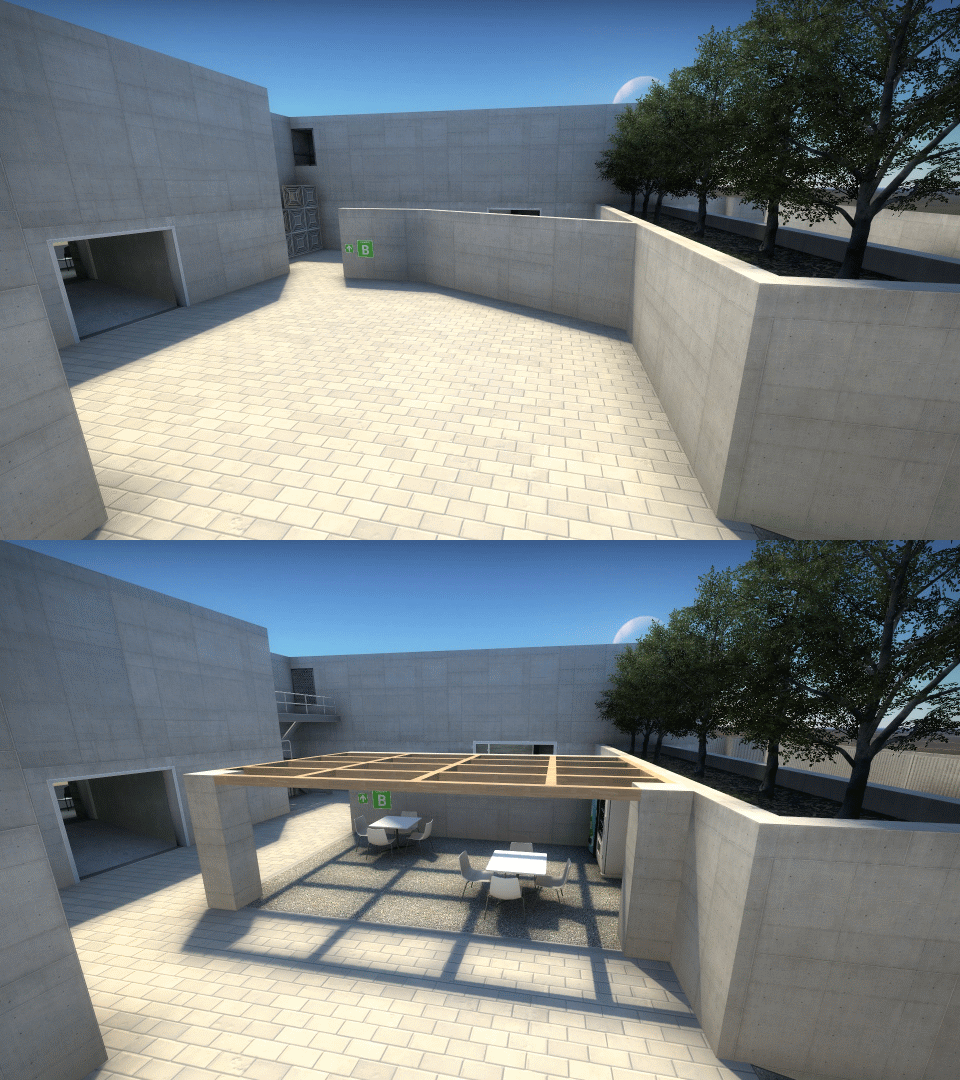
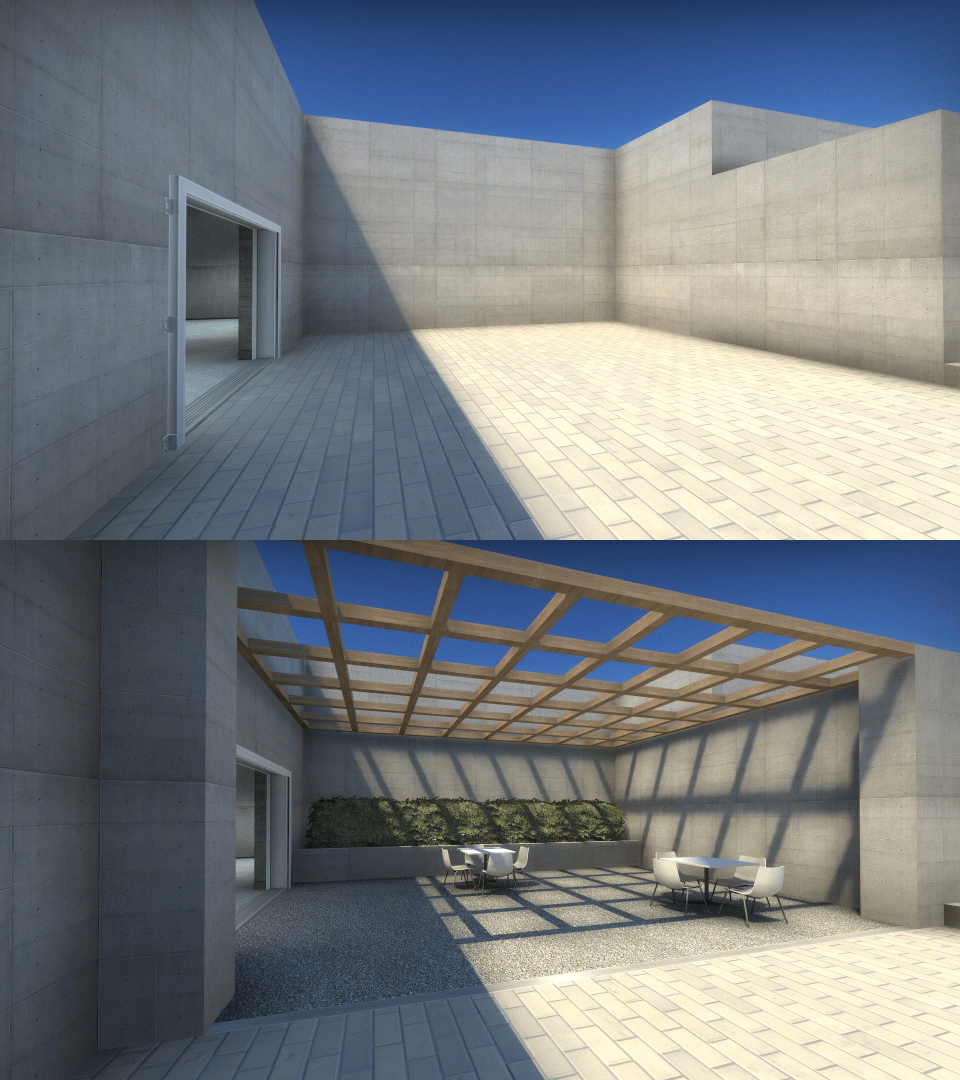
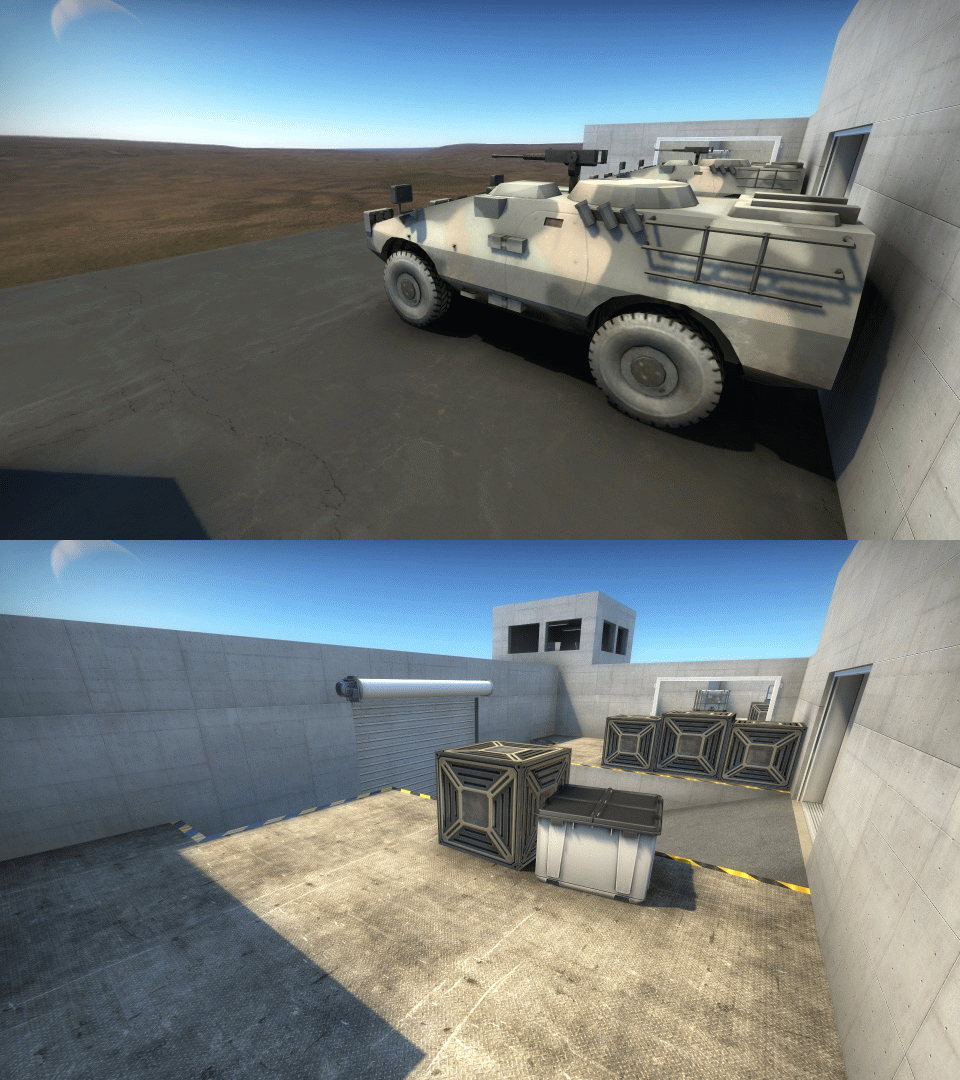
- Finally, I added a some detailing, such as barb wires and gravel patios
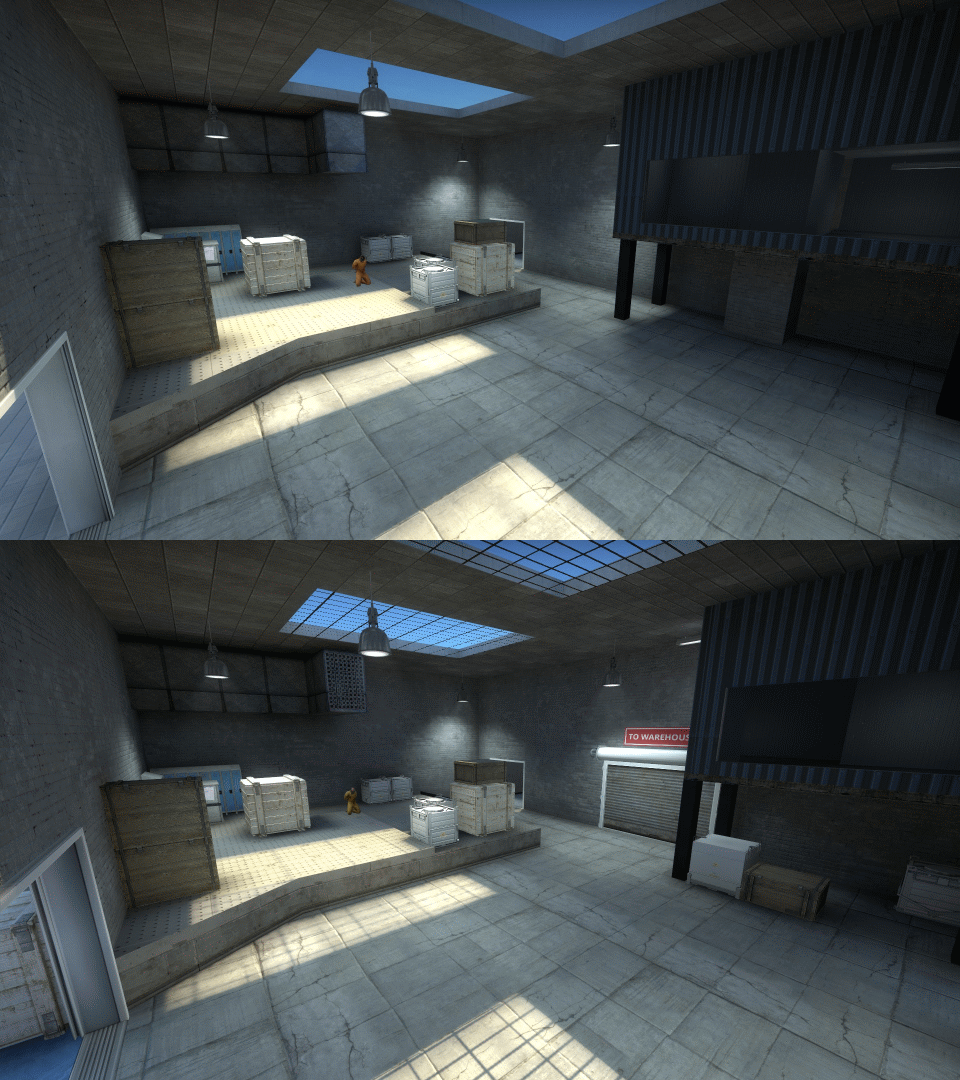
And now, on to the GIFs. First up, hostage chambers:
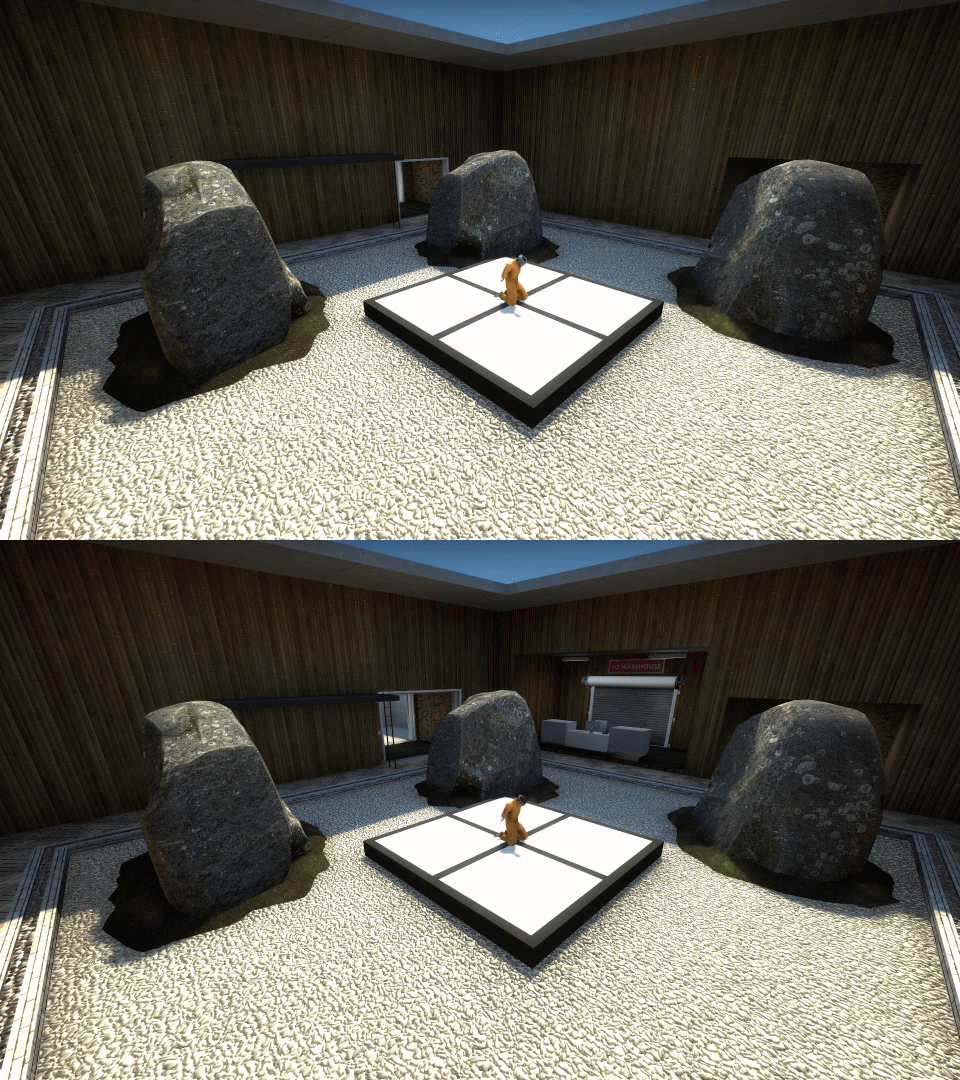
Gravel patio in front of Chamber B:
And in front of T-Spawn:
Chamber to warehouse paths:
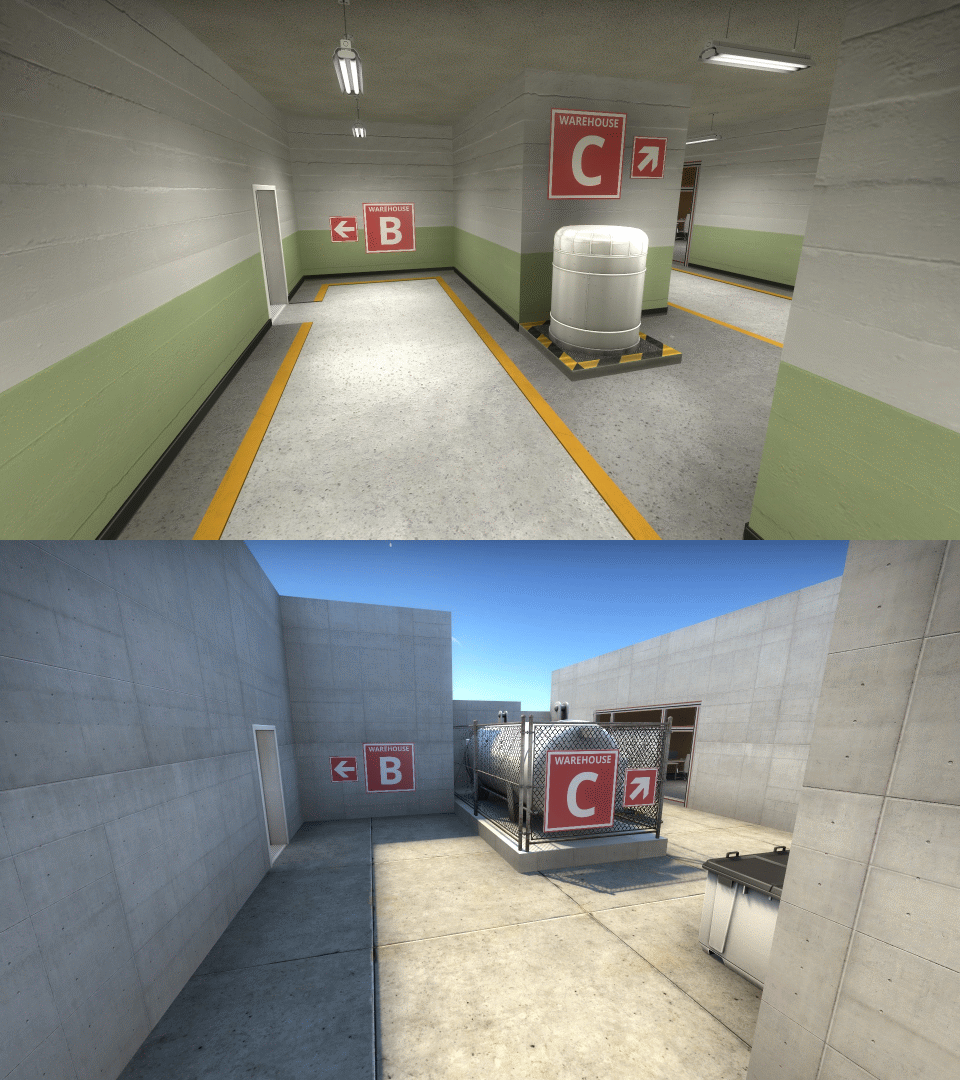
Decluttering Warehouse B:
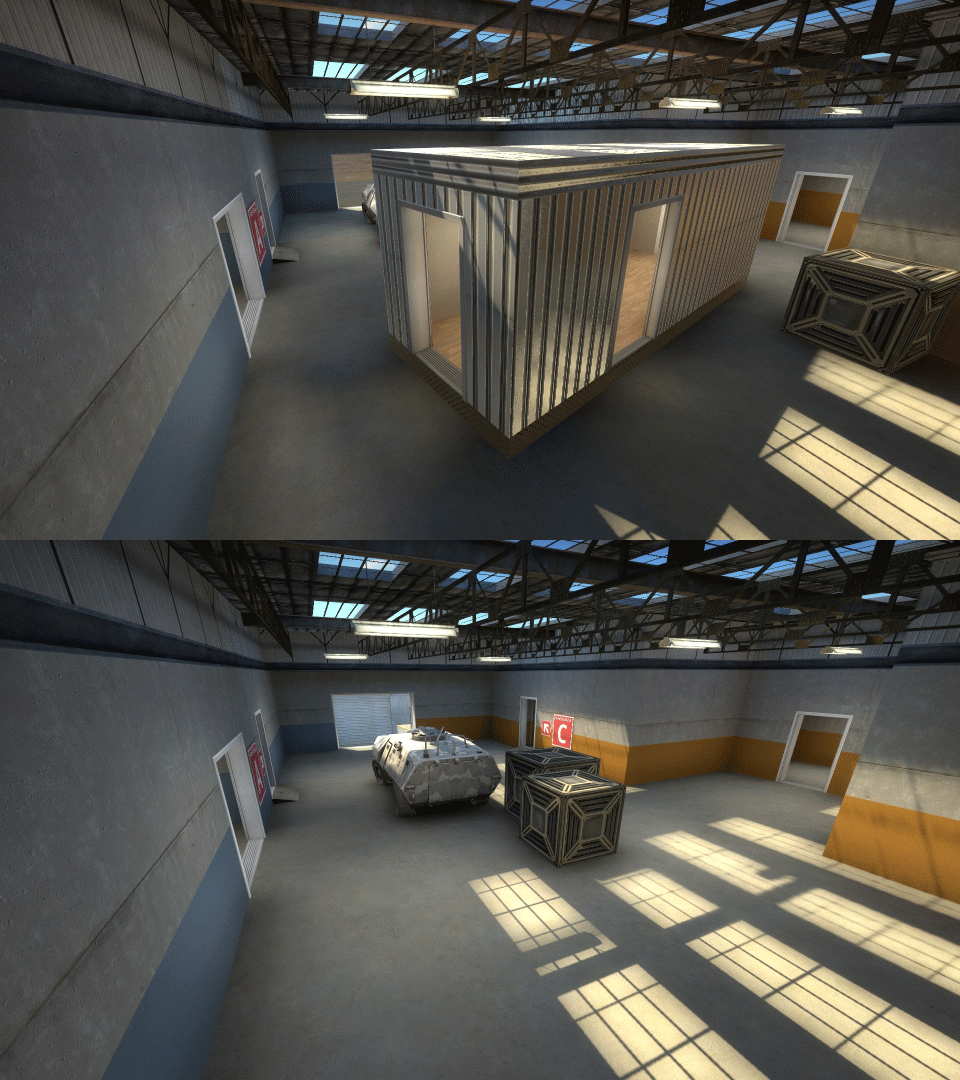
The hostage rescue zone:
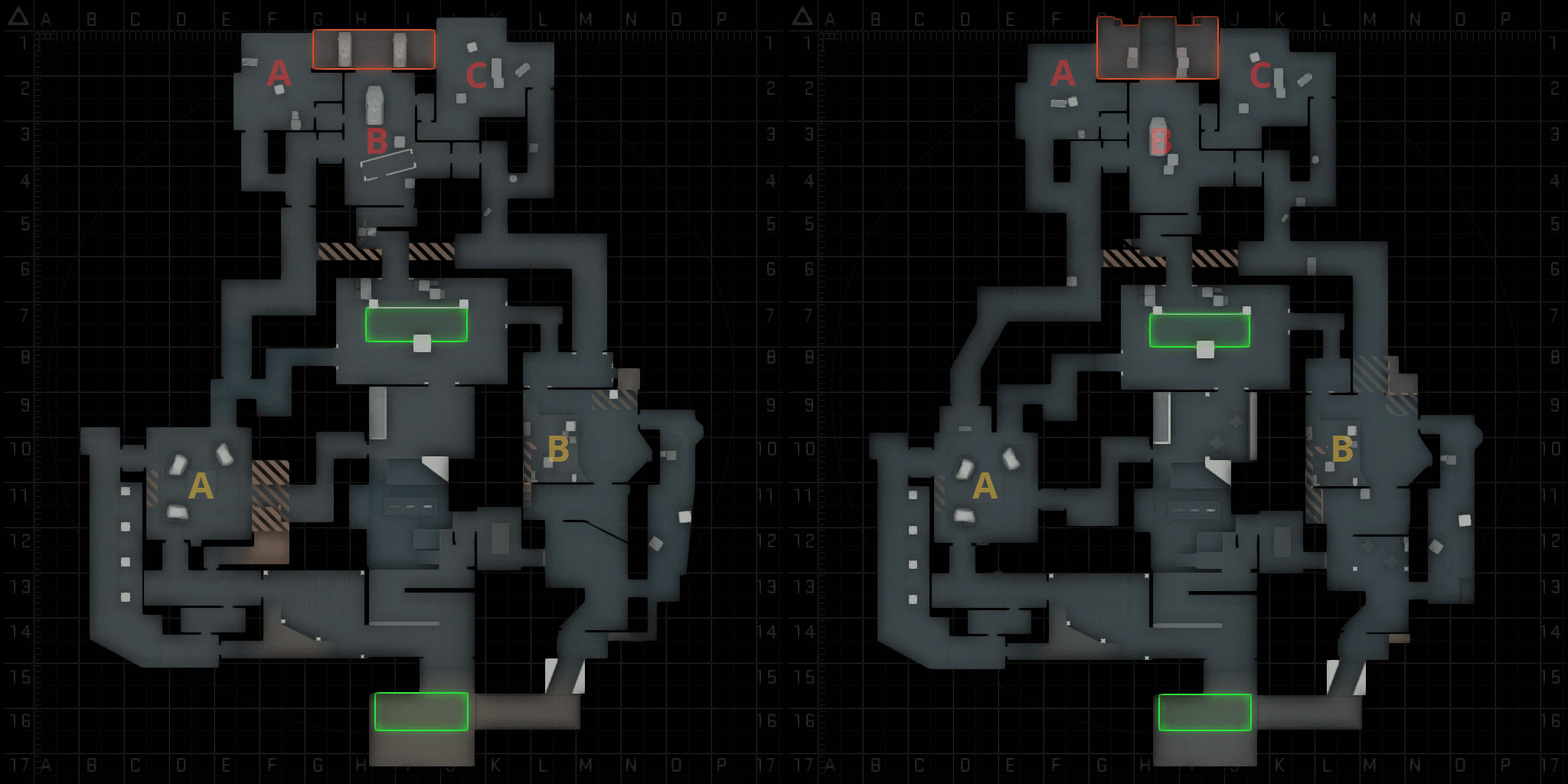
And finally, the map overview:
-
I recently completed a playtest of this map (h/t MapINK). Here are some highlights/lowlights from that playtest:
Some takeaways from this playtest:External Content www.youtube.comContent embedded from external sources will not be displayed without your consent.Through the activation of external content, you agree that personal data may be transferred to third party platforms. We have provided more information on this in our privacy policy.- As I suspected, the map was heavily CT-sided. Once a CT picked up a hostage, it was almost always a guaranteed win for the CTs. Overall, CTs won 20 out of 26 rounds.
- Relatedly, many players got frustrated by the fact that they could not rotate around the hostage rescue zones, which were located in three disconnected areas. I had intended for players to rotate around the warehouses in front of the rescue zones, but I guess the rotations between the warehouses just didn't play well
- Players also hated the fact that the door at T-Spawn had the 10 second delay. Given that defending the hostage rescue zone was hard enough, adding the 10 second delay was just another unnecessary (and confusing) obstacle.
- With regards to aesthetics, players disliked the hallways between the hostage chambers and the warehouses. They preferred that those paths be outdoors.
- On the plus side, players really enjoyed the vents in Chamber B.
Another major issue I noticed from this map, but was not mentioned during the playtest, was that the paths leading to the warehouses connected not to the hostage chambers themselves, but instead to the hallways behind the chambers. This led to some terrorists camping in said hallways instead of in the chambers, something I definitely did not want to happen. Directly connecting the chambers to the warehouses will hopefully encourage the chamber camping.
I'm currently overhauling the map based on this feedback. Hopefully I can release version 0.3 soon.
-
Version 0.2 update
After a playtest, I've decided to make more changes to cs_exodium.
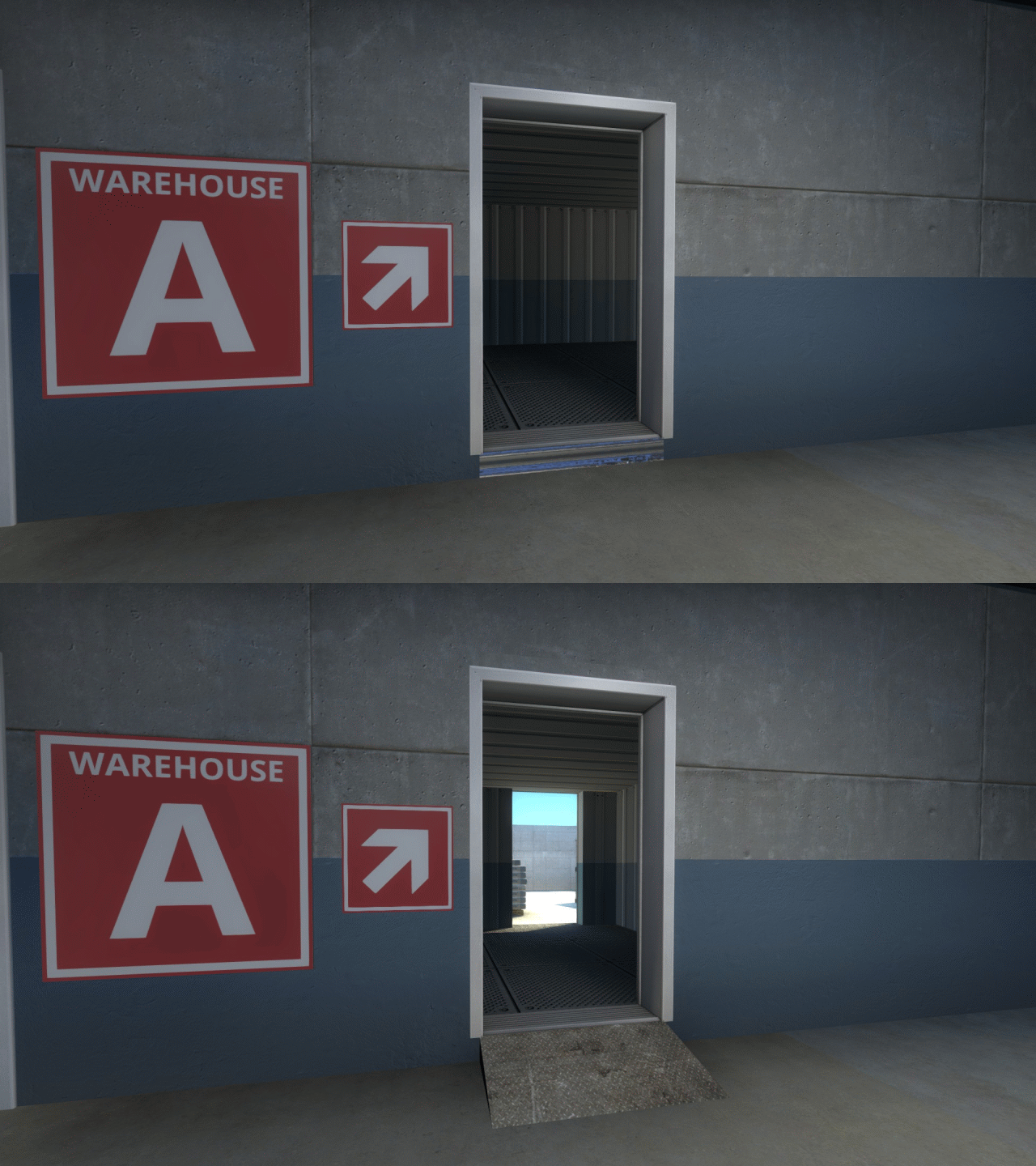
First, I modified the shed between Warehouse A and B to make it easier for remaining Ts to stop CTs going through Warehouse A. In version 0.11, CTs going from Chamber A can reach Warehouse A before Ts can, even when carrying a hostage (assuming remaining Ts were guarding Chamber B beforehand). This makes it incredibly easy for CTs to simply slip into the rescue zone A without encountering any terrorists.
For version 0.2, I decided to allow Ts a line of site from Warehouse B into Warehouse A. You can see what I'm talking about in the GIF below (terrorists running from Chamber B will arrive at the spot where these screenshots were taken seconds before a CT carrying a hostage will arrive at Warehouse A):
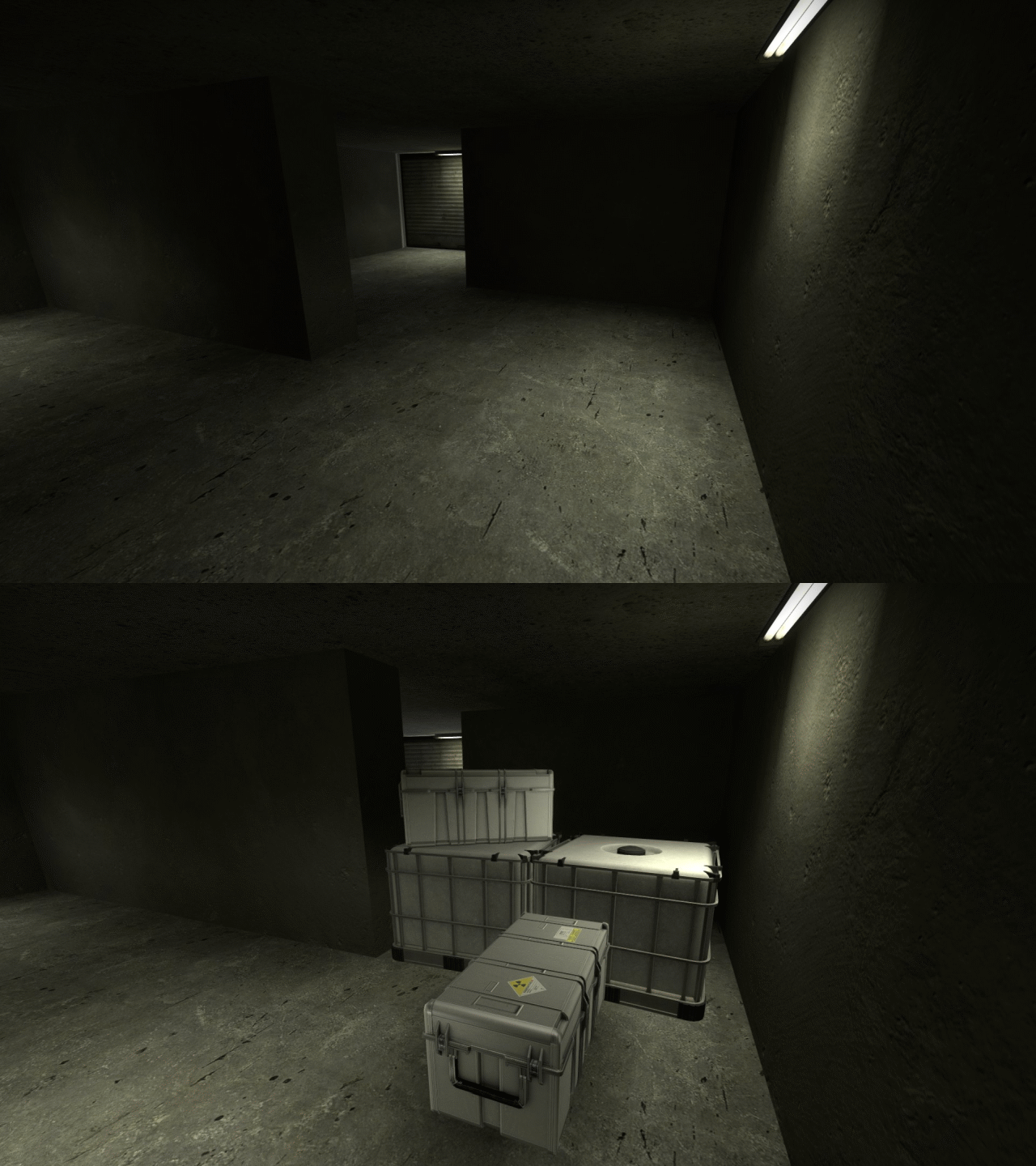
Another thing I did was to further discourage terrorists from camping a T-spawn. It did this two ways. First, I added obstacles in the tunnels between T-spawn and the Warehouse, forcing terrorists to sometimes crawl. These obstacles increase the travel time through the tunnels from 3 seconds to 5 seconds.
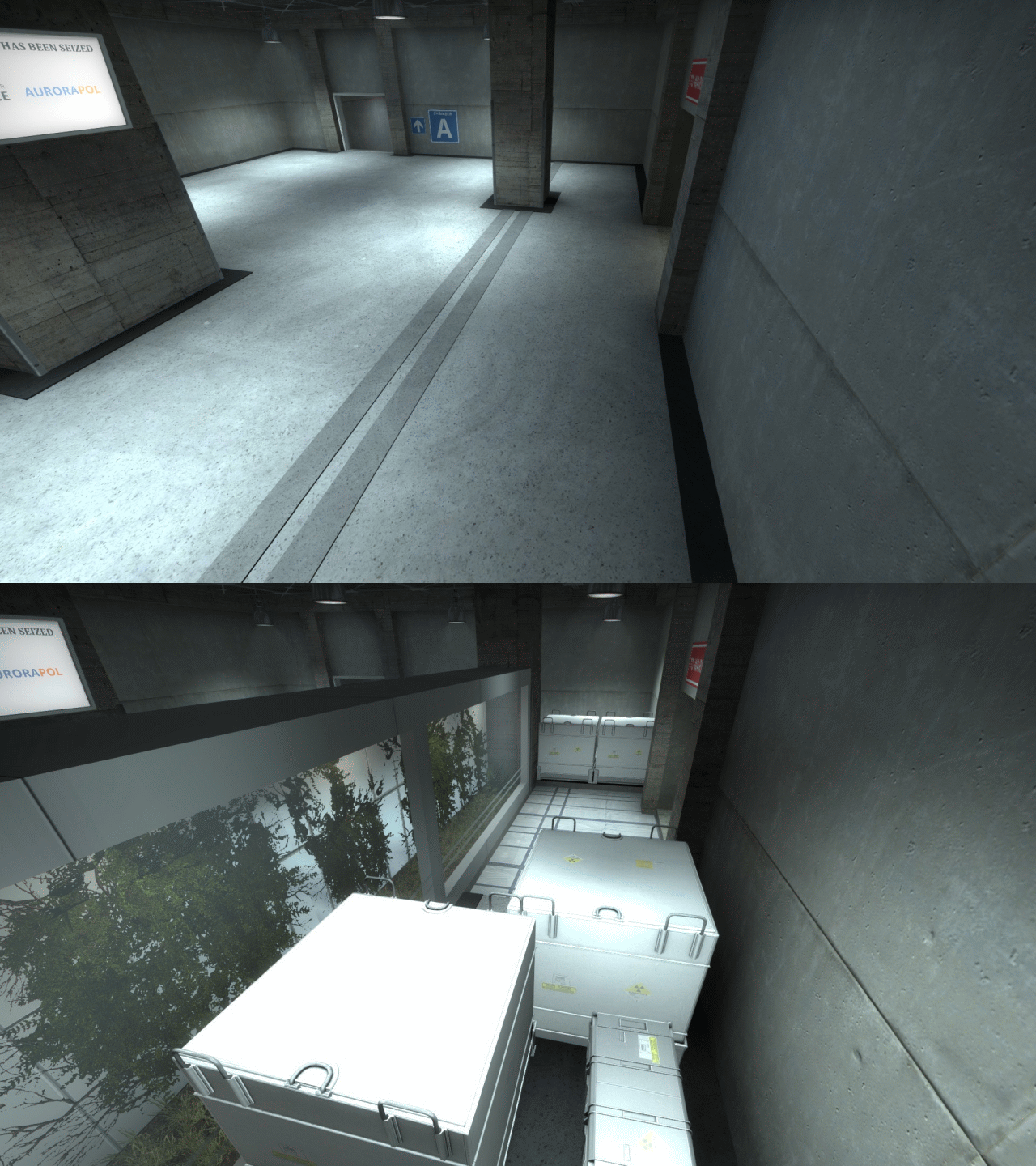
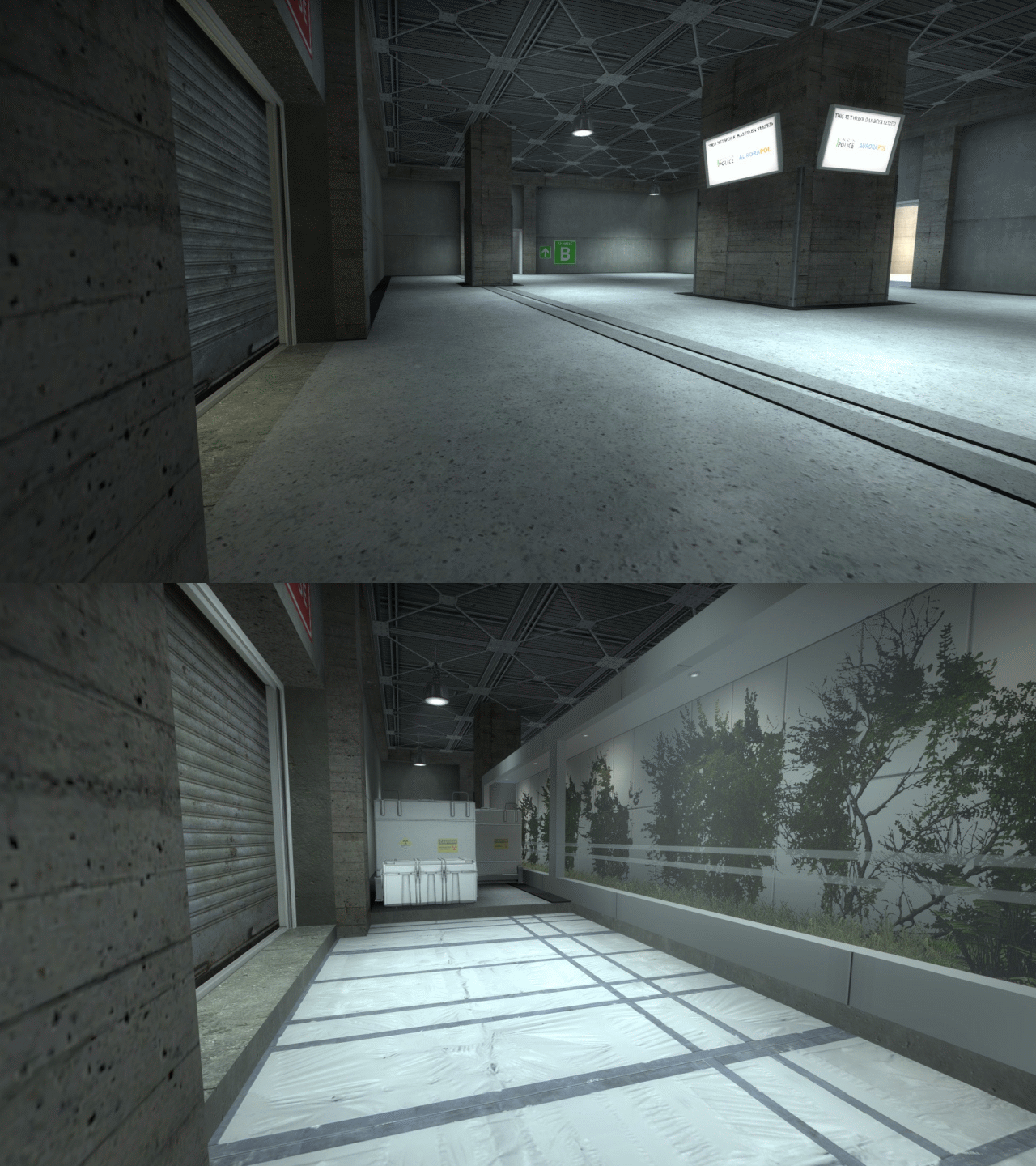
Secondly, I added a pit-like area in front of the doors to the tunnels. Thus, any Ts that try camping at the tunnel doors will be extremely vulnerable to any incendiary grenade CTs chuck over the crates and plant exhibit.
-
Version 0.11 update
Based on feedback I received so far, I've made a few changes to the map.
First, I simplified the hallways between the hostage chambers and the central rescue zone. The original path to the center warehouse required players to make a U-Turns, which tends to ruin player flow. This update removes the U-Turns and replaces them straight paths. Here's a GIF showing off the change in layout:
Secondly, a lot of people commented on how hostage rescue mode's economy needed to be fixed. In turn, using Vscripts, I created a custom economy that is more in-line with defuse mode's economy. Here are the rewards in this new economy:
- CT player reward for picking up hostage: $300 (same as default)
- CT team reward for picking up hostage: $800 (originally $600)
- CT team reward for eliminating Ts: $3250 (originally $3000)
- CT team reward for each hostage rescued: $0 (originally $600)
- CT team reward for winning by hostage rescue: $2700 (originally $2900)
- T team reward for eliminating CTs: $3250 (originally $3000)
- T team reward for winning by running out the time: $3250 (same as default)
All other cash rewards remain the same (loss rewards are the same in both defuse and hostage rescue). I also decided to keep the $1000 reward given to the individual players that rescue hostages, to offset potential penalties for injuring hostages. This custom economy only works in the custom game mode.
-
After creating several AIM and FY maps, I decided to start working on a hostage rescue map. After about a month of work, I'm proud to present Exodium:
[Blocked Image: https://i.imgur.com/dsg1i1Q.png]
Download (version 0.33):
This map is my attempt to re-balance hostage rescue mode so that it wouldn't be so T-sided. To do this, I did two things. First, I placed the hostages into two separate locations, similar to how bombsites are located on defuse maps. Thus, unlike a map such as Assault or Office, terrorists will now have to split up to effectively guard the hostages.
Secondly, I made the map dynamic. Instead of returning to CT spawn when a hostage is picked up, the CTs instead go to a new area that becomes accessible to rescue the hostage (see blue area in layout). More specifically, there are three doors to the hostage rescue zone that are closed at the start of each round (marked in red). The two doors near the chambers will open when the CTs pick up the hostages, while the door at terrorist spawn will open after a 10 second delay, to discourage terrorists from camping at T-spawn.
When a CT picks up a hostage, the round becomes a footrace to the rescue zone. Because the player carrying a hostage moves at only 200 units/second (as opposed for 250 units/seconds for knife players), the terrorists still have a chance to cut off the CTs before they reach the rescue zone. However, I also placed three separate rescue zones in three separate lots/warehouses, thus terrorists will have to choose which rescue zones to guard when they reach the back area. If they camp the wrong rescue zone, then the CT might easily slip past them undetected. Thus, CTs have a massive advantage when they reach a hostage, which I think it's fair given that reaching the hostage in my opinion should be the equivalent to planting a bomb in defuse mode.
I got this idea of a dynamic hostage rescue map from @El_Exodus, who first proposed this back in 2016. This is also why the map is named, well, Exodium.
And now, more screenshots:
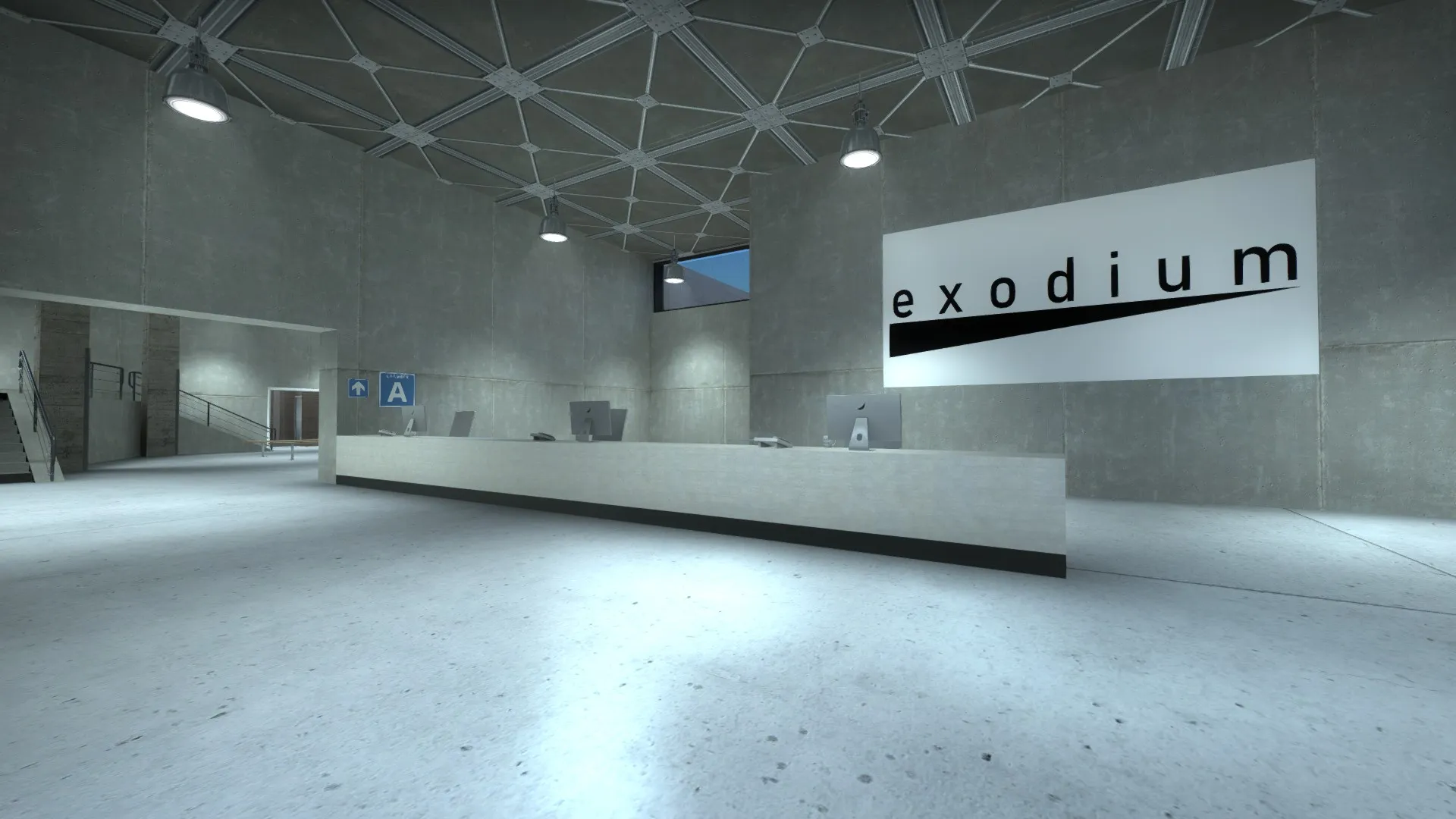
Lobby near CT spawn
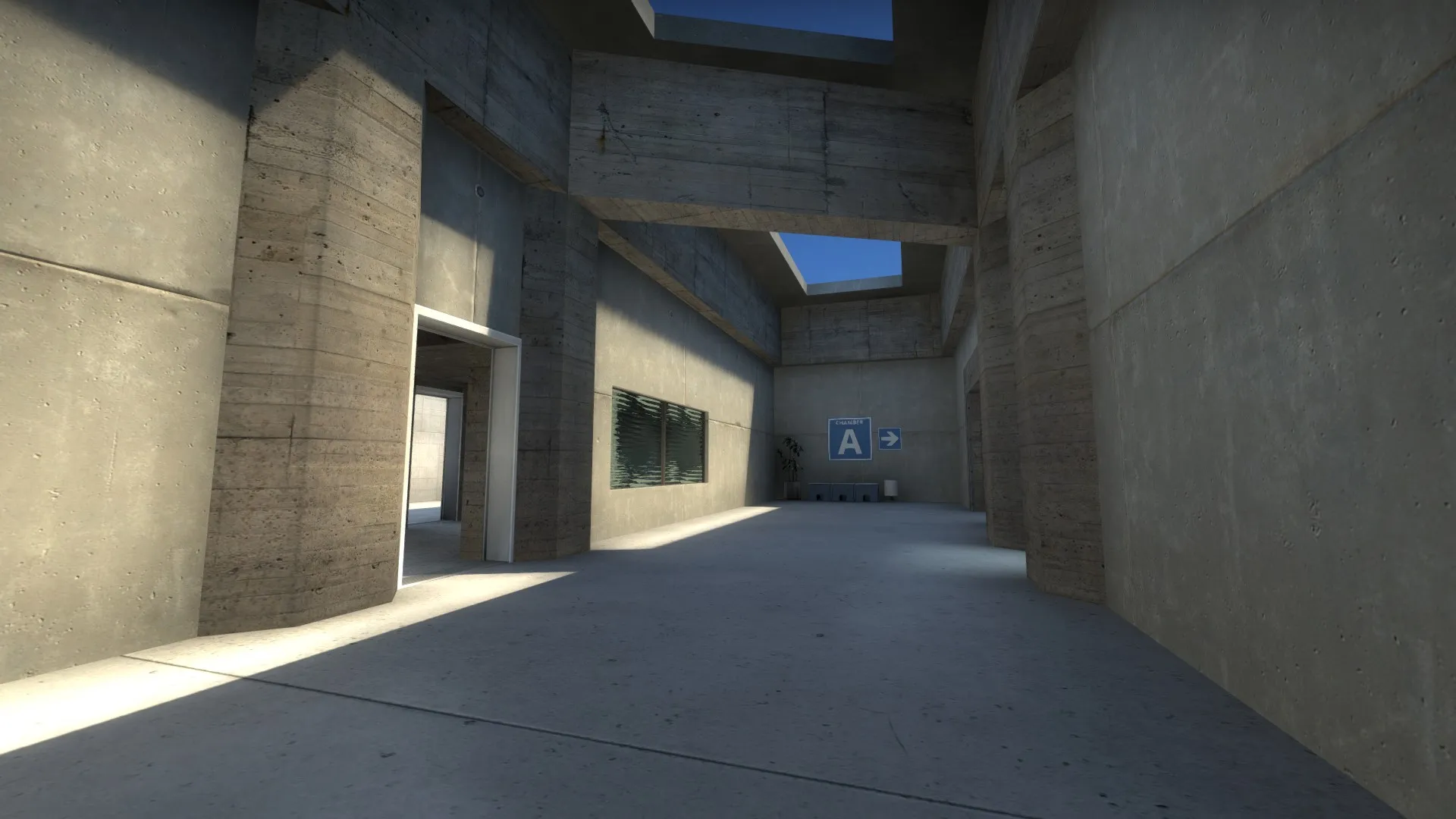
Hallway to Chamber A
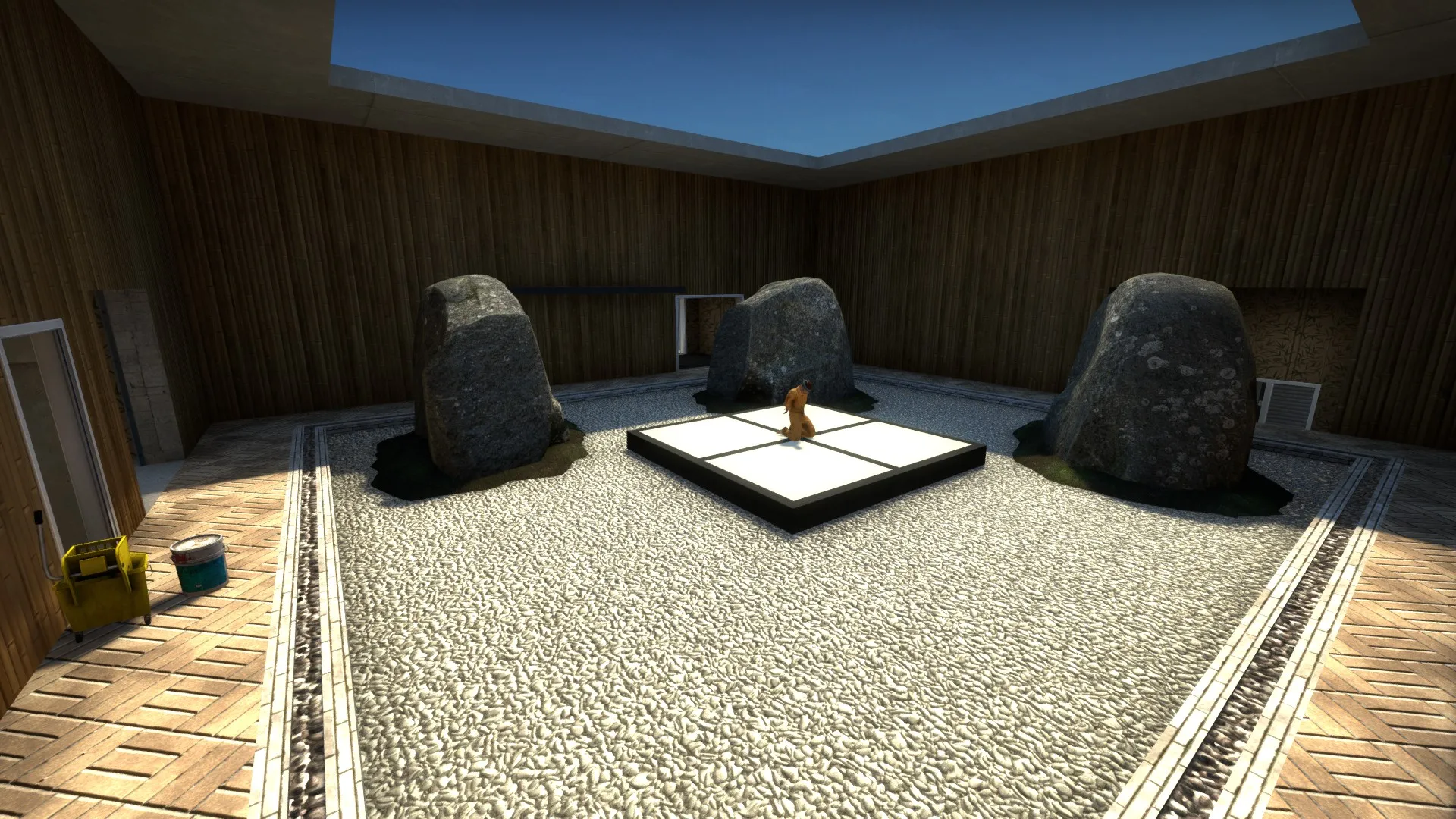
Chamber A
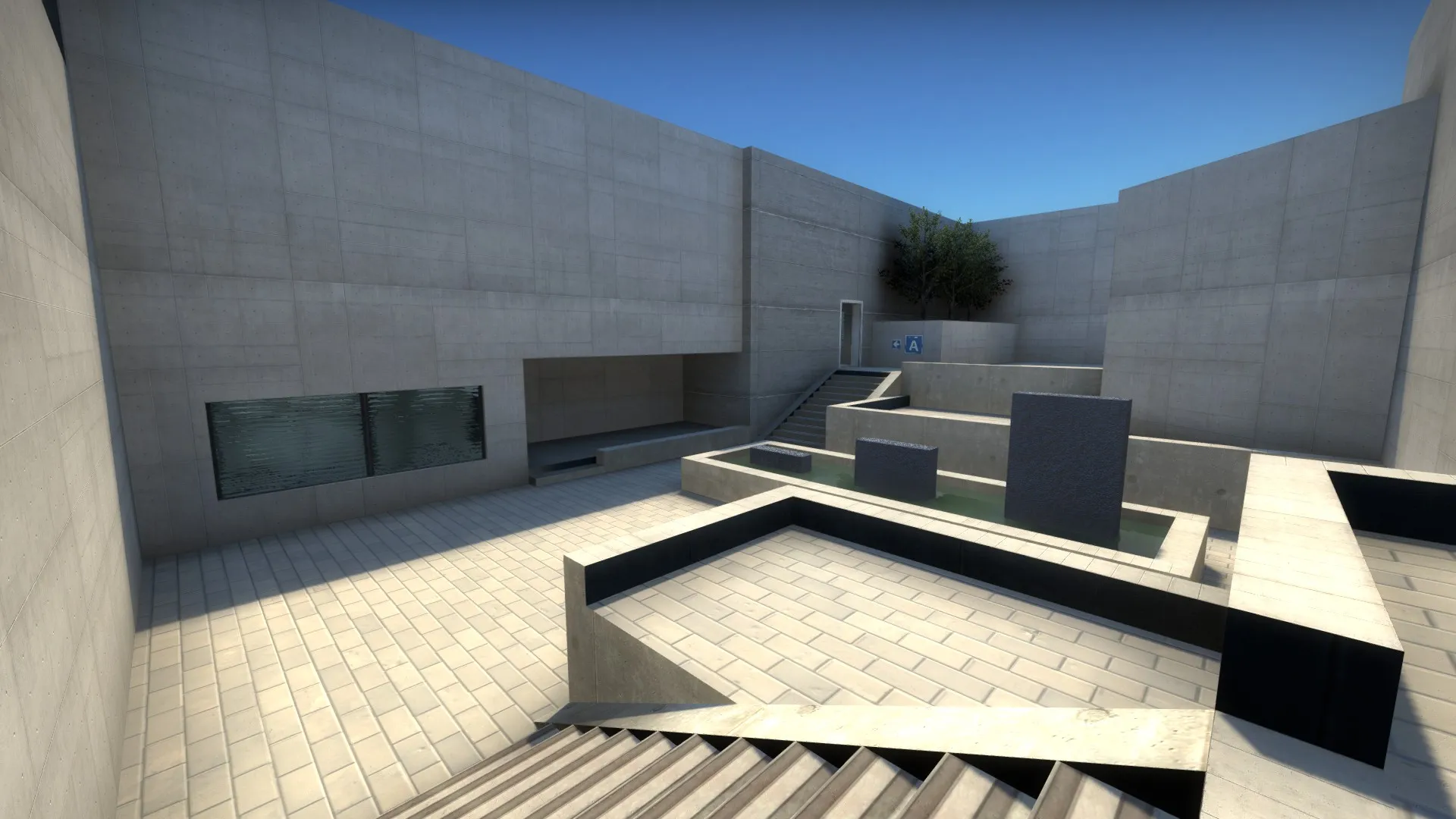
Mid
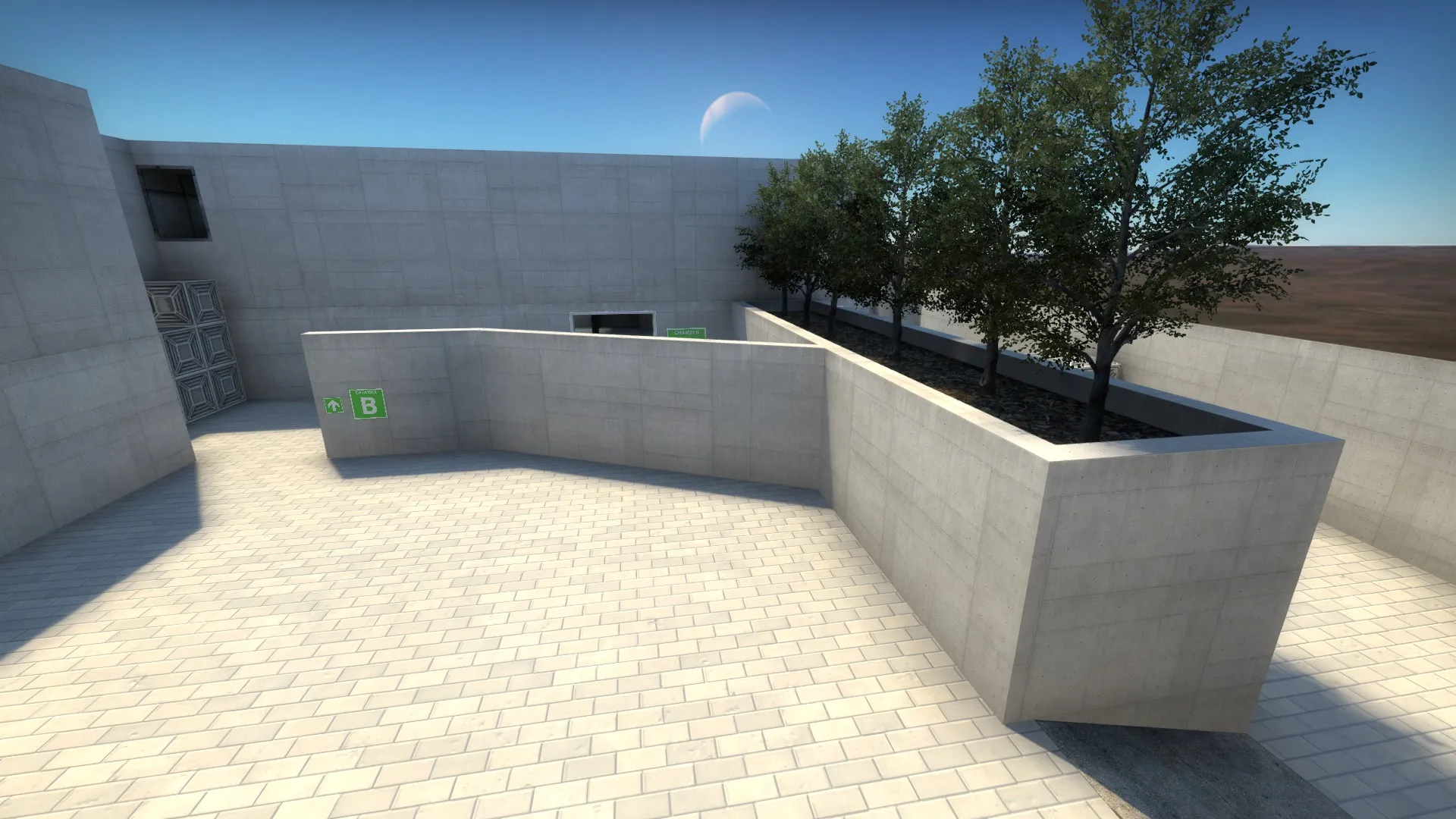
Route to Chamber B. You can also see a bit more of the skybox I created in SpaceEngine.
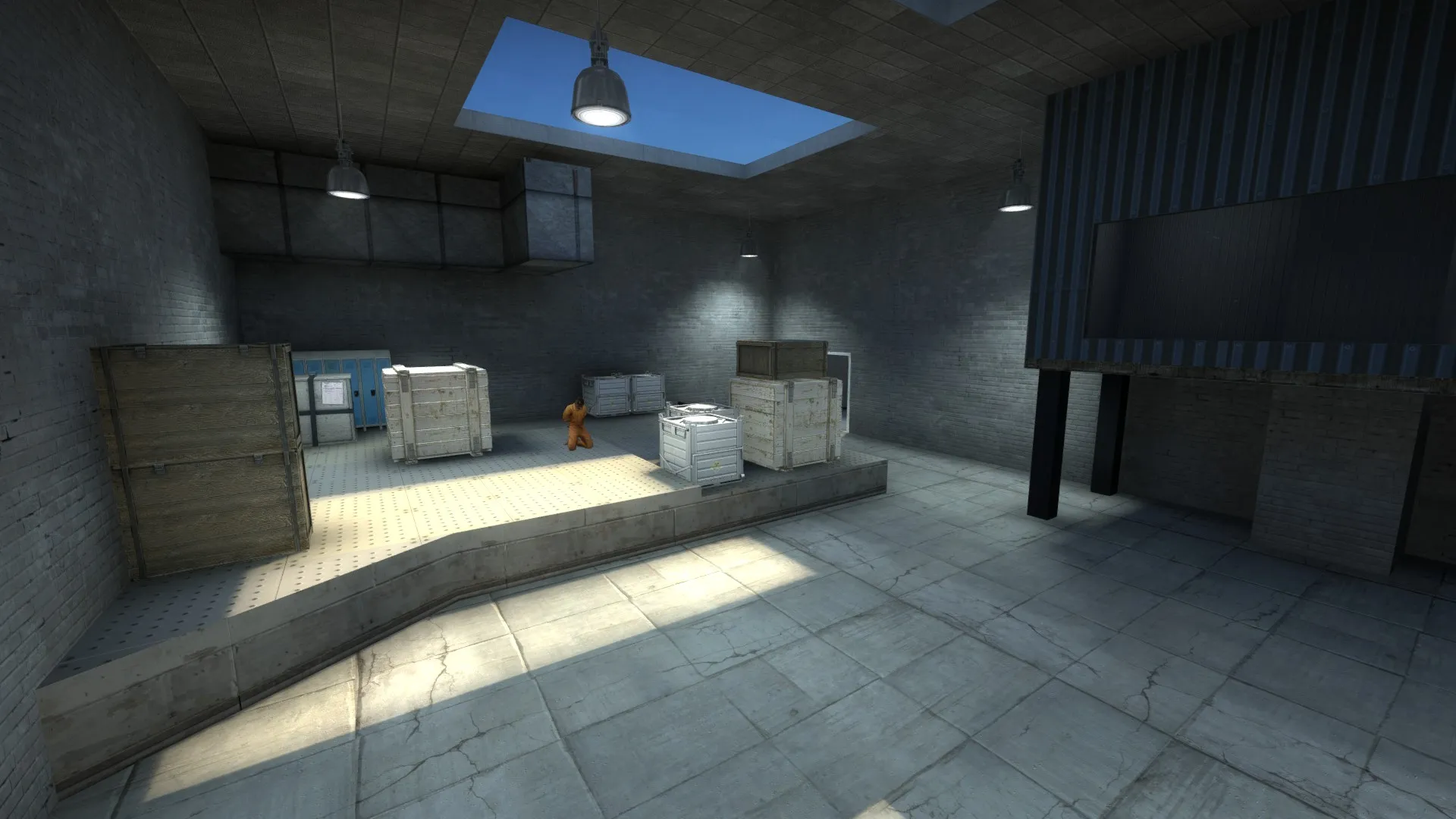
Chamber B. Influenced by de_cache's bombside B.
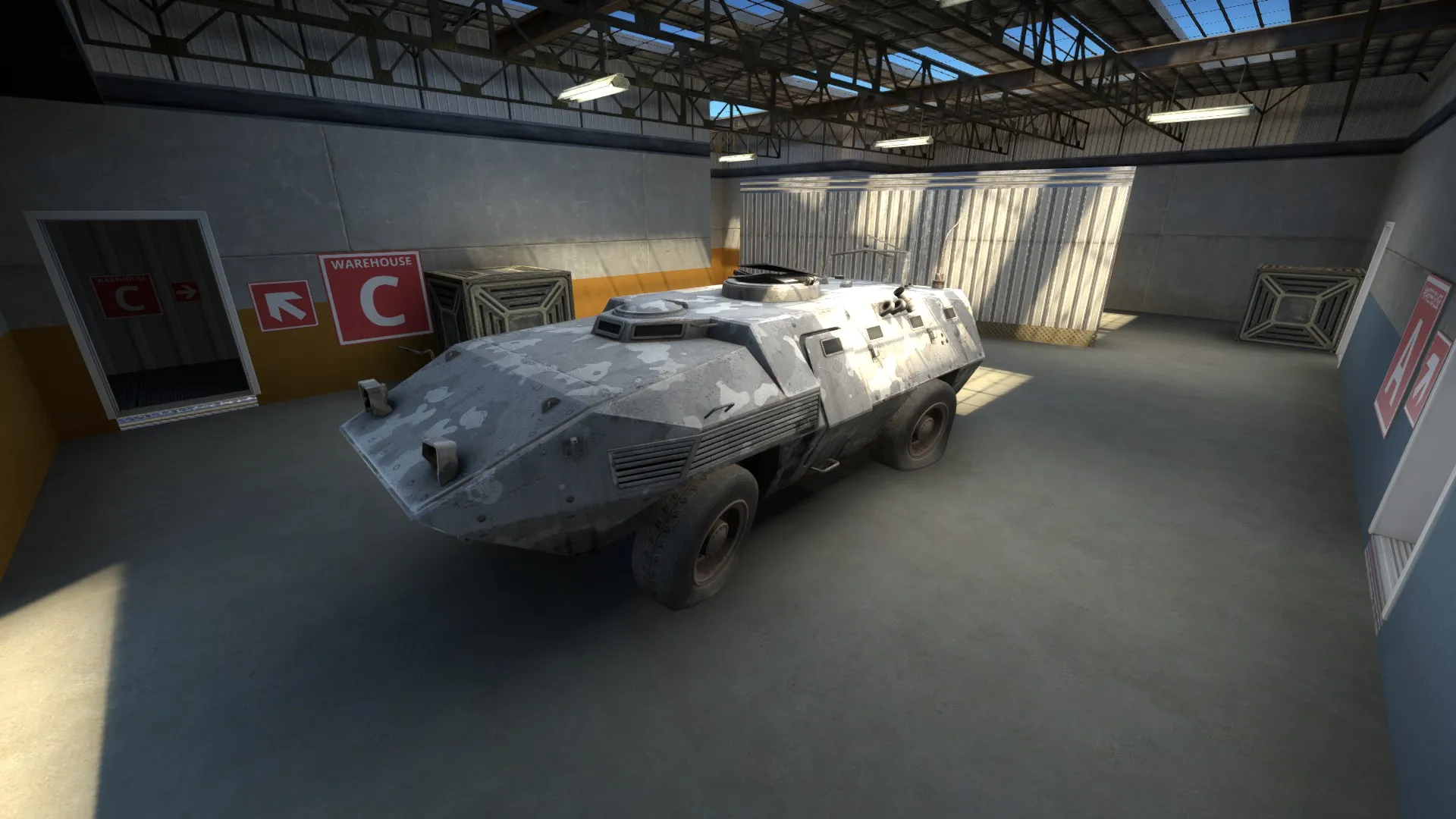
One of the warehouses near to the rescue zone. You can also see signs the the other two rescue zones in this screenshot.
While all the brushes are textured, cs_exodium is still in the early stages. Would really love to hear feedback regarding my tweaks to the hostage rescue mode, as well as the map in general.
-
After working on a bunch of FY and AIM maps, I finally decided to start working on a hostage rescue map. Here are some screenshots, I guess:
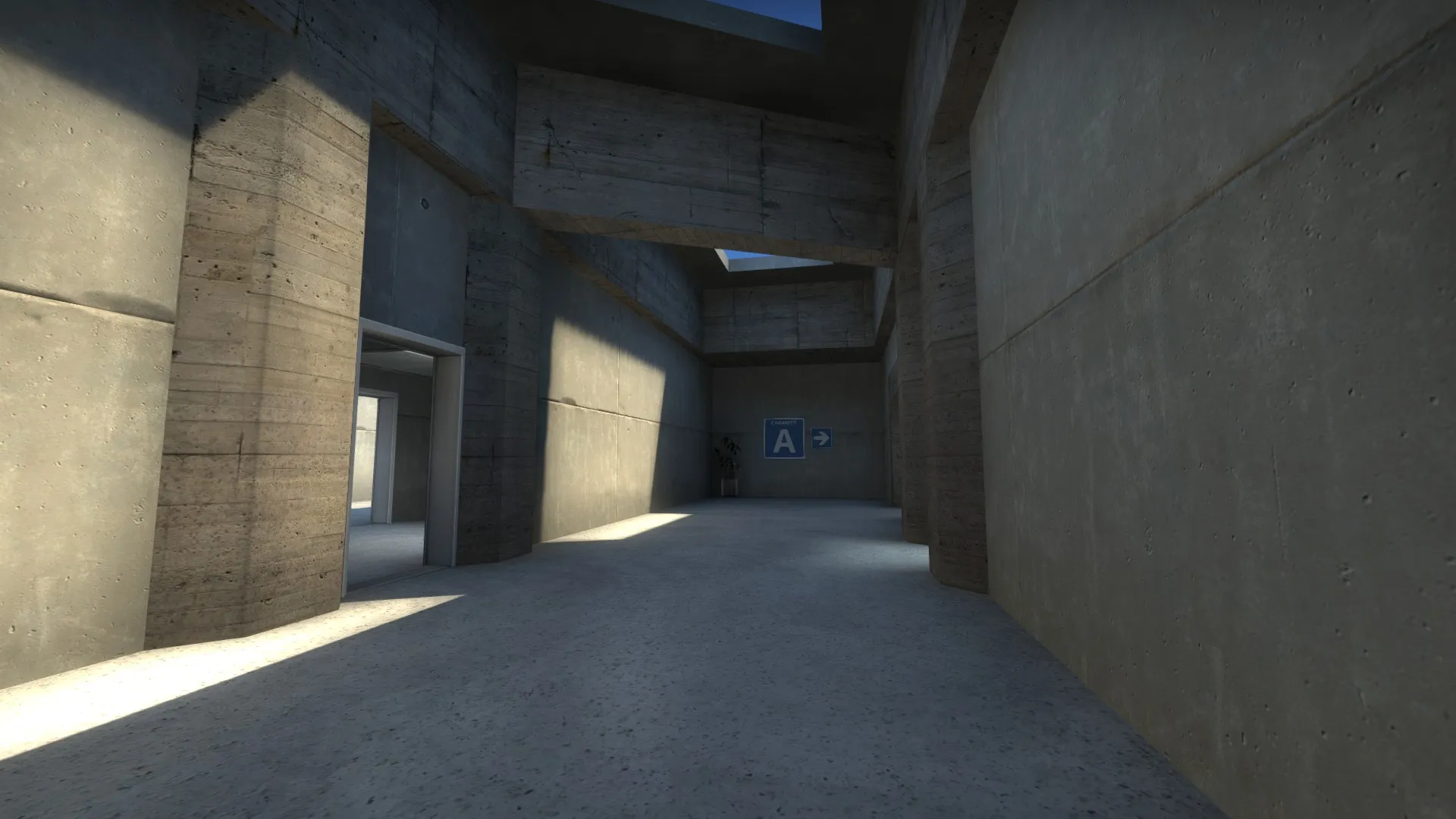
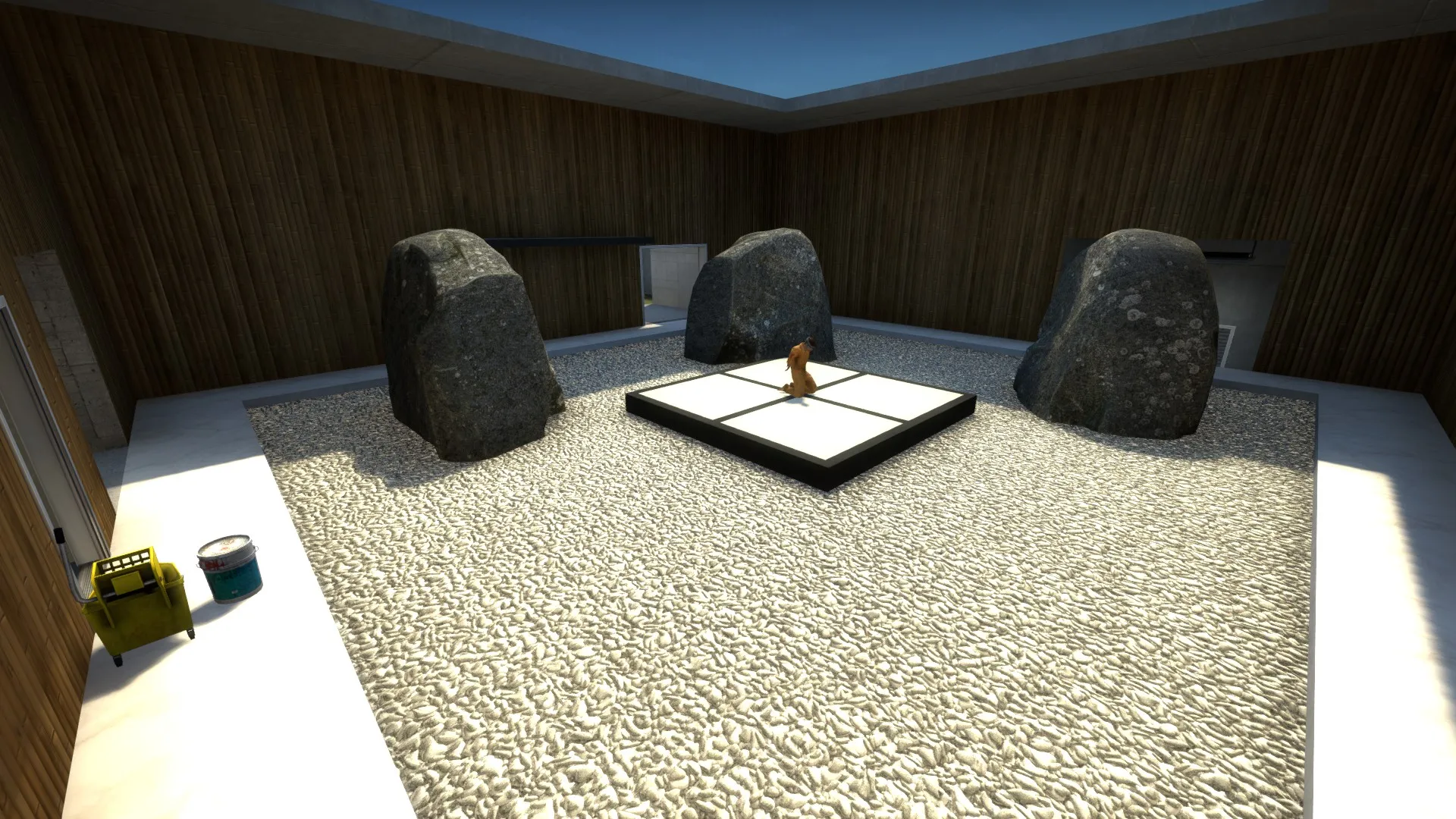
The more important thing I want to share, though, is this layout:
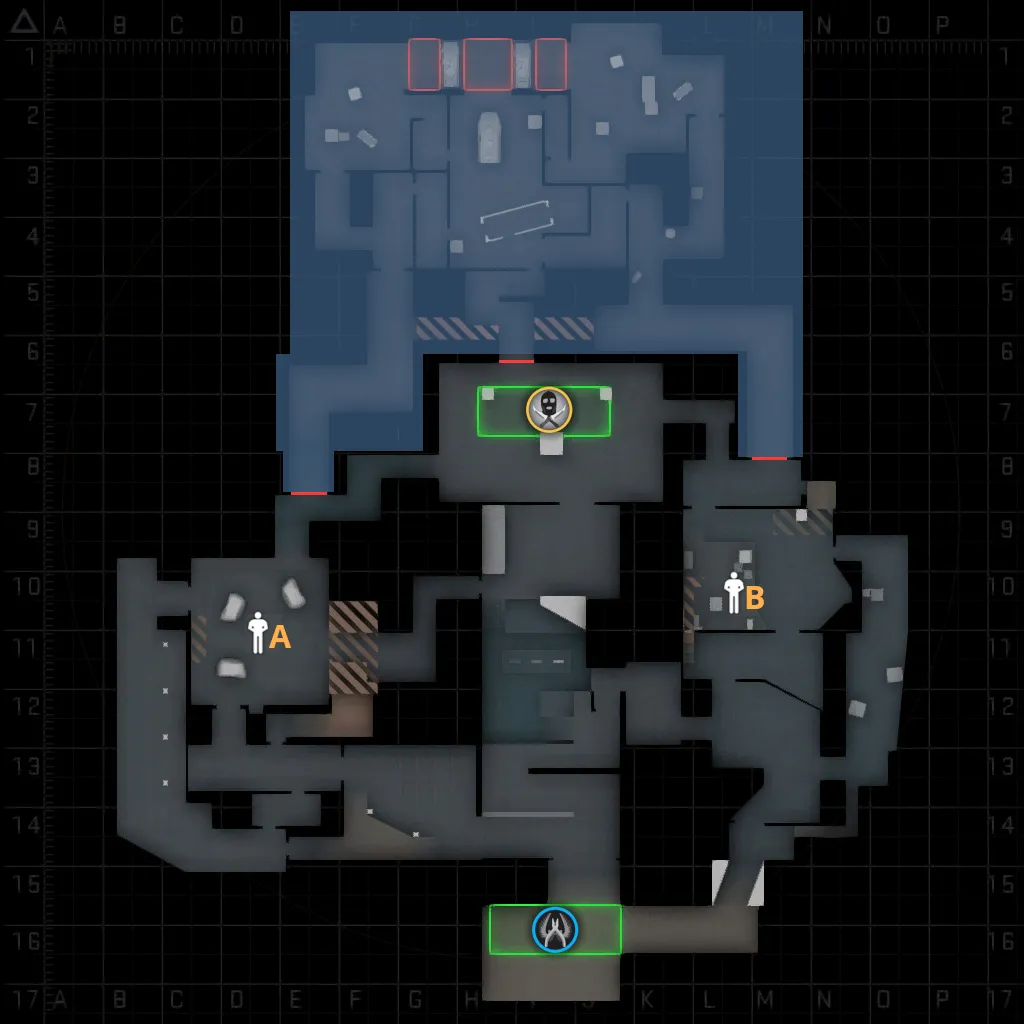
This map is another attempt at balancing the hostage rescue mode to give CTs a better chance at winning. First, you'll see that the two hostages are placed far apart, similar to how bombsites are located on defuse map. Also, because T weapons are stronger than CT weapons, I gave CTs more attacking routes into each hostage chamber than Ts.
The biggest change I made, though, was that I made the map dynamic. The area highlighted in blue are inaccessible at the start of each round and are blocked off by three doors (marked red in the layout). When a hostage is picked up, the two doors nearest the hostage chambers will immediately open, while the door at T spawn will open 10 seconds later (to discourage Ts from camping at T spawn). After a CT picks up a hostage, the round becomes a race to the rescue zones at the back at the map, with the CTs having major advantage (similar to how Ts have a major advantage once a bomb is planted in defuse mode). However, because the CT carrying the hostage moves really slowly (200 units/s), the Ts still have a chance to intercept the CTs near the rescue zone. But the Ts will have to decide quickly where to go, because there are three rescue zones the CTs can choose from.
I got this dynamic hostage rescue map idea from @El_Exodus, who proposed something like this back in 2016. And this why I named this map... Exodium.
You can take an look at what I've made so far here:
-
Some custom skybox terrain I created using World Machine and Twister:
Spoiler
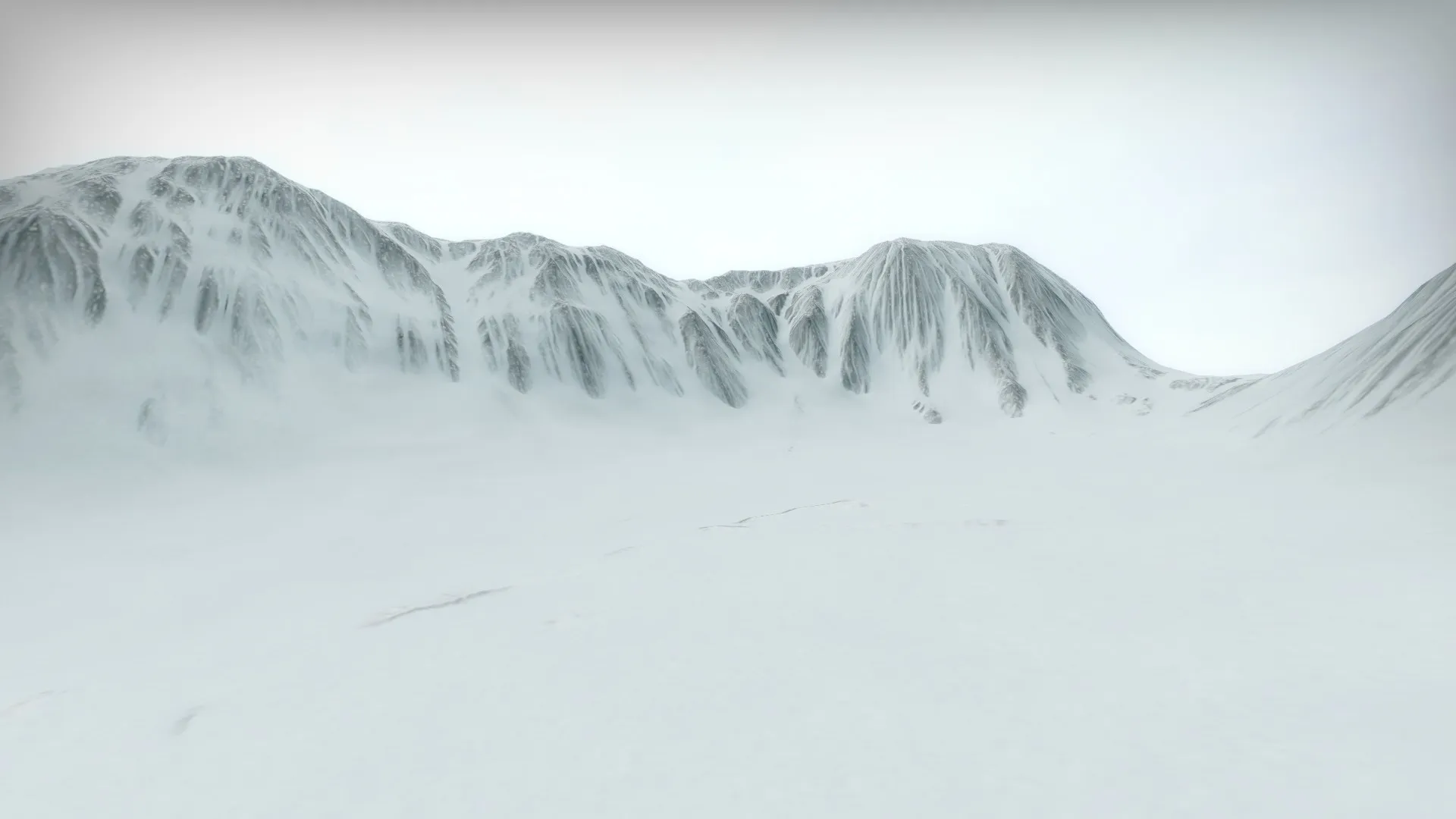
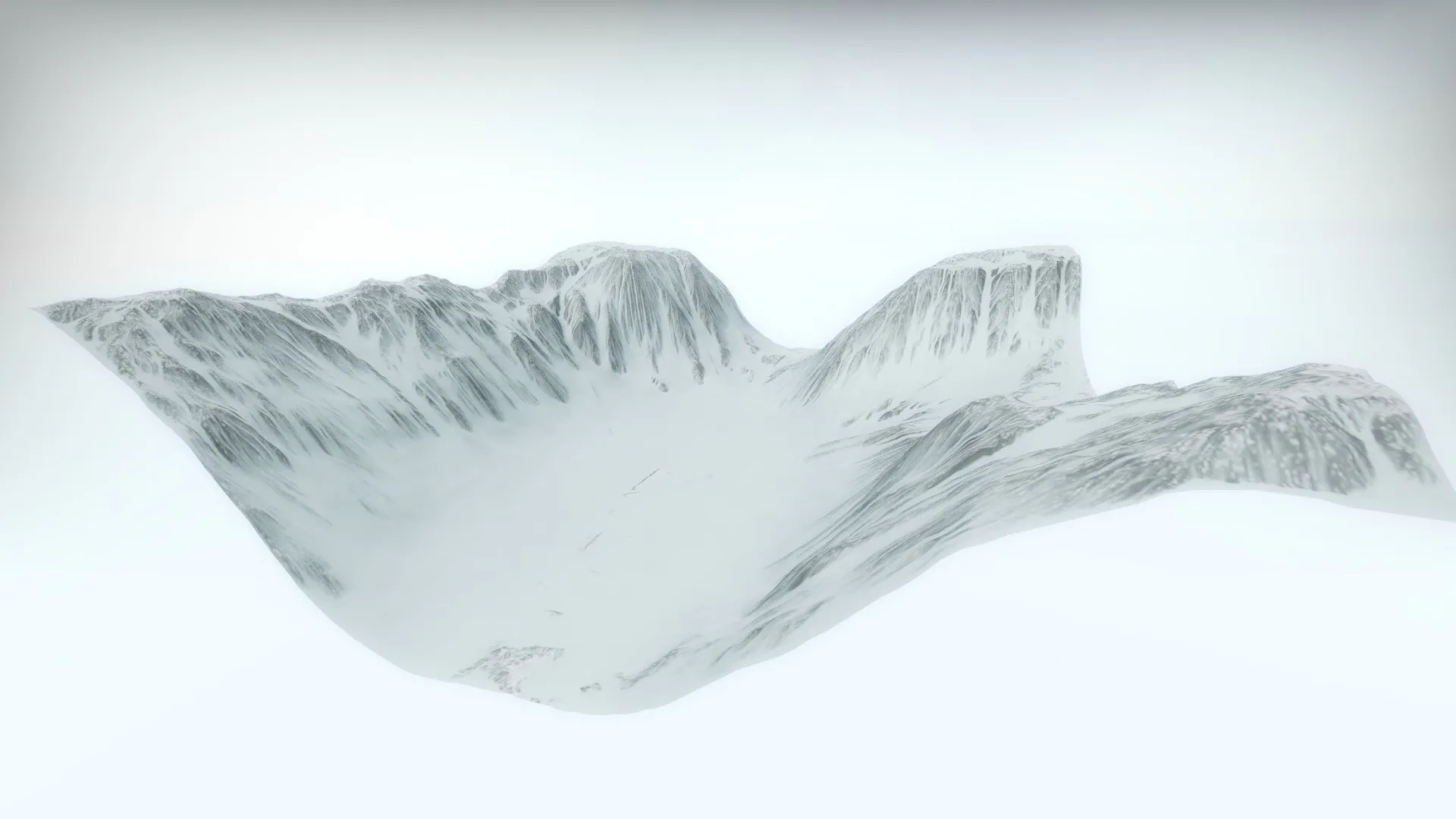
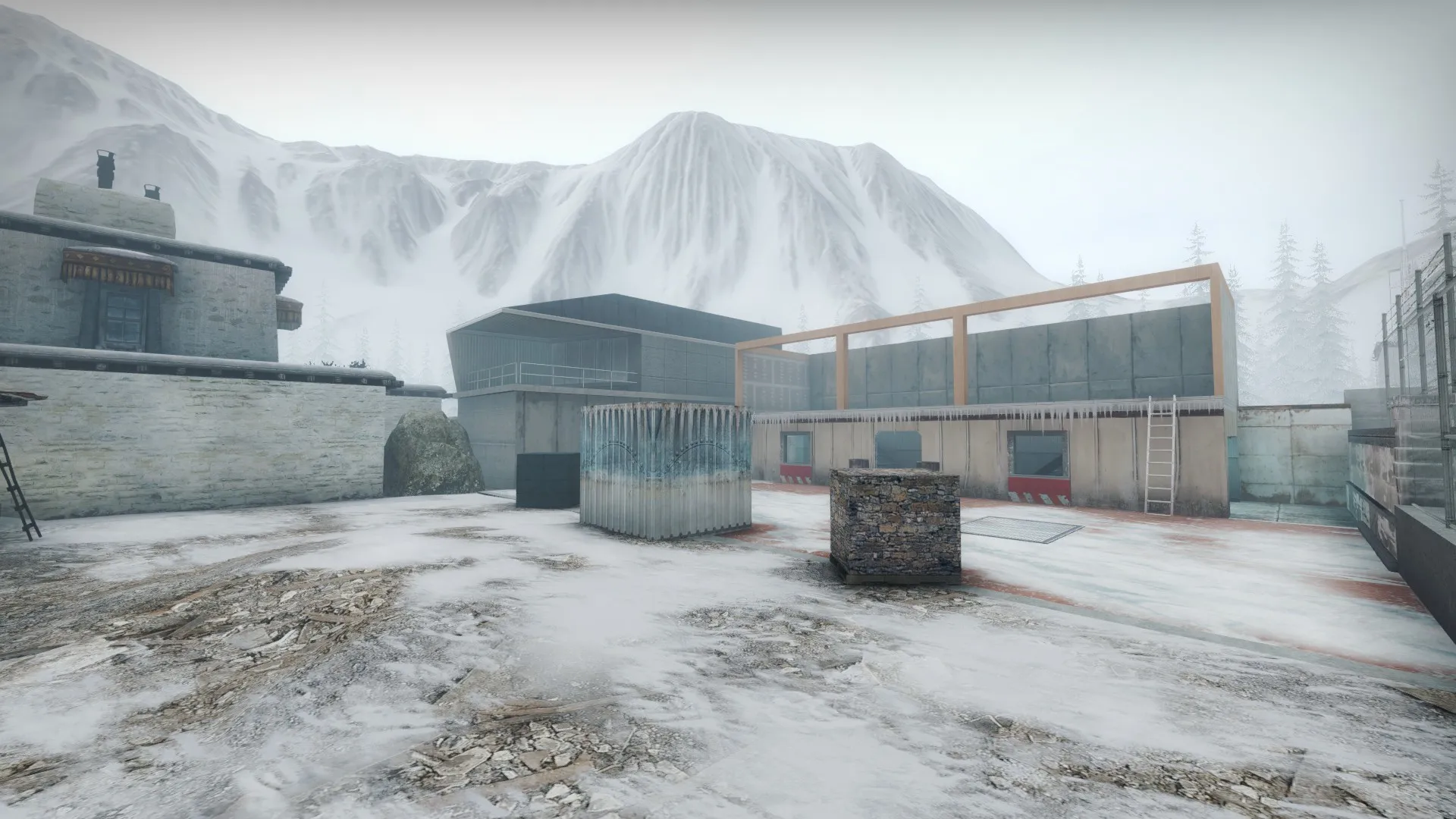
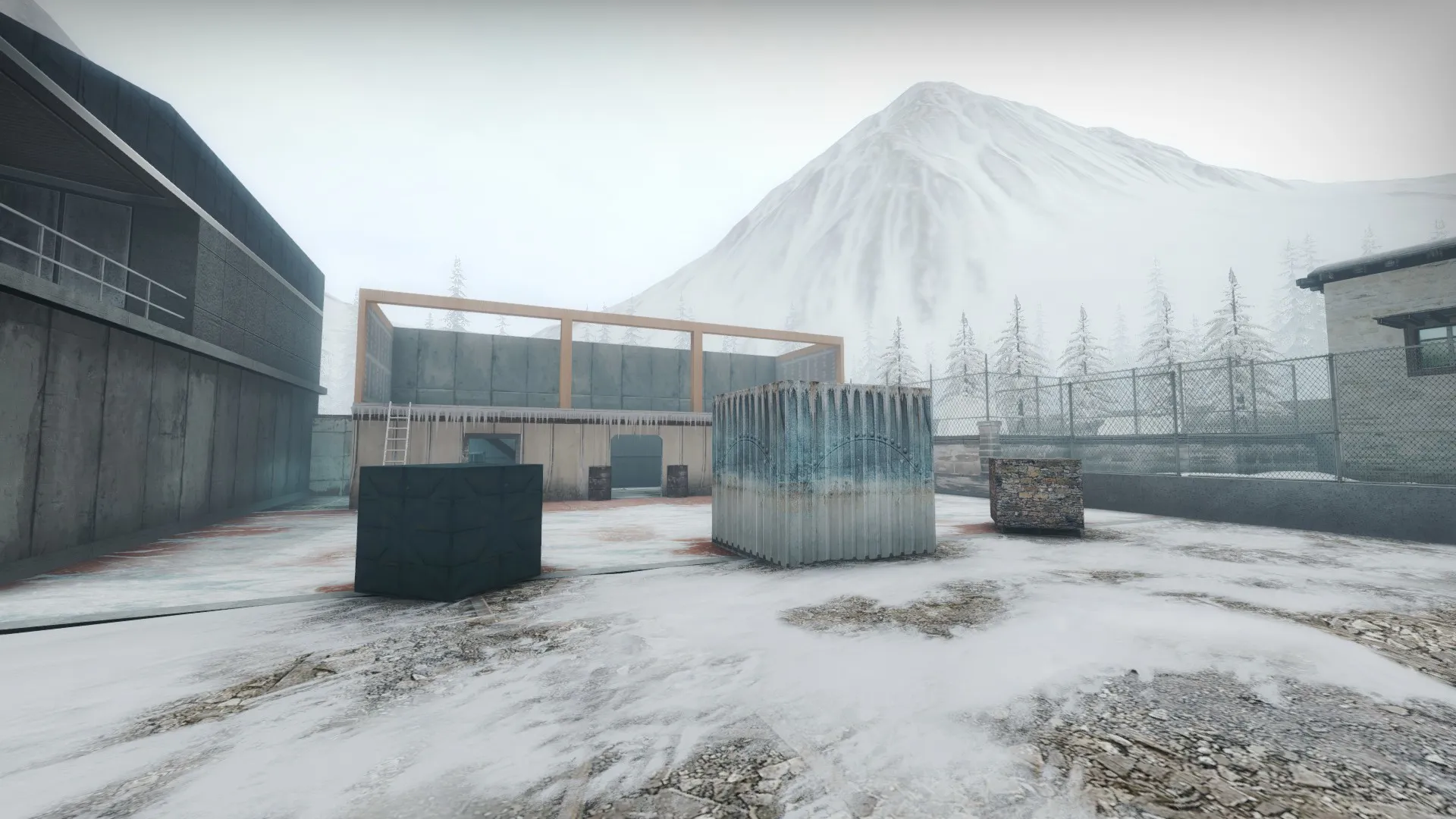
This custom terrain can be found on my map am_frozen_fortress. You can read more about how I generated this here.
-
For the final spinoff map, I decided to create a custom terrain for the 3D skybox with the help of World Machine:
Spoiler
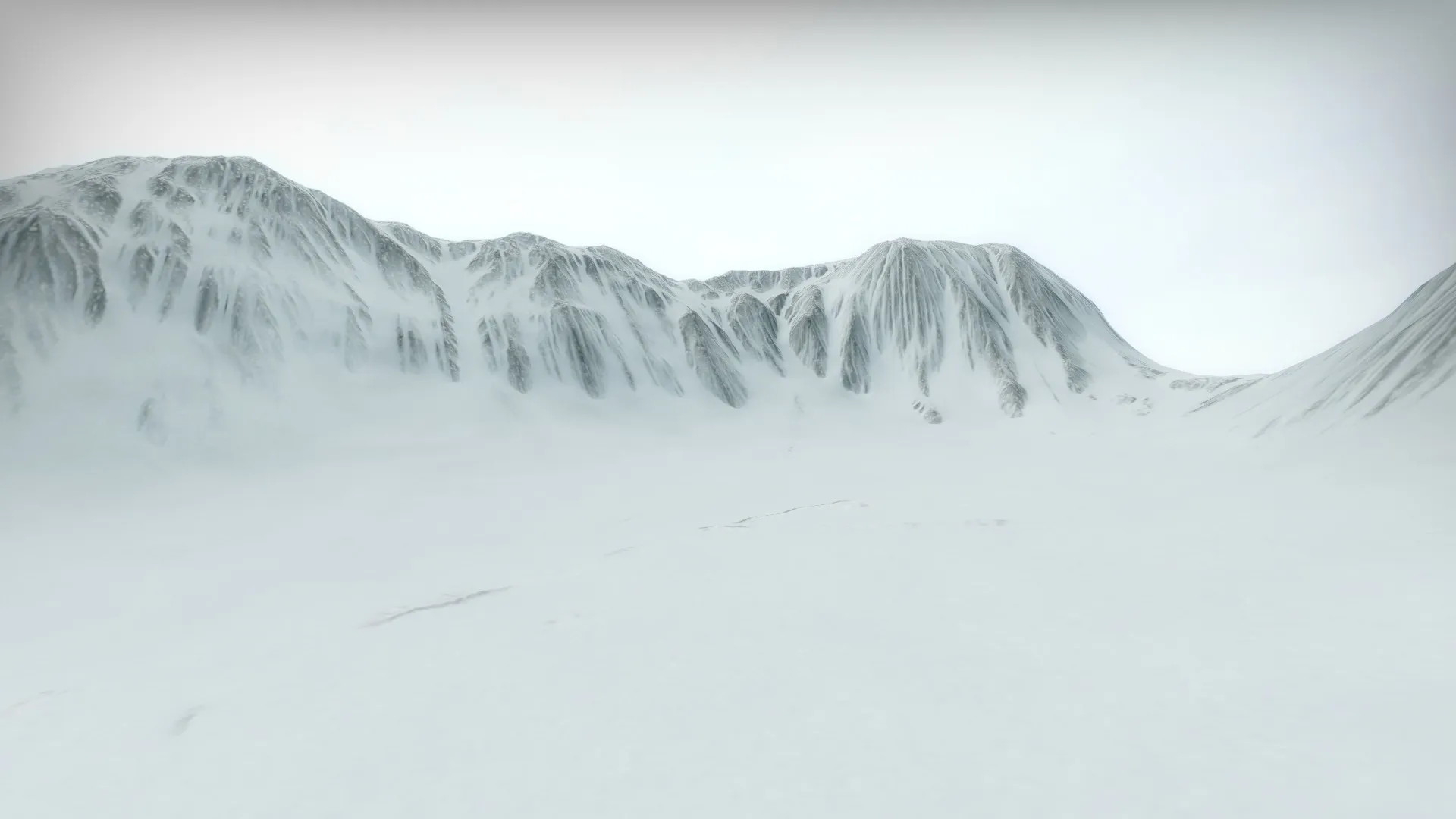
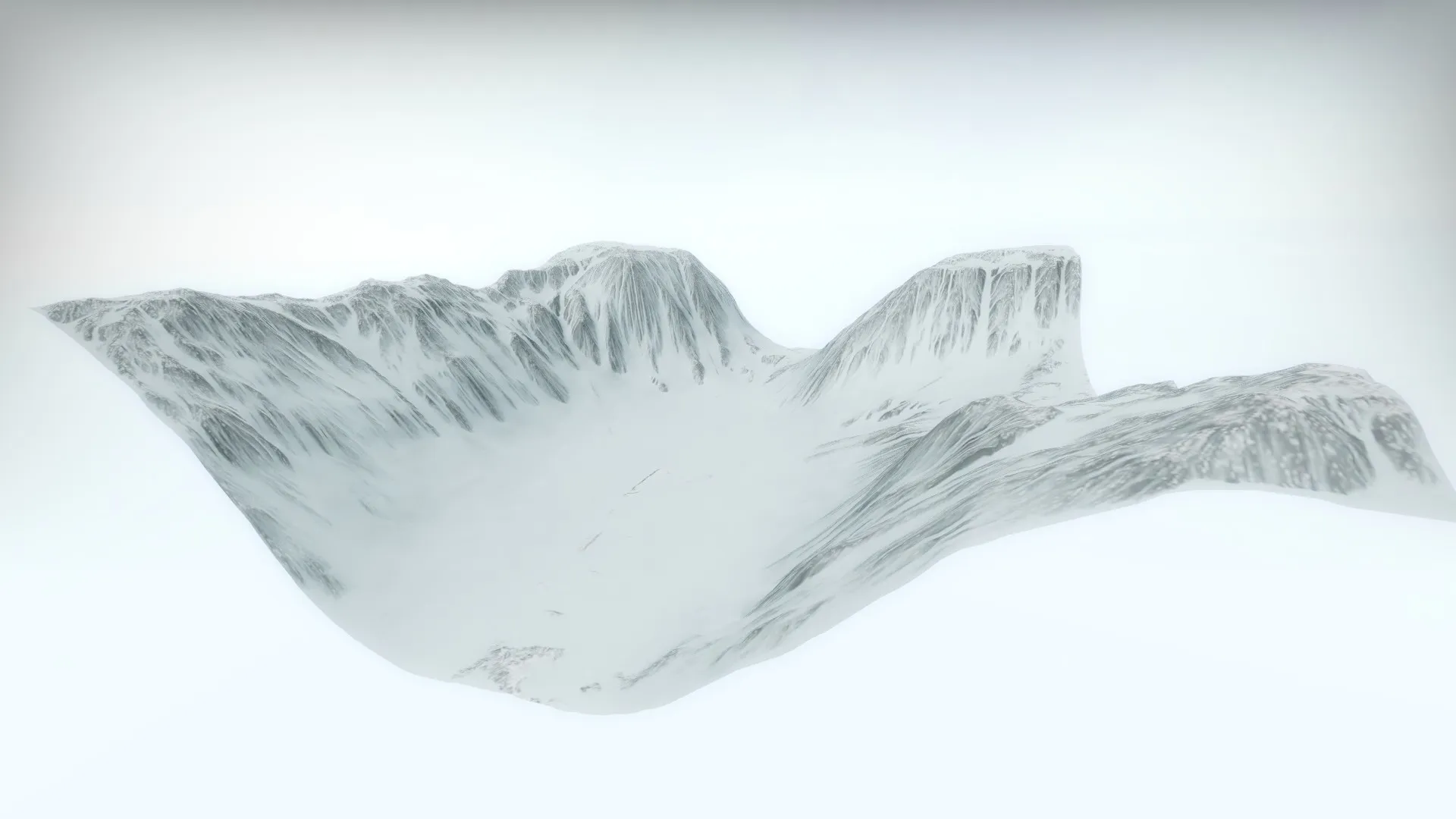
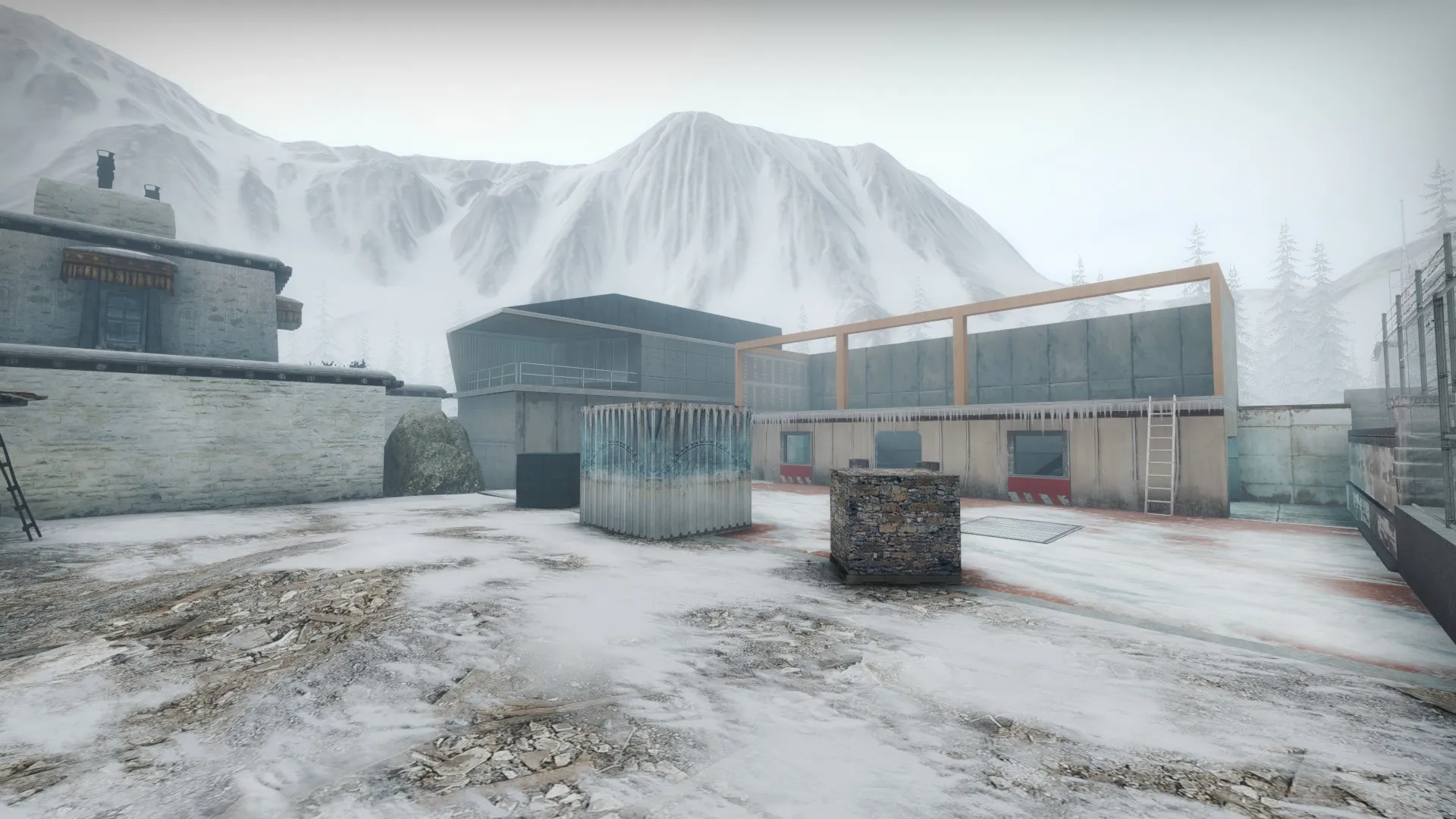
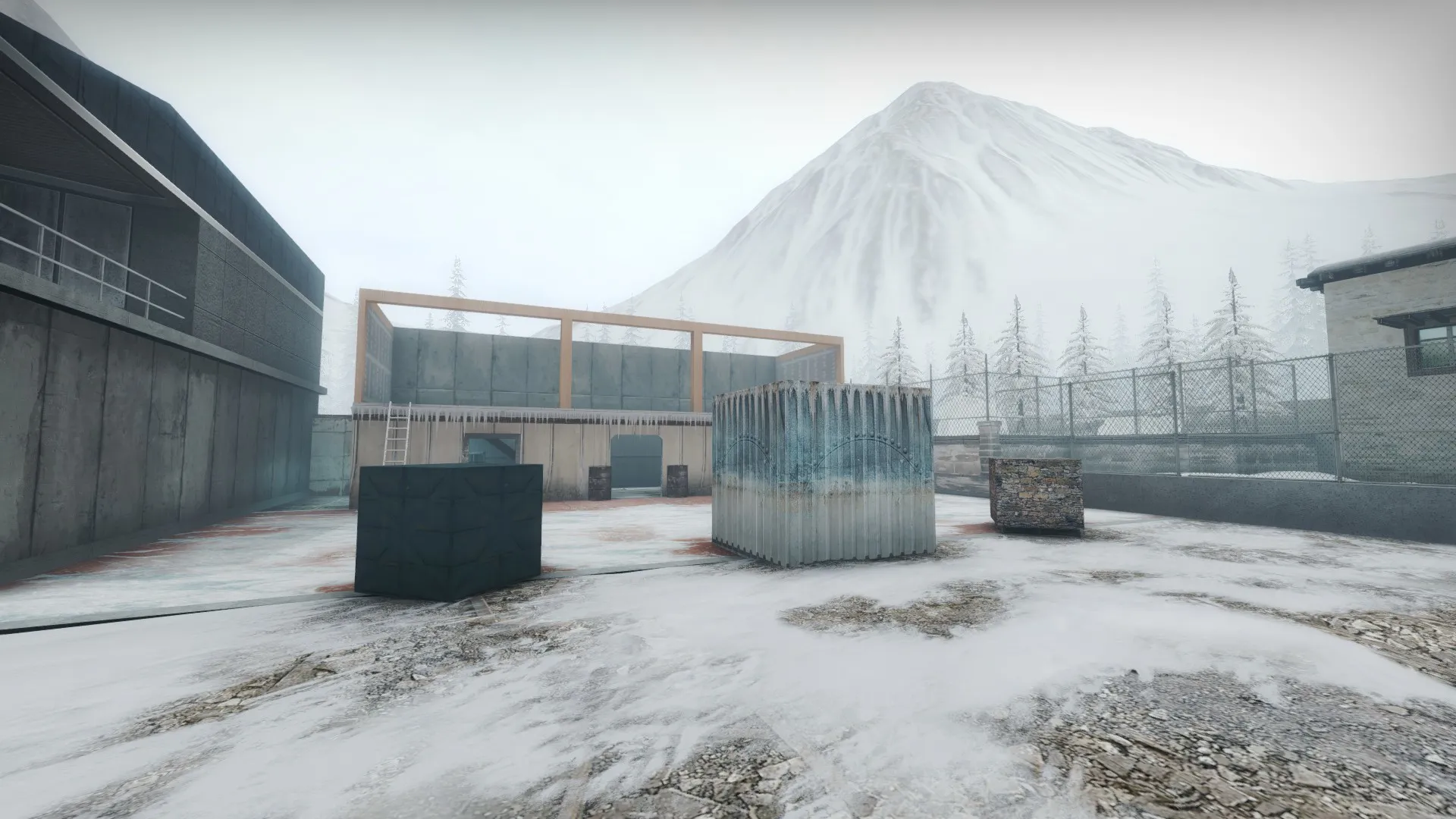
Map download (am_frozen_fortress):
The heightmap and texture image for this terrain was created in World Machine, while Twister was used to convert the heightmap to displacements. In Twister, the settings I used were a length and width of 8192, a height of 3072, a power of 3 and a displace resolution of 16 (256 tiles total).
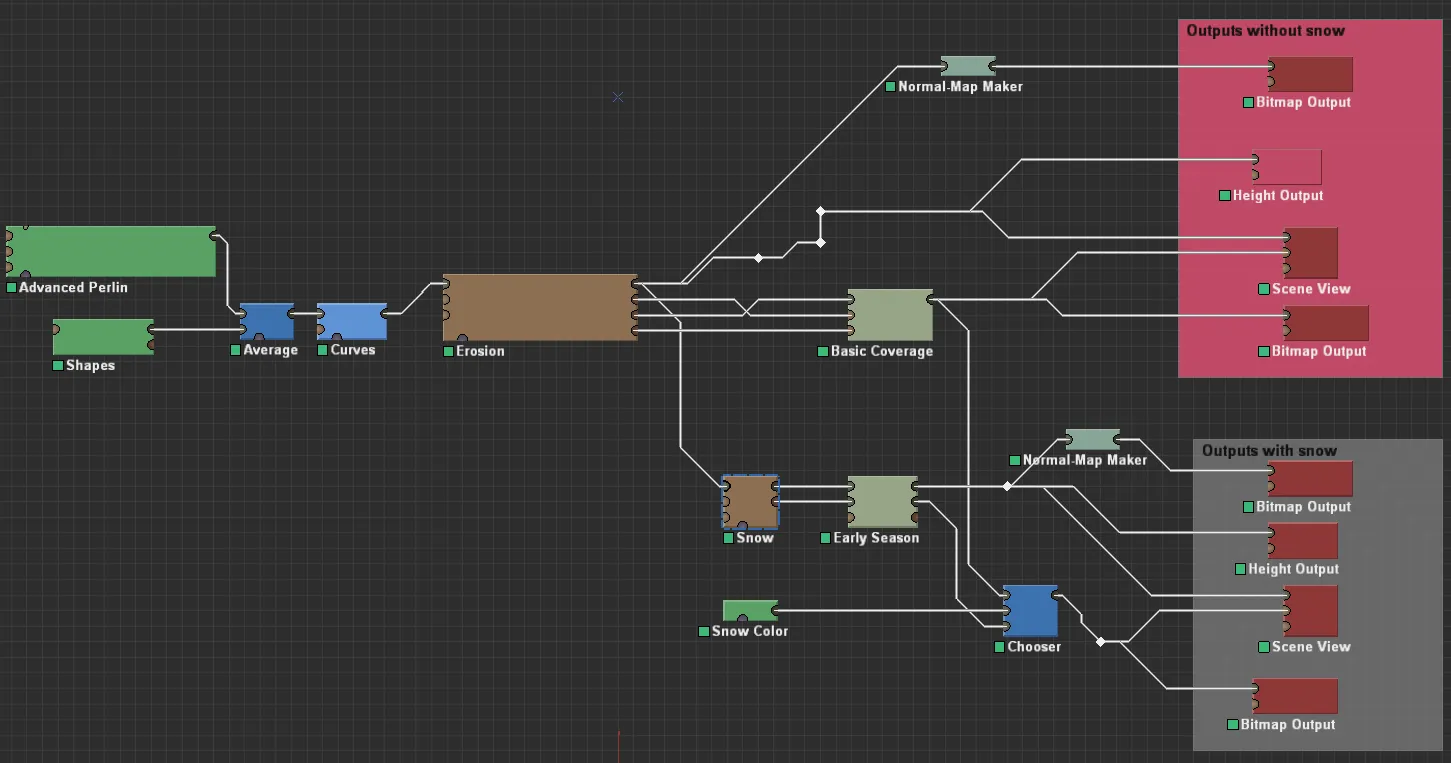
And here was how my logic chart looked like when I created the heightmaps and textures (only the "Outputs with snow" outputs were used):
Spoiler
-
For those of you who have played Payday 2, here's something inspired by the Diamond Heist puzzle that I created in CS:GO:
This puzzle was created using func_door, logic_case and math_counter entities and can be found on my map am_jungle_pit. You can find a general explanation on how I did this here.External Content www.youtube.comContent embedded from external sources will not be displayed without your consent.Through the activation of external content, you agree that personal data may be transferred to third party platforms. We have provided more information on this in our privacy policy. -
For the spinoff of aim_six_arenas' jungle room, I created a random path generator thing inspired by Payday 2's Diamond Heist puzzle:
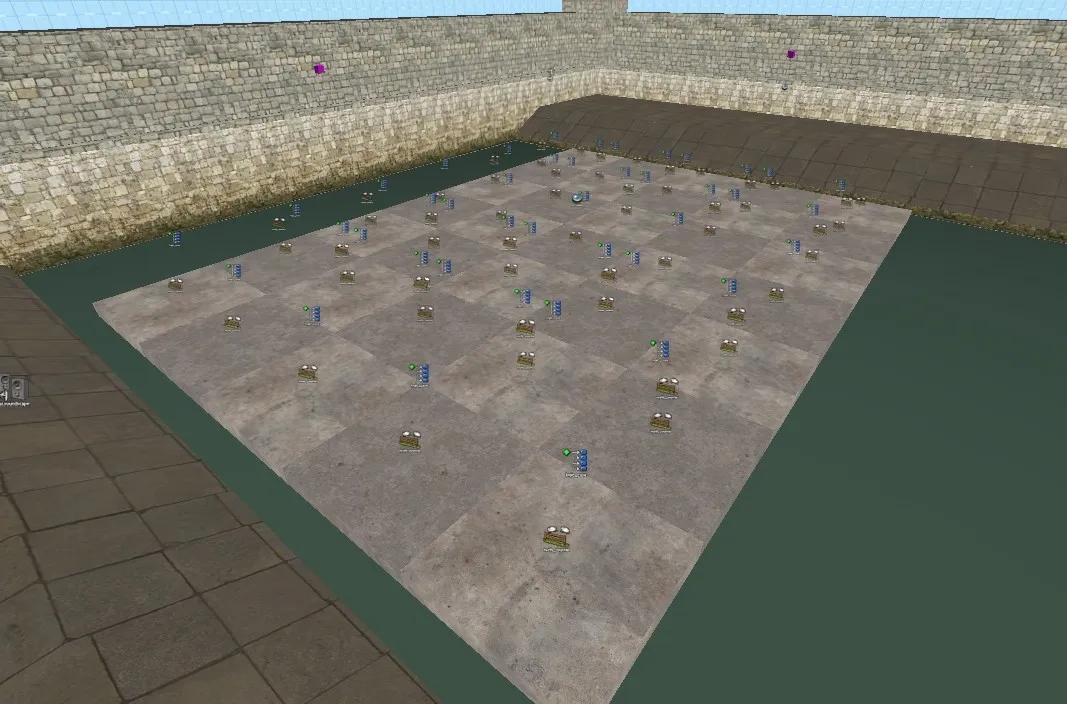
Map download (am_jungle_pit):External Content www.youtube.comContent embedded from external sources will not be displayed without your consent.Through the activation of external content, you agree that personal data may be transferred to third party platforms. We have provided more information on this in our privacy policy.This generator was created using math_counter, func_door and logic_case entities, with the func_door platforms arranged in a 5x7 grid (5 columns, 7 rows). The path will always move straight in rows 1, 4 and 7. In rows 2, 3, 5 and 6, on the other hand, the path can move either left, right or straight. If path moves right or left in row 2, the path in row 3 will move the same direction in row 2. Same concept applies to rows 5 or 6.
The math_counter entities raise the func_door platforms when they reach the max value, and they also activate corresponding logic_case entities. The logic_case entities present cases that either causes the path to continue going left or right, or to go to the next row on the grid. In rows 2, 3, 5 and 6, each platform has two corresponding math_counters. One set of math_counter are used when the path is going right, while the other set of math_counter entities are used when the path is traveling left. Within these rows, platforms in column 2 through 4 also have two corresponding logic_case entities, while the platforms in the outer 2 columns have 1 corresponding logic_case entity. Like with the math_counter entities, one set of logic_case entities are used when the path is going right, while the other set of logic_case entities are used when the path is traveling left. Because the path can't travel anymore left or right in columns 1 and 5 respectively, only a single logic_case entity is needed for platforms in those columns (e.g. if a path in row 2 is traveling right, when it reaches column 5, the only thing the path can do is move onto row 3).
Here's a screenshot from Hammer showing off how I arranged the entities:
-
Not a screenshot, but I did recently create a Monty Hall problem simulator mainly using logic entities. In my version, the cars and goats have been replaced with cash and fire:
And here's a couple of videos of me running 100 simulations:External Content www.youtube.comContent embedded from external sources will not be displayed without your consent.Through the activation of external content, you agree that personal data may be transferred to third party platforms. We have provided more information on this in our privacy policy.External Content www.youtube.comContent embedded from external sources will not be displayed without your consent.Through the activation of external content, you agree that personal data may be transferred to third party platforms. We have provided more information on this in our privacy policy.The process of creating this simulator is a bit long and you can read about it here. However, the AddOutput command was very useful preventing the map igniting the same button the player picked during the first round (i.e. preventing something like this from happening).External Content www.youtube.comContent embedded from external sources will not be displayed without your consent.Through the activation of external content, you agree that personal data may be transferred to third party platforms. We have provided more information on this in our privacy policy.You can test this simulator out yourself on my map am_muntions_cache. It's a secret area, but it's pretty easy to noclip to.
-
The process on how I made the Monty Hall problem simulator is pretty lengthy, so I'm going to create a separate post for this.
A challenge in creating a Monty Hall problem simulator is preventing the map from burning the same button the player picked during the first try. To do this, I made each button have a corresponding set of logic_branch, logic_compare and math_counter entities . The logic_branches tells the map which button is eligible to be burned after the first press, while the logic_compares determines whether or not the player used a safe button (i.e. the button that will open the door) during the second press (each button's corresponding math_counter entity also only activate during the second press). Both logic_branch and logic_compress have initial values of 1, while the logic_compare also has a compare value of 1.
At the start of each round, the map, via a logic_case, chooses which button will be the button that'll open the door by disabling a button's corresponding logic_branch and logic_compare entities. To disable these entities, the map sets logic_branch's initial value to 0 and logic_compare's compare value (which, remember, is separate from logic_compare's initial value) to 0 (false).
When a player uses a button during the first press, the button will do three things: add 1 to an overall math_counter entity (which I will name press_1st_counter), add 1 to the button's corresponding math_counter entity and disable (i.e. sets false) the button's corresponding logic_branch. If a player presses the door-opening button for the first press, then there will be no corresponding logic_branch entity to disable. Press_1st_counter has a maximum legal value of 1 and only activates when the first press (and only the first press) occurs.
After Press_1st_counter reaches is max value (i.e. 1), Press_1st_counter sends out a Test output to the logic_branch entities. When the logic_branches receive the Test input from Press_1st_counter, all logic_branches whose value are still true will send an AddOutput command to an empty logic_case entity. These AddOutput commands add cases to the empty logic_case entity, essentially building a logic_case from scratch. You can see how the Output tab for one of the logic_branches look like below:
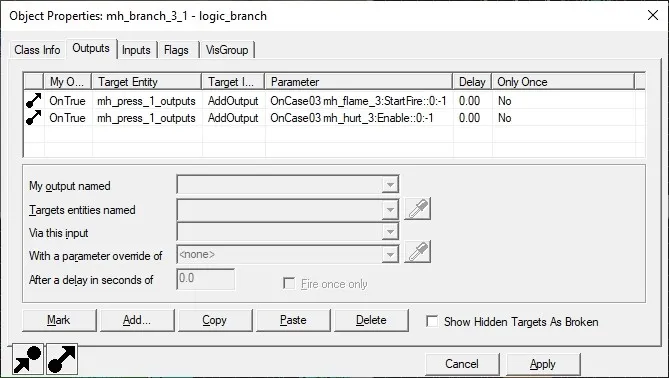
With a newly assembled logic_case entity, we can now send a PickRandom command from the button to that formerly empty logic_case entity, the later then randomly choosing a button to ignite. Because the logic_branch entity corresponding with the first picked button did not send an AddOutput command (due to it being false) to the empty logic_case entity, the map will never choose to ignite the button the player pressed on the first attempt.
Making the second press work is much simpler than the first press. Recall that each button has a corresponding math_counter that only activates on the second press, and that the map had set the safe button's logic_compare compare value (NOT the initial value) to 0. On the second press, the button's corresponding math_counter entity sets the logic_compare's initial value to 0 and then compares the initial value to the compare value. If they are equal, logic_compare will open the door. Otherwise, logic_compare sets the button on fire.
-
I recently released another spinoff of AIM_Six_Arenas, this time a de_cache themed arena called Munitions Cache (am_munitions_cache). You can download this map at the following links:
The thing about Munitions Cache is that the main area is very similar to de_cache's 1v1 warmup arena. In turn, I thought it would be a great map to add secrets to. The first secret is a short obstacle course with round-to-round variations that you have to complete in 60 seconds. The secret is a Monty Hall problem simulator, created using only logic entities.
Here's a video demonstrating how the Monty Hall problem simulator works, as well as a logic path visualization:
And here's a video of me running 100 simulations:External Content www.youtube.comContent embedded from external sources will not be displayed without your consent.Through the activation of external content, you agree that personal data may be transferred to third party platforms. We have provided more information on this in our privacy policy.And here's a video who want their simulations in Python chart format:External Content www.youtube.comContent embedded from external sources will not be displayed without your consent.Through the activation of external content, you agree that personal data may be transferred to third party platforms. We have provided more information on this in our privacy policy.External Content www.youtube.comContent embedded from external sources will not be displayed without your consent.Through the activation of external content, you agree that personal data may be transferred to third party platforms. We have provided more information on this in our privacy policy.