1. Forums
  2. Discord
  3. About Mapcore
  4. Patreon Supporters
  • Login
  • Register
  • Search
Everywhere
  • Everywhere
  • Articles
  • Pages
  • Forum
  • More Options
  1. Mapcore
  2. Members
  3. Plat

Posts by Plat

  • de_decay (WIP)

    • Plat
    • March 19, 2016 at 2:58 AM
    Quote from Shima33

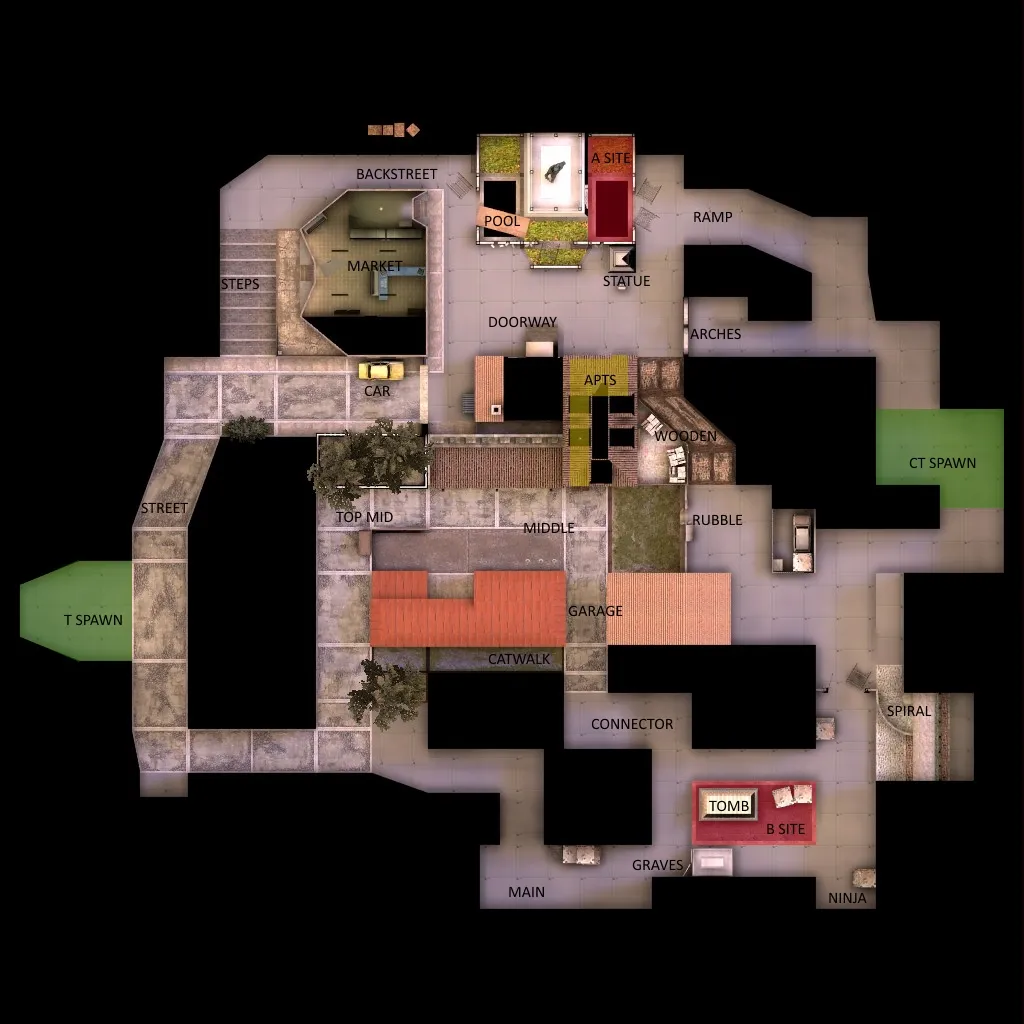
    2 hours ago, Shima33 said: Looks good so far - can we see an overview of the map, or a radar image, so we can look at the layout?

    Quick question, I'm trying to take an overview screenshot but about half of my level is surrounded in darkness when in the overview mode. No clue how to fix this. Do you have any idea? As soon as I figure it out I will post one.

  • de_decay (WIP)

    • Plat
    • March 19, 2016 at 12:32 AM
    Quote from Shima33

    1 minute ago, Shima33 said: Looks good so far - can we see an overview of the map, or a radar image, so we can look at the layout?

    I'll supply this post with one after I'm done v39, I'm currently working on it /emoticons/[email protected] 2x" title=":P" width="15"> Thanks for commenting!

  • de_decay (WIP)

    • Plat
    • March 19, 2016 at 12:18 AM

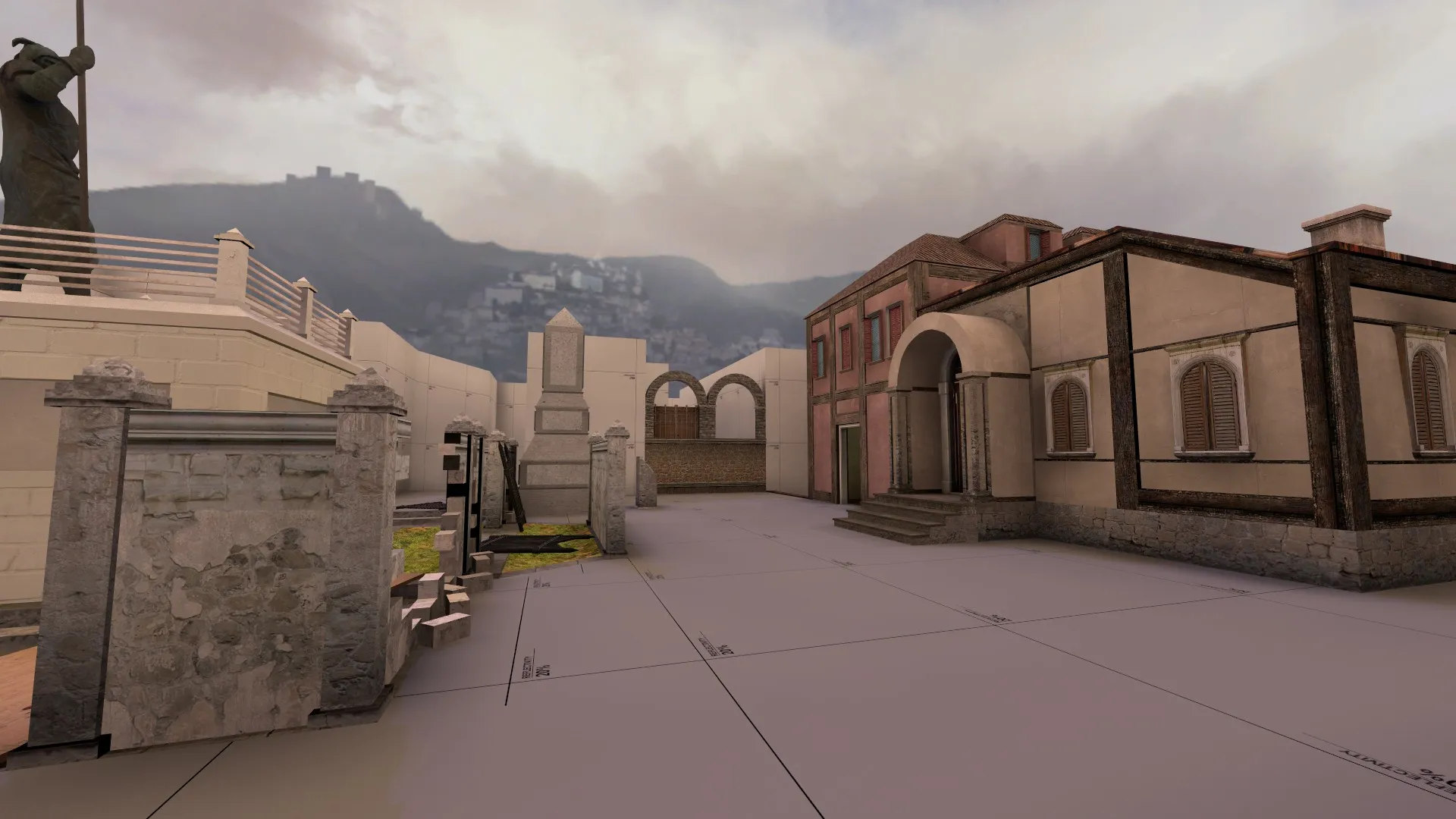
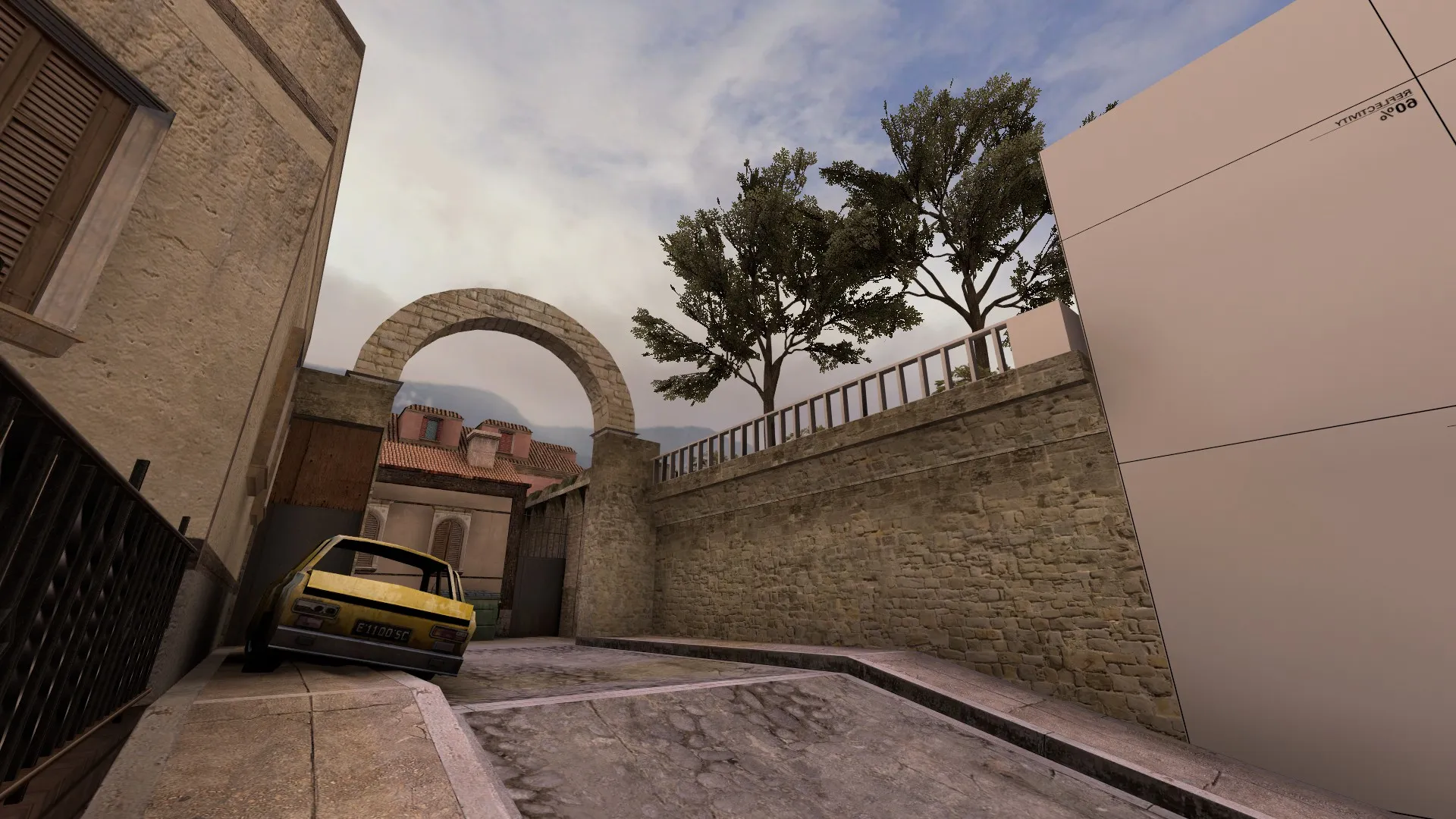
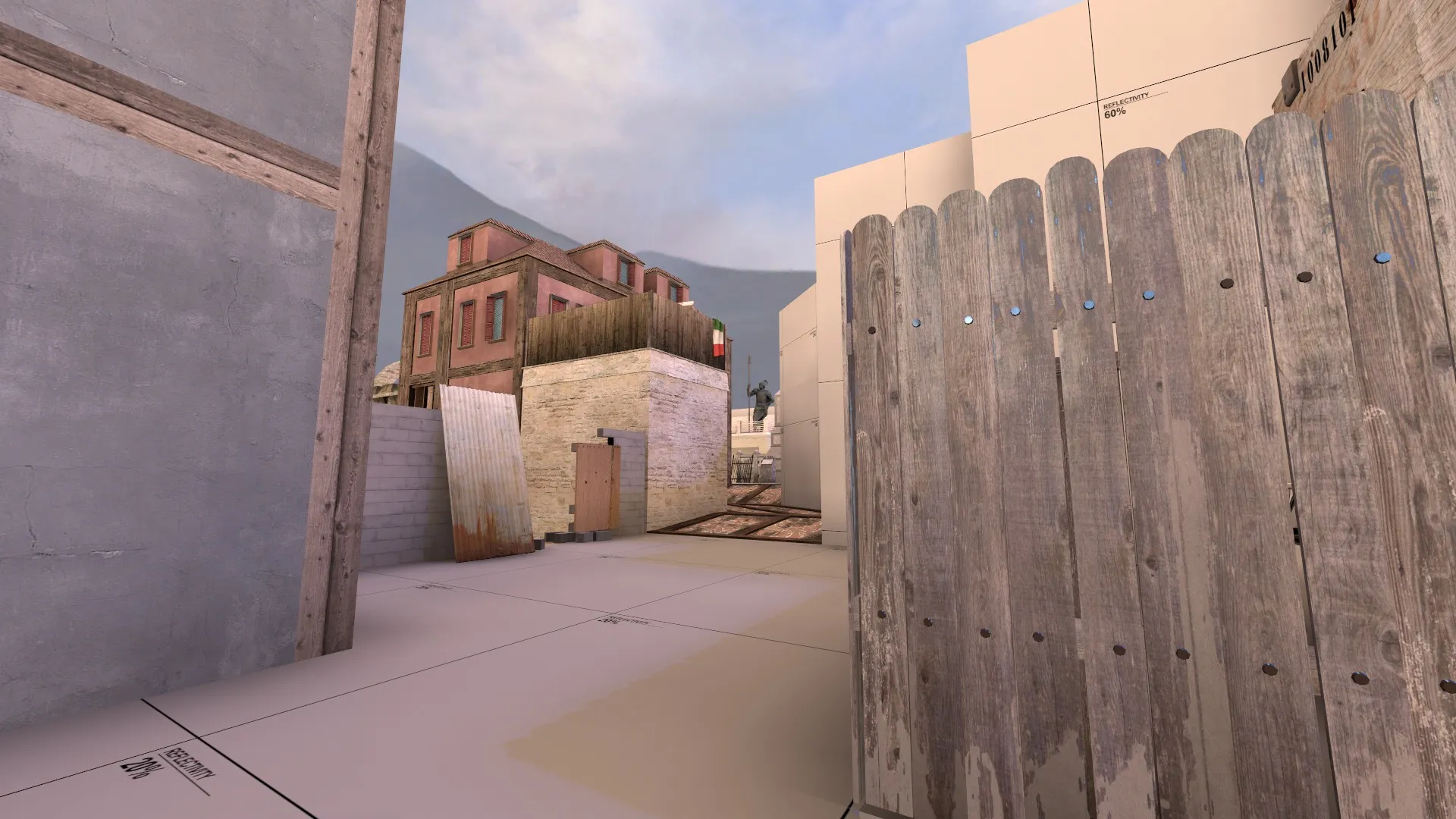
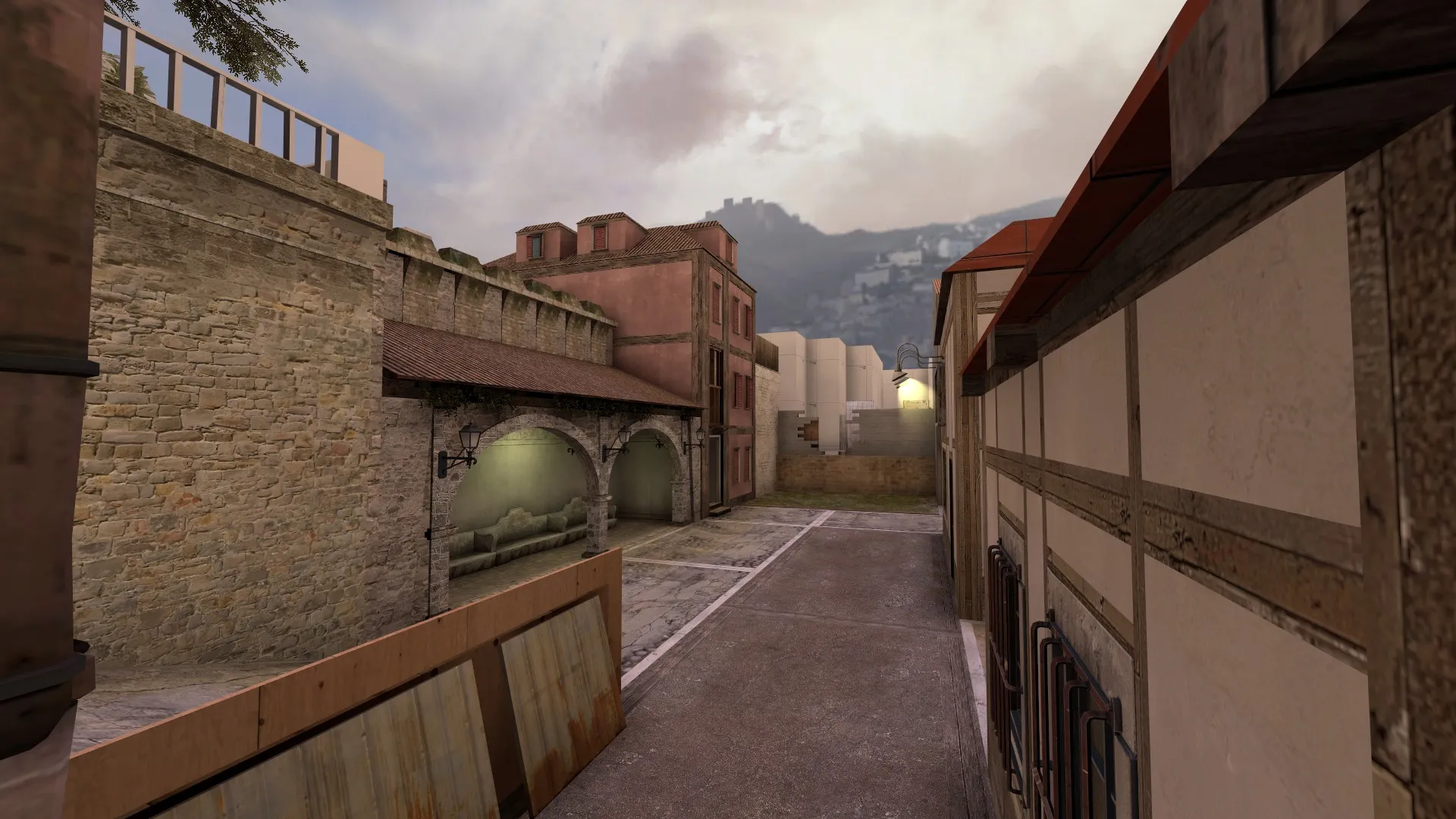
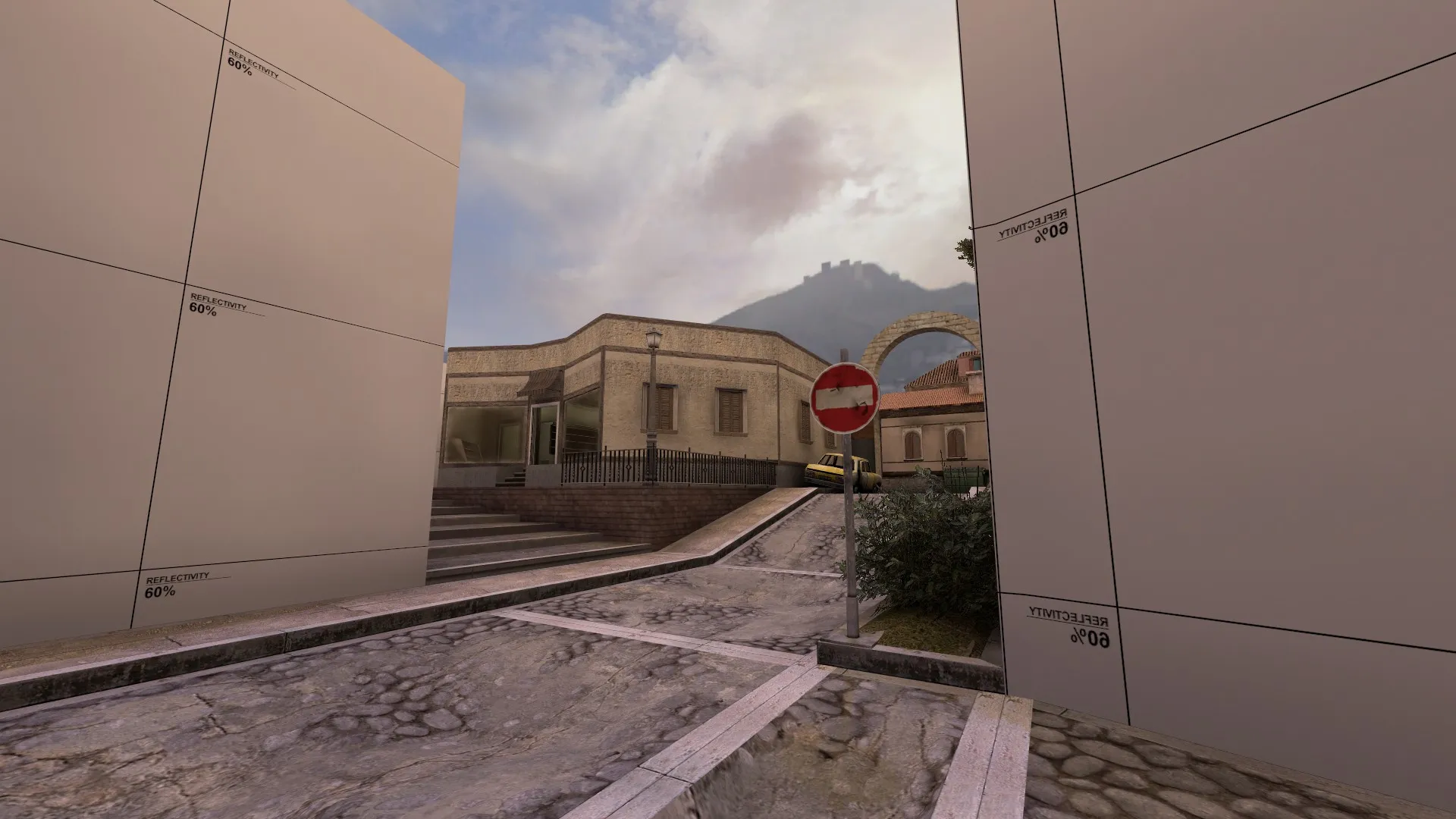
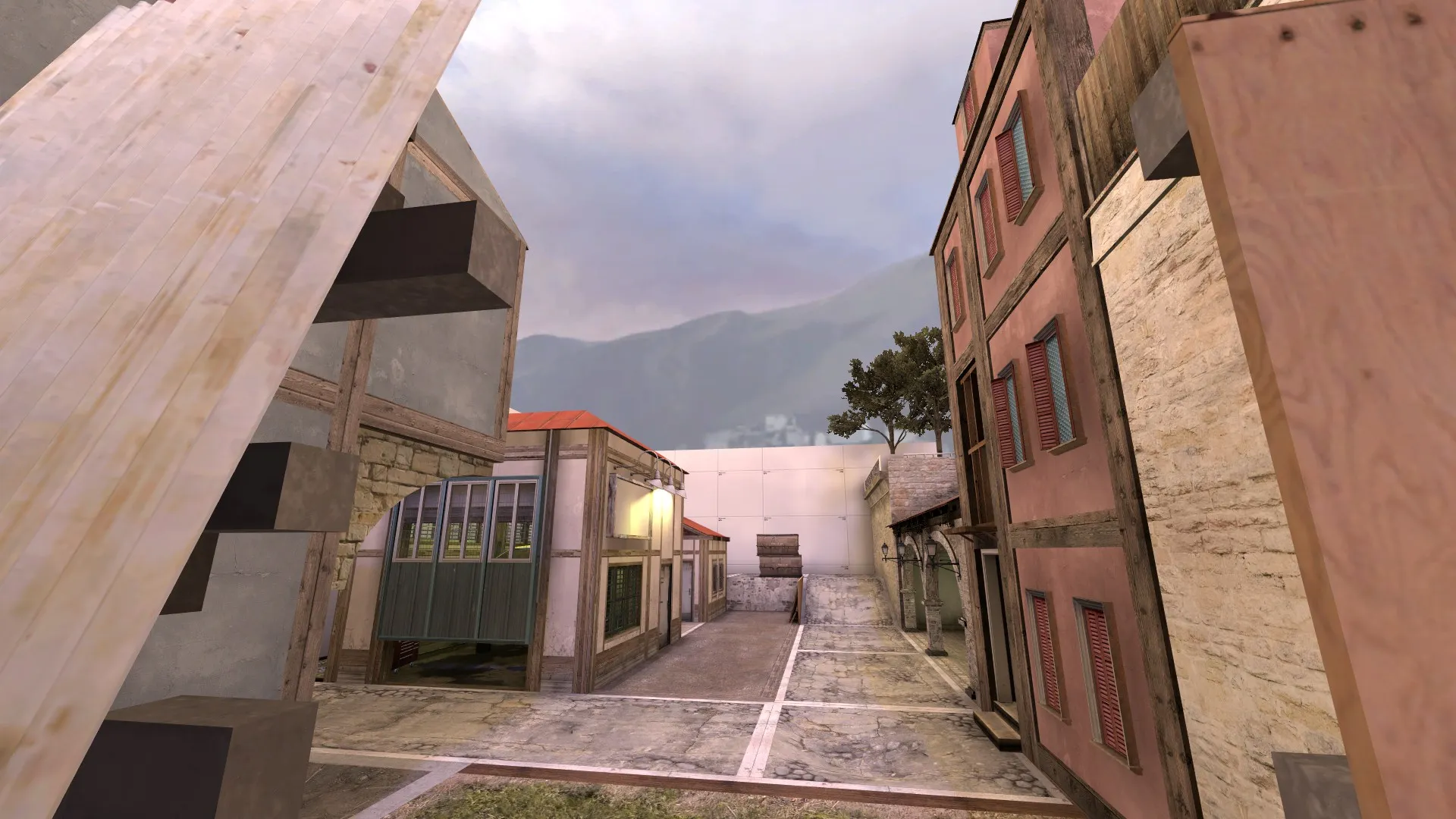
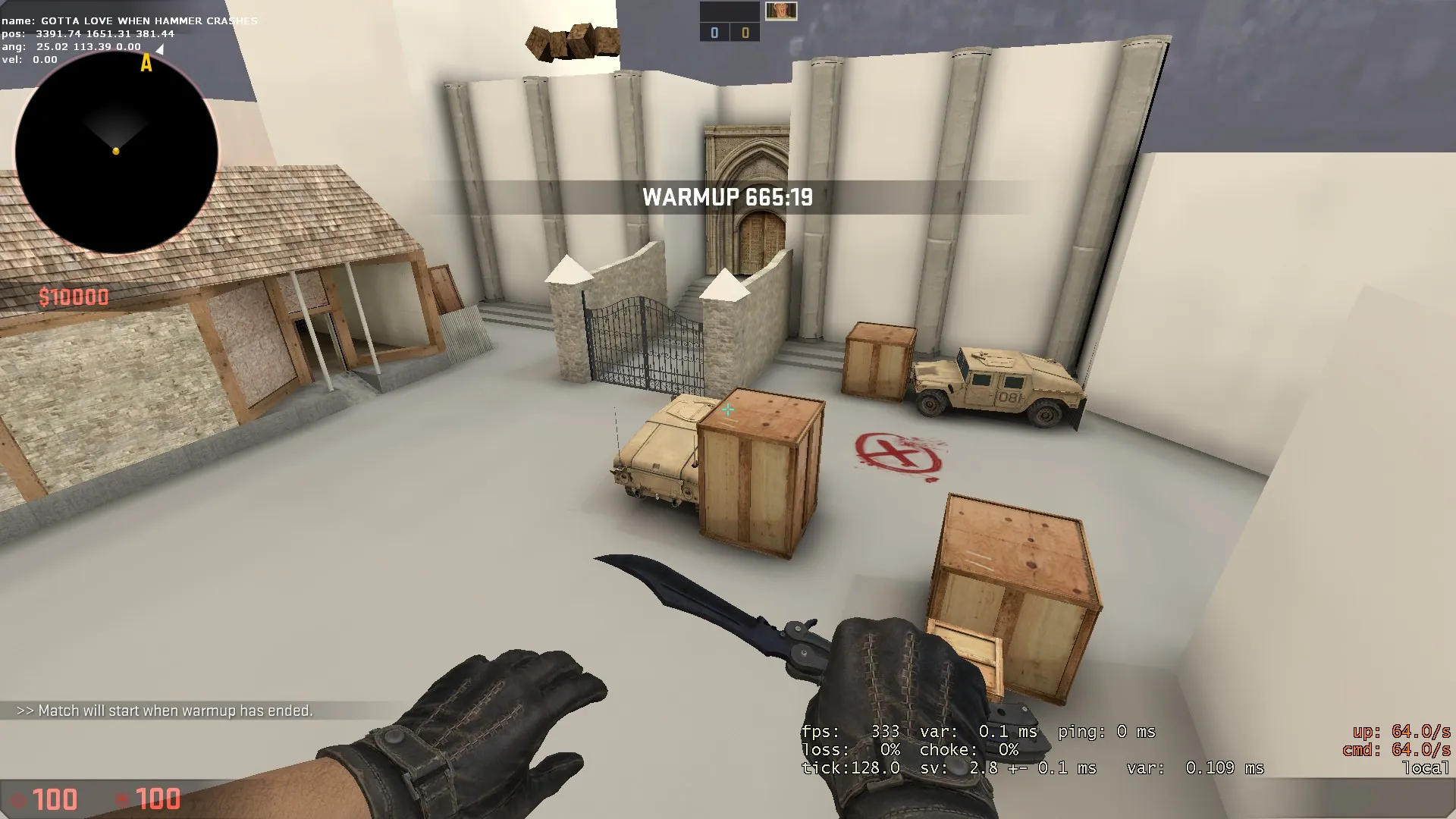
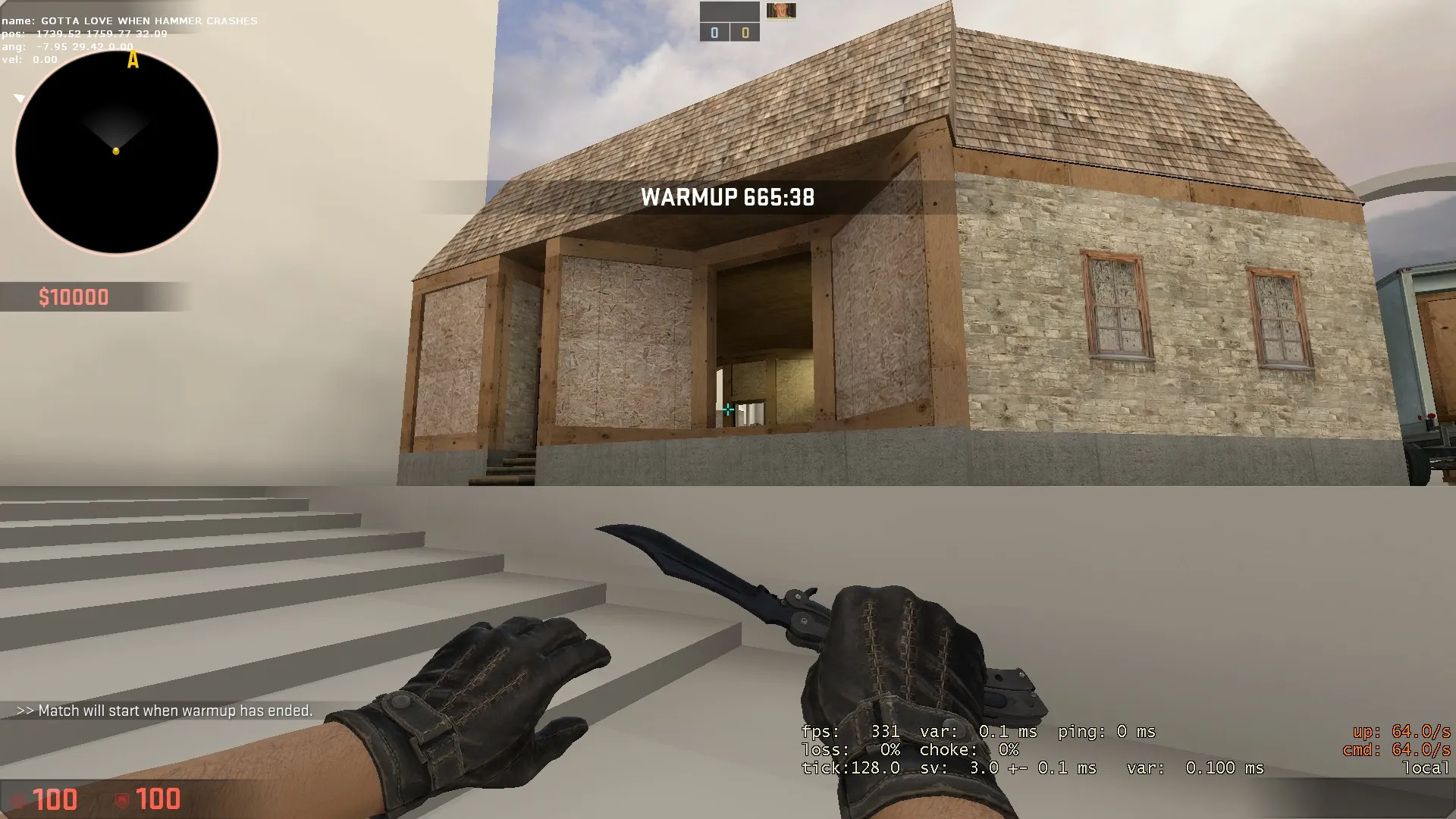
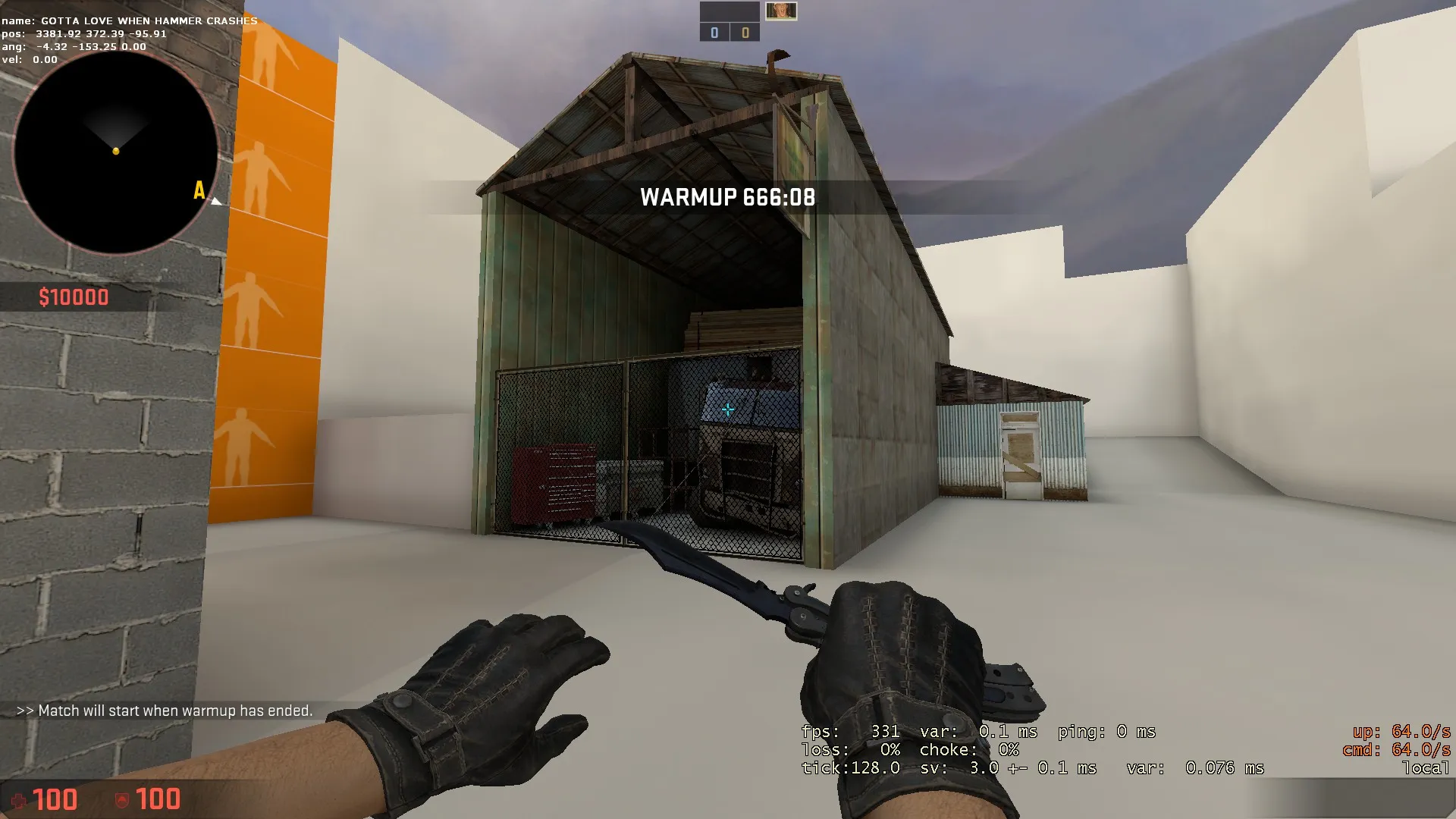
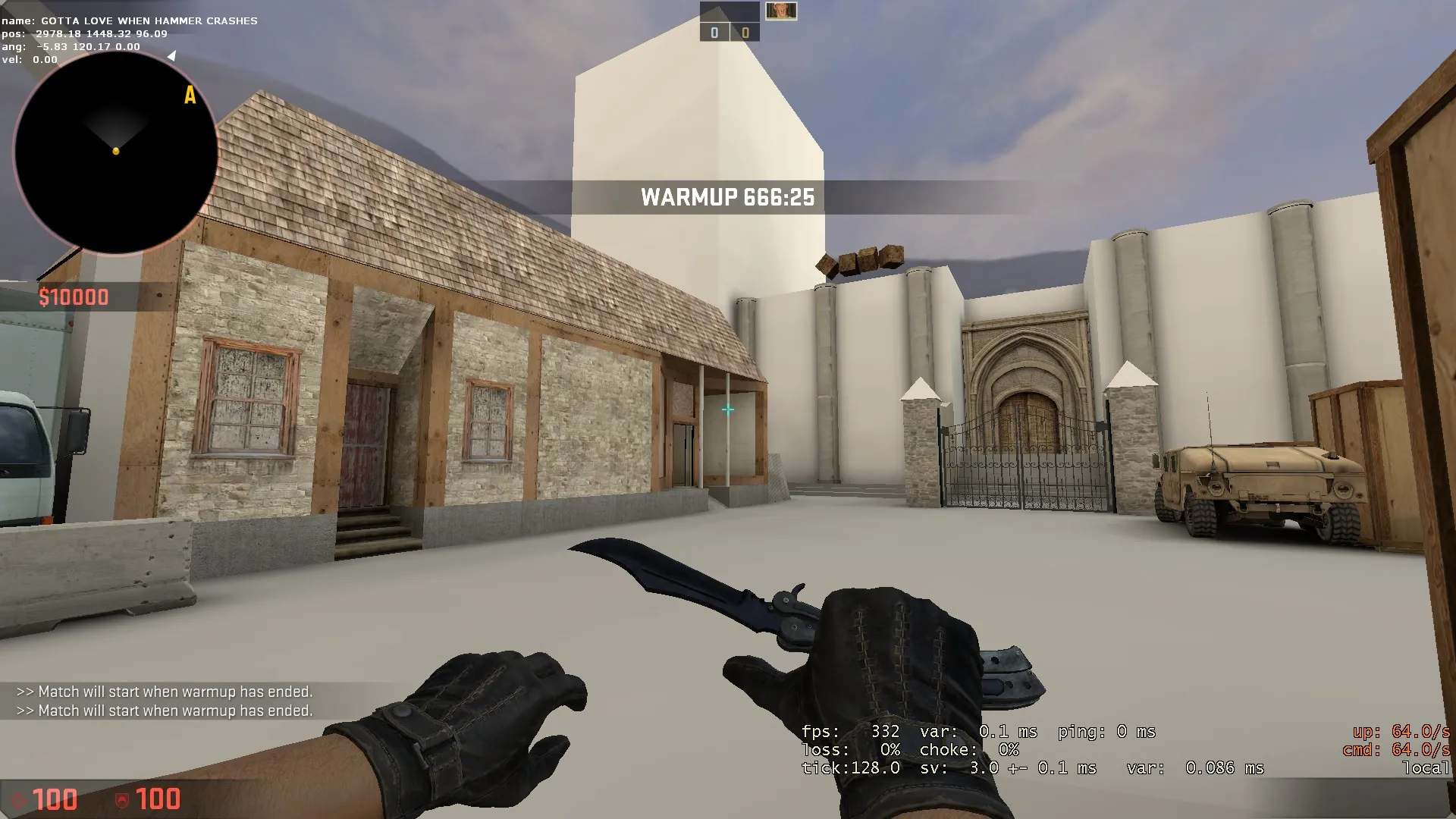
    Hello everyone! I've been working on this map for the last 3 months on and off. It recently hit v42, and I just did a 2v2 and a 3v3 session on it. I posted the WIP of the map on the workshop, and I'm currently fleshing out the layout and detailing parts of the map.

    This is the furthest I've ever come with a project before and I've learned a lot. Currently working on v43 and the workshop will be updated every time a new version comes out.

    I'm currently looking for feedback on the layout, and playtesters. Also, I don't have access to custom assets and I don't know how to model/ make textures. If anyone would be kind enough to lend their ability, it'd be greatly appreciated and you'd be credited appropriately.

    Here's the workshop link: http://steamcommunity.com/sharedfiles/fi…s/?id=647714113

    Below are some screenshots of version 42, newly added /emoticons/[email protected] 2x" title=":)" width="15">

    Thanks for checking out my map! If you have any feedback or criticisms, feel free to tell them to me, I take all feedback seriously, and I won't take it in the wrong way (as long as it is constructive) /emoticons/[email protected] 2x" title=":)" width="15">

    Enjoy!


  • All props in my level are black, everything else is fine.

    • Plat
    • February 23, 2016 at 2:01 AM
    Quote from Vaya

    might be your maps optimisation

    No it had to do with a new prompt added with the Wildfire update. I fixed it now.

  • All props in my level are black, everything else is fine.

    • Plat
    • February 23, 2016 at 12:00 AM
    Quote from Wrakk

    Always check before posting, not after. That's like basic etiquette man.

    Is there a way to delete this thread? It was kind of a panic post tbh.

  • All props in my level are black, everything else is fine.

    • Plat
    • February 22, 2016 at 11:06 PM
    Quote from Vaya

    look 1 thread below this one

    Yeah I did after making this. 1 thing though, I did the "fix" and now my vrad just crashes. Thanks valve!

  • [csgo] Lighting on props broken since Wildfire Update? (+ Possible fix)

    • Plat
    • February 22, 2016 at 11:05 PM
    Quote from baem123

    You added it at "additional game parameters", cut it and click on "Expert..."

    Now choose the fast configuration in the top left drop down menu. Go to "$light_exe" and paste these parameters there. Then click "GO" to compile.

    I did this and now it just crashes my vrad. No clue what's going on.

    EDIT: Can someone who got theirs to work give me their settings? I just want to be able to map again without dealing with this. I can't compile anymore without vrad crashing. Thanks valve.

  • All props in my level are black, everything else is fine.

    • Plat
    • February 22, 2016 at 10:54 PM

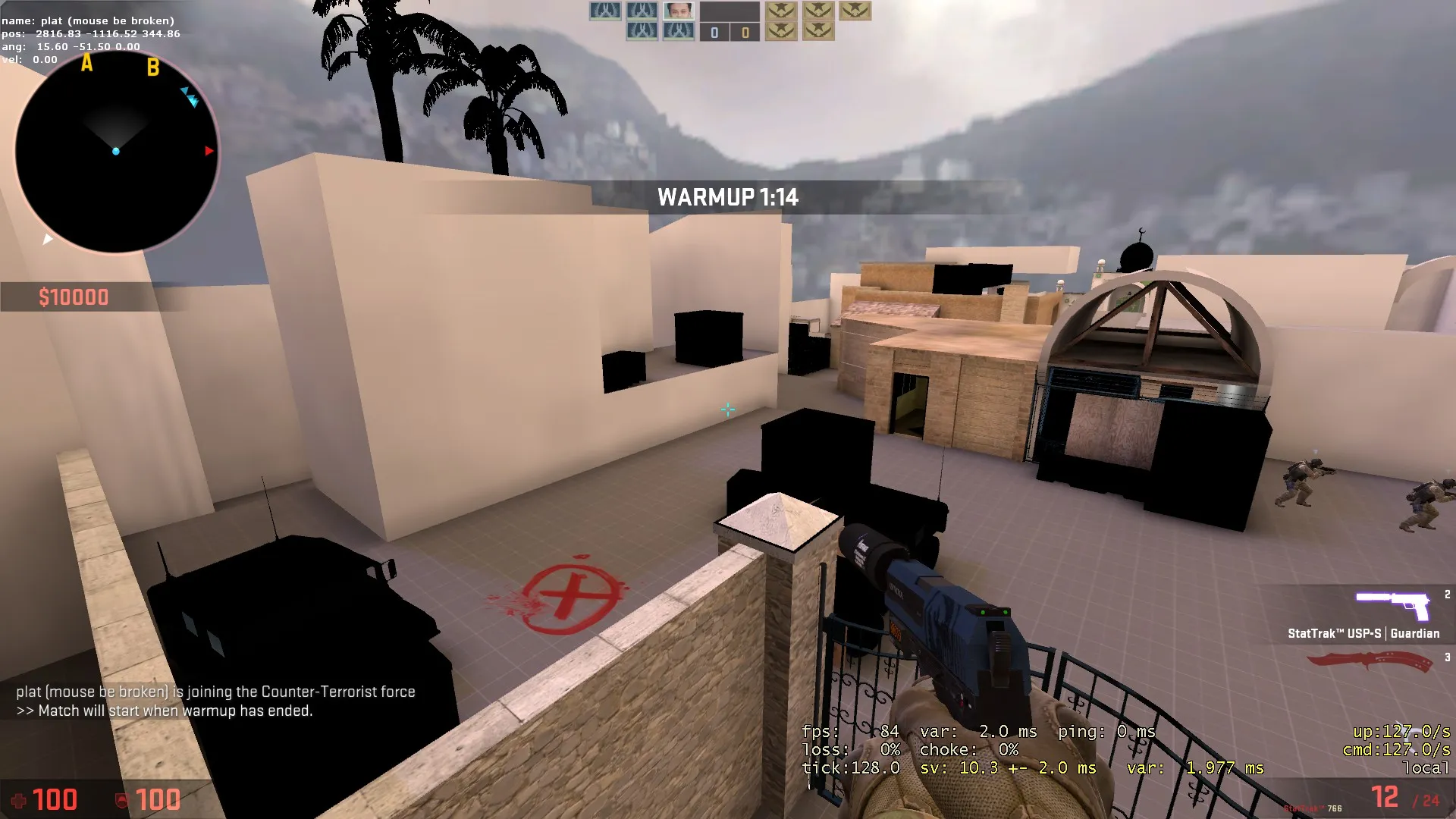
    Just as the title says, no clue why this has happened. Everything is just a solid black colour, brushes are fine though. Never had this problem.

    Heres a good reference picture:

  • [Wip] De_Croatia

    • Plat
    • January 27, 2016 at 1:50 AM

    Try accessing the 2d options in your options menu and setting the option that locks your rotation to 15 degrees, can help with precise rotations. Also try lowering the grid size to like up smaller details. Have a WIP picture?

  • WIP in WIP, post your level screenshots!

    • Plat
    • January 16, 2016 at 12:49 AM
    Quote from Stollat

    Hi!
    This is my first post as I'm new to the site.
    Right now I'm working on a CS aim-map, and I would like to make parts of the map diagonal. The entrance to one building for example.

    I'm having a struggle finding out how to make this due to the fact that the some vertices always get off grid and this might be complicated to "sew together" with the other parts of the map. Right now I'm building the entrance and corridors in 90 degree angles and then rotate the whole building by 45 degrees. However I don't know if this is the best approach.

    Thanks!

    Were you making all the brushes in size 1 grid? You should always start with bigger, well rounded gridsizes (eg 32 or 64) for the ground of your level. This should keep your level on the "grid"

    Anyway, here's some heavy WIP screenshots of de_decay:


Discord

The Mapcore Discord is our lively IRC channel of the 2000s reborn. Chat about level design, gaming, and more.

Latest Posts

  1. Building a Huge Library of Free Images for Everyone

    Eric Matyas
    August 10, 2026 at 1:52 PM
  2. Any of the old guard still around? D:

    Chunks
    August 7, 2026 at 11:08 PM
  3. CS:S | cs_manoir | Map creation process by D'artagnan

    Thrik
    August 3, 2026 at 10:42 AM
  4. Custom Gamemodes Contest

    Angel
    July 20, 2026 at 11:46 AM
  5. FAQ

    Angel
    July 20, 2026 at 10:14 AM
  6. Tangerine

    Harry Poster
    July 18, 2026 at 11:10 AM
  7. About our archived forums

    Thrik
    June 30, 2026 at 2:12 PM
  8. Mapcore Discord

    mason_fan123
    June 24, 2026 at 8:52 PM
  9. [CS2] Valley

    Serialmapper
    June 22, 2026 at 11:56 AM
  10. Free Music / SFX Resource - Over 2500 Tracks

    Eric Matyas
    June 18, 2026 at 12:32 PM
  1. Privacy Policy
  2. Contact
Powered by WoltLab Suite™