

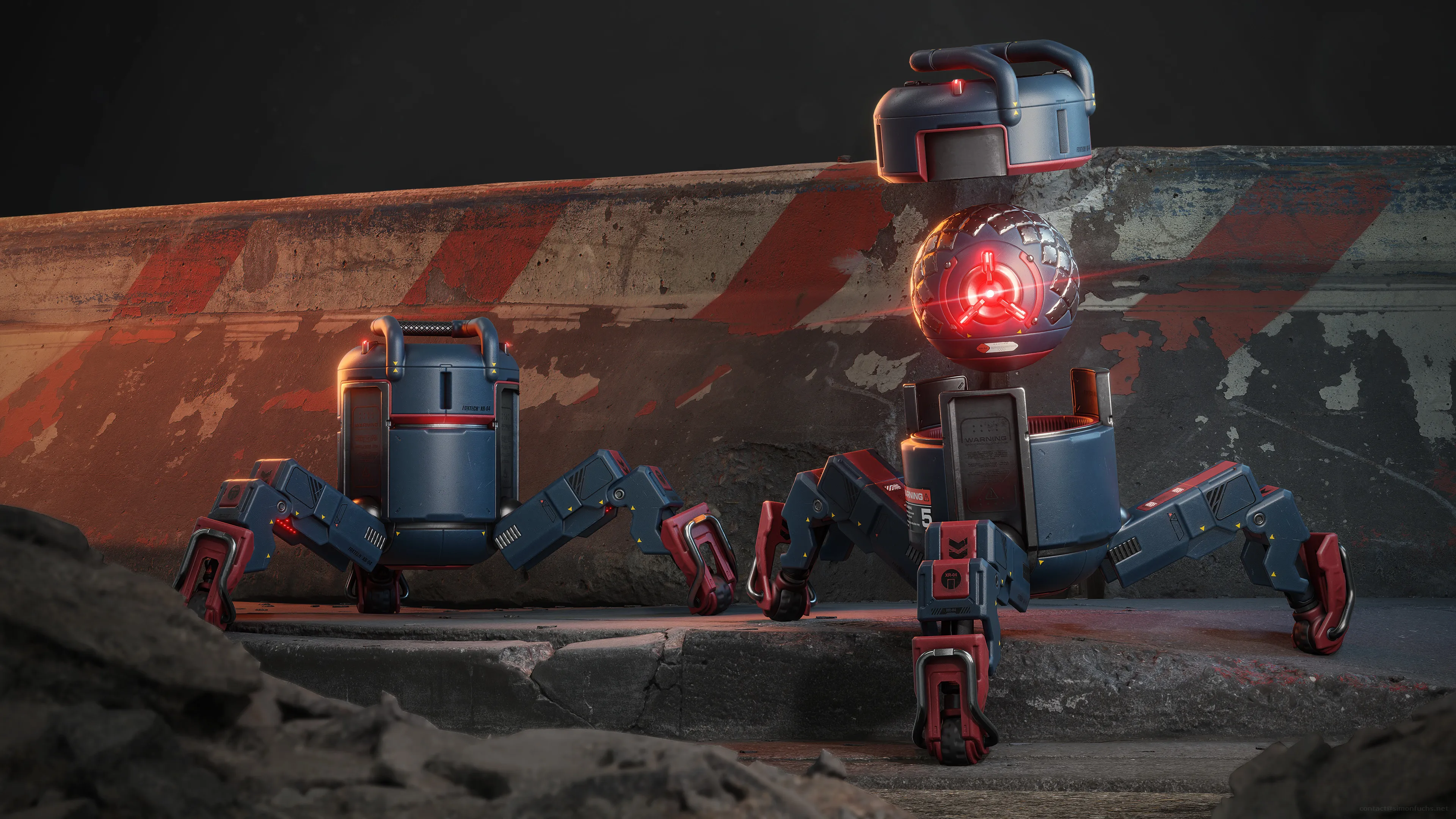
Hey mapcore, I`ve just released my latest tutorial for creating a current generation Drone model for videogames in Blender and Substance Painter! The tutorial covers the entire creation process for the Drone from scratch in over 25 hours of 4k video. Everything is recorded in realtime and fully commented on. The course also comes with a 4,5 hour introduction to Blender chapter, that will teach you the software from scratch. In addition to modeling in Blender, you will learn how to texture the asset using Substance Painter and render it in Blender's built-in, Evee real-time renderer. More images can be found on my artstation and I`ve uploaded the model to sketchfab as well if you`d like to check it out in your browser in 3D. For more information on the course, make sure to check out the trailer. I`m looking forward to your version of the drone! For the next 72 hours, you can get the course for 20% off its regular price using the link below:https://gumroad.com/l/AzaOi/launch -Simon
Posts by smn_fhs
-
-
-
Hey guys, I`ve just released my latest tutorial and my biggest personal project so far - The Ultimate Hardsurface Tutorial for the Turretgun. I`ve been working on this for more then 9 months in my spare time and am so stoked that it is finally ready to be released! This tutorial covers the entire creation process of this high quality, PBR game asset from the block out to the final mesh in over 40 hours of video. All of the important steps and most of the video is commented on, nothing is left out. In addition to modeling in 3dsmax you will learn how to use Modo`s meshfusion in combination with Zbrush to quickly create hardsurface shapes as well how to use Keyshot to create state of the art renderings of the final highpoly mesh. You can get it on gumroad or cubebrush For a limited time for the release of this tutorial, make sure to use coupon code HS30OFF to get a 30% discount. Here is the trailer for the tutorial:
And here are some shots of the final asset, make sure to check out my artstation for more shots and a marmoset viewer file.[Blocked Image: http://simonfuchs.net/images/turretgun/turretgun_render_01.jpg][Blocked Image: http://simonfuchs.net/images/turretgun/turretgun_render_02.jpg][Blocked Image: http://simonfuchs.net/images/turretgun/turretgun_render_03.jpg][Blocked Image: http://simonfuchs.net/images/turretgun/hp_turretgun_01.jpg]External Content www.youtube.comContent embedded from external sources will not be displayed without your consent.Through the activation of external content, you agree that personal data may be transferred to third party platforms. We have provided more information on this in our privacy policy. -
Here are the final renders of the Photon Canon that I created for the Blizzcon 2014 artist stage - There will be a tutorial on the asset in the upcoming Vertex 3 book!
More highres renders can be found on my artstation ang blog.
[Blocked Image: http://simonfuchs.net/images/pcannon_01.jpg]
[Blocked Image: http://simonfuchs.net/images/pcannon_02.jpg]
-
-
Hey guys,
Made a new tutorial. This time, learn how to carve holes into your meshes and reveal detail underneath. Video version on cubebrush, text version on my blog. Let me know if you guys have any questions!
[Blocked Image: http://www.simonfuchs.net/tutorials/carving/01_final.jpg]
-
-
Hey guys,
Thought this tutorial might be useful for some of you, so feel free to check it out on my blog or in video form on cubebrush.
[Blocked Image: http://www.simonfuchs.net/tutorials/skinwrap/skinwrap.gif]
Let me know if you have any questions.
Simon
-
great scene Thiago
-
-
I`ll second what Bram said. Really impressive for a mod and I`m enjoying it a ton, so many good memories when playing!
-
congrats man, see you soon!
Also, this:
External Content www.youtube.comContent embedded from external sources will not be displayed without your consent.Through the activation of external content, you agree that personal data may be transferred to third party platforms. We have provided more information on this in our privacy policy. -
i hope brucie makes a guest appearance

-
Good stuff, waiting to see where this goes....
-
Great use of colors Wesley
-
It´s more expensive shader instruction wise since its using alpha blending. Try to keep the sceen space it covers to a minumum and also cut out areas from your decal geometry that just have a black alpha channel to minimize overdraw.
-
-
-
Hey guys,
I´ve written a tutorial for creating realistic glass in CryENGINE3 SDK. Feel free to check it out here in textform or on Eat3d as a video.
[Blocked Image: http://www.simonfuchs.net/folio/gfx/tutorials/03_glass/12_animation.gif]
Please let me know if anything is unclear or if you run into any problems.
Cheers,
Simon
-