

Prayers here.
Mine:
-Ability to full-screen the active viewport.
-Ability to toggle entity visibility without making their effects disappear (such as lights).
-Ability to edit key binds

Prayers here.
Mine:
-Ability to full-screen the active viewport.
-Ability to toggle entity visibility without making their effects disappear (such as lights).
-Ability to edit key binds
Quote from FMPONE55 minutes ago, FMPONE said: Prayers here.
Mine:
-Ability to toggle entity visibility without making their effects disappear (such as lights).
Here you go
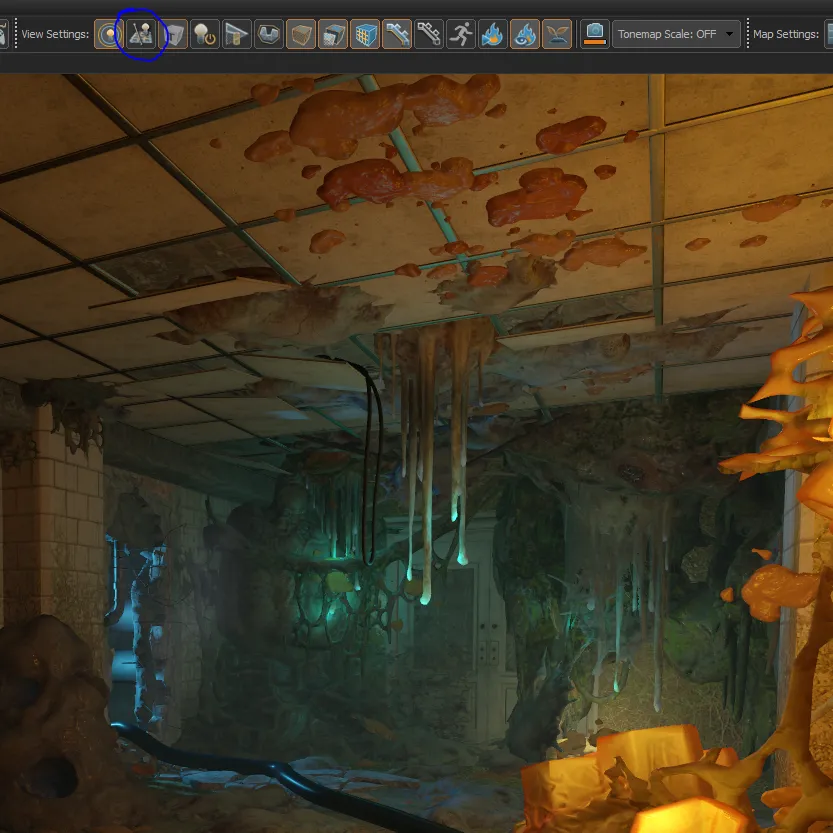
Features I would like to see:
- Copy transform matrix shortcut
- Replace feature. You press ctrl+r and asset browser pops up and you can replace current selection with something from asset browser.
- Different 3d mesh for omni light
- Would be great for hammer to loose focus on a textbox after you wrote entity name so we don't accidentally press 'T' for transform and seeing obsolete icon.
- Omni light should have its own 3d model. Right now it looks like a light_spot
- And as for light_spot 3d model. The arrow pointing in the direction of light_spot is cool and all but everytime i mistake it for being a transform gizmo arrow
CSGO.
Having newly created brushes the same height as the previously selected one, not sure why this feature didn‘t make it across from source 1
My own personal wish would be access to the tool they used to make the tilesets for TileMeshes in the HLA "mode" of the workshop tools. Would make creating tilesets much faster.
 Quote from Marbledemon
On 5/19/2020 at 12:06 PM, Marbledemon said: Having newly created brushes the same height as the previously selected one, not sure why this feature didn't make it across from source 1
(Brushes don't exist anymore) Being able to make a mesh at the same height would be fantastic, second that big time.
You can hide unselected but if you want to unhide unselected you have to do it from the selection menu. Should get an additional option to show unhidden IMO.
Quote from FMPONE2 hours ago, FMPONE said: You can hide unselected but if you want to unhide unselected you have to do it from the selection menu. Should get an additional option to show unhidden IMO.
That works just fine for me using the hotkeys (CTRL+H and U).
 Quote from Squad
1 hour ago, Squad said: That works just fine for me using the hotkeys (CTRL+H and U).
You’re referring to hide, I’m referring to hide unselected, which is everything not selected.
Quote from FMPONE1 hour ago, FMPONE said: You’re referring to hide, I’m referring to hide unselected, which is everything not selected.
H = hide selected
Ctrl + H = hide unselected
Right? I'm starting to doubt myself 
Quote from Squad18 minutes ago, Squad said: H = hide selected
Ctrl + H = hide unselected
Right? I'm starting to doubt myself
I haven’t tried doing the hot key to hide unselected, I’ve only done it from the menu. So If it’s true that U unhides when you do hide unselected with the hot key, but not if you do it from the menu, that’s kind of weird.
Quote from FMPONE4 hours ago, FMPONE said: I haven’t tried doing the hot key to hide unselected, I’ve only done it from the menu. So If it’s true that U unhides when you do hide unselected with the hot key, but not if you do it from the menu, that’s kind of weird.
I just checked and both hiding/unhiding (unselected) from the menu also works fine on my end.
Quote from Squad9 hours ago, Squad said: I just checked and both hiding/unhiding (unselected) from the menu also works fine on my end.
Strange, I will have to test that more today ?
Yep, confirmed on my end. If I choose "hide unselected" from the menu, and then hit U, nothing happens.
Why I hate the vertex tool, in one image. The stupid gizmo takes priority over verts
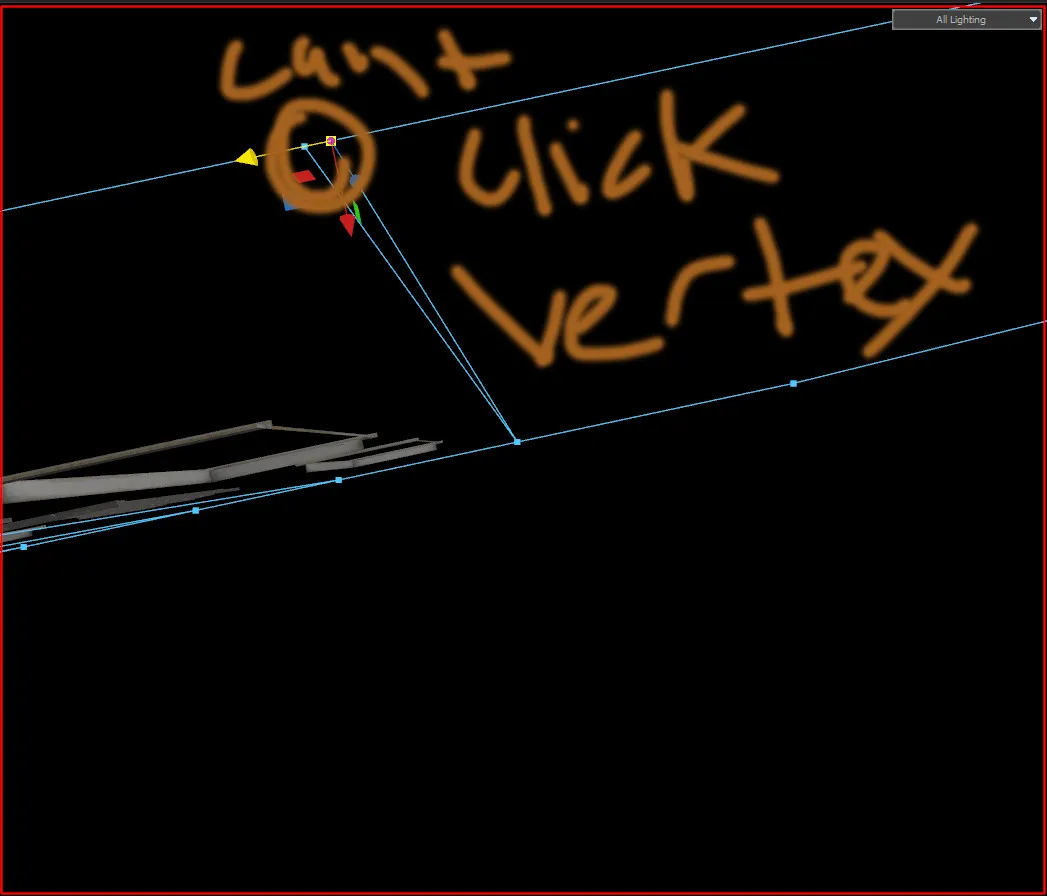
6 hours ago, Pericolos0 said: welcome to 3D modeling lol. You can use middle mouse to lasso select the vert
noice. i don't have that problem in 3dsmax tho ;0
if you precisely click on a vert it should take priority over the gizmo imho. The gizmo has long enough arms where if you want to interact with it you still can by clicking anywhere along the 95% of the arms that aren’t occupied by a vertex.
It's because of stuff like that I often just use marquee selections anyway, even if I'm selecting a single vert or edge, smoother than having to do a precision single click.
Hammer's lasso selection works pretty well. I think you can also swap it's behavior from full object bounding box inside the lasso area drawn or just touching it.
Started doing a few tests with this, now that I finished HLA. And I'm in love with the tilable meshes function, that paired with the ability to straight up model, texture map and vertex paint in editor is an absolute joy.
Does it have a one-click 'align all vertexes to grid' option/command? (haven't used it yet, just wondering)
I would like a "convert to vertex" (+convert to edges, convert to faces, etc) feature when you have brushes selected ~!
Don’t have an account yet? Register yourself now and be a part of our community!