1. Forums
  2. Discord
  3. About Mapcore
  4. Patreon Supporters
  • Login
  • Register
  • Search
This Thread
  • Everywhere
  • This Thread
  • This Forum
  • Articles
  • Pages
  • Forum
  • More Options
  1. Mapcore
  2. Vault
  3. Archived Forums
  4. Students and Beginners

[Unreal Tournament] First map creation feedback

  • Buzzbrad
  • April 25, 2017 at 11:02 PM
  • Buzzbrad
    • April 25, 2017 at 11:02 PM
    • #1

    Hi everyone! I am a beginner level designer, just recently started learning actually. Through my research I found Unreal Tournament to be a good place to start so that is where I built my first level. There is currently no art, it is just a greybox. The level is roughly based on an area on my campus, so that is where the inspiration is from. It is built to be a 3v3 CTF map.

    Here are my diagrams:
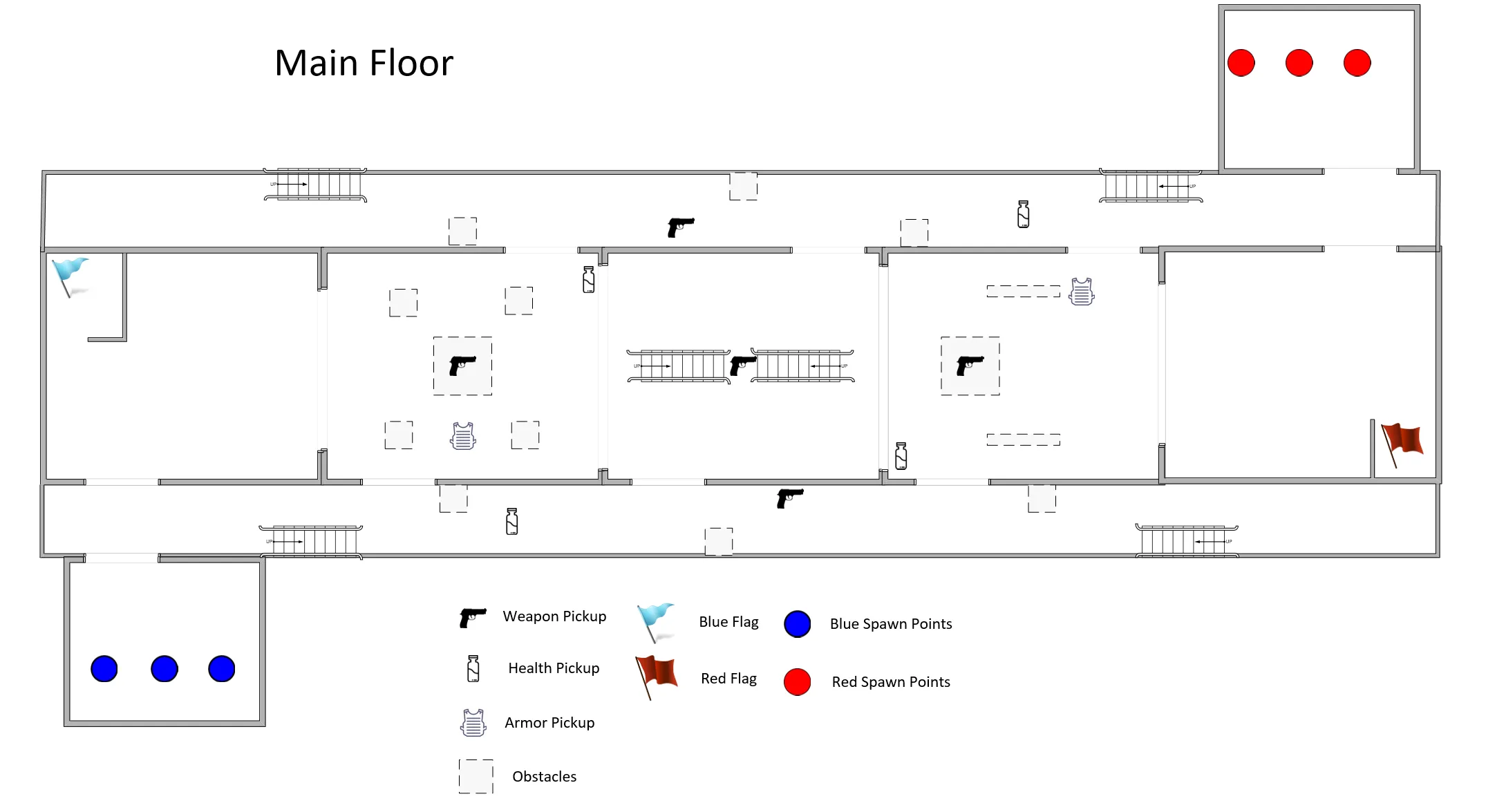

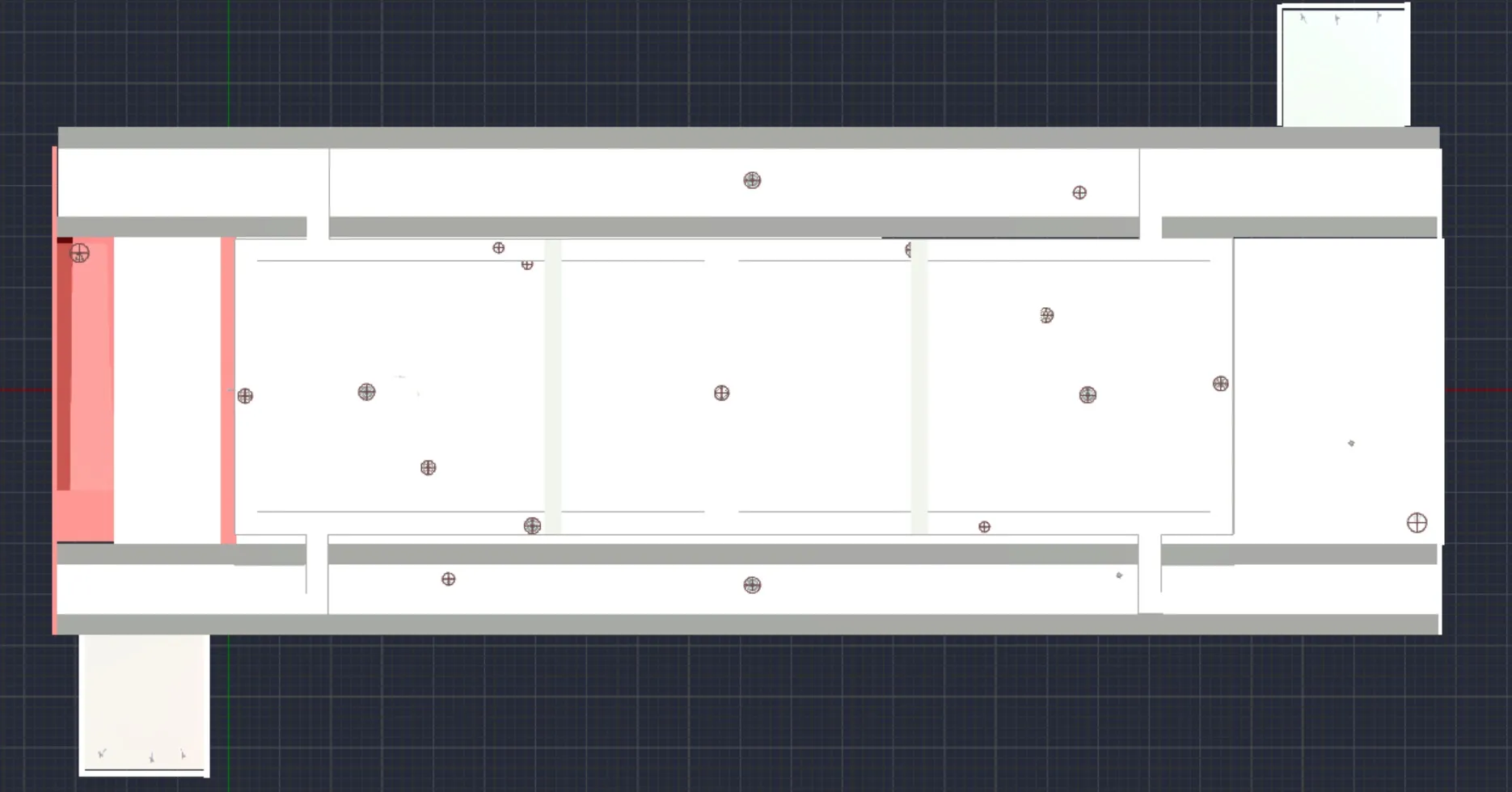
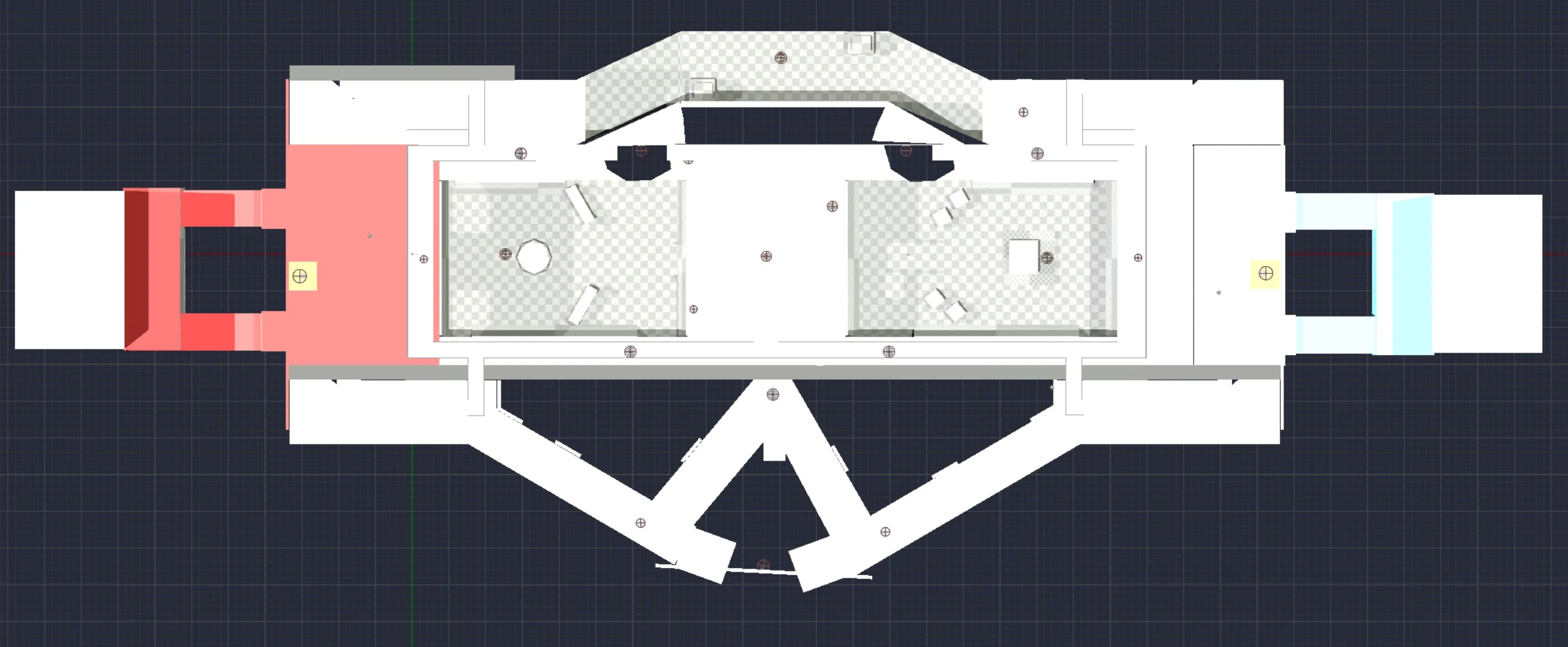
    This is a map of the main floor and item locations
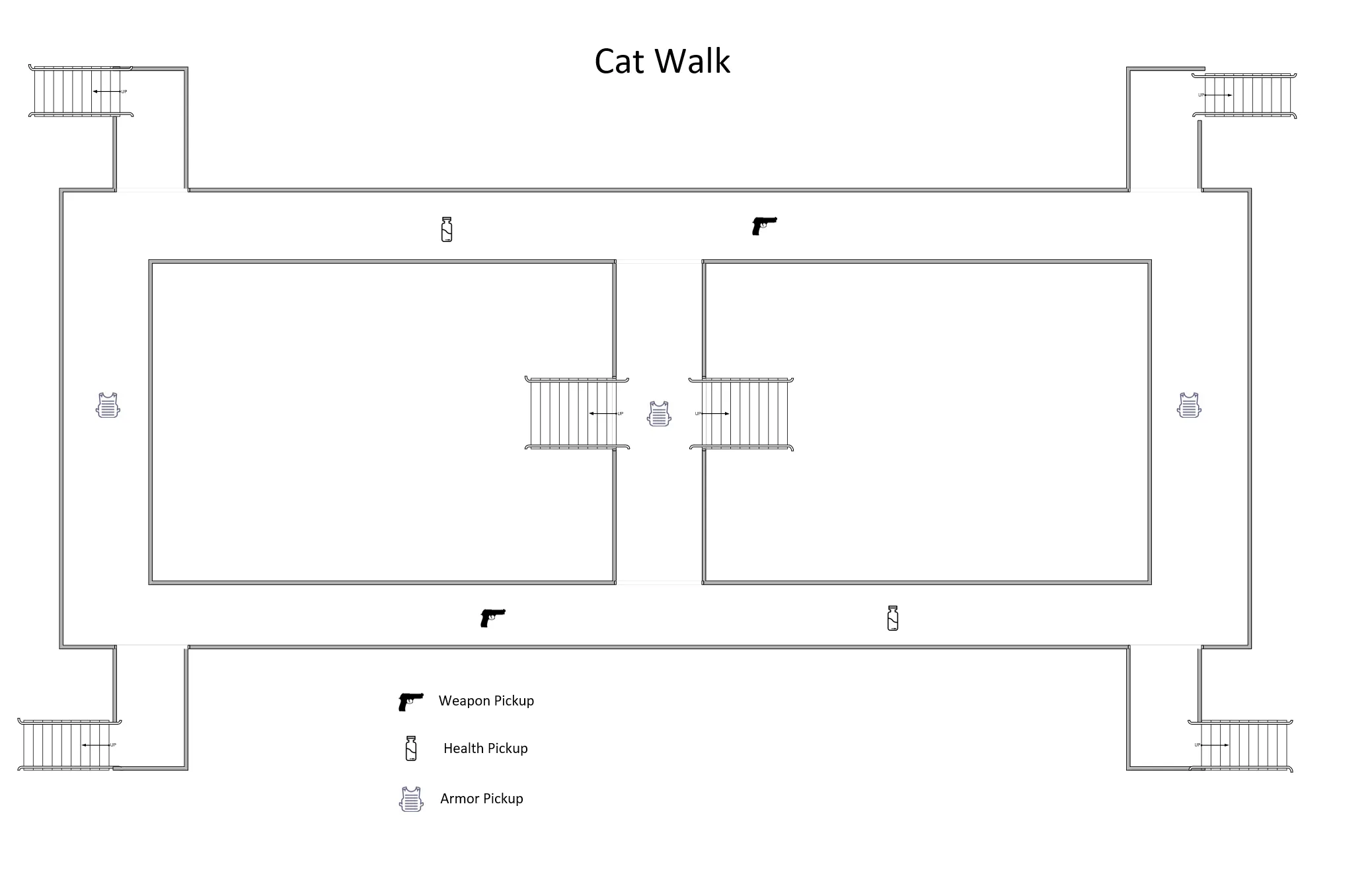

    This is the map of the catwalk, which overlooks the main floor.
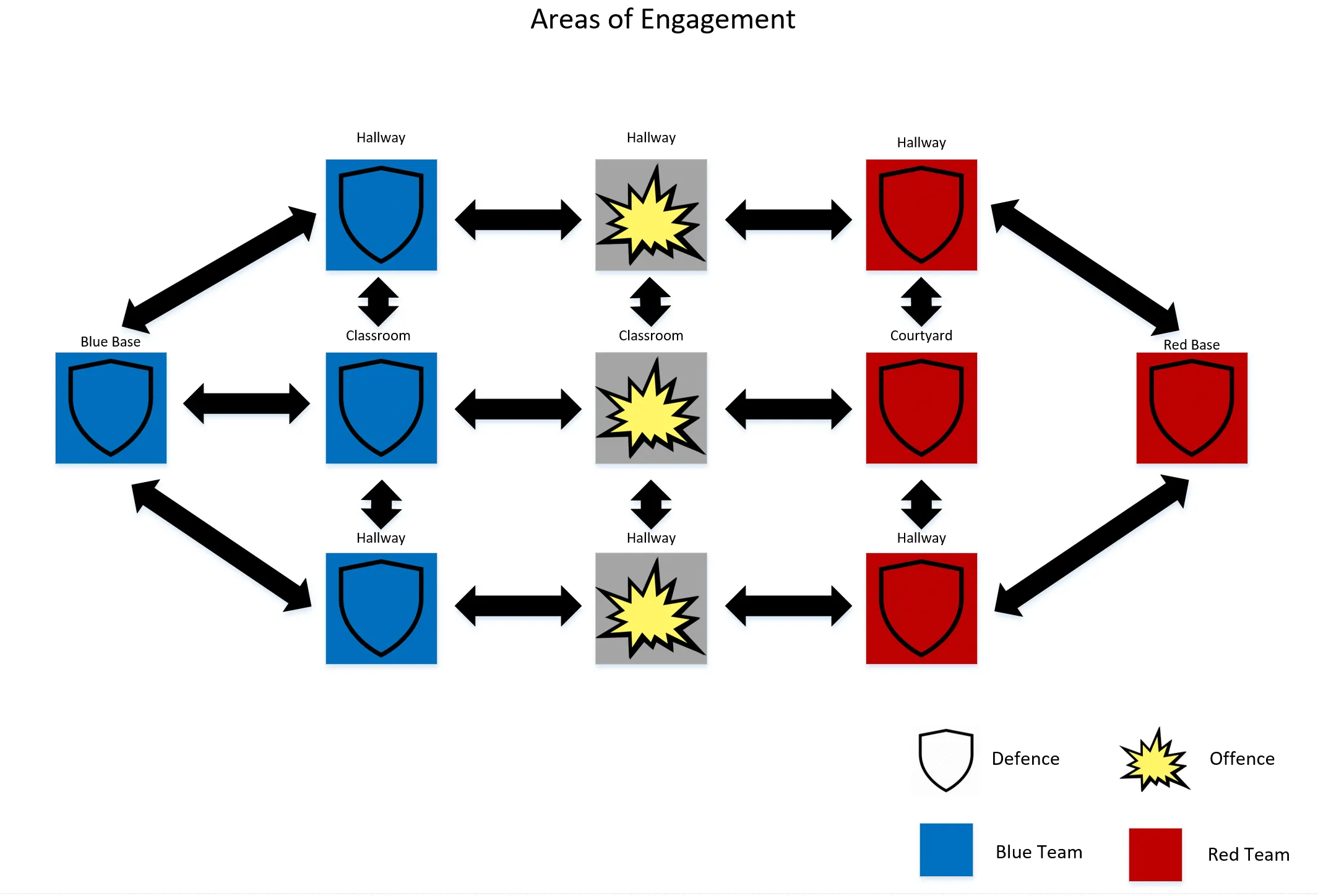

    This is a diagram of how I envisioned the engagement throughout the map


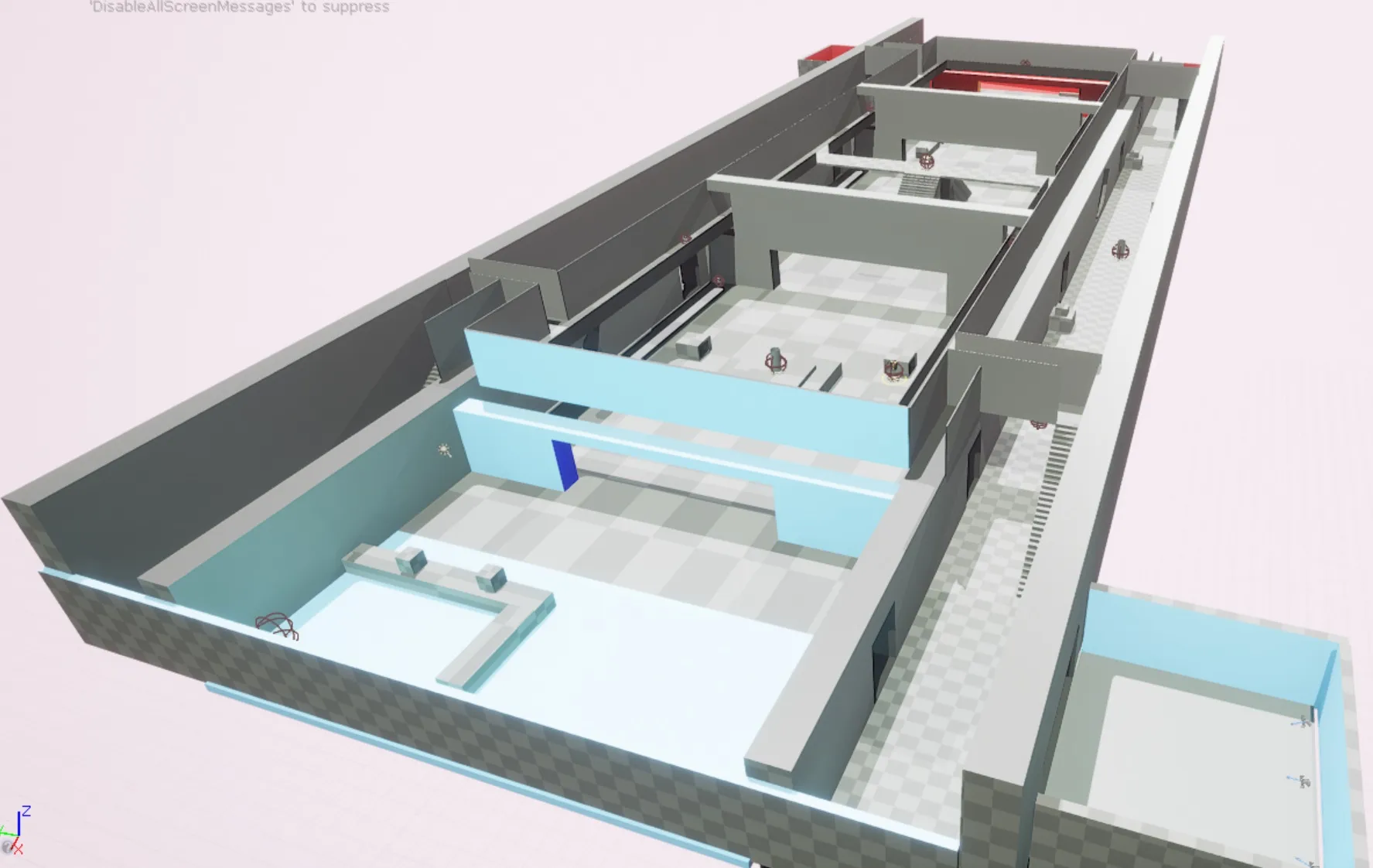
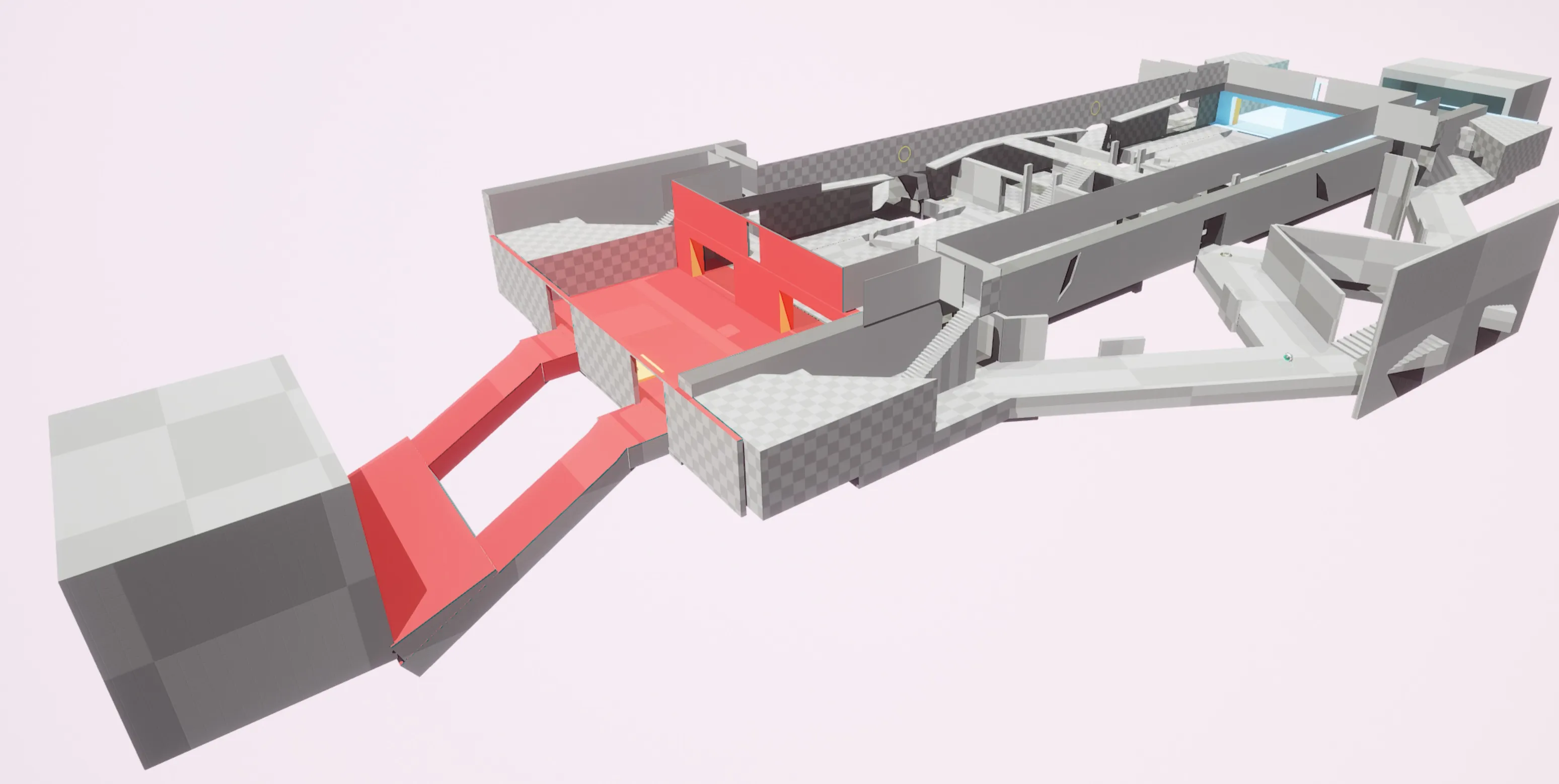
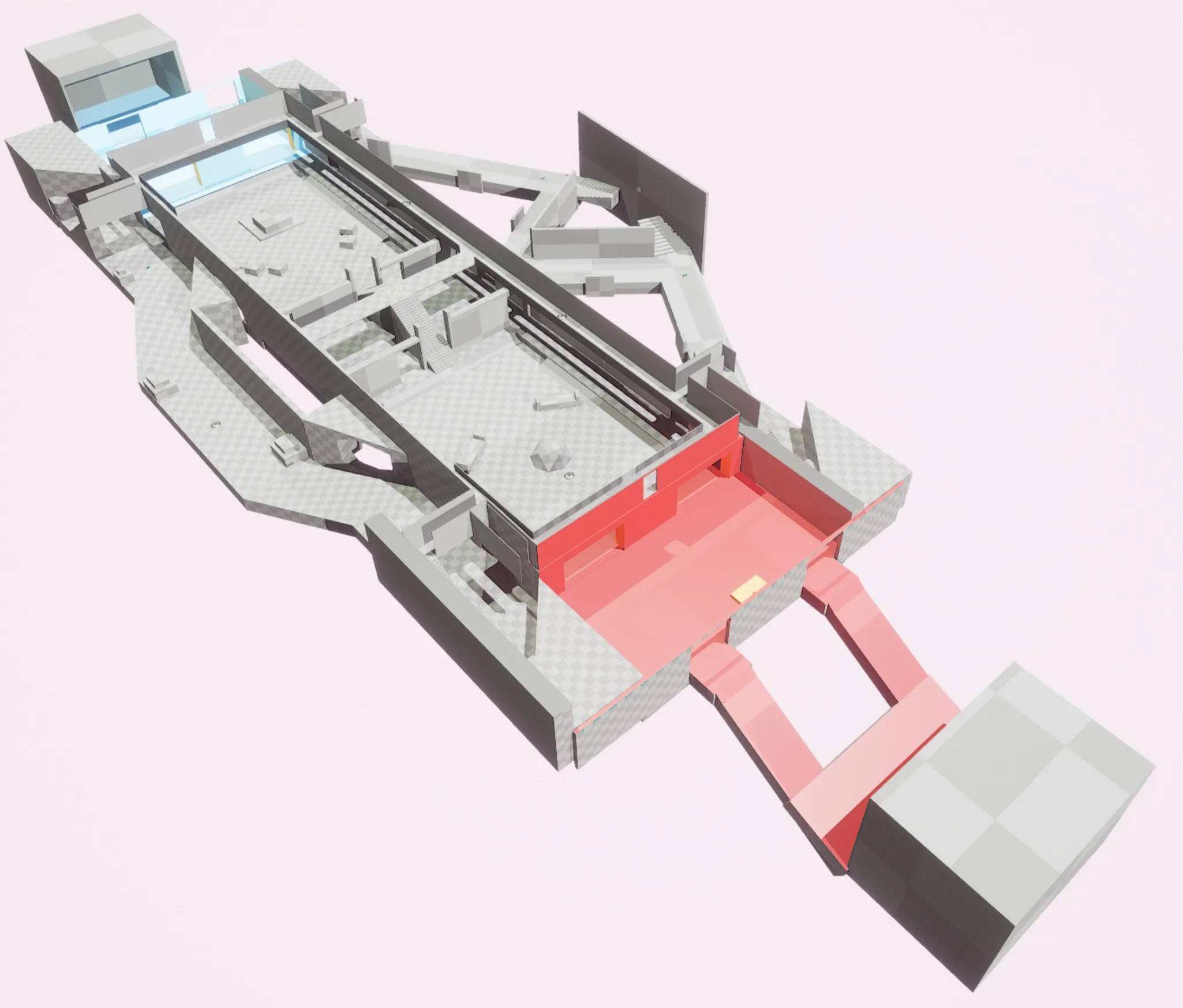
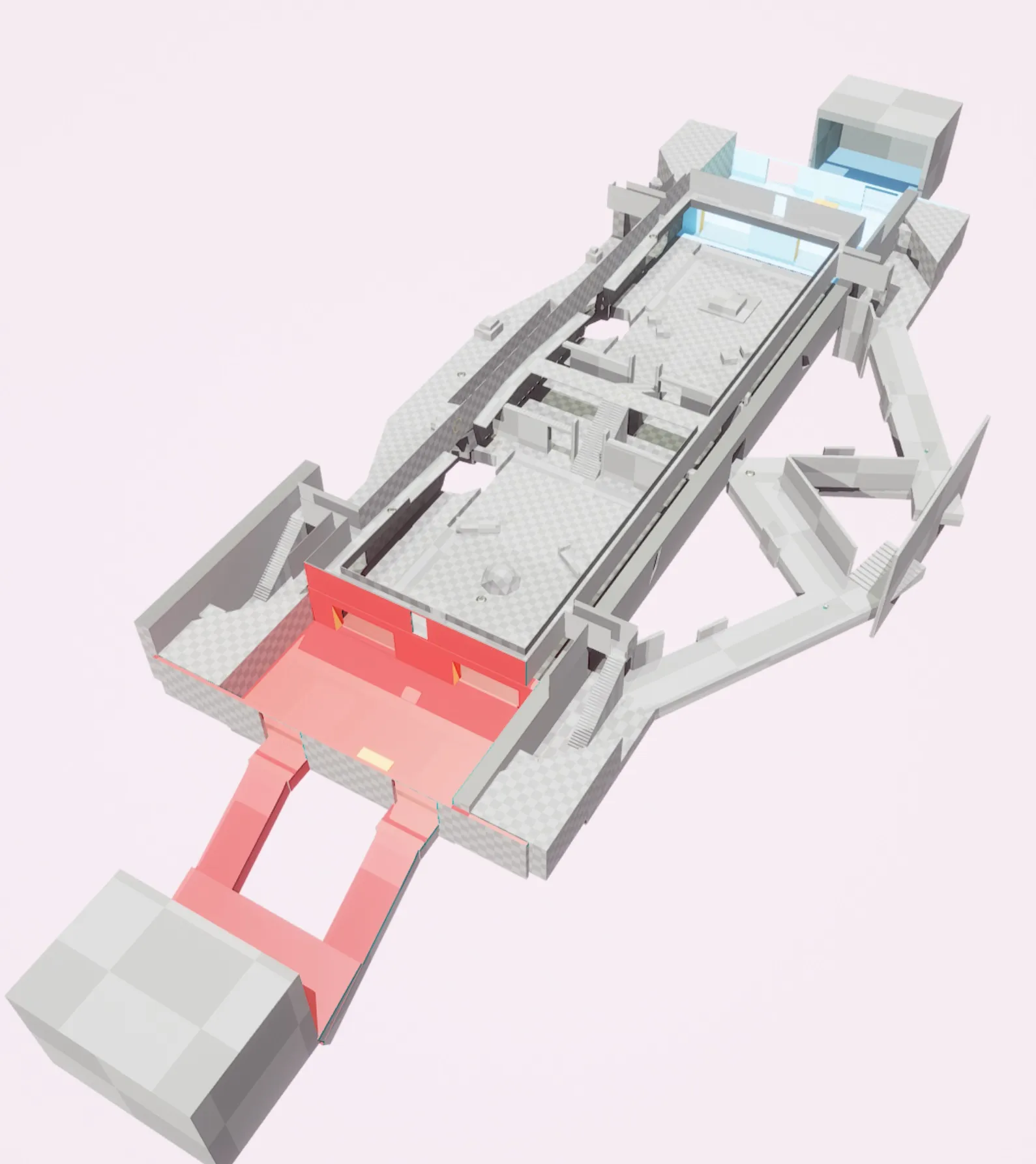
    After making these diagrams I then tried to create the level within Unreal Tournament. Here are the screenshots from the engine:
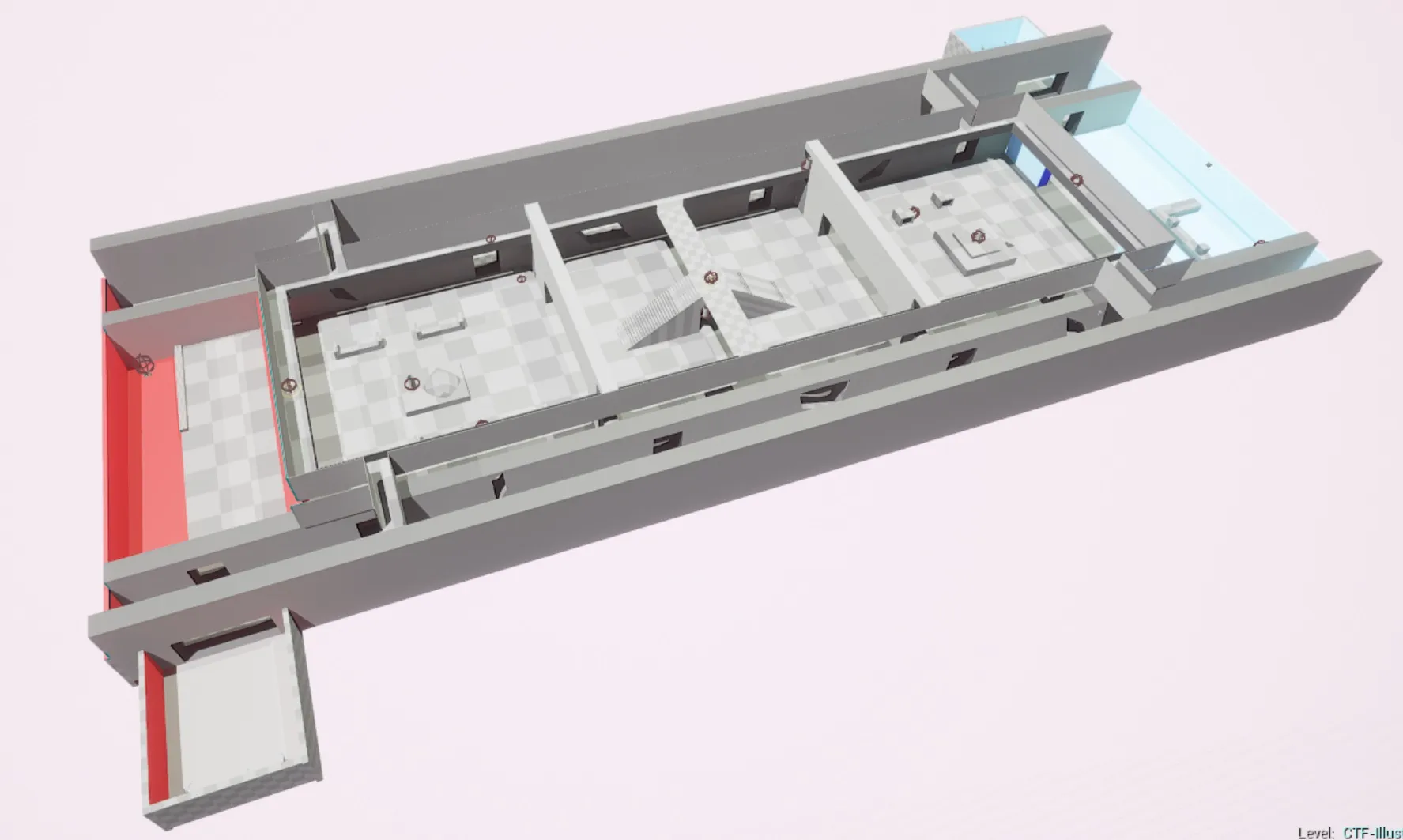
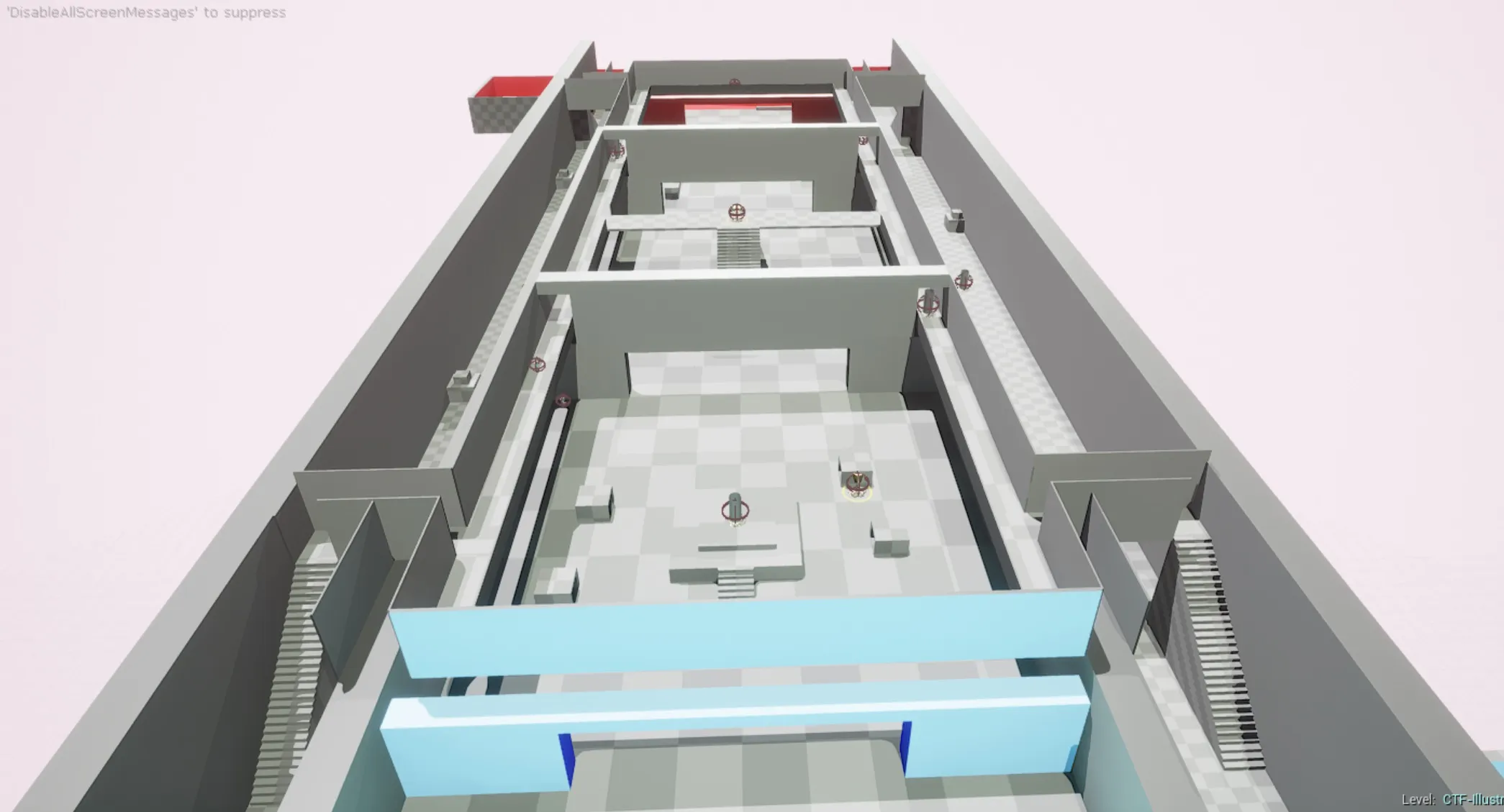
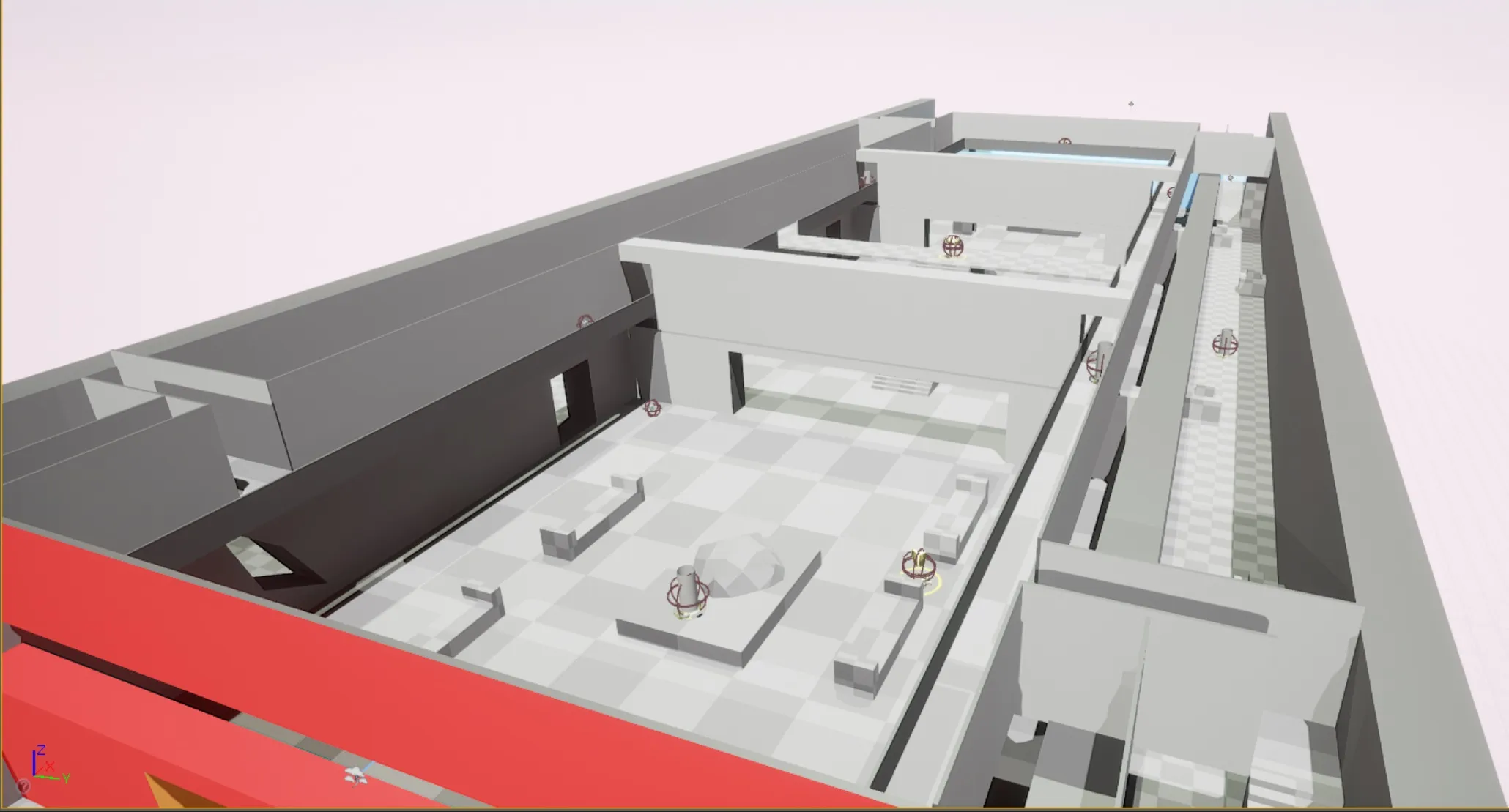
    I would love for some feedback on my first level! Looking back at it, it does seem to be very simple but I learned a lot during the process. Though I am still open to any changes and would love to hear what you think.

  • FMPONE
    • April 26, 2017 at 6:10 AM
    • #2

    Welcome!

    Cool plans. Planning is great. How about some diagonal angles and elevation changes?

  • FrieChamp
    • April 26, 2017 at 8:33 AM
    • #3

    Good start! Just to expand on what Shawn said, it looks like you are sticking a little too close to the abstract 2D layout in your greybox. Some of the connections look like reeeeally long, straight viewing distances which cause issues when people can shoot across 3/4 of the map with a sniper rifle of rocket launcher.

  • Robo_Platypus
    • April 28, 2017 at 2:08 AM
    • #4

    Welcome!

    Great progress so far, I really like the engagement map. That shows some real forethought about how players are going to flow through your level. I think you may have taken the engagement map a little too literally when you started planning out the details. Look at your map. Now try to find an angle that isn't a perfect ninety degrees! Don't take the distances between engagement points in the map to be literal, connections between engagement areas can be longer or shorter depending on how fast players flow through them. Unreal Tournament has a lot of complex rooms and hallways intersecting at odd angles, this allows advanced players to make skillful maneuvers. Great start so far, you'll be thankful for your detailed design documentation when you encounter problems later during playtesting! If you haven't seen this resource, check it out: http://bobbyross.com/library/mpleveldesign it's probably the best tutorial I've found so far.


    When are you going to give us a playable .pak of the level? I'll happily test it if it's up!

  • Buzzbrad
    • April 29, 2017 at 8:26 PM
    • #5
    Quote from FMPONE

    On 4/26/2017 at 1:10 AM, FMPONE said: Welcome!

    Cool plans. Planning is great. How about some diagonal angles and elevation changes?

    Quote from FrieChamp

    On 4/26/2017 at 3:33 AM, FrieChamp said: Good start! Just to expand on what Shawn said, it looks like you are sticking a little too close to the abstract 2D layout in your greybox. Some of the connections look like reeeeally long, straight viewing distances which cause issues when people can shoot across 3/4 of the map with a sniper rifle of rocket launcher.

    Quote from Robo_Platypus

    On 4/27/2017 at 9:08 PM, Robo_Platypus said: Welcome!

    Great progress so far, I really like the engagement map. That shows some real forethought about how players are going to flow through your level. I think you may have taken the engagement map a little too literally when you started planning out the details. Look at your map. Now try to find an angle that isn't a perfect ninety degrees! Don't take the distances between engagement points in the map to be literal, connections between engagement areas can be longer or shorter depending on how fast players flow through them. Unreal Tournament has a lot of complex rooms and hallways intersecting at odd angles, this allows advanced players to make skillful maneuvers. Great start so far, you'll be thankful for your detailed design documentation when you encounter problems later during playtesting! If you haven't seen this resource, check it out: http://bobbyross.com/library/mpleveldesign it's probably the best tutorial I've found so far.


    When are you going to give us a playable .pak of the level? I'll happily test it if it's up!

    Hey everyone, thanks for the amazing feedback. It is true that I took my diagrams very literal as you can tell. I definitely agree that the hallways along the side have very long sight lines and should be changed. The idea of using diagonals sounds like a really good idea, so I am going to change the side hallways to suit that. Along with adding some elevation to the middle area. I will keep you all posted!

    Also Robo_Platypus, thanks for that link, I will definitely check it out. Once I make these changes I will post a playable .pak!

  • Buzzbrad
    • May 11, 2017 at 3:08 AM
    • #6

    Hello!

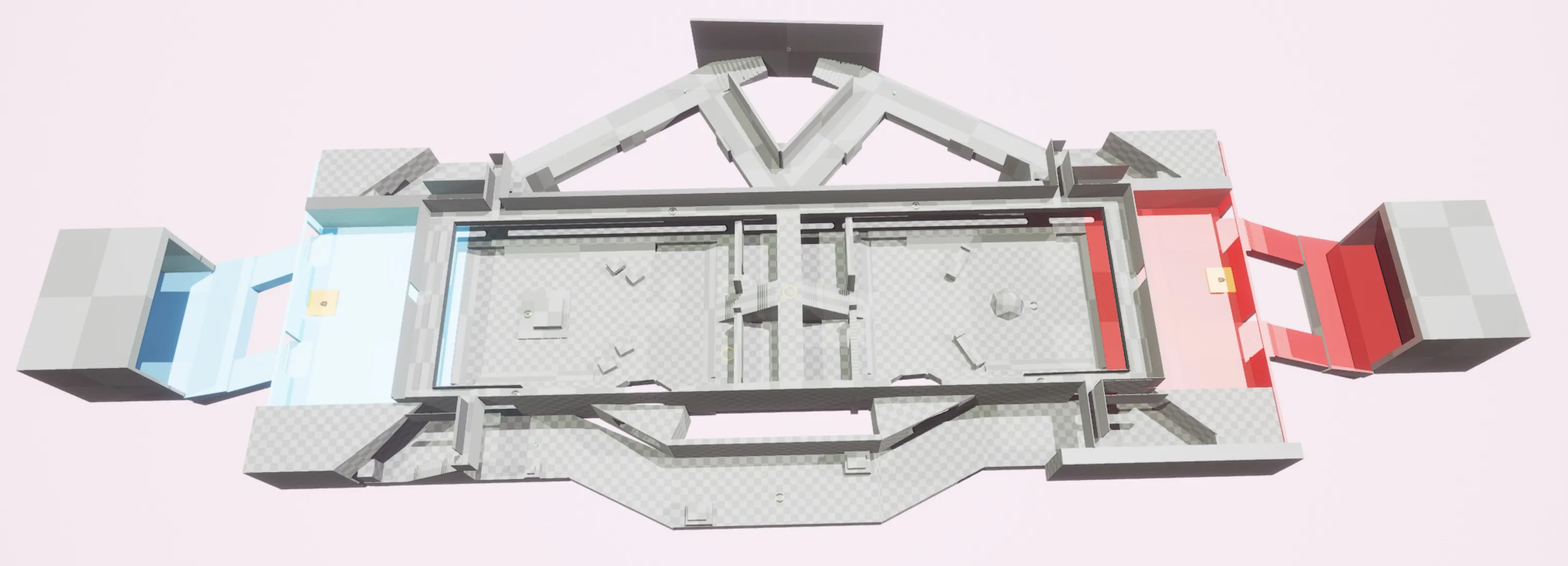
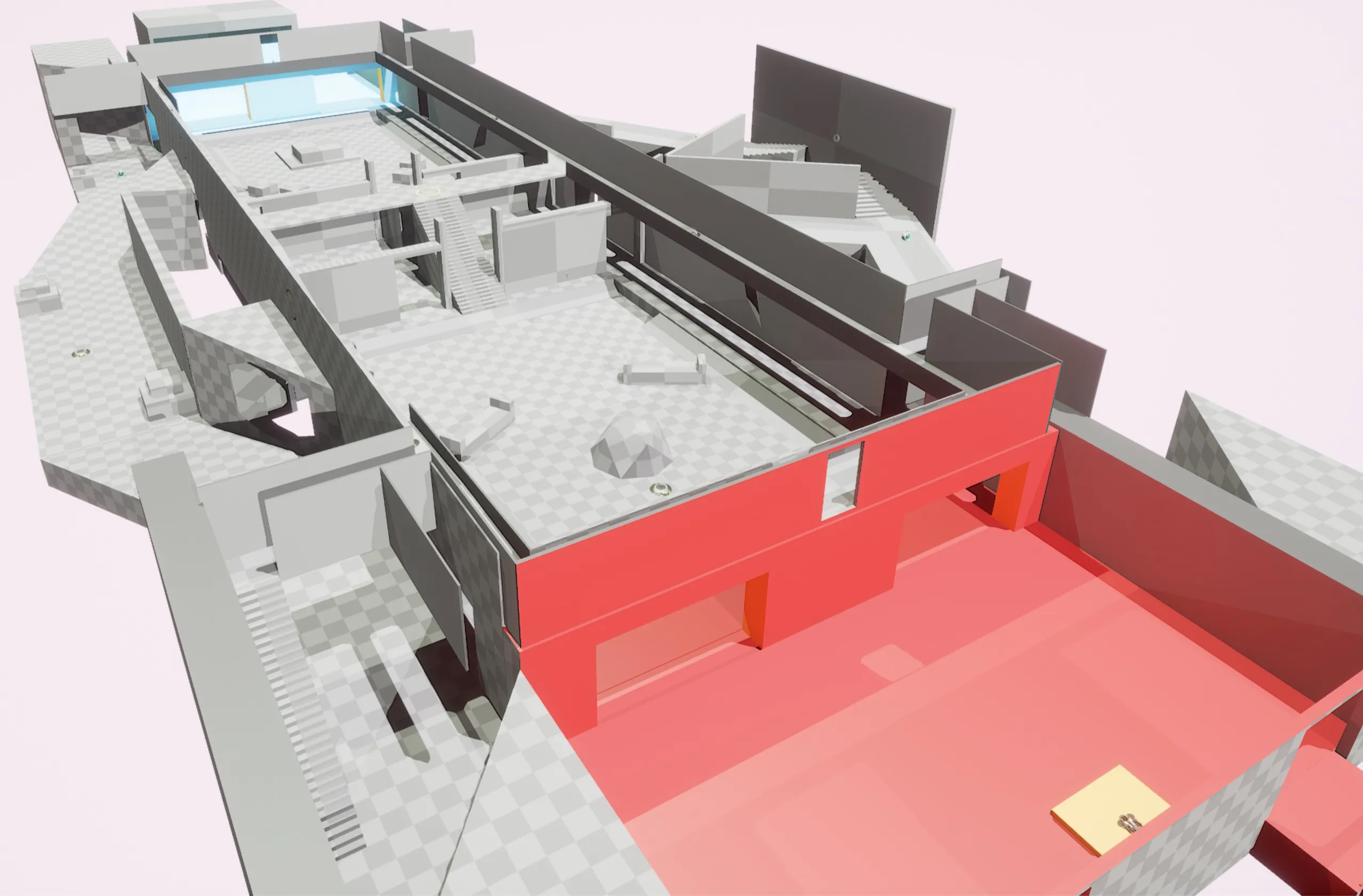
    After reading your comments and some more articles about level design, I have updated my map. I tried to make the side lanes much more interesting, and also tried my best to eliminate very long sight lines. Along with adding some elevation changes and different angles. Please let me know what you think!


    So as you can tell from the pictures I made various changes.

    • changed the spawns from being at the side to now being in the middle with a ramp leading up to the battlefield
    • changed the hallways drastically, they each have a unique design to them
    • changed the catwalk so one side now requires wall running to get across
    • added a dipped area to each teams first defensive room
    • changed the flags to now be more open and in the centre of the room
    • added an entrance from the catwalk into the flag room
    • the one side wall now has large crack in the wall allowing for passage between the middle and the hall
    • I redid the centre area so it is smaller and more confined
    • changed some of the health/armor/weapon placements to better suit the new design
    • the map now better suits 4v4 or 5v5 gameplay

    I also built a playable .pak file which supports AI. Any testing would be greatly appreciated! https://goo.gl/wdduM8


    Please let me know what you think, feedback is more then welcome. Hopefully the .pak file allows you all to try it.

  • 2d-chris
    • May 11, 2017 at 6:28 PM
    • #7

    I like the Zigzags, not easy to do!

  • Buzzbrad
    • May 12, 2017 at 5:58 PM
    • #8
    Quote from 2d-chris

    23 hours ago, 2d-chris said: I like the Zigzags, not easy to do!

    Thanks Chris! Glad you like them.

Participate now!

Don’t have an account yet? Register yourself now and be a part of our community!

Register Yourself Login
Discord

The Mapcore Discord is our lively IRC channel of the 2000s reborn. Chat about level design, gaming, and more.

Latest Posts

  1. Any of the old guard still around? D:

    Warby
    July 12, 2026 at 8:23 PM
  2. About our archived forums

    Thrik
    June 30, 2026 at 2:12 PM
  3. Mapcore Discord

    mason_fan123
    June 24, 2026 at 8:52 PM
  4. [CS2] Valley

    Serialmapper
    June 22, 2026 at 11:56 AM
  5. Free Music / SFX Resource - Over 2500 Tracks

    Eric Matyas
    June 18, 2026 at 12:32 PM
  6. Pango [WIP]

    Elowen
    June 11, 2026 at 10:13 AM
  7. [CS2] Dvina

    Jeremy Rivera
    June 11, 2026 at 10:03 AM
  8. Bridges 2.0 by NEXSIDE, MAP SHOWCASE. ( Steam Workshop )

    MrTrane18
    June 1, 2026 at 7:46 PM
  9. Classic Maps Reborn For CS2

    SillySpaceCat
    May 31, 2026 at 10:33 PM
  10. [CS2] Dvina

    Pulbusha
    May 29, 2026 at 5:54 PM

Users Viewing This Thread

  • 3 Guests
  1. Privacy Policy
  2. Contact
Powered by WoltLab Suite™