

How fix this error? 
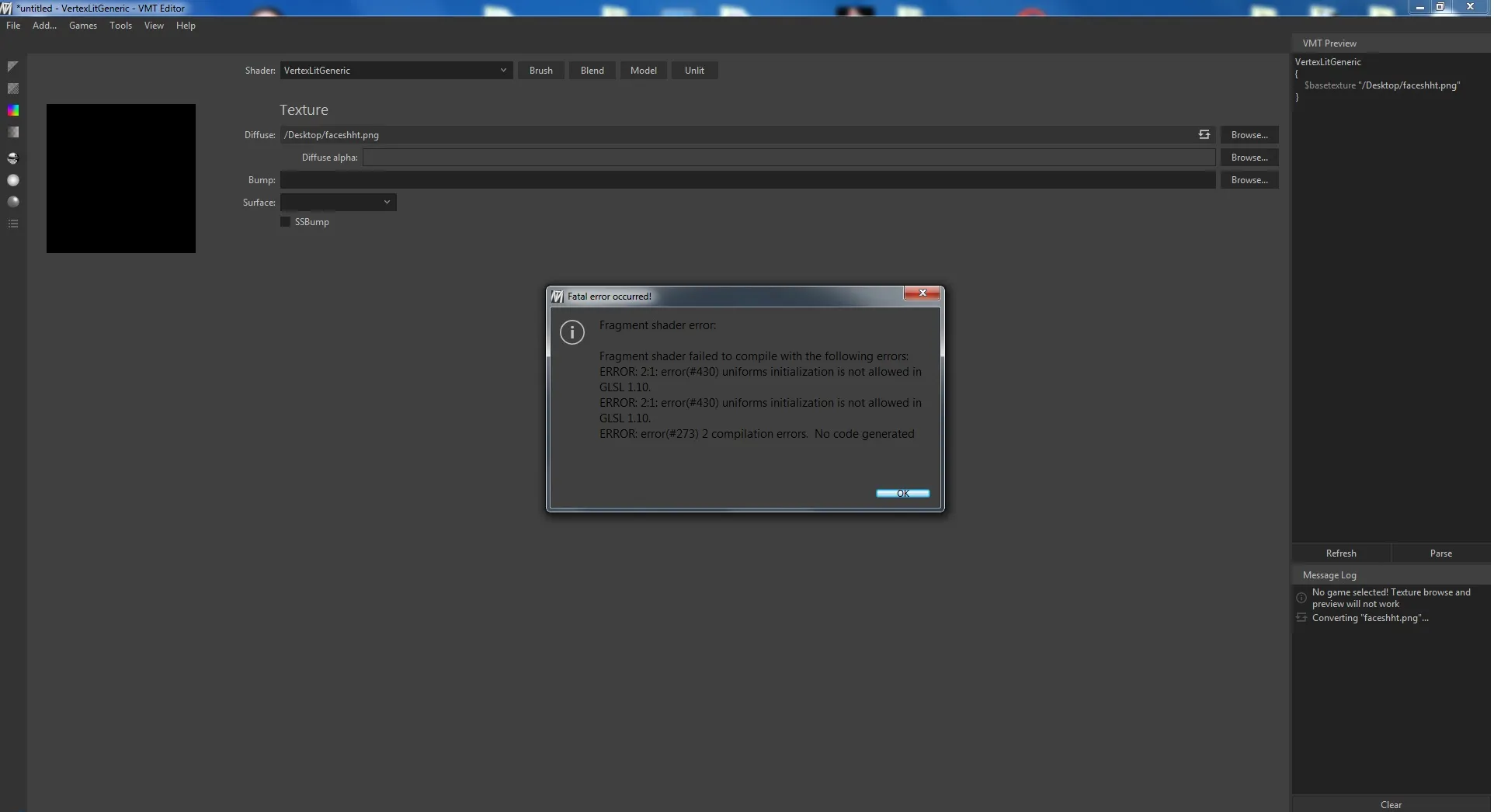

How fix this error?
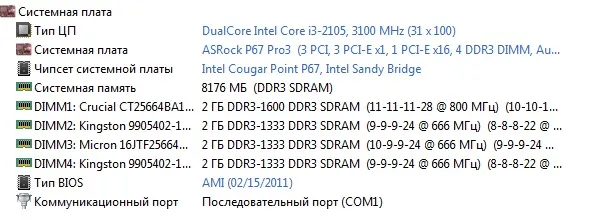
@Minitiv Can you describe the steps to reproduce the error? Haven't seen this one before. Also post your system specifications.
Quote from Yanzl1 hour ago, Yanzl said: @Minitiv Can you describe the steps to reproduce the error? Haven't seen this one before. Also post your system specifications.
this error happing when I loading PNG \ VTF its all starts from VMT Editor 1.3.2 \ 1.3.3 \ 1.3.4 versions same error. To be honest i dont know why this is happing. :I Well at least VMT_Editor_1.3.1 - works perfectly fine.
I've been meaning to post a feature request for ages but I keep forgetting, so I'm going to drop everything I'm doing right now and post it. Here goes ... feature request incoming ... NOW!
Would it be possible to auto-generate a hammer preview texture when you create a blend material? Like the ones where there's a diagonal line through the middle and on each side you see the two textures that are included in the blend material? I think that would be neat, and super helpful when you're working on a map with lots of complex interlocking displacements.
@Minitiv Are you using integrated Intel graphics? Found a bug that causes it to fallback to oldest OpenGL version. Can you try this version and see if it's fixed: http://gortnar.com/vmt/VMT_Editor.exe
@text_fish I think that would be possible to implement, though it'll probably take some time before it's done.
Quote from YanzlOn 15.04.2017 at 1:40 AM, Yanzl said: @Minitiv Are you using integrated Intel graphics? Found a bug that causes it to fallback to oldest OpenGL version. Can you try this version and see if it's fixed: http://gortnar.com/vmt/VMT_Editor.exe
Won't work

@Minitiv Sent you a pm
Quote from YanzlOn 19.04.2017 at 9:44 PM, Yanzl said: @Minitiv Sent you a pm
GOD DAMN, NOW ITS WORKS PERFECTLY.  Thanks for your support bro! sorry for late answer, i was super busy T_T And you Sir make my day!

@text_fish Here it is!
VMT Editor 1.3.5
https://github.com/Gira-X/VMT-Editor/releases
[*] Added automatic creation of tool textures for blend materials [*] Reversed reflection fresnel slider [*] Minor bug fixes [/list] [Blocked Image: https://cloud.githubusercontent.com/assets/16923579/25317169/94c6ea76-2873-11e7-9fe6-f34f1d465551.png]
Woah, you even added a nice transition!
[Blocked Image: https://media.giphy.com/media/eKTkklyW66lvW/giphy.gif]
Thanks @Yanzl
Time to bring this thread up to date!
VMT Editor 1.3.9 now with an official website.
https://gira-x.github.io/VMT-Editor/
Biggest changes since 1.3.5:
Thanks for the release! Love the new changes.
I have been running 1.3.7 so far, but when I use "Check for updates" it says that 1.3.7 is the most current one. When using the new version instead of updating the old one, all my links to textures (for 1-click conversion) are broken. Is there a way to either force 1.3.7 to update or transfer all the linked textures to the new version?
Yeah you just download the zip and overwrite the old files with new or just the VMT_Editor.exe. The settings are stored in separate files that are not included in the zip so you don't lose anything (settings.ini and paths.ini).
I've created some official documentation for VMT Editor and Substance shaders.
Hopefully you'll find this useful and discover some new features.
@Yanzl I was trying to figure out my issue when I was using this to help create VMTs for SFM Hammer. Every texture I was creating ended up appearing invisible. It turns out I needed to change it to RGBA8888 or RGBA16161616 and not DXT1. I think that the "Convert to VTF" configuration menu would need a template for SFM textures that has RGB888 for non-alpha and RGBA8888 for alpha. An 8 bit and a 16-bit version would help. Something like SFM Low and SFM High.
The Uncompressed template sets the textures to be BGR888 or BGRA8888. Though DXT compressed textures not working in SFM seems weird, since all the default models/maps use DXT compressed textures, sure there's not an issue somewhere else? Also I believe 16 bit textures are not really supported by VTFCmd, utility that we use to convert the textures, so no point in using that.
Don’t have an account yet? Register yourself now and be a part of our community!