


1. Forums
  2. Discord
  3. About Mapcore
  4. Patreon Supporters
  • Login
  • Register
  • Search
This Thread
  • Everywhere
  • This Thread
  • This Forum
  • Articles
  • Pages
  • Forum
  • More Options
  1. Mapcore
  2. Discussions
  3. Level Design

Plants props are not showing in game!

  • Naivi
  • March 9, 2016 at 8:59 PM
  • Naivi
    • March 9, 2016 at 8:59 PM
    • #1

    Hi,i have got little problem.When i put any Plants prop in Hammer Editor and then ill compile map and run it,i cant see models in game. I have tried every prop_ types i can but its still not working.

    I find out that when i run map its write this in console:

    #######################################
    Map 0_texture missing stringtable dictionary, don't ship this way!!!
    Run with -stringtables on the command line or convar
    stringtable_alwaysrebuilddictionaries enabled to build the string table
    #######################################
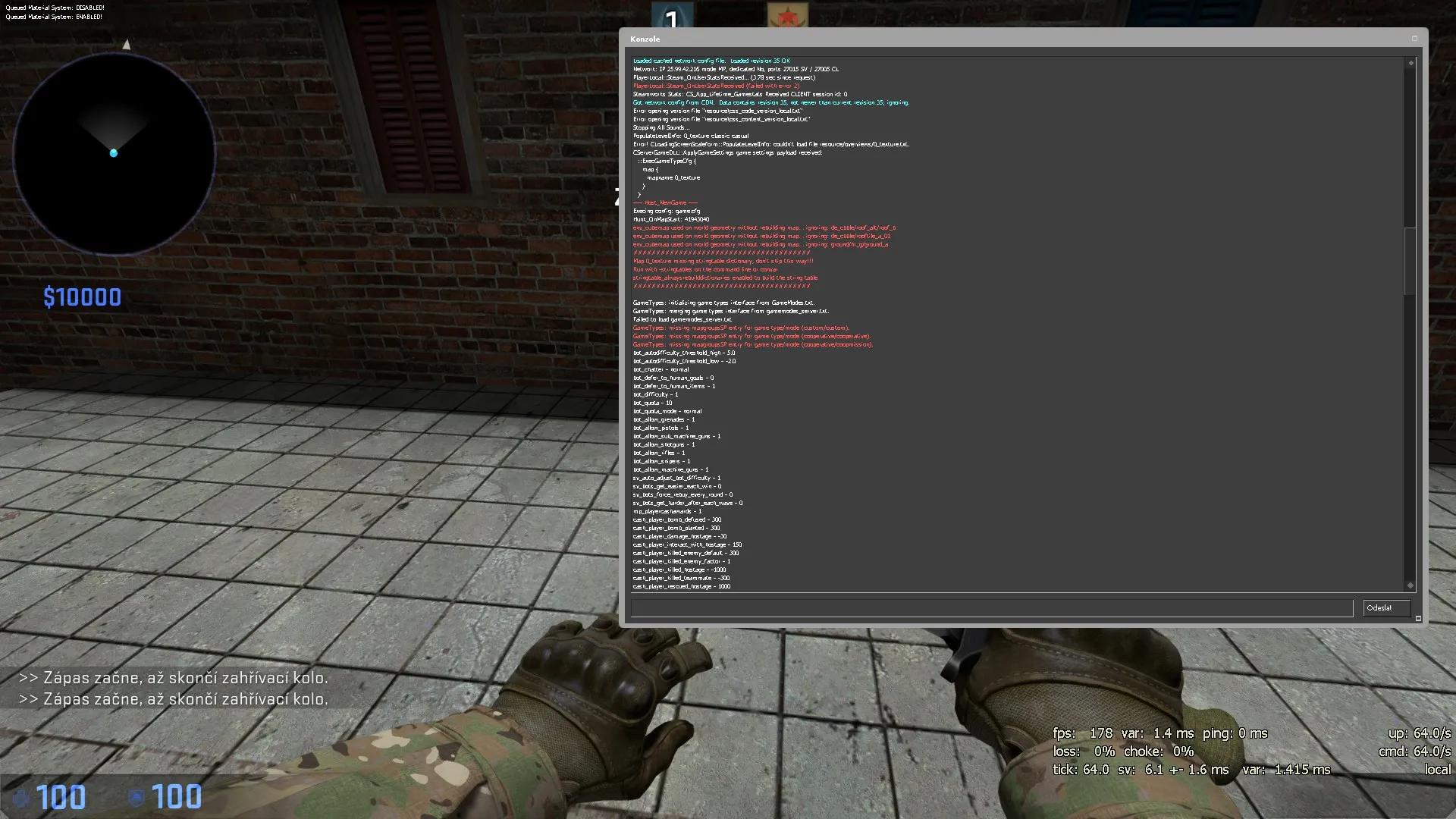
    Every other Props are working. Does anyone know what to do? Thank you:)
    (Sorry for my English im in hurry...)

  • cashed
    • March 9, 2016 at 9:03 PM
    • #2

    props_physics_multiplayer

    try that


    Also I noticed that your window models are prop_dynamic. Unless you are putting logic into them then make them prop_static

  • Naivi
    • March 9, 2016 at 9:33 PM
    • #3
    Quote from cashed

    props_physics_multiplayer

    try that


    Also I noticed that your window models are prop_dynamic. Unless you are putting logic into them then make them prop_static

    Thank you man! Its finally working. I found out that one of problems was that when i Runned map.. via Expert compiling it didnt save,so always when i compiled it it didnt show any effect. So i tried to Compile it via Normal way + i tried props_physics_multiplayer and its working!
    But like you wrote about that prop_static ... when i tried it on these windows there just become black.

  • El_Exodus
    • March 9, 2016 at 9:55 PM
    • #4
    Quote from Naivi

    Thank you man! Its finally working. I found out that one of problems was that when i Runned map.. via Expert compiling it didnt save,so always when i compiled it it didnt show any effect. So i tried to Compile it via Normal way + i tried props_physics_multiplayer and its working!
    But like you wrote about that prop_static ... when i tried it on these windows there just become black.

    https://migrationtest.mapcore.org/topic/19894-cs…&comment=410536

  • cashed
    • March 10, 2016 at 7:52 PM
    • #5

    another walk through for fixing the black rendering

    http://www.worldofleveldesign.com/categories/csg…fire-update.php

Participate now!

Don’t have an account yet? Register yourself now and be a part of our community!

Register Yourself Login
Discord

The Mapcore Discord is our lively IRC channel of the 2000s reborn. Chat about level design, gaming, and more.

Latest Posts

  1. POLYSTRIKE - Finally Announced After Years of Development!

    'RZL
    August 21, 2026 at 2:06 PM
  2. [CS:GO][WiP] cs_opera

    leplubodeslapin
    August 20, 2026 at 12:31 AM
  3. Building a Huge Library of Free Images for Everyone

    Eric Matyas
    August 17, 2026 at 1:23 PM
  4. Any of the old guard still around? D:

    Chunks
    August 7, 2026 at 11:08 PM
  5. CS:S | cs_manoir | Map creation process by D'artagnan

    Thrik
    August 3, 2026 at 10:42 AM
  6. Custom Gamemodes Contest

    Angel
    July 20, 2026 at 11:46 AM
  7. FAQ

    Angel
    July 20, 2026 at 10:14 AM
  8. Tangerine

    Harry Poster
    July 18, 2026 at 11:10 AM
  9. About our archived forums

    Thrik
    June 30, 2026 at 2:12 PM
  10. Mapcore Discord

    mason_fan123
    June 24, 2026 at 8:52 PM
  1. Privacy Policy
  2. Contact
Powered by WoltLab Suite™