1. Forums
  2. Discord
  3. About Mapcore
  4. Patreon Supporters
  • Login
  • Register
  • Search
This Thread
  • Everywhere
  • This Thread
  • This Forum
  • Articles
  • Pages
  • Forum
  • More Options
  1. Mapcore
  2. Discussions
  3. Level Design

de_jackpot[WIP]

  • Sirlock
  • October 9, 2015 at 10:25 AM
  • Sirlock
    • October 9, 2015 at 10:25 AM
    • #1

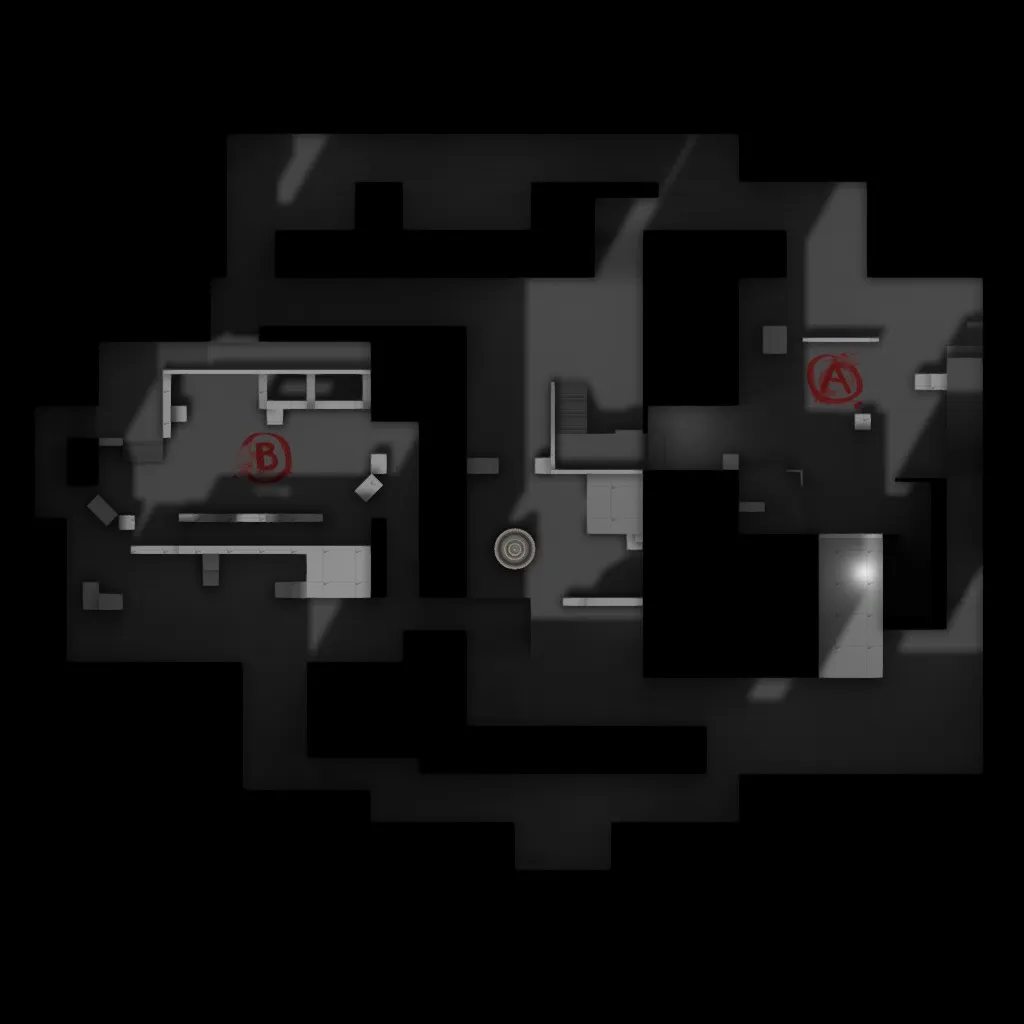
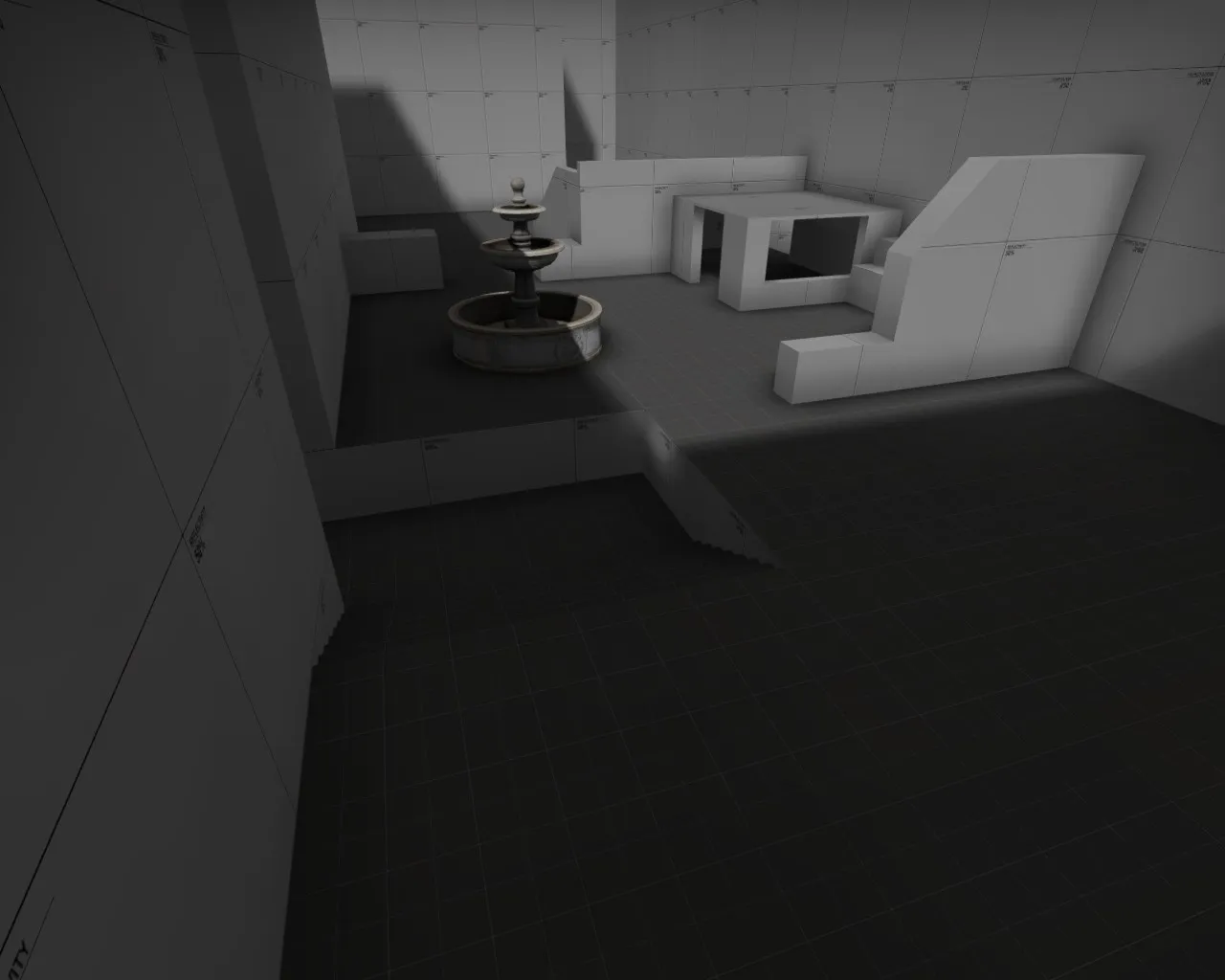
    Hey there for the past couple of months (minor break in between some of my work due to hitting a wall with what to do.) I have been working on a competitive defusal map for CSGO. I feel I am at the point where most of my tweaking is really going to come from play testing it with people but I figured I would see if anyone else has input on what could potentially be reworked. Any sort of feedback would be awesome. This is my map so far: http://steamcommunity.com/sharedfiles/fi…s/?id=530978504

  • jackophant
    • October 9, 2015 at 10:56 AM
    • #2

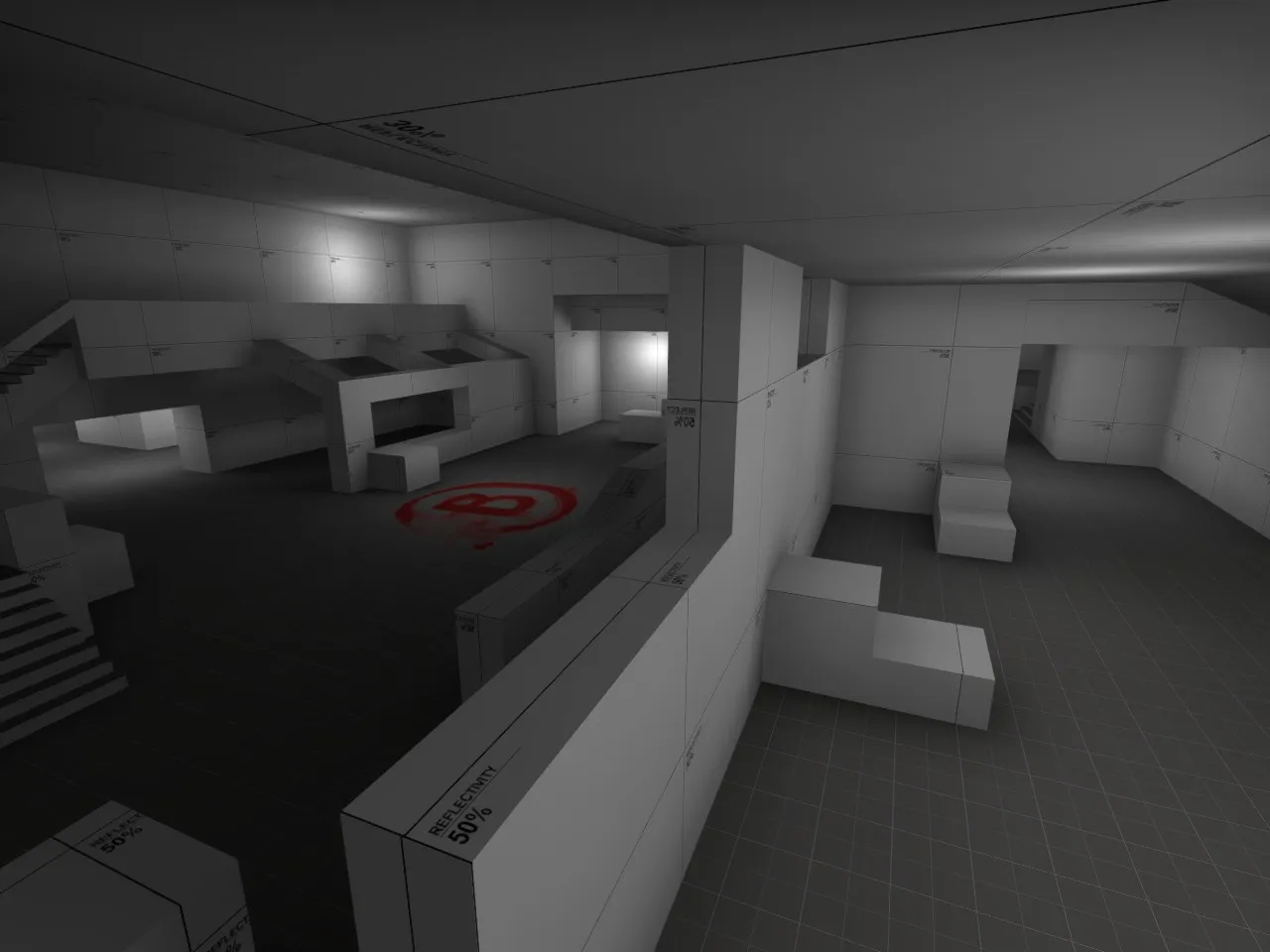
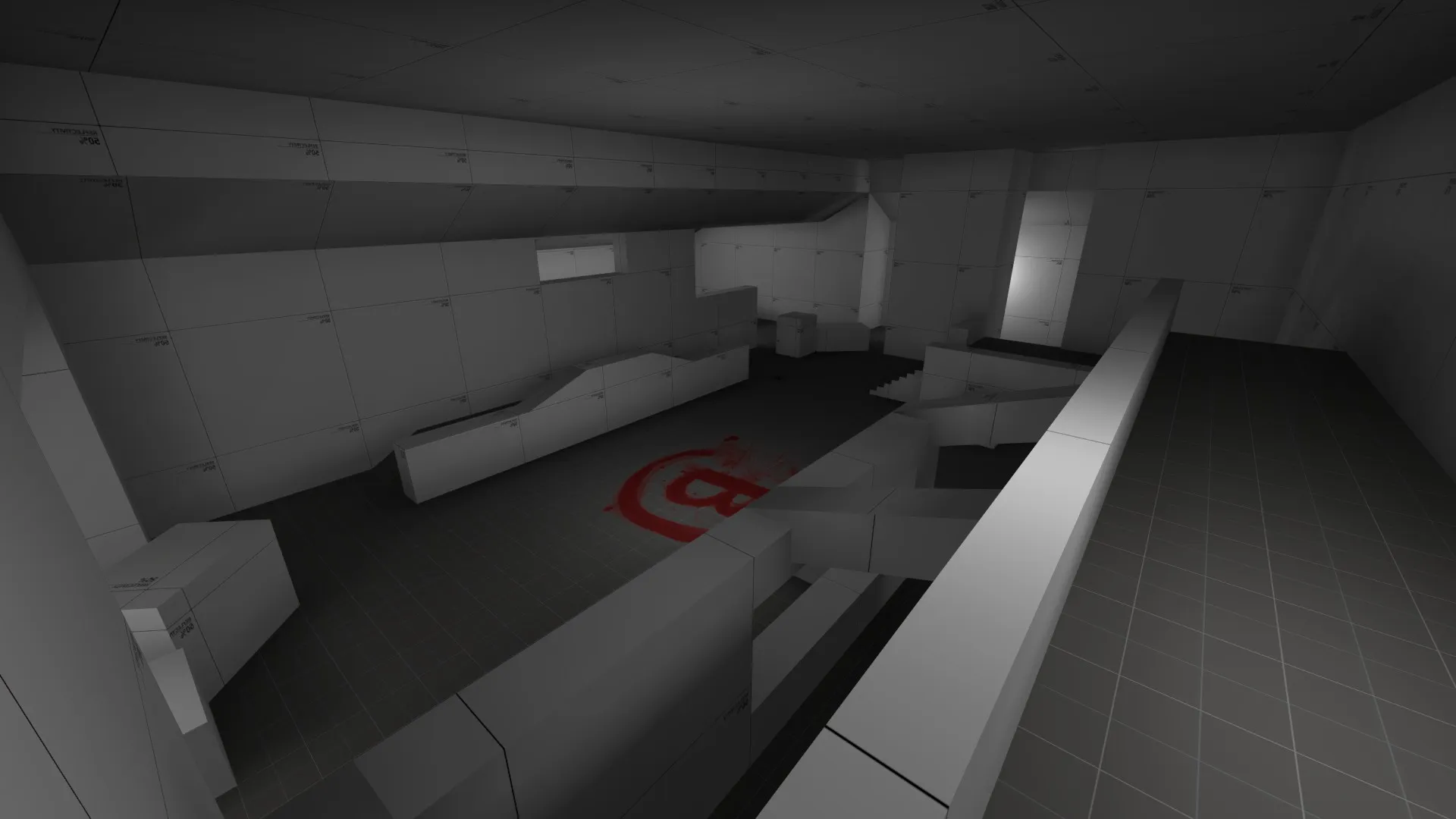
    Looks like a good start, I like the layout of bombsite B especially but it all needs a little tightening up.

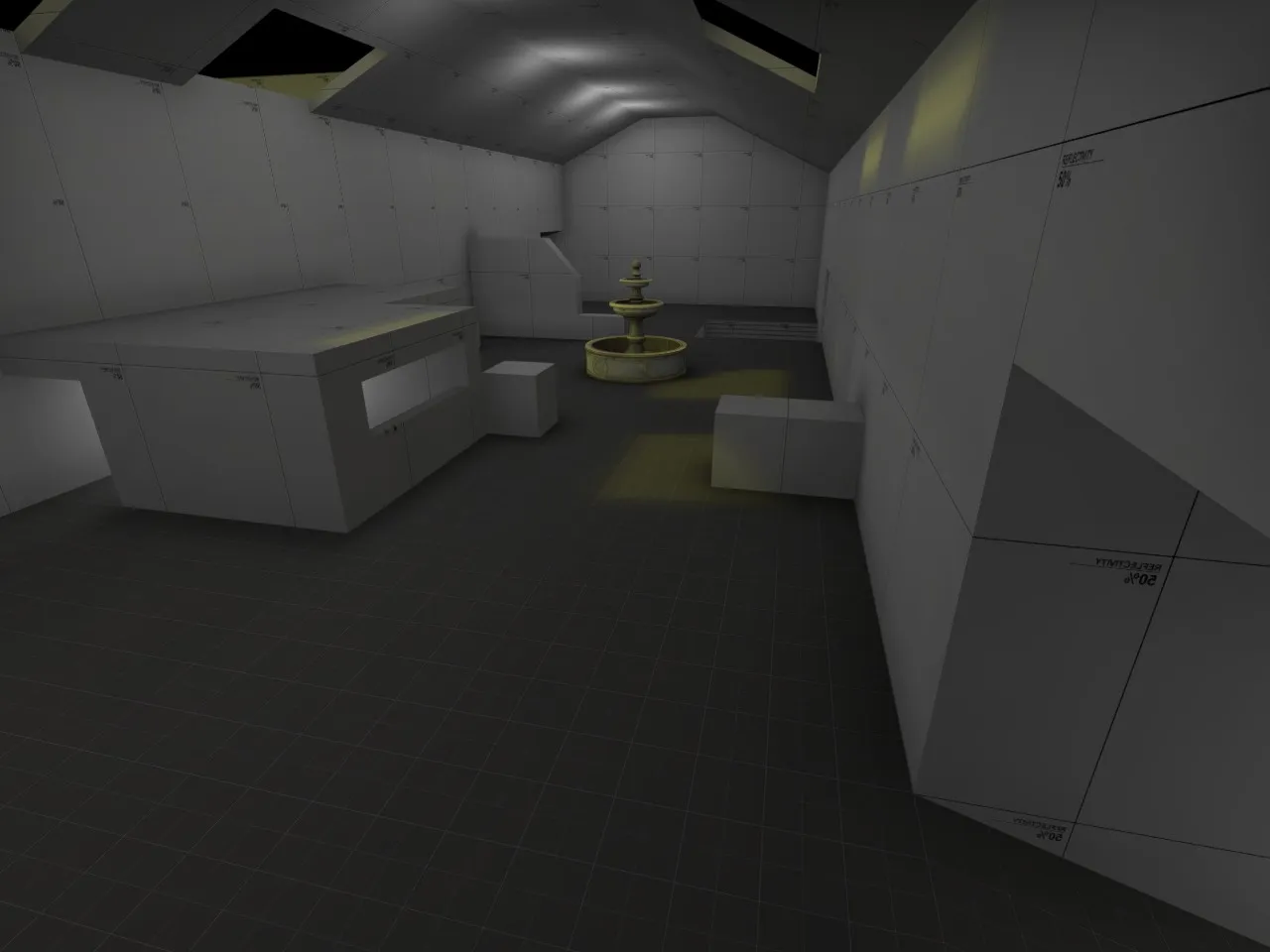
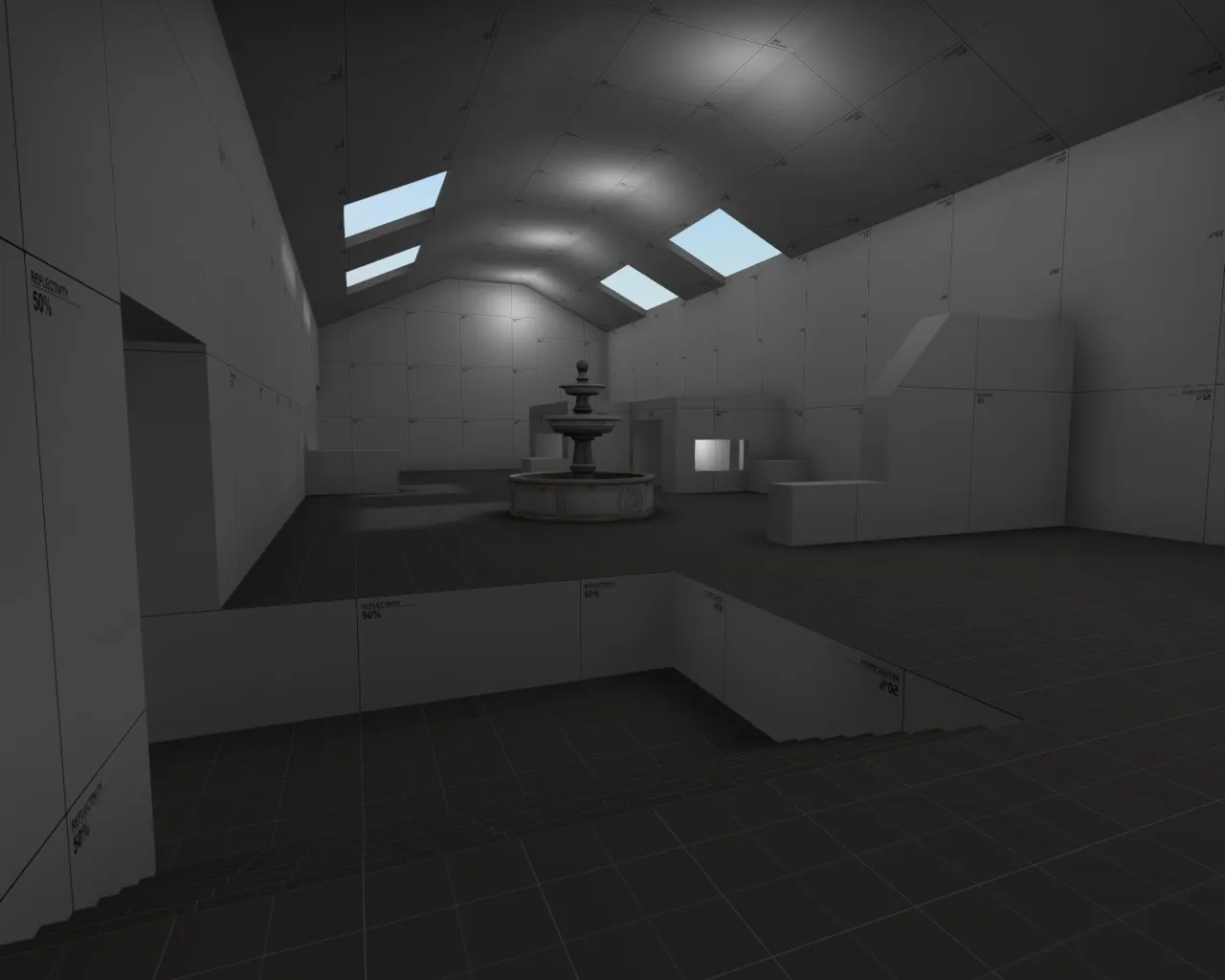
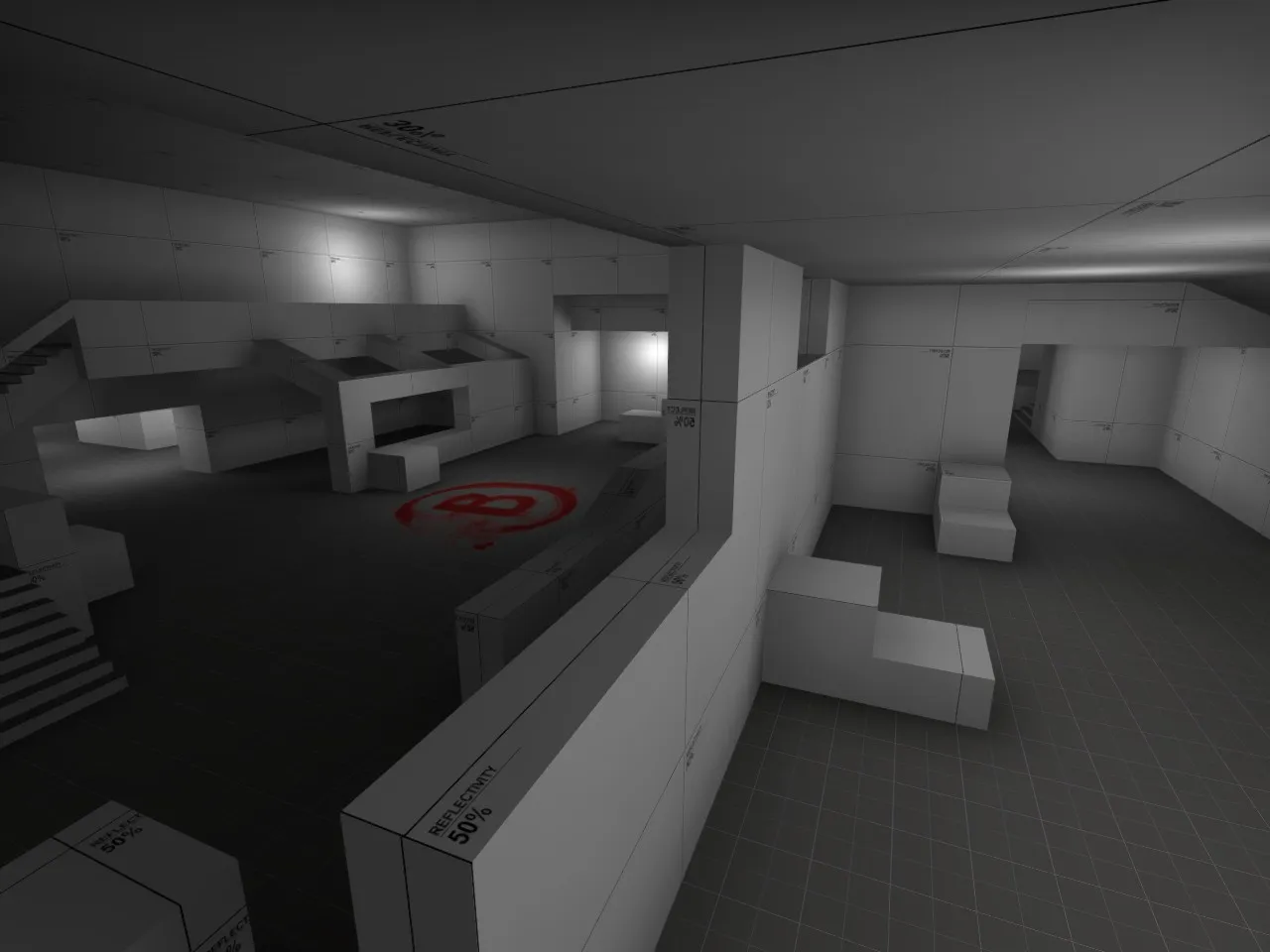
    I would suggest you drop those walls right down as well, (makes everything feel very enclosed and shady) and work with the reflectivity textures as they give a better idea of lighting as they are closer to white.

    What sort of theme will you be aiming for? It's important to get that down now, so you can start looking for references and craft the brushwork towards that final theme.

  • Sirlock
    • October 9, 2015 at 11:04 AM
    • #3
    Quote from jackophant

    Looks like a good start, I like the layout of bombsite B especially but it all needs a little tightening up.

    I would suggest you drop those walls right down as well, (makes everything feel very enclosed and shady) and work with the reflectivity textures as they give a better idea of lighting as they are closer to white.

    What sort of theme will you be aiming for? It's important to get that down now, so you can start looking for references and craft the brushwork towards that final theme.

    Yeah I was intending on making the walls lower eventually it was just a matter of working out the flow of the map first , and I was intending on going for a casino theme so its going to be fairly enclosed in the long run.

  • Sirlock
    • October 9, 2015 at 9:44 PM
    • #4
    Quote from jackophant

    Looks like a good start, I like the layout of bombsite B especially but it all needs a little tightening up.

    I would suggest you drop those walls right down as well, (makes everything feel very enclosed and shady) and work with the reflectivity textures as they give a better idea of lighting as they are closer to white.

    What sort of theme will you be aiming for? It's important to get that down now, so you can start looking for references and craft the brushwork towards that final theme.

    So I was looking into reflectivity textures, is there a specific percentage I should use or does it not really matter, and as far as it goes I can't seem to find the reflectivity textures in orange they only seem to be gray.

  • jackophant
    • October 9, 2015 at 11:31 PM
    • #5

    They're only grey (hence term "greyboxing"). Ranging from 10% reflected light (dark grey) to 90% reflected light (almost white).

    The idea being that if you're working with coloured lighting, you can see more easily the combinations of tones created. Use the reflectivity texture that will be closest to the texture you aim to use.

    I find orange is quite over powering, and if used at all is better as a highlight colour.

  • Sirlock
    • October 11, 2015 at 4:55 PM
    • #6
    Quote from jackophant

    They're only grey (hence term "greyboxing"). Ranging from 10% reflected light (dark grey) to 90% reflected light (almost white).

    The idea being that if you're working with coloured lighting, you can see more easily the combinations of tones created. Use the reflectivity texture that will be closest to the texture you aim to use.

    I find orange is quite over powering, and if used at all is better as a highlight colour.

    Okay, something else I am trying to clarify on, am I making everything varying percentages reflectivity textures i.e. walls, floors, and ceilings depending on what the end game texture will specifically be? At least that's what I seem to be gathering from what you are exampling. There isn't a tutorial or anything I have found on this topic so it is hard for me to understand. Also as far as tightening up the map, do you mean leave the site sizes the same and just making it so their is less void space, or adjust scale of the bomb sites as well as reduce the void space? Sorry for all the questions but thank you for taking the time to answer!!!

  • jackophant
    • October 11, 2015 at 6:09 PM
    • #7
    Quote from Sirlock

    Okay, something else I am trying to clarify on:

    1) am I making everything varying percentages reflectivity textures i.e. walls, floors, and ceilings depending on what the end game texture will specifically be? At least that's what I seem to be gathering from what you are exampling. There isn't a tutorial or anything I have found on this topic so it is hard for me to understand.

    2) Also as far as tightening up the map, do you mean leave the site sizes the same and just making it so their is less void space, or adjust scale of the bomb sites as well as reduce the void space?

    Sorry for all the questions but thank you for taking the time to answer!!!

    1) Personally I use about 50% for the walls, 30% for the roof/ceiling and "dev/devmeasuregeneric_01b" for any accessible, walkable surface. But this is just my initial preference. However, if I was working with a particular theme in mind and I had large dark granite pillars, I would colour them with a low reflectivity to give an idea. If I know an area will be white plaster, I will use a similarly light tone. It's not the sort of thing that needs a tutorial, just painting by numbers but in shades of white-black rather than full colour, make sense?

    2) Tightening up the map is really dependent on a map test. You need to see what parts are bigger than they need to be. Sometimes it's a particular alleyway which is too wide and could be a bit better being narrower, or the walk across an open area between an entry point and the bombsite is too exposed so you want to bring things a bit closer together. Sometimes there are corners of your map which are "dead space", places which don't offer any tactical advantage and might be counter-productive to the flow of the map so you can just fill them in. It can often be a bit of everything!

    Just get a mapcore play test arranged, and you'll see what I mean :)

  • Sirlock
    • October 12, 2015 at 2:05 AM
    • #8
    Quote from jackophant

    1) Personally I use about 50% for the walls, 30% for the roof/ceiling and "dev/devmeasuregeneric_01b" for any accessible, walkable surface. But this is just my initial preference. However, if I was working with a particular theme in mind and I had large dark granite pillars, I would colour them with a low reflectivity to give an idea. If I know an area will be white plaster, I will use a similarly light tone. It's not the sort of thing that needs a tutorial, just painting by numbers but in shades of white-black rather than full colour, make sense?

    2) Tightening up the map is really dependent on a map test. You need to see what parts are bigger than they need to be. Sometimes it's a particular alleyway which is too wide and could be a bit better being narrower, or the walk across an open area between an entry point and the bombsite is too exposed so you want to bring things a bit closer together. Sometimes there are corners of your map which are "dead space", places which don't offer any tactical advantage and might be counter-productive to the flow of the map so you can just fill them in. It can often be a bit of everything!

    Just get a mapcore play test arranged, and you'll see what I mean

    I did grayboxing so far, I was gonna take time to lower the walls when I have more free time and can make it reasonable for each area of the map.

  • Sirlock
    • October 14, 2015 at 2:59 AM
    • #9

    Updated map name.

    Major update to environment of map.

    Applied planned indoor/outdoor areas.

    Reworked mid.

    Added placeholder lighting for playtest reasons.

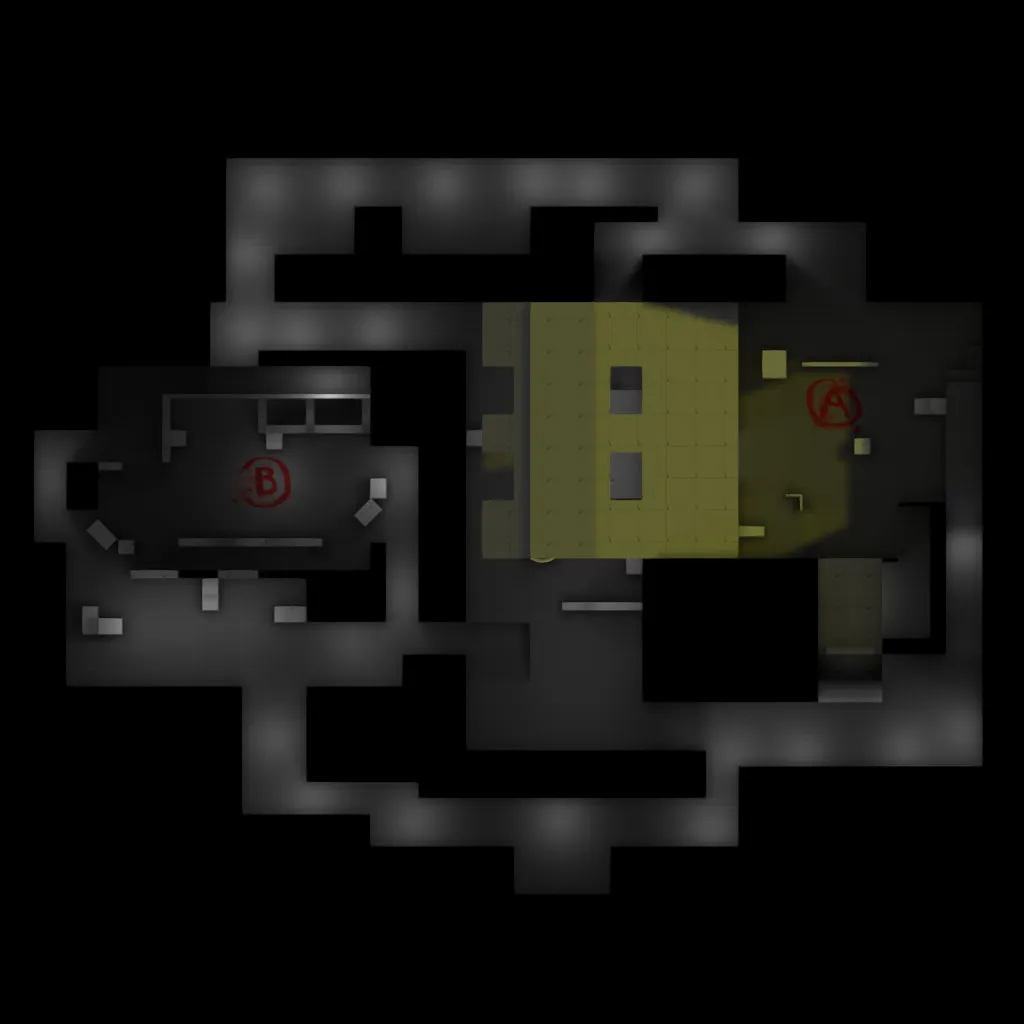
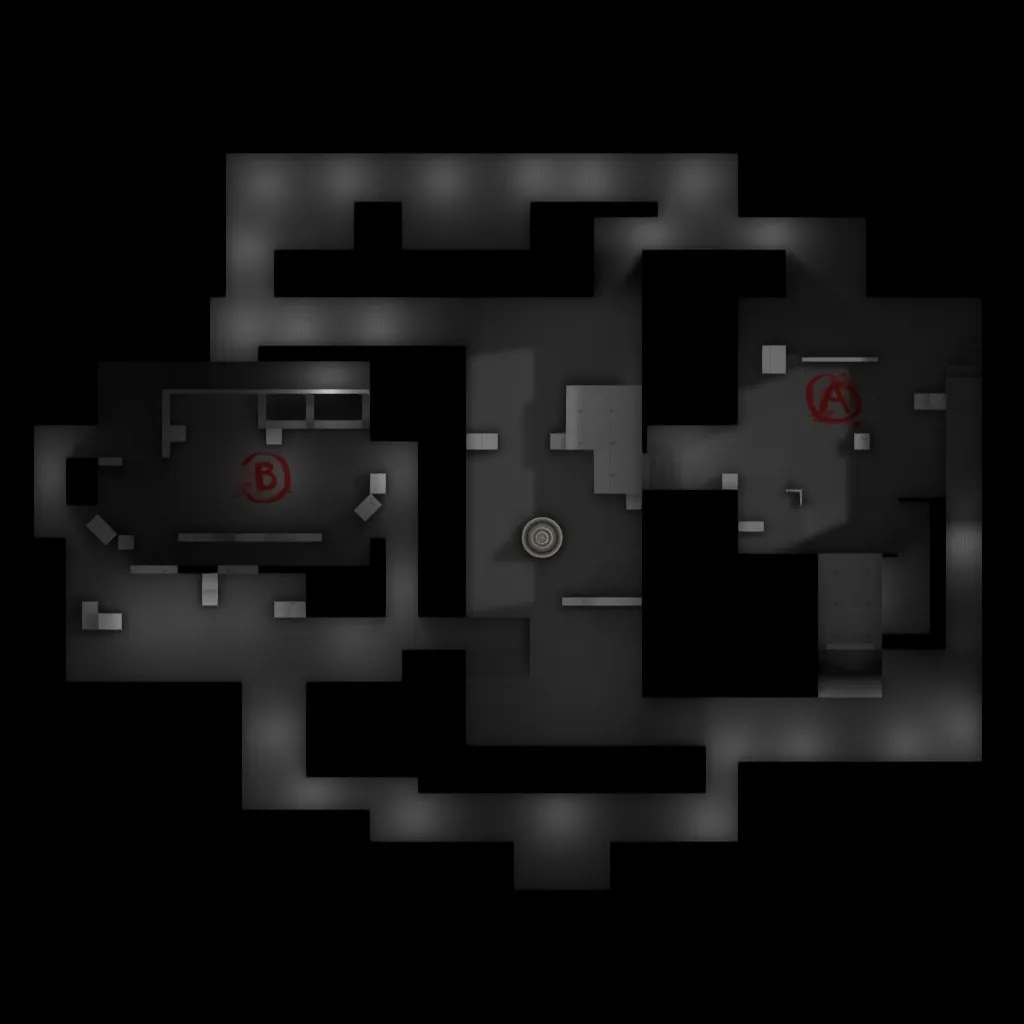
    Only issue I am having is trying to make a minimap without the roof for mid showing.


  • maladus
    • October 14, 2015 at 4:16 AM
    • #10

    The layout looks like a solid start, but there aren't a lot of choices for approaching the bombsites because the choke points are a bit limited. This may be just my perception of the map, but I'm sure playtesting will find these issues (if they exist). Have you tested the timing of the map yet?

  • Sirlock
    • October 14, 2015 at 4:39 AM
    • #11
    Quote from maladus

    The layout looks like a solid start, but there aren't a lot of choices for approaching the bombsites because the choke points are a bit limited. This may be just my perception of the map, but I'm sure playtesting will find these issues (if they exist). Have you tested the timing of the map yet?

    Each site has two choke points, both of which connect to mid. Mid allows for a lot of control if taken by T side. The timings are currently favored towards ct having a few seconds to set up before t's can get into site if they were to rush at the moment. I've done some 3v3 play testing and eliminated one op execute onto A site.

  • maladus
    • October 14, 2015 at 5:00 AM
    • #12

    Cool, look forward to seeing how this progresses! Good luck!

  • Vaya
    • October 14, 2015 at 9:28 AM
    • #13

    do a build with the roof hidden for the radar.


    Also - piss green lights = not a hot look ;)

  • jackophant
    • October 14, 2015 at 9:42 AM
    • #14
    Quote from Vaya

    do a build with the roof hidden for the radar.

    Also - piss green lights = not a hot look ;)

    To expand on Vaya's points:

    You can add all the roof parts of your map into a custom visgroup. The visgroup can then be hidden very easily.

    I'm not sure what's going on with your black sky and lighting, but if you go to the Valve Developer Community - Sky List - CSGO you'll see a list of the skybox names and what light_environment you can use to produce nicer lighting.

  • Sirlock
    • October 14, 2015 at 10:44 AM
    • #15
    Quote from jackophant

    To expand on Vaya's points:

    You can add all the roof parts of your map into a custom visgroup. The visgroup can then be hidden very easily.

    I'm not sure what's going on with your black sky and lighting, but if you go to the Valve Developer Community - Sky List - CSGO you'll see a list of the skybox names and what light_environment you can use to produce nicer lighting.

    I'll admit black sky was a minor hiccup in planning picture taking , the skybox was disable in the pictures .

  • Sirlock
    • October 16, 2015 at 10:32 PM
    • #16

    Fixed minimap and changed the lighting.


  • Sirlock
    • June 16, 2016 at 11:24 AM
    • #17

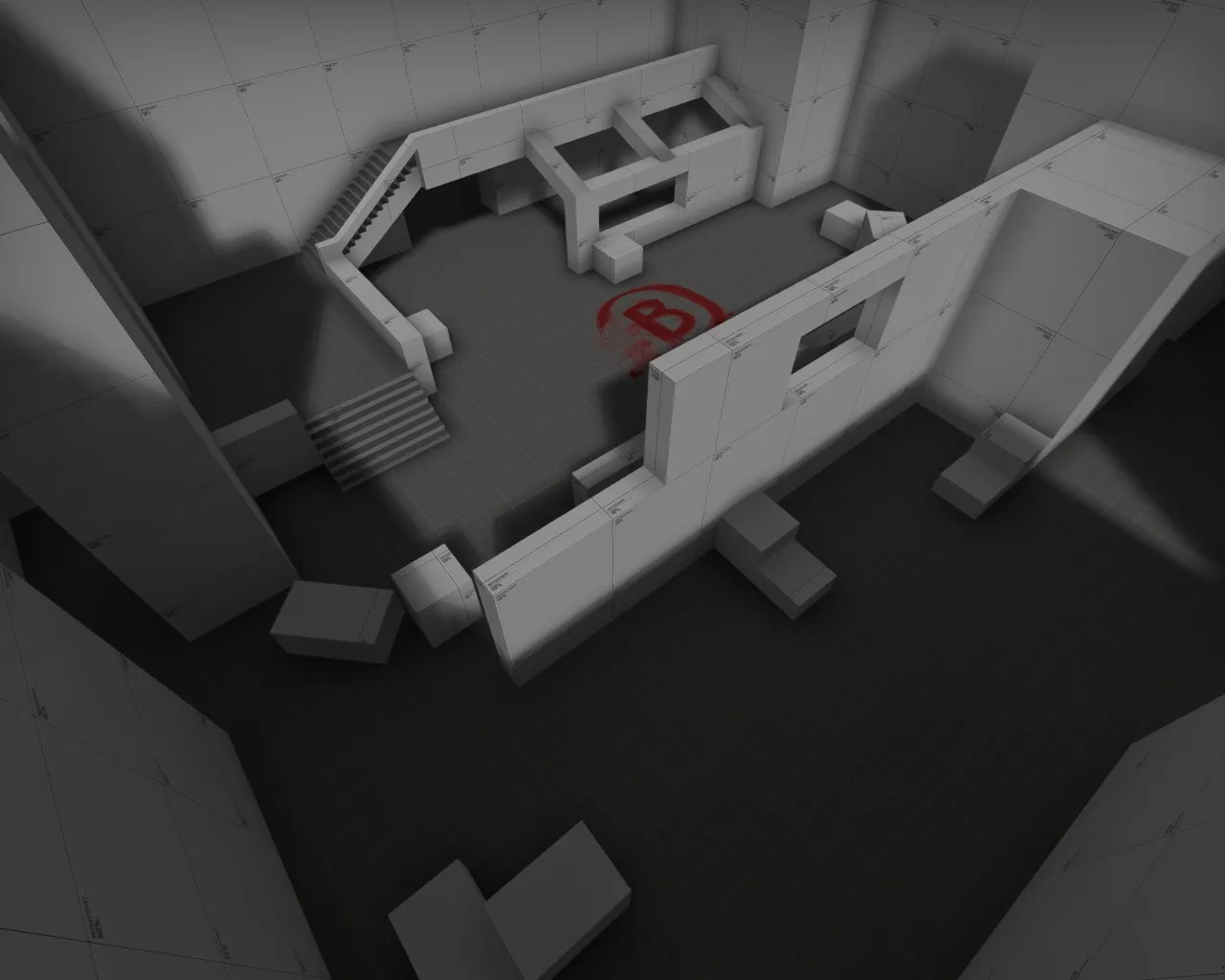
    Okay, after taking an extensive break from this, I am coming back to continue progress on this map. I would still love peoples feedback and on it and how it plays competitively if people would like to test it. I have it uploaded to the workshop with a working minimap. Thank you for any input!

    http://steamcommunity.com/sharedfiles/fi…s/?id=530978504
  • Logic
    • June 16, 2016 at 12:27 PM
    • #18

    Add some new images and the updated radar to the thread and you will get some more interest from people on the forum :)

  • Sirlock
    • June 16, 2016 at 5:32 PM
    • #19

    More images outlaying the map and the slightly updated radar, didn't differ all that much.

  • sevin
    • June 16, 2016 at 11:07 PM
    • #20

    cl_leveloverview should eclipse anything above you when you use the command, so the roof should be hidden if you're underneath it to begin with.

Participate now!

Don’t have an account yet? Register yourself now and be a part of our community!

Register Yourself Login
Discord

The Mapcore Discord is our lively IRC channel of the 2000s reborn. Chat about level design, gaming, and more.

Latest Posts

  1. About our archived forums

    Thrik
    June 30, 2026 at 2:12 PM
  2. Mapcore Discord

    mason_fan123
    June 24, 2026 at 8:52 PM
  3. [CS2] Valley

    Serialmapper
    June 22, 2026 at 11:56 AM
  4. Any of the old guard still around? D:

    Thrik
    June 20, 2026 at 10:11 PM
  5. Free Music / SFX Resource - Over 2500 Tracks

    Eric Matyas
    June 18, 2026 at 12:32 PM
  6. Pango [WIP]

    Elowen
    June 11, 2026 at 10:13 AM
  7. [CS2] Dvina

    Jeremy Rivera
    June 11, 2026 at 10:03 AM
  8. Bridges 2.0 by NEXSIDE, MAP SHOWCASE. ( Steam Workshop )

    MrTrane18
    June 1, 2026 at 7:46 PM
  9. Classic Maps Reborn For CS2

    SillySpaceCat
    May 31, 2026 at 10:33 PM
  10. [CS2] Dvina

    Pulbusha
    May 29, 2026 at 5:54 PM
  1. Privacy Policy
  2. Contact
Powered by WoltLab Suite™