

1. Forums
  2. Discord
  3. About Mapcore
  4. Patreon Supporters
  • Login
  • Register
  • Search
This Thread
  • Everywhere
  • This Thread
  • This Forum
  • Articles
  • Pages
  • Forum
  • More Options
  1. Mapcore
  2. Discussions
  3. Level Design

[Ignore This]

  • g0lden
  • June 4, 2015 at 4:25 PM
  • g0lden
    • June 4, 2015 at 4:25 PM
    • #1

    Sorry if this is not where I should post the question.

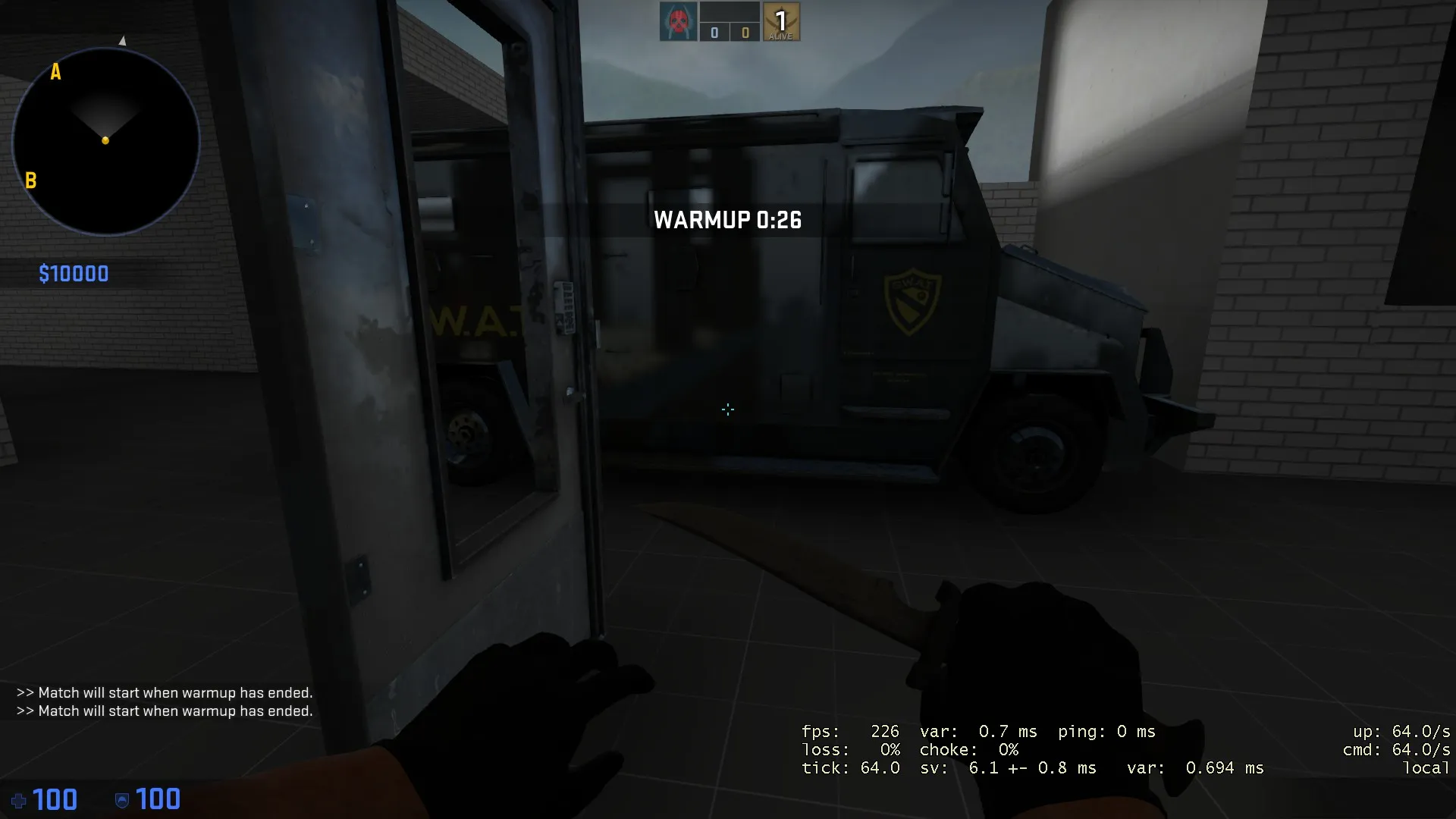
    So I have had this error for a while and I thought it was normal but its come to my attention its not normal at all and some fellow mathers seem confused about it. Some of the props and my Guns appear metalic. Please help me out this is really ruining alot of my ideas. I am not sure if it just appears for me, on the props it shows a city? Well I will leave screenshots below of examples.
  • Vilham
    • June 4, 2015 at 4:29 PM
    • #2

    You need to place cubemaps and build them in game, without cube maps it uses some generic reflection.

    http://www.interlopers.net/tutorials/1965

    If you already have some, you need to place more and in different areas, it may be taking the current reflections from an exterior cubemap because you haven't placed one inside.

    http://www.interlopers.net/tutorials/2005

    PS correct forum would be the 3d one.

  • g0lden
    • June 4, 2015 at 4:31 PM
    • #3
    Quote from Vilham
  • Vilham
    • June 4, 2015 at 4:33 PM
    • #4

    You need to place them all over the place, they basically take low rez screenshots in all 6 directions and those screenshots get applied as reflections on objects that reflect. So if you only place 1 and its outside it won't have accurate lighting information for everywhere in the map, like inside. The top guide should explain the whole process pretty well. It requires compiling the level and going into game and using a Cvar to take the screenshots automatically.

  • 'RZL
    • June 4, 2015 at 4:36 PM
    • #5

    I moved the thread to the 3D section.

  • g0lden
    • June 4, 2015 at 4:38 PM
    • #6
    Quote from Vilham

    You need to place them all over the place, they basically take low rez screenshots in all 6 directions and those screenshots get applied as reflections on objects that reflect. So if you only place 1 and its outside it won't have accurate lighting information for everywhere in the map, like inside. The top guide should explain the whole process pretty well. It requires compiling the level and going into game and using a Cvar to take the screenshots automatically.

    But wont the cubemap add the problem im having not remove it?

  • Vilham
    • June 4, 2015 at 4:39 PM
    • #7

    No. You have to have cubemaps, it is currently using a generic cubemap that is as bright as possible, hence why everything is glowing.

    Cubemaps are not optional in source.

  • tomm
    • June 4, 2015 at 4:41 PM
    • #8

    keep in mind that reflections tend to be more visible in the dark.

  • Vaya
    • June 4, 2015 at 4:45 PM
    • #9

    to fix this issue you just need to have one enitity cubemap in your level. it doesn't add any reflections until you type 'buildcubemaps' in the console.

    if you don't have a cubemap in your level it uses a default cubemap for all models- making this nasty effect.

  • g0lden
    • June 4, 2015 at 5:20 PM
    • #10
    Quote from Vaya

    to fix this issue you just need to have one enitity cubemap in your level. it doesn't add any reflections until you type 'buildcubemaps' in the console.

    if you don't have a cubemap in your level it uses a default cubemap for all models- making this nasty effect.

    Thank you :)

Participate now!

Don’t have an account yet? Register yourself now and be a part of our community!

Register Yourself Login
Discord

The Mapcore Discord is our lively IRC channel of the 2000s reborn. Chat about level design, gaming, and more.

Latest Posts

  1. How to Use a Free Kundali Maker for Accurate Future Predictions

    astr09
    July 23, 2026 at 6:35 AM
  2. Tangerine

    Harry Poster
    July 18, 2026 at 11:10 AM
  3. Any of the old guard still around? D:

    Warby
    July 12, 2026 at 8:23 PM
  4. About our archived forums

    Thrik
    June 30, 2026 at 2:12 PM
  5. Mapcore Discord

    mason_fan123
    June 24, 2026 at 8:52 PM
  6. [CS2] Valley

    Serialmapper
    June 22, 2026 at 11:56 AM
  7. Free Music / SFX Resource - Over 2500 Tracks

    Eric Matyas
    June 18, 2026 at 12:32 PM
  8. Pango [WIP]

    Elowen
    June 11, 2026 at 10:13 AM
  9. [CS2] Dvina

    Jeremy Rivera
    June 11, 2026 at 10:03 AM
  10. Bridges 2.0 by NEXSIDE, MAP SHOWCASE. ( Steam Workshop )

    MrTrane18
    June 1, 2026 at 7:46 PM
  1. Privacy Policy
  2. Contact
Powered by WoltLab Suite™