1. Forums
  2. Discord
  3. About Mapcore
  4. Patreon Supporters
  • Login
  • Register
  • Search
This Thread
  • Everywhere
  • This Thread
  • This Forum
  • Articles
  • Pages
  • Forum
  • More Options
  1. Mapcore
  2. Discussions
  3. Off-Topic

What have you purchased recently?

  • D3ads
  • May 5, 2008 at 1:13 PM
  • Squad
    • August 12, 2015 at 3:43 PM
    • #3,861
    Quote from will2k

    This is awesome, congrats man :)

    Have fun building it

    I had it build in the shop actually. Normally I'd do it myself, but just not this time :P

    Quote from General Vivi

    nice man!

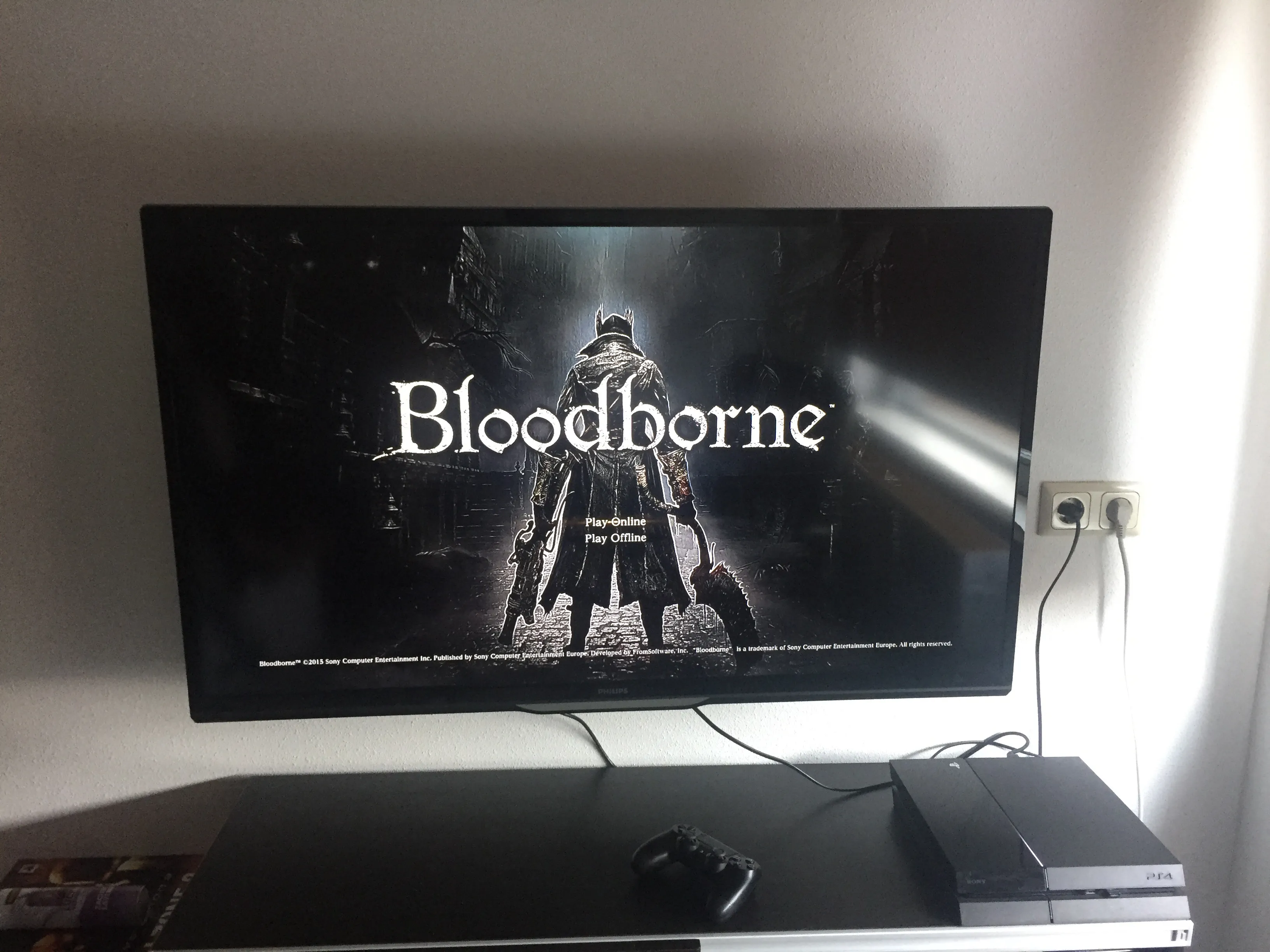
    also: got a ps4 and now playing through Bloodborne. Great game!

    Congratz! Played some GTA5 on PS4 at a friend's place yesterday. Looked really amazing (I'm sure his ginourmous TV helped)!
  • D3ads
    • August 12, 2015 at 8:06 PM
    • #3,862

    [Blocked Image: http://ecx.images-amazon.com/images/I/719pqTSXSPL._SL1091_.jpg]

    "Bring me everyone... EVEERYYYYYOOOOONNNNNEEEE..!"

  • Sprony
    • August 13, 2015 at 12:04 PM
    • #3,863

    I've finally found a TV for my mancave. It's a 46 inch smart LED TV. Since the room ain't that big it looks humangous. Still have to connect everything properly and hook up my sound system but the end is near. This winter is going to be good!

  • MaanMan
    • August 13, 2015 at 9:11 PM
    • #3,864
    Quote from Sprony

    I've finally found a TV for my mancave. It's a 46 inch smart LED TV. Since the room ain't that big it looks humangous. Still have to connect everything properly and hook up my sound system but the end is near. This winter is going to be good!

    Great, now I really want a mancave in my first house.

  • DrywallDreams
    • August 13, 2015 at 10:26 PM
    • #3,865

    I got myself a BenQ xl2420z, as if that would make me better at CS

    [Blocked Image: http://img1.lesnumeriques.com/test/87/8713/XL2420Z_face.jpg]

  • jackophant
    • August 13, 2015 at 10:59 PM
    • #3,866

    High refresh rate > excessive pixels

    Everything will look buttery smooth! I noticed the improvement straight away and loved how slick it was. You'll notice immediately going back to 60Hz and it will never feel the same. Even the mouse movements on your desktop will look tasty <3

  • DrywallDreams
    • August 13, 2015 at 11:52 PM
    • #3,867
    Quote from jackophant

    High refresh rate > excessive pixels

    Everything will look buttery smooth! I noticed the improvement straight away and loved how slick it was. You'll notice immediately going back to 60Hz and it will never feel the same. Even the mouse movements on your desktop will look tasty <3

    It's true! I now just move my cursor in circles constantly. It's just a shame that most games do not support 144hz.

  • Pampers
    • August 14, 2015 at 11:33 AM
    • #3,868

    144hz gaming is the shit! tried doing a couple of rounds of cs at work with my 60hz plebmaster pleb monitor recently, and it felt laggy

  • Beck
    • August 14, 2015 at 12:04 PM
    • #3,869
    Quote from Pampers

    144hz gaming is the shit! tried doing a couple of rounds of cs at work with my 60hz plebmaster pleb monitor recently, and it felt laggy

    This.

    It really does make a difference. I don't think I could ever go back to 60hz on my home machine.

    Don't forget to set windows to 140hz otherwise games won't detect it! (Right click desktop> Screen Resolution> Advanced settings> Monitor tab> set the refresh rate to 140hz)

  • tomm
    • August 14, 2015 at 1:29 PM
    • #3,870

    going from 60 to 144hz must have a significant performance impact, no?

  • jackophant
    • August 14, 2015 at 1:45 PM
    • #3,871
    Quote from tomm

    going from 60 to 144hz must have a significant performance impact, no?

    Not at all. If your computer is already churning out >144fps on a game, it just means that the screen now shows more of those previously wasted frames.

    It's entirely a display thing, requires no more work from your computer.

  • Squad
    • August 14, 2015 at 5:56 PM
    • #3,872

    Reading all this made me wonder what refresh rate my monitor has. It's not on the box though and I can't find it on the internet (I have a Iiyama XB2779QS monitor).
    Is there a relation between refresh rate (Hz) and reaction time (ms)?

  • laminutederire
    • August 14, 2015 at 6:21 PM
    • #3,873
    Quote from Squad

    Reading all this made me wonder what refresh rate my monitor has. It's not on the box though and I can't find it on the internet (I have a Iiyama XB2779QS monitor).
    Is there a relation between refresh rate (Hz) and reaction time (ms)?

    isn't the refresh rate the number of frame it displays and the reaction time, the time it takes for the monitor to display the frame it is supposed to display? Meaning that you could have a huge refresh rate but a lame reaction time, and you'd have a clean animation, but with some delay?

    Don't know if I'm clear?

  • leplubodeslapin
    • August 14, 2015 at 6:24 PM
    • #3,874
    Quote from Squad

    Reading all this made me wonder what refresh rate my monitor has. It's not on the box though and I can't find it on the internet (I have a Iiyama XB2779QS monitor).
    Is there a relation between refresh rate (Hz) and reaction time (ms)?

    If it's not specified, then it's 99% likely to be a 60Hz monitor. And yes yours is at 60 Hertz.

    The refresh rate is a frequency, it determines how many frame your monitor will try to display per second. If you have a 60 Hz monitor, each frame is supposed to be displayed during 1000/60 = 16.67 ms (1000 ms in 1 second) but it does not specificaly mean that the frame will have a delay to come or not, and how long it will be. But, because 120 / 144 Hz monitor are supposed to be "gaming" monitor, the reaction time is always good enough (less than 5ms is good).

    yes minutederire, you're right it could be possible but it doesn't happen. These high-frequency monitors are expensive, manufacturers don't mess with them with a bad reaction time.

  • Squad
    • August 14, 2015 at 6:35 PM
    • #3,875
    Quote from leplubodeslapin

    If it's not specified, then it's 99% likely to be a 60Hz monitor. And yes yours is at 60 Hertz.

    The refresh rate is a frequency, it determines how many frame your monitor will try to display per second. If you have a 60 Hz monitor, each frame is supposed to be displayed during 1000/60 = 16.67 ms (1000 ms in 1 second) but it does not specificaly mean that the frame will have a delay to come or not, and how long it will be. But, because 120 / 144 Hz monitor are supposed to be "gaming" monitor, the reaction time is always good enough (less than 5ms is good).

    yes minutederire, you're right it could be possible but it doesn't happen. These high-frequency monitors are expensive, manufacturers don't mess with them with a bad reaction time.

    My monitor has a 5 ms reaction time, but that doesn't necessarily mean it isn't a 60 Hz monitor, right?

    Thanks for the answers so far!

  • laminutederire
    • August 14, 2015 at 6:37 PM
    • #3,876
    Quote from leplubodeslapin

    If it's not specified, then it's 99% likely to be a 60Hz monitor. And yes yours is at 60 Hertz.

    The refresh rate is a frequency, it determines how many frame your monitor will try to display per second. If you have a 60 Hz monitor, each frame is supposed to be displayed during 1000/60 = 16.67 ms (1000 ms in 1 second) but it does not specificaly mean that the frame will have a delay to come or not, and how long it will be. But, because 120 / 144 Hz monitor are supposed to be "gaming" monitor, the reaction time is always good enough (less than 5ms is good).

    yes minutederire, you're right it could be possible but it doesn't happen. These high-frequency monitors are expensive, manufacturers don't mess with them with a bad reaction time.

    I know it isn't likely, but it was a good example to show the difference between the two. (I just wasn't sure that I was right)

  • leplubodeslapin
    • August 14, 2015 at 6:52 PM
    • #3,877
    Quote from Squad

    My monitor has a 5 ms reaction time, but that doesn't necessarily mean it isn't a 60 Hz monitor, right?

    Thanks for the answers so far!

    Yes these are 2 different things.

    Frequency -> Amount of frames per second displayed, also determines the duration for 1 frame to be displayed (in theory, because in reality it's not that simple and accurate, a frame doesn't change from one to the other instantly)

    Reaction Time -> Time it takes for the picture to go from your graphics card outputs (DVI/Displayport) to finally be fully displayed by the monitor


    5ms reaction time is very common for 60Hz TN monitors, but you have an IPS monitor so it's quite good (it's more common to see 8ms or 12ms reaction time on this kind of monitors). And yea it must be 60 Hz because there are actually only few possibilities of refresh rate :

    • 30 Hz : We can see that today on cheap 4K monitors, be careful not to buy this !
    • 60 Hz : The most common refresh rate, used on Desk monitors and laptop monitors
    • 75 Hz : We had this on few of the first flat screens, but you had to sort of overclock your monitor to benefit from it. It's rare
    • 120 Hz : The first "3D" monitors with active technology, afterwards they became famous for gaming because players could benefit a lot from it (With the famous "Samsung 2233RZ")
    • 144 Hz : Current high-frequency monitors, a bit better than 120 Hz
    • 240 Hz and more : yeah... it's crazy but it's coming ^^

    For 99% of the monitors, it's 60 Hz. And high-frequency monitors don't exist on IPS monitors, IPS technology is too slow (but it has wayyyy better vertical viewing angles than TN)

  • Vaya
    • August 14, 2015 at 6:57 PM
    • #3,878

    http://www.blurbusters.com/how-does-eizo-…z-out-of-120hz/

    just to confuse matters further benq have a 240hz monitor that's actually 120hz native.

  • Squad
    • August 14, 2015 at 10:10 PM
    • #3,879
    Quote from leplubodeslapin

    For 99% of the monitors, it's 60 Hz. And high-frequency monitors don't exist on IPS monitors, IPS technology is too slow (but it has wayyyy better vertical viewing angles than TN)

    Yeah, it's noticeable that the monitor needs a few seconds to "boot", or when alt-tabbing between desktop and ingame for example. My second monitor switches instantly, but the colors on it are really crappy compared to the IPS one :D

    Thanks for shedding some light on this :)

  • revox
    • August 14, 2015 at 11:01 PM
    • #3,880

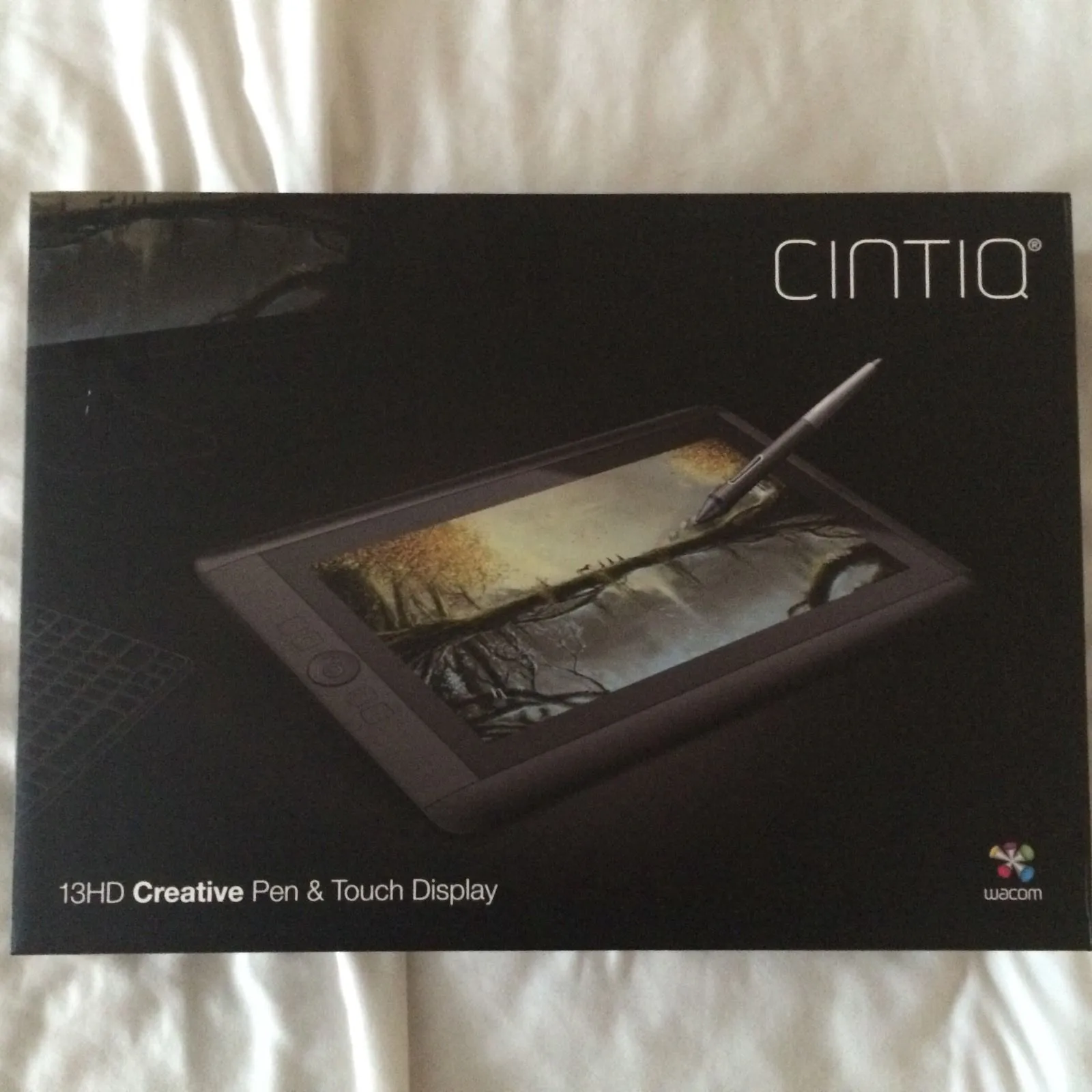
    Got this beauty, goodbye intuos 5 :)


Participate now!

Don’t have an account yet? Register yourself now and be a part of our community!

Register Yourself Login
Discord

The Mapcore Discord is our lively IRC channel of the 2000s reborn. Chat about level design, gaming, and more.

Latest Posts

  1. Geography Assignment Help – Explore Better Learning with Expert Academic Support

    shreyachauhanass
    July 10, 2026 at 9:31 AM
  2. About our archived forums

    Thrik
    June 30, 2026 at 2:12 PM
  3. Mapcore Discord

    mason_fan123
    June 24, 2026 at 8:52 PM
  4. [CS2] Valley

    Serialmapper
    June 22, 2026 at 11:56 AM
  5. Any of the old guard still around? D:

    Thrik
    June 20, 2026 at 10:11 PM
  6. Free Music / SFX Resource - Over 2500 Tracks

    Eric Matyas
    June 18, 2026 at 12:32 PM
  7. Pango [WIP]

    Elowen
    June 11, 2026 at 10:13 AM
  8. [CS2] Dvina

    Jeremy Rivera
    June 11, 2026 at 10:03 AM
  9. Bridges 2.0 by NEXSIDE, MAP SHOWCASE. ( Steam Workshop )

    MrTrane18
    June 1, 2026 at 7:46 PM
  10. Classic Maps Reborn For CS2

    SillySpaceCat
    May 31, 2026 at 10:33 PM

Users Viewing This Thread

  • 9 Guests
  1. Privacy Policy
  2. Contact
Powered by WoltLab Suite™