

It's rare to see AIM maps use detailed custom textures and models, so it's a really nice change of pace to see something like your map. Great job, even if I feel like AKs and deagles are overused on these types of maps.
Posts by sn0wsh00
-
-
Just played both versions and so far everything looks really great. The hostage at E1 looks really easy to camp, but overall, I couldn't find any blatant gameplay issues, at least with the hostage version. Can't wait to see the finished map. Great job with that barbershop painting as well. Definitely something worth getting a mild case of carpal-tunnel over.
From a lore perspective, I would have personally chosen someone else other than the GIGN for the CT side given that Sierra Leoneans speaks English. Preferably, I would have the CTs be based on something like the Sierra Leone police, given that I think it would kind of cool for a map set in an "exotic" location to feature local factions as opposed to foreign ones. But that's my personal take.
-
If you had taken a look at the Steam guide, you'll see that I recommend the math_counter method to randomize weapons in CS:GO. This is because having a single trigger_multiple for each side makes it much easier when you want to enable or disable random weapons depending on game mode.
Suppose you want random weapons to be only enabled in custom. Also say that you want buy zones to be enabled in casual/competitive modes. To do this:
- Follow the steps in the previous post for weapon randomization, but this time, set the Start Disabled property for the two trigger_multiple entities to Yes.
- Create func_buyzone entities and give them a name such as buyzone_ent
- Create the following .nut VScript and place it somewhere in the in the CS:GO scripts folder (as usual, special thanks to @Kokopelli for providing the original code):
Code
Display Morefunction FixGameMode() { local nMode = ScriptGetGameMode(); local nType = ScriptGetGameType(); local nRounds = ScriptGetRoundsPlayed(); if (nMode == 0 && nType == 3) { EntFire("buyzone_ent", "Disable", 0, 0); if (nRounds == 0) { SendToConsole("mp_respawn_immunitytime 0; mp_roundtime 3; mp_maxrounds 30; mp_warmuptime 1; mp_timelimit 0; bot_chatter normal; mp_friendlyfire 1; ff_damage_reduction_bullets 0; ff_damage_reduction_other 0; mp_randomspawn 0; bot_quota_mode fill"); } //Allows cvars to be changed later EntFire("wep_spawn_t", "Enable", 0, 0); EntFire("wep_spawn_ct", "Enable", 0, 0); // custom. Random weapons } if (nMode == 1 && nType == 0) { SendToConsole("mp_warmuptime 1; bot_quota_mode normal"); // competitive. Changed bot_quota_mode } if (nMode == 2 && nType == 1) { SendToConsole("bot_quota 2"); // deathmatch. Changed bot_quota } }What the script above will do is disable the func_buyzone entities and enable the trigger_multiple entities when game_type is set to 3 (aka custom game mode). This code also sends commands to the console so that custom mode can feel more classic-mode like, but only sends those commands in round 0, so that you can still change cvars such as mp_maxrounds without those cvars resetting every round. Because I already set trigger_multiple to be disabled in Hammer, I do not need to send additional console commands for the other game modes to disable trigger_multiple.
Back in Hammer:
- Create a logic_auto entity and and a logic_script entity. Name the logic_script entity to something like map_script
- Under map_script's Entity Scripts, add the .nut file you created
- In logic_auto's output table, create an output named OnMapSpawn, a target of map_script, a Via this input of RunScriptCode and a parameter override of FixGameMode(). Weapon randomization will now only work in custom mode
I've made a map showing off these concepts here:
https://drive.google.com/file/d/1O87dIP…iew?usp=sharing
Or if you want a more complex map that utilizes these concepts, check out my map Showdown Planet.
-
And for those who were wondering, here's the VScript code I used to enable random weapons in only specific modes (shoutout again to @Kokopelli for writing the original script):
Code
Display Morefunction FixGameMode() { local nMode = ScriptGetGameMode(); local nType = ScriptGetGameType(); local nRounds = ScriptGetRoundsPlayed(); if (nMode == 0 && nType == 3) { EntFire("buyzone_trigger", "Disable", 0, 0); if (nRounds == 0) { SendToConsole("mp_respawn_immunitytime 0; mp_roundtime 3; mp_maxrounds 30; mp_warmuptime 1; mp_timelimit 0; bot_chatter normal; mp_friendlyfire 1; ff_damage_reduction_bullets 0; ff_damage_reduction_other 0; mp_randomspawn 0; bot_quota_mode fill"); } EntFire("wep_spawn_t", "Enable", 0, 0); EntFire("wep_spawn_ct", "Enable", 0, 0); EntFire("spawn_1", "SetEnabled", 0, 0); // custom. Random weapons, allows up to 24 players } if (nMode == 1 && nType == 0) { EntFire("buyzone_trigger", "Disable", 0, 0); EntFire("wep_spawn_t", "Enable", 0, 0); EntFire("wep_spawn_ct", "Enable", 0, 0); EntFire("spawn_1", "SetDisabled", 0, 0); SendToConsole("mp_warmuptime 1; bot_quota_mode normal"); // competitive. Random weapons, limit to 12 players } if (nMode == 0 && nType == 1) { EntFire("wep_spawn_t", "Disable", 0, 0); EntFire("wep_spawn_ct", "Disable", 0, 0); // arms race } if (nMode == 1 && nType == 1) { EntFire("wep_spawn_t", "Disable", 0, 0); EntFire("wep_spawn_ct", "Disable", 0, 0); EntFire("spawn_1", "SetEnabled", 0, 0); // demolition } if (nMode == 0 && nType == 0) { EntFire("wep_spawn_t", "Disable", 0, 0); EntFire("wep_spawn_ct", "Disable", 0, 0); EntFire("spawn_1", "SetEnabled", 0, 0); // casual. Buyzones, allows up to 24 players. } if (nMode == 2 && nType == 1) { EntFire("wep_spawn_t", "Disable", 0, 0); EntFire("wep_spawn_ct", "Disable", 0, 0); // deathmatch } if (nMode == 2 && nType == 0) { EntFire("wep_spawn_t", "Disable", 0, 0); EntFire("wep_spawn_ct", "Disable", 0, 0); // wingman } }I'm pretty sure there's a lot of lines that are unnecessary in my script, but hey, this was my first attempt at VScript.
Also, unless I completely screwed up my CFG files, I think all the default settings for custom gamemode are just horrible! It's like if deathmatch elements (time limits, buy time immunity) somehow got mixed up with competitive mode (solid players, spectate only own team etc.). Huge shame map specific CFG files don't work anymore.
-
After a few weeks of work, I'll like to present my second aim_six_arenas spinoff map: Showdown Planet
Download:
Like with aim_six_arenas, the game starts off as a series of six 1v1 duels. After 30 seconds, though, instead of doors unlocking to an interconnecting hallway, all surviving players get teleported to a seventh arena for a final showdown. Also, unlike in the original map, which mean to be a collection of six soundstages at a building complex, the six arenas on this map are meant to represent different locations on earth, which means the arenas in this spinoff are far more detailed than their aim_six_arenas counterparts. You can take a look at some comparison GIFs I made here.
The initial six arena themes and weapon matchups remain the same, but Showdown Planet adds two new arenas to serve as the seventh arena. One arena is a hallway undergoing renovations, based off of aim_six_arenas' hallway. The other arena is a remake of the classic aim_map, this time set in space. The map randomly chooses between these two new arenas to serve as the seventh arena. This map supports up to 24 players, depending on game mode, which allows for 2v2 matchups in the initial arenas.
Thanks to the wonders of Vscript, I've managed to make Showdown Planet play differently depending on gamemode:
- Competitive: Random weapons, limited to 12 players. Highly recommended if you only want to play 1v1 in the 6 arenas
- Custom: Random weapons, allows up to 24 players
- Casual: Buyzones, allows up to 24 players
- Demolition/Flying Scoutsman: Normal gameplay, allows up to 24 players.
Credits
- @Kokopelli's Snowball Fight - Country House, for providing the Vscript template I used for disabling entities based on game mode
- @TopHATTwaffle's Real World Textures and Real World Textures 2
- In addition to Valve's maps, this map also uses textures and models from de_studio, de_swamp and de_subzero
- Earth skysphere texture created in SpaceEngine
- Earth logo in thumbnail: https://www.clker.com/clipart-black-and-white-globe.html
-
Just added a new way to randomize weapons to the guide. You can read how I did it on Steam, but I'll post the method here on Mapcore as well because it's always good to have a backup.
So, suppose you want a round where the terrorists and counter-terrorists spawn with a Tec-9 and Five-Seven respectively, and another round where they spawn with a Glock and a USP-S. To do this,
- Create a logic_eventlistener entity and name it ListenRoundStart. Set "Event Name" to round_start.
- Create two filter_activator_team entities. Name one filter_t and the other filter_ct
- Create two math_counter entities. Name one counter_ct and the other counter_t. For both counters, set the minimum legal value to 0 and the maximum legal value to 20.
- Create four game_player_equip entities. Name them equip_ct_usps, equip_t_glock, equip_ct_57 and equip_t_tec9
- For all four game_player_equip entities, make sure the "Use Only" and "Strip All Weapons First" flags are checked
- Disabling SmartEdit, add entries for weapon_knife for the four game_player_equip entities.
- Keeping SmartEdit disabled, add an entry of weapon_usp_silencer for equip_ct_usps, weapon_glock for equip_t_glock, weapon_fiveseven for equip_ct_57 and weapon_tec9 for equip_t_tec9. You should have two weapon entries for each game_player_equip, as shown here.
- Create a logic_case entity called counter_chooser and create two outputs for OnCase01 and two outputs for OnCase02
- For the first OnCase01 output, set target entity to counter_ct and input to SetValue. For the other OnCase01 output, set target entity to counter_t. For both OnCase01 outputs, set parameter override to 10. Do the same thing for the two OnCase02 outputs, but set the parameter override value for those outputs to 20. The output table for counter_chooser should look like this.
- Create two more logic_case entities named logic_ct_chooser and logic_t_chooser
- Under class info for both logic_ct_chooser and logic_t_chooser, set the Case 01 value to 10 and the Case 02 value to 20, as shown here.
- Under logic_ct_chooser outputs tab, create an output for OnCase01 with a target entity of equip_ct_usps and a "Via this input" of Use. Because Use is not a default FGD input, the word "Use" will appear red. Don't worry about this, though, as CS:GO will recognize this input.
- Create an output for OnCase02, and do the same thing you did with OnCase01, but replace the target entity with equip_ct_57. The logic_ct_chooser outputs tab should now look like this.
- For logic_t_chooser, do what you did with logic_ct_chooser, but replace the the target entities of equip_ct_usps and equip_ct_57 with equip_t_glock and equip_t_tec9 respectively
- Returning to counter_t, go the output table and create an output named OnGetValue with a target entity of logic_t_chooser and a "Via this input" of InValue. Do the same for counter_ct, replacing logic_t_chooser with logic_ct_chooser. Keep the parameter override fields blank.
- Back at the ListenRoundStart logic_eventlistener outputs table, create an output named OnEventFired, set target entity to counter_chooser and "Via this input" to PickRandom.
Now it's time to create the trigger_multiple brushes:
- Create a single trigger_multiple brush around CT spawn and a single trigger_multiple brush around T spawn. Name those trigger_multiples wep_spawn_ct and wep_spawn_t respectively. Once again, if you have multiple group spawns, simply copy the trigger_multiple brushes to the other spawn areas, keeping the same entity and filter names. The output table should look like this.
- Set "Filter Name" for wep_spawn_ct and wep_spawn_t to filter_ct and filter_t respectively
- Set "Delay Before Reset" to -1
- In wep_spawn_t, set "My output named" to OnStartTouch, "Targets entities named" to counter_t, "Via this input" to GetValue and a delay of at least 0.01 seconds (this delay is necessary for the game_player_equip entities to work). Also make sure "Fire once only" is unchecked
- Do the same thing with wep_spawn_ct, but change "Targets entities named" to counter_ct.
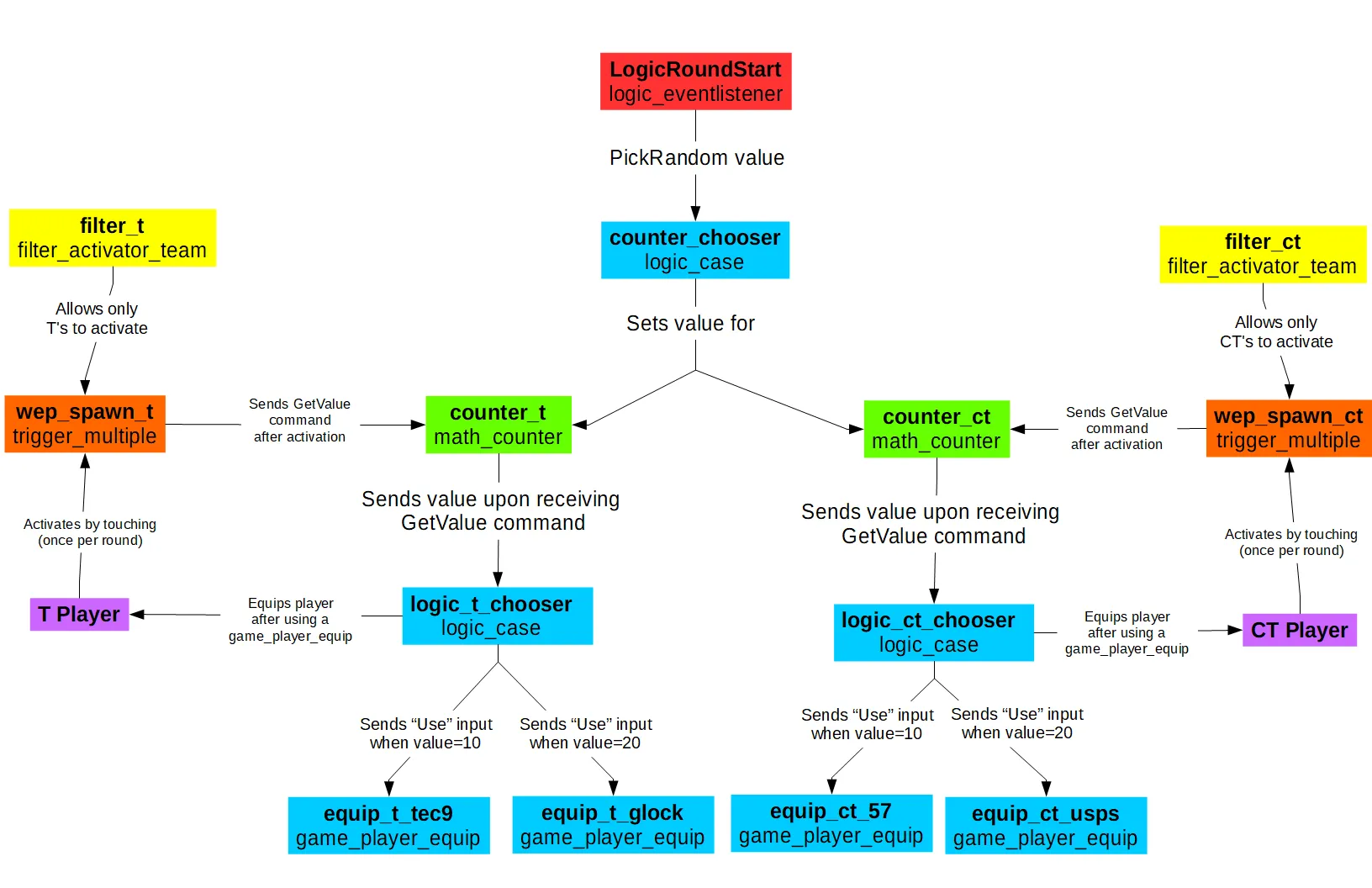
As you can tell, there's a lot of entities that need to be created to randomize player weapons round-to-round. Fortunately, I made a chart to visually show how all these entities relate to each other:
Spoiler
I made a map that shows off all the concepts in this post. You can download it at the link below:
-
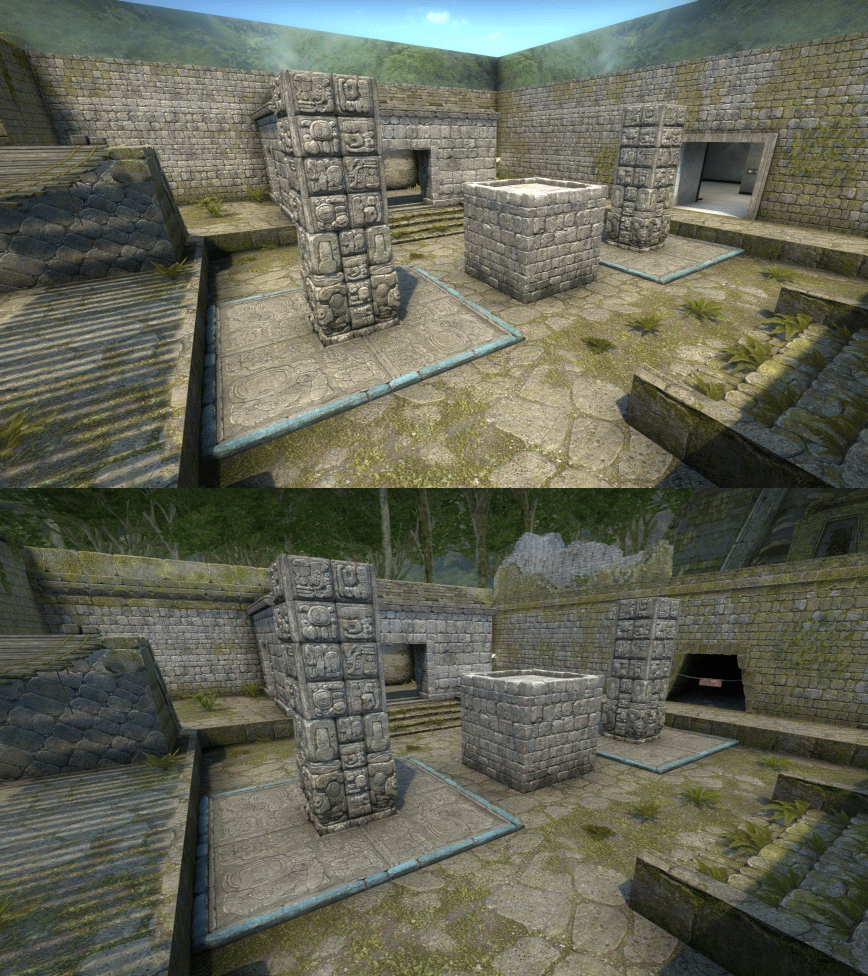
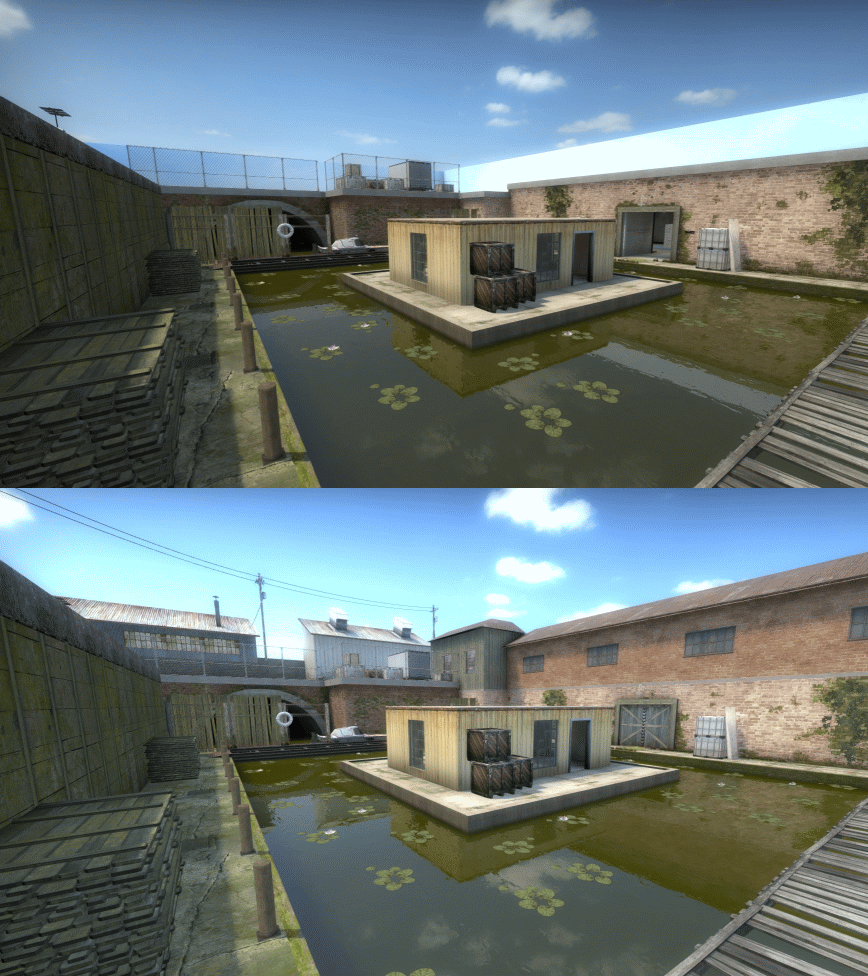
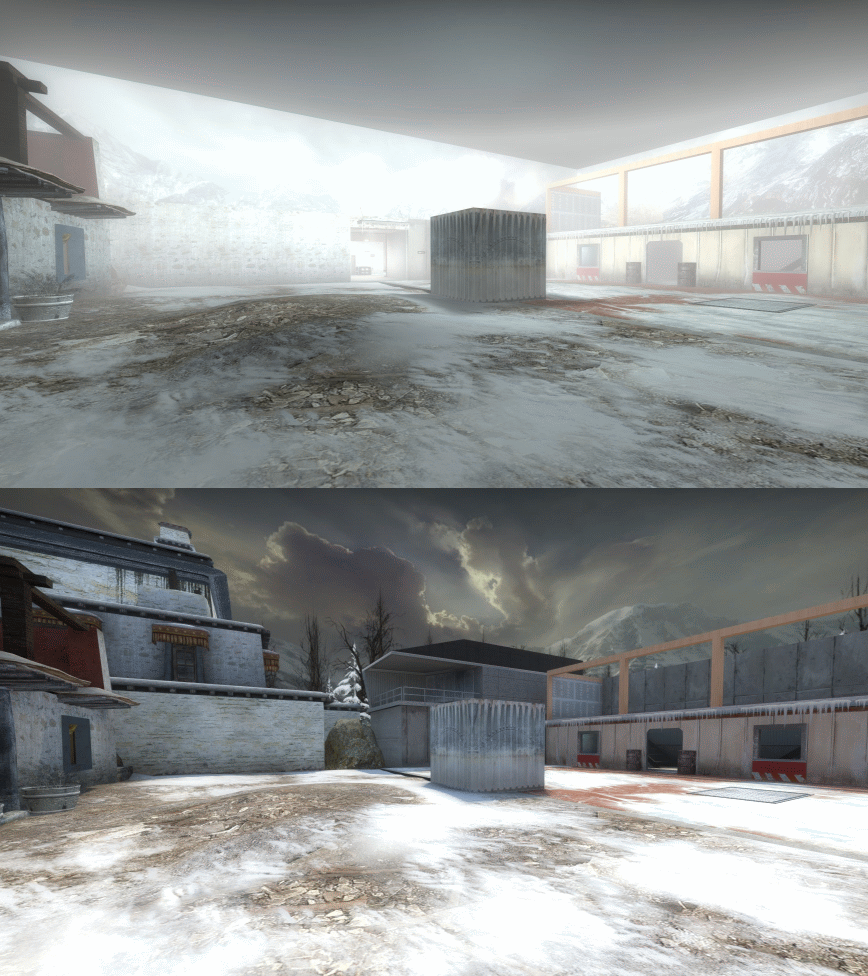
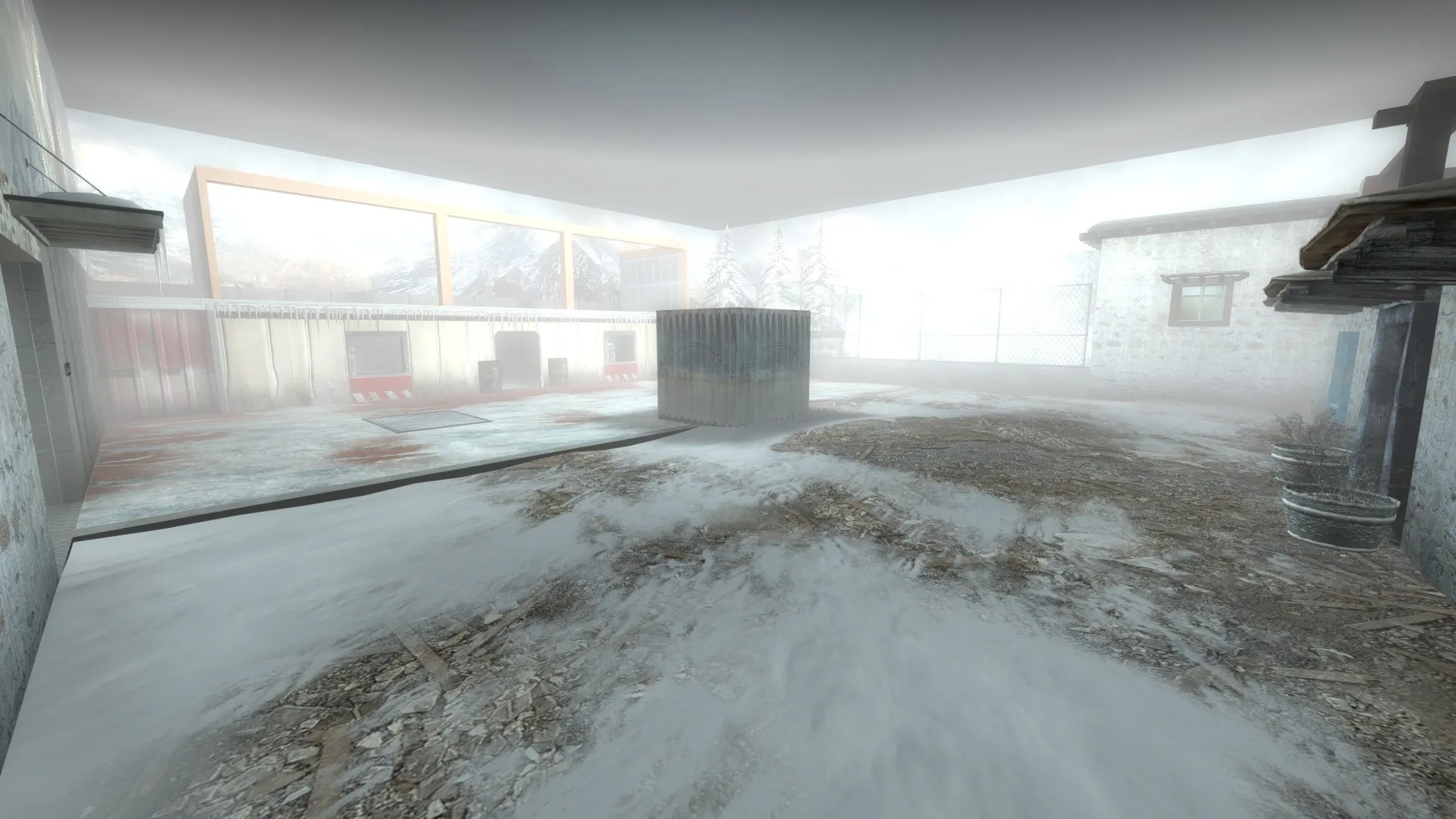
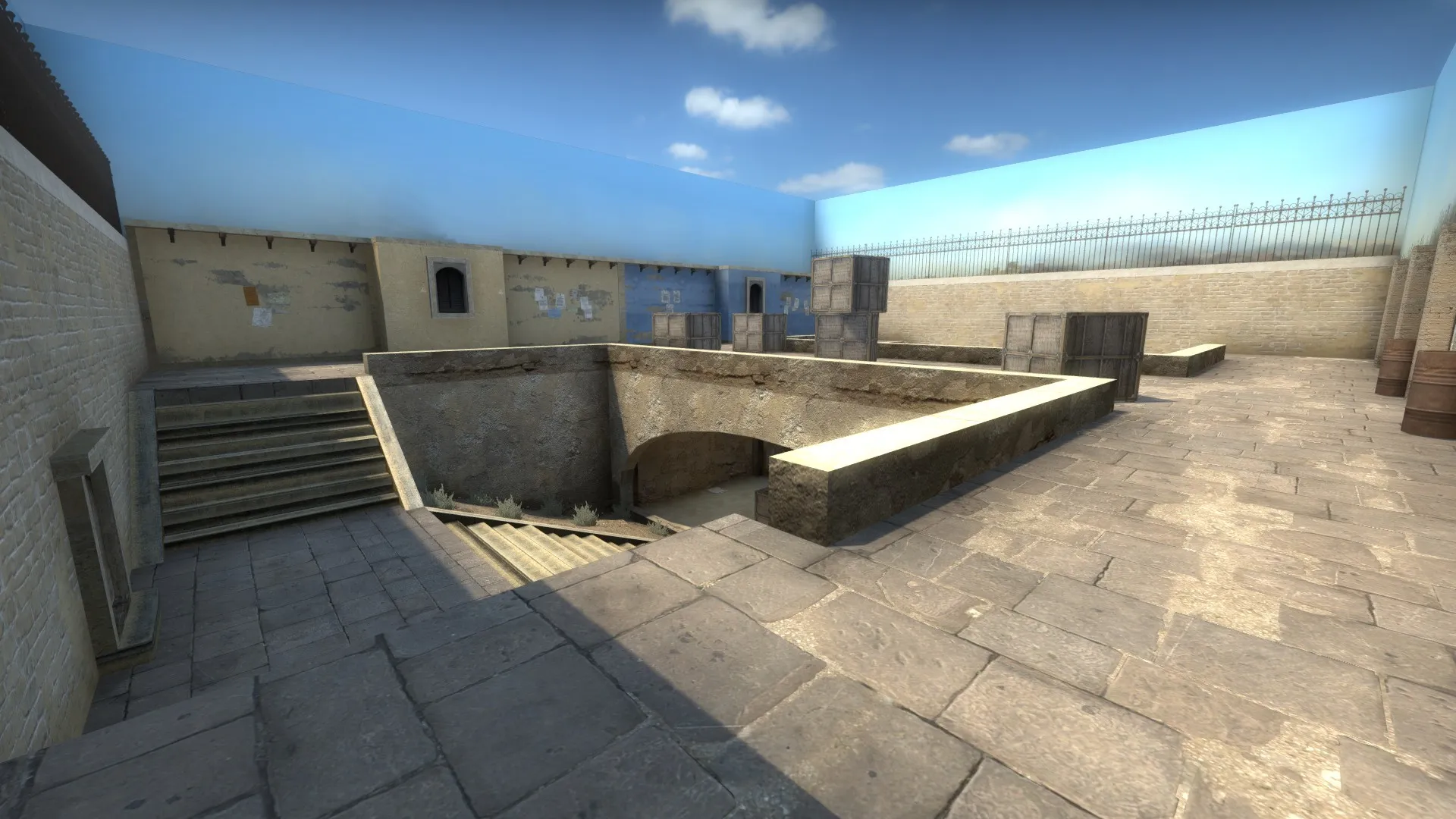
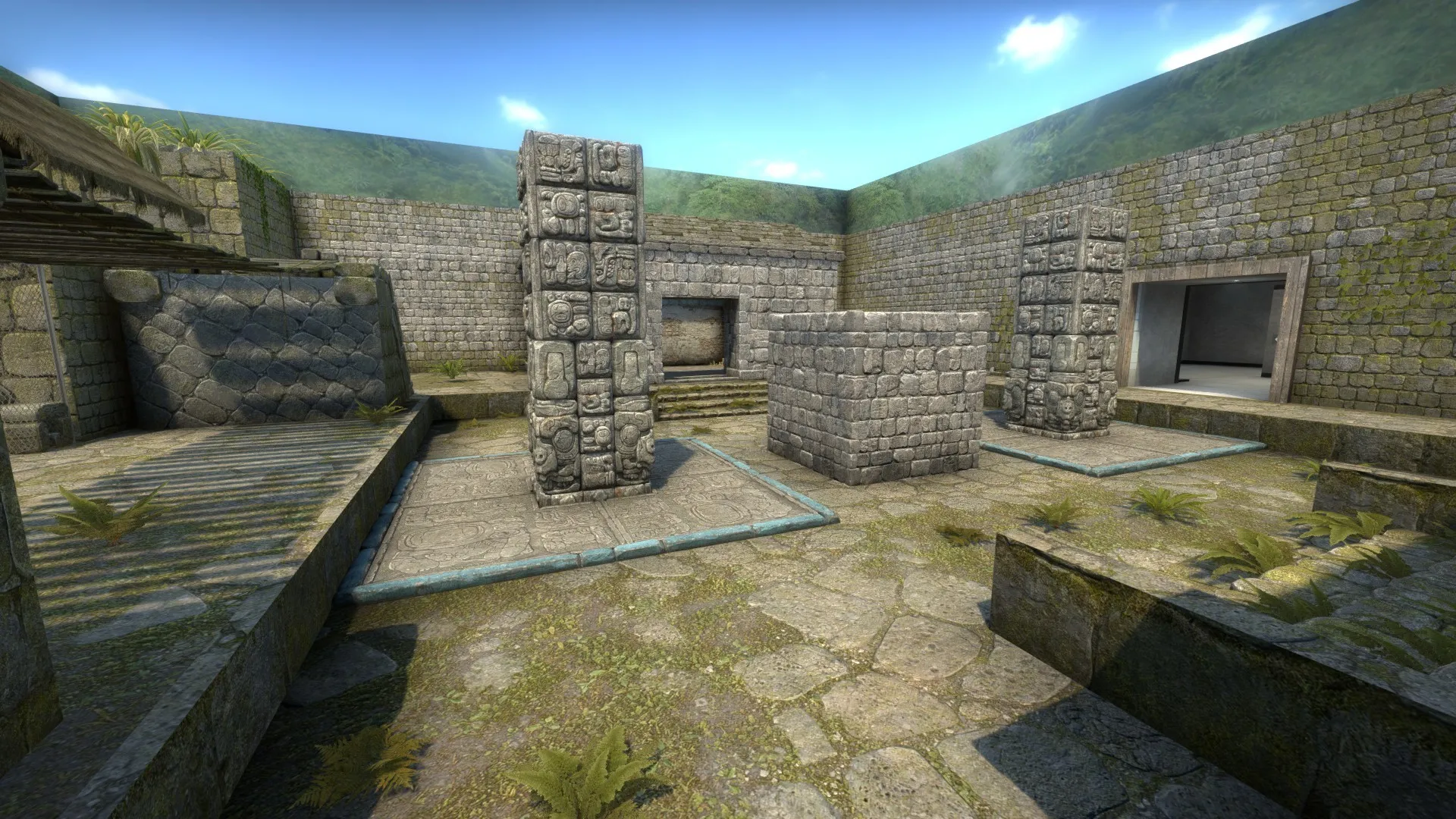
I've been putting the finishing touches to my aim_six_arenas spinoff map (which I'm now calling Showdown Planet) and I though I could share some comparison GIFs between the original map and the spinoff map. As I mentioned earlier, while aim_six_arenas merely was a collection of six soundstage-like rooms connected by a hallway, Showdown Planet will consist of six separate arenas meant to represent different places around the world, which means the arenas in Showdown Planet will be far more detailed than their aim_six_arenas counterparts.
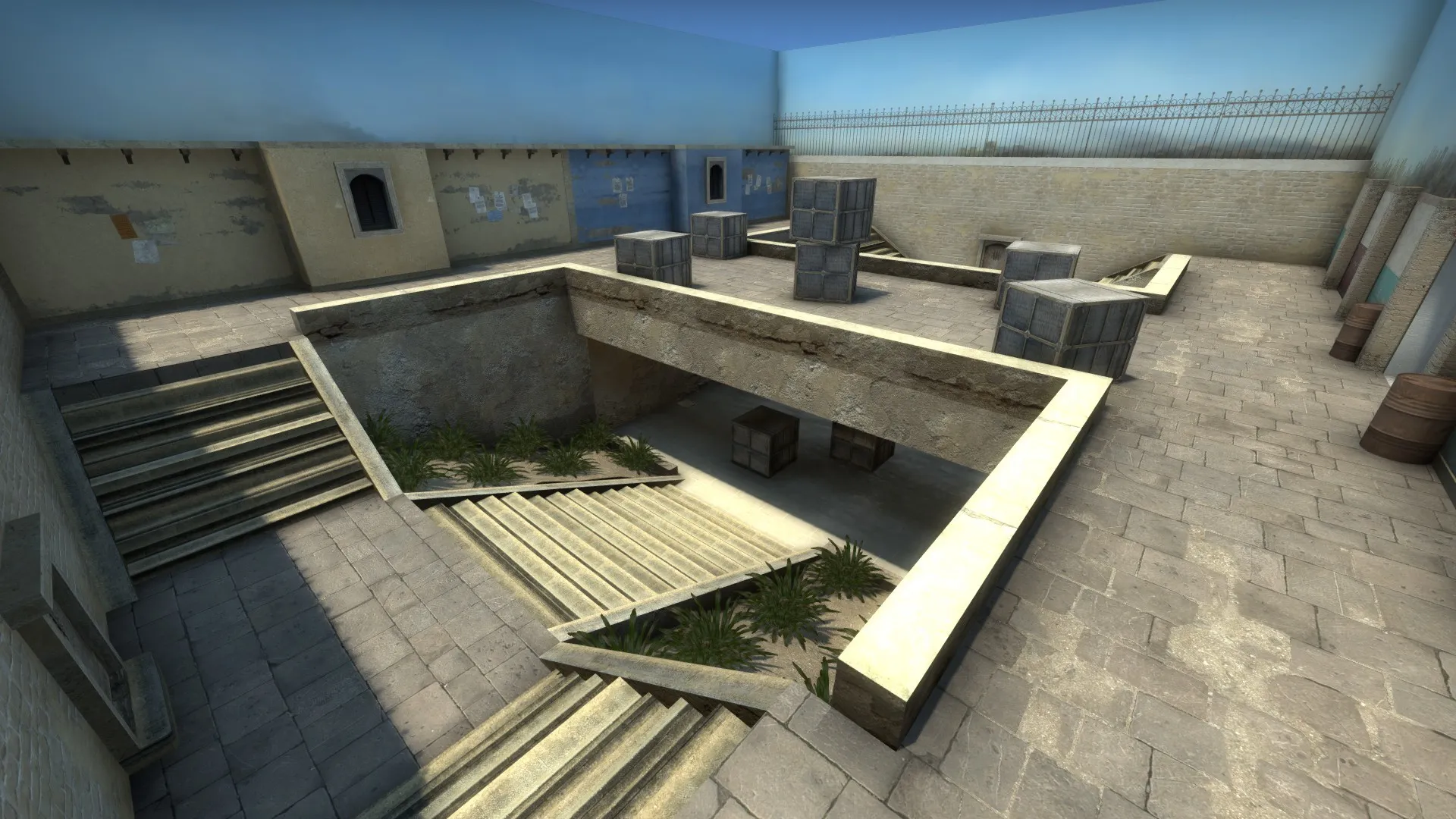
Dust/Mirage arena:
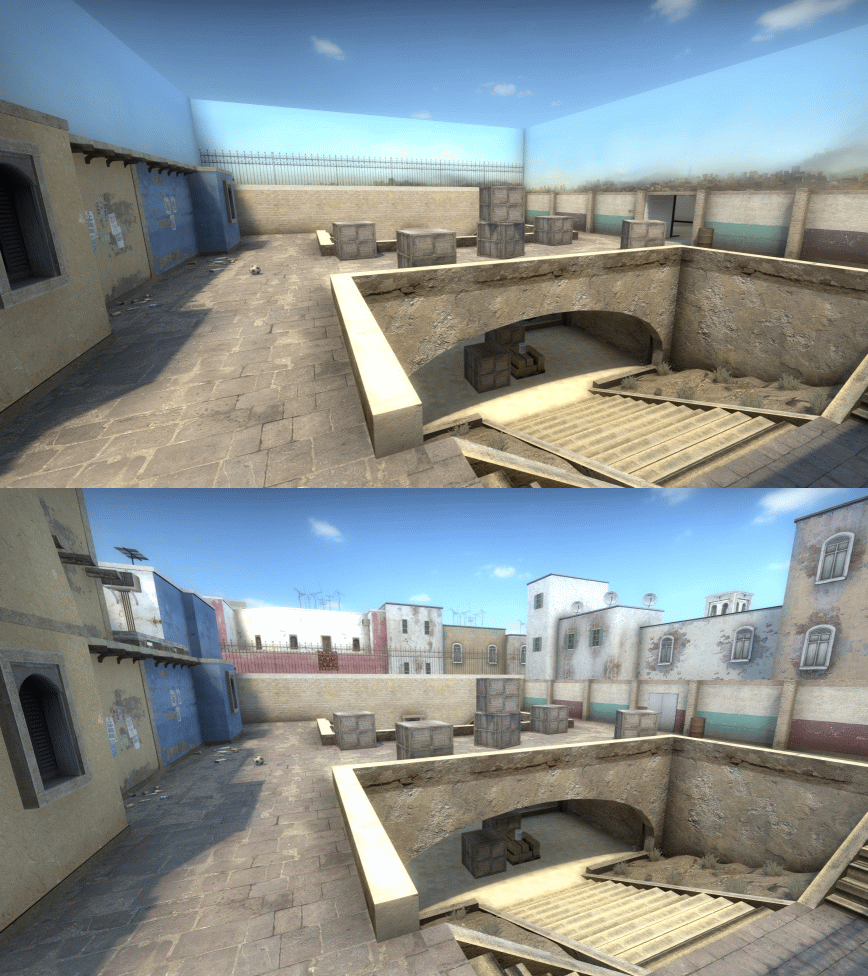
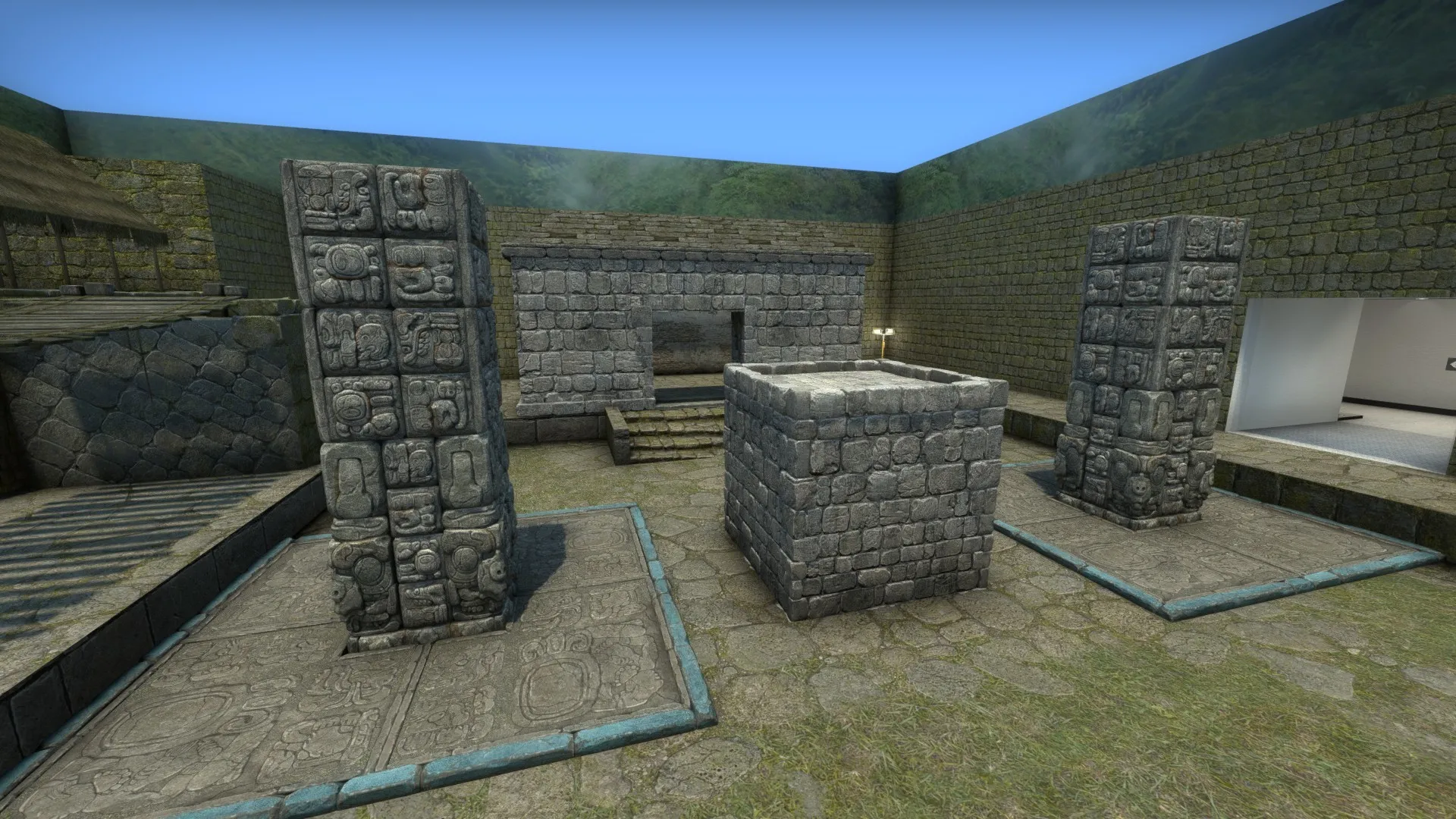
Aztec/Ancient arena:
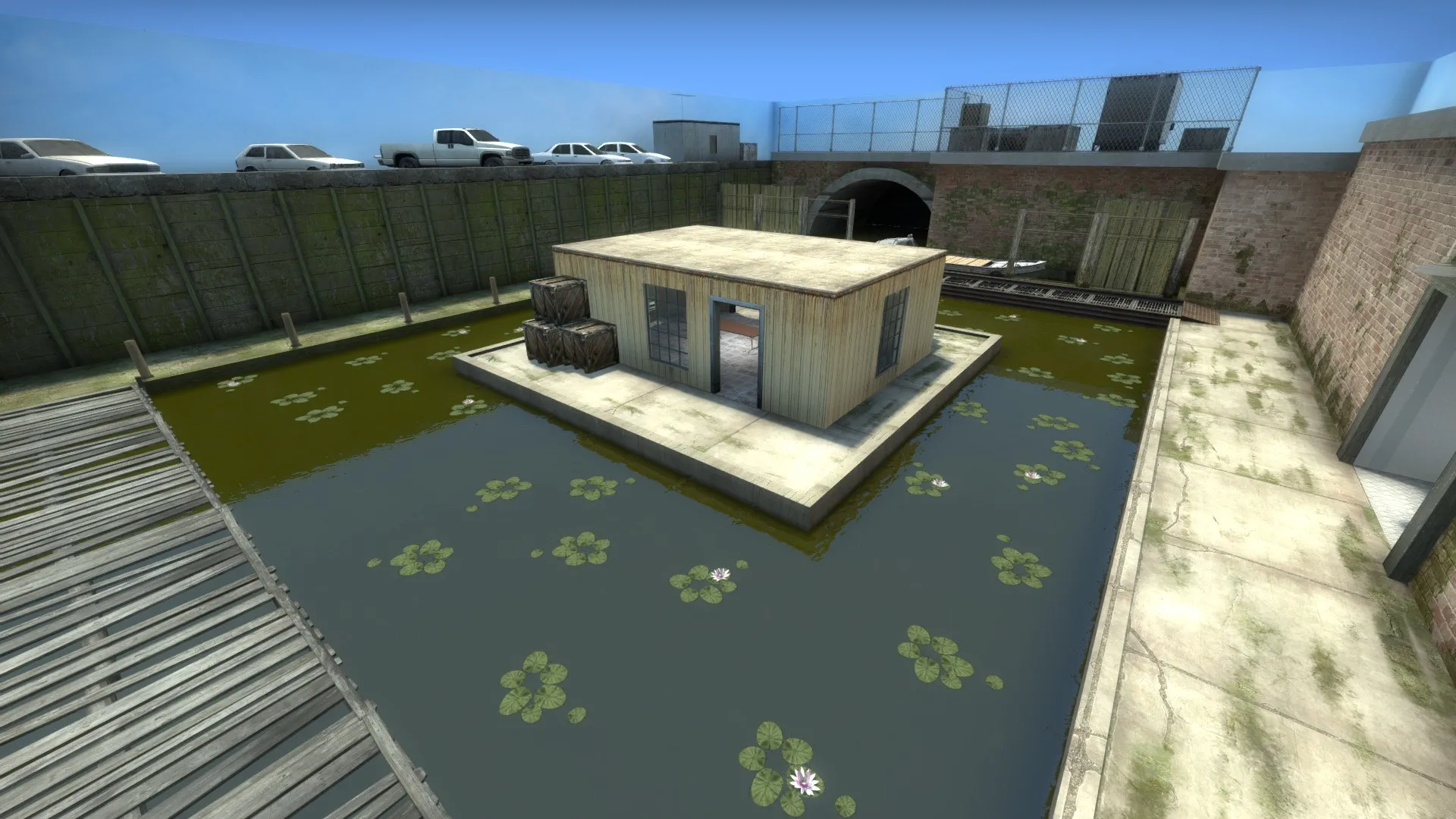
Swamp/Mill arena:
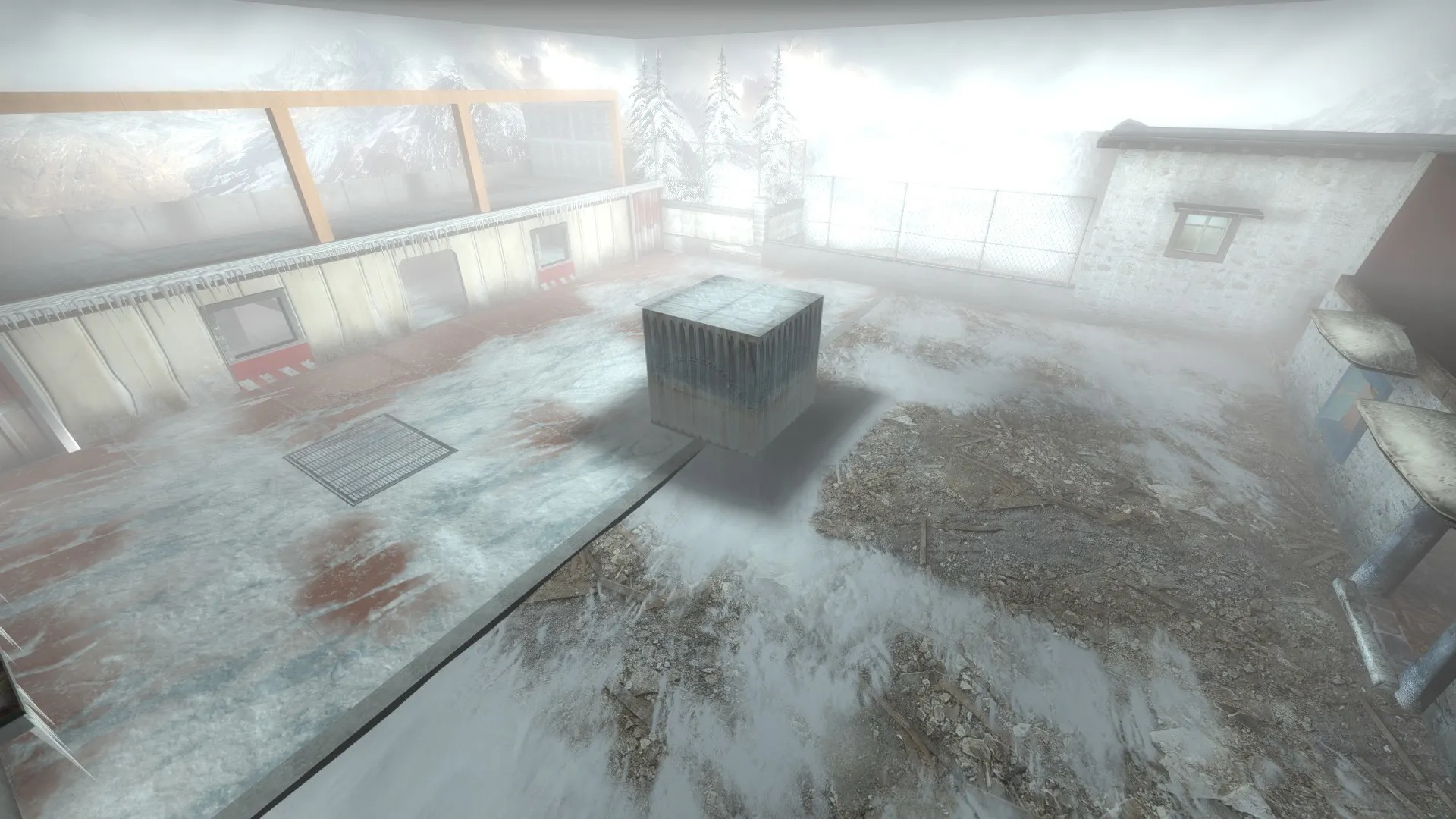
Subzero/Monastery arena:
Hallway, made more AIM friendly in the Showdown Planet version:
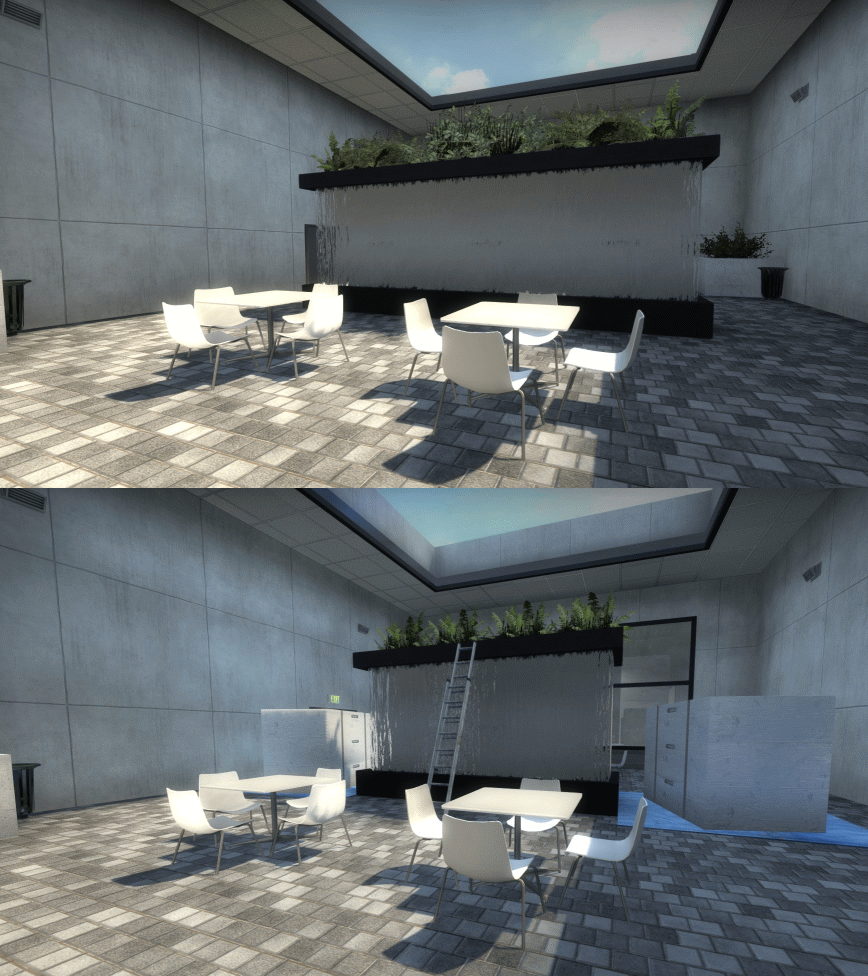
I did not record camera positions when taking screenshots, hence why the GIFs aren't perfect comparisons.
-
Learning more about the equirectangular projection, it turns out that if I wanted to properly texture a skydome, I should have only cropped the top half, as opposed to the top 3/4, of the panorama. For my upcoming map, though, I'm going to stick with the 3/4 method mentioned at the top. That's because the 3/4 method is able to capture a lot more of the horizon than the top half method, with the only tradeoff really being a slightly distorted skydome.
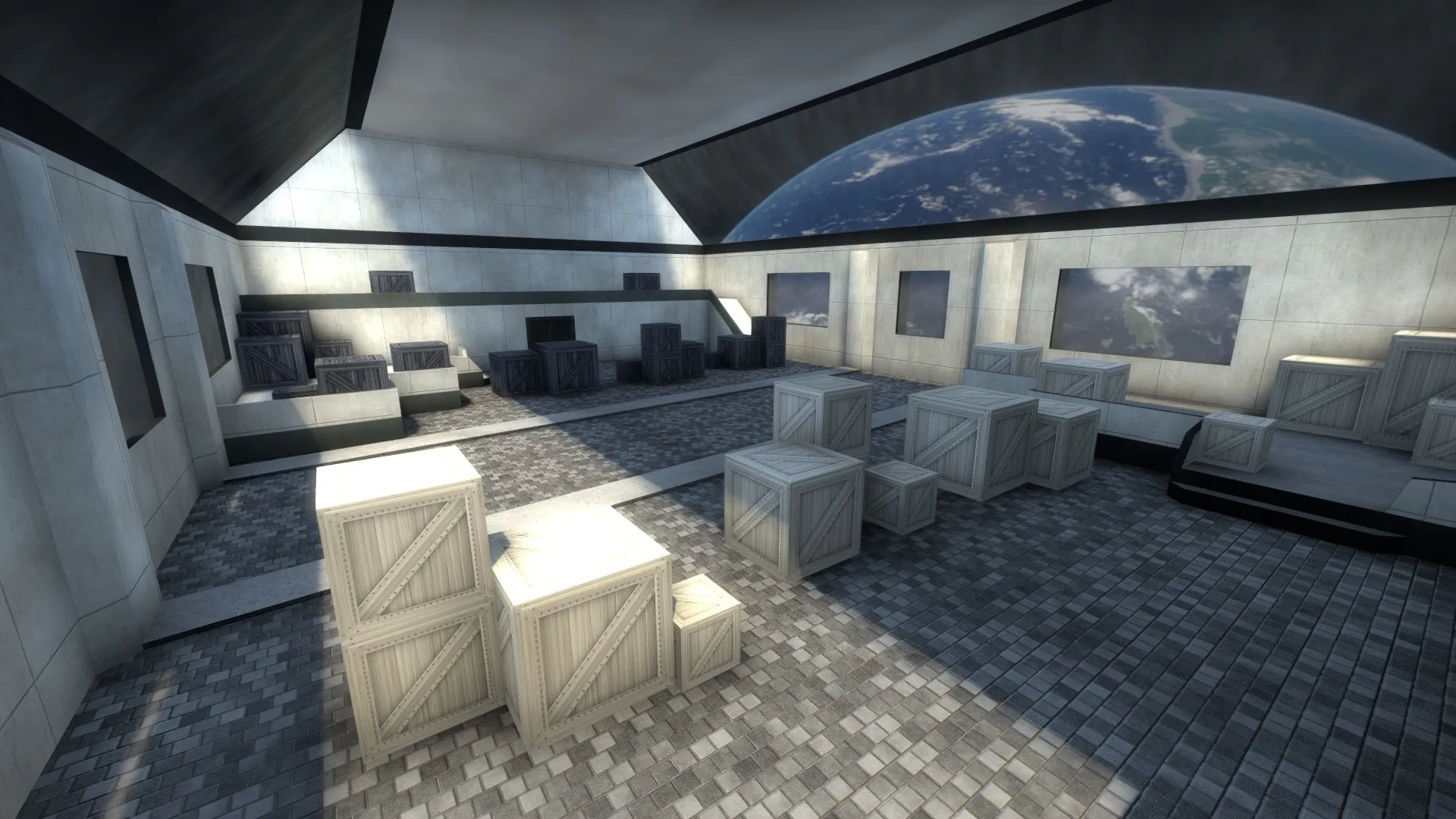
Instead, I figured out that a much better use for the 1/2 cropping method is when I have to create a skysphere. Because I'm lazy, the "skysphere" in my map was really just two skydome models, with one of the skydome rotated along the Y-axis. A sphere was needed because the windows in the space-themed arena allowed players to look down. Unfortunately, I could not find a formula on how to adjust the bottom sphere's yaw so that it would match the upper sphere's texture, so I just had to eyeball it.
You can see the results of my "skysphere" in the background of the screenshot below. Remember, this screenshot was taken on the same map as the screenshots I posted at the top:
-
Talk about really randomizing your stuff: OrelStealth has just released a map with procedural generation:
https://steamcommunity.com/sharedfiles/fi…/?id=2362387875
Skimming through the decompiled files, it looks like most of the procedural generation was done through Vscript combined with a bunch of prop_dynamic entities.
-
Ok, so I probably figured out the whole "use only" thing with regards to game_player_equip. It turns out what Nymphalow probably meant to say was:
- For "equip_player", make sure that "Use Only" and "Only Strip Weapon Type" are checked
- In the trigger_multiple output, the "Via this input" field should be "Use" instead of "TriggerForActivatedPlayer." Given that "Use" is by default a non-FGD input, "Use" will appear red.
I'll update the guide to incorporate this new way to randomize weapons once I get close to finishing my aim_six_arenas spinoff.
Shoutout to @Kokopelli's Snowball Fight - Country House map for showing how to correctly do this.
-
A few months ago, I wrote a guide on how to vary CS:GO maps round-to-round using logic_case and logic_eventlistener entities. Would be nice to hear some feedback from you guys regarding my guide's accuracy, as well as any additions I should add:
How to Randomize Your Map Round-to-Round in Hammer
I owe of lot of the guide's contents to Reddit user Nymphalow and Valve's developer wiki.
I do have some questions regarding some game_player_equip flags, however. Specifically, if you scroll down to the "Starting Weapons" section, you'll see that, for the game_player_equip entity named "equip_players," I say that you should only enable the "Only Strip Same Weapon Type" flag. In Nymphalow's original post, on the other hand, Nymphalow says that the "equip_players" game_player_equip entity only enable the "Use Only" flag. In my experience, though, having only "Use Only" checked caused a crapton of weapons to spawn, while having only the "Only Strip Same Weapon Type" flag checked caused the trigger_multiple entity to correctly spawn only 1 weapon. Hopefully, someone knowledgeable can help clear up this issue.I think I figured out how to use "Use Only" with game_player_equip and trigger_multiple. See my post here.You probably won't be using many of these randomization techniques in a competitive map (heard people really disliked cs_havana for doing just that). However, I do think there's a bunch of potential for round-to-round variation in AIM, Coop and obstacle course maps, for those who want to give those maps more replayability. In fact (self-promotion ahead!), here are some maps I've created that uses some of the concepts explained in my guide:
- fy_five_infernos: group spawn randomization
- mg_space_race: obstacle course with randomized func_brush entities
- aim_six_arenas: weapon randomization
-
Sure, it's been less than a week since I've released aim_six_arenas, but that doesn't mean I can't start working on the spinoff map.
The conceit of this spinoff map is still the same as the original: each round starts as a series of 1v1 matches before allowing all the surviving players to fight each other. The difference here is that, instead fighting it out in movie sets and hallways, the players now fight in separate arenas, with the surviving players teleporting to a seventh arena. From a gameplay perspective, this means no more searching up and down a corridor looking for enemies, something players generally dislike. From the design perspective, this means I can add a lot more details to the arenas, which can be seen below:
Aztec/Ancient arena (original arena for comparison)
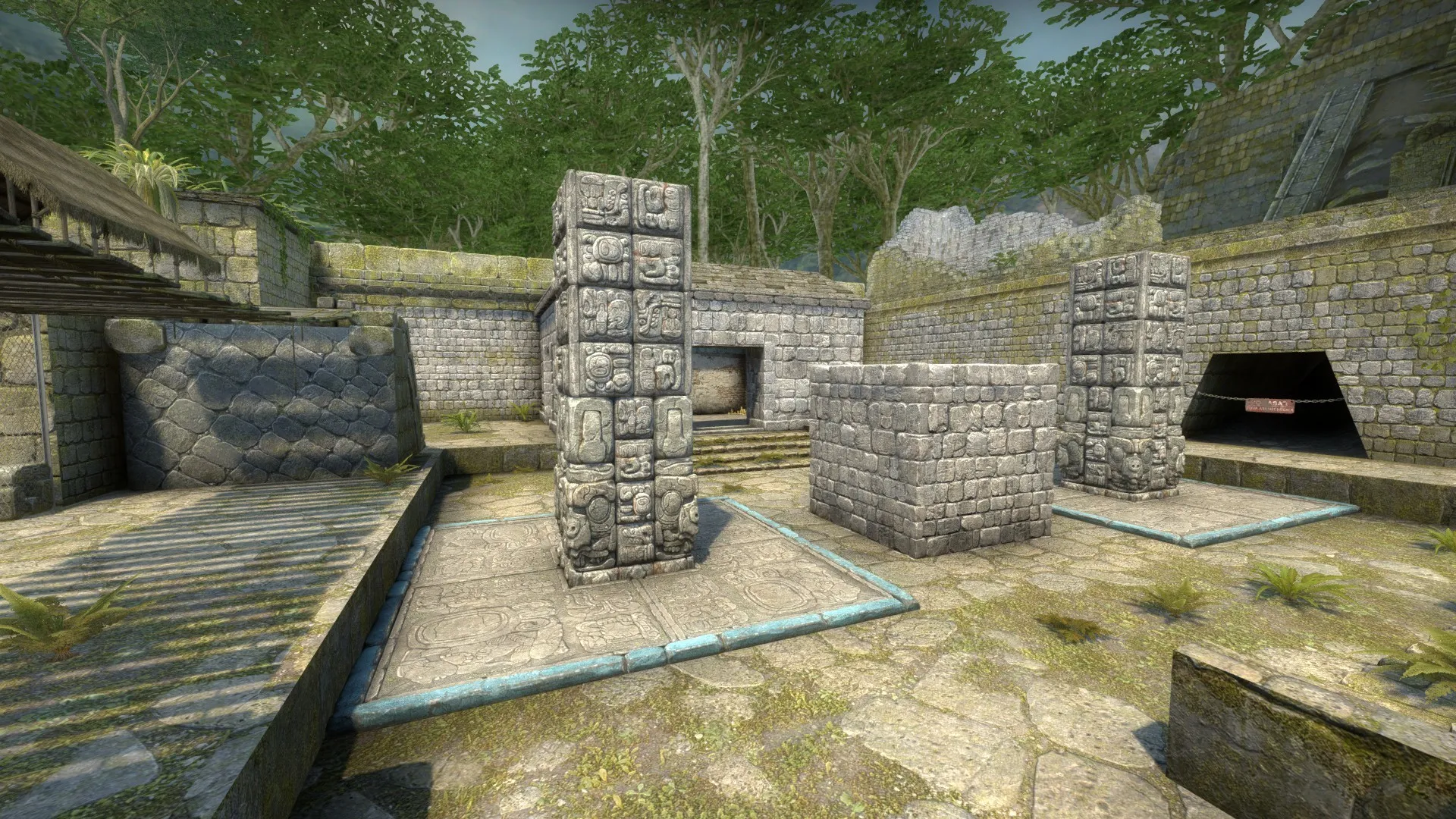
Subzero/Monastery arena (original arena for comparison)
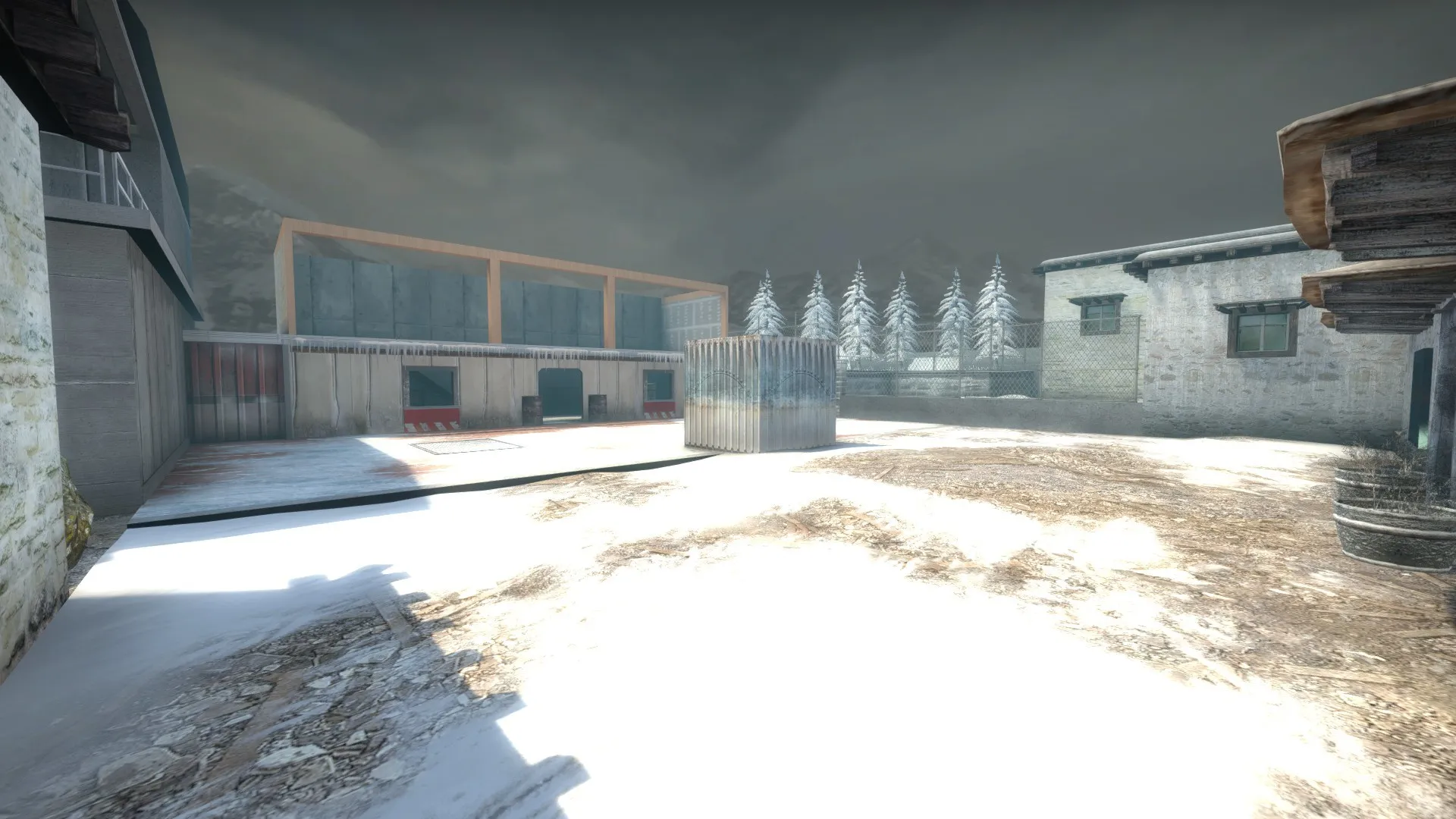
Swamp/Sugar Mill arena (original arena for comparison)
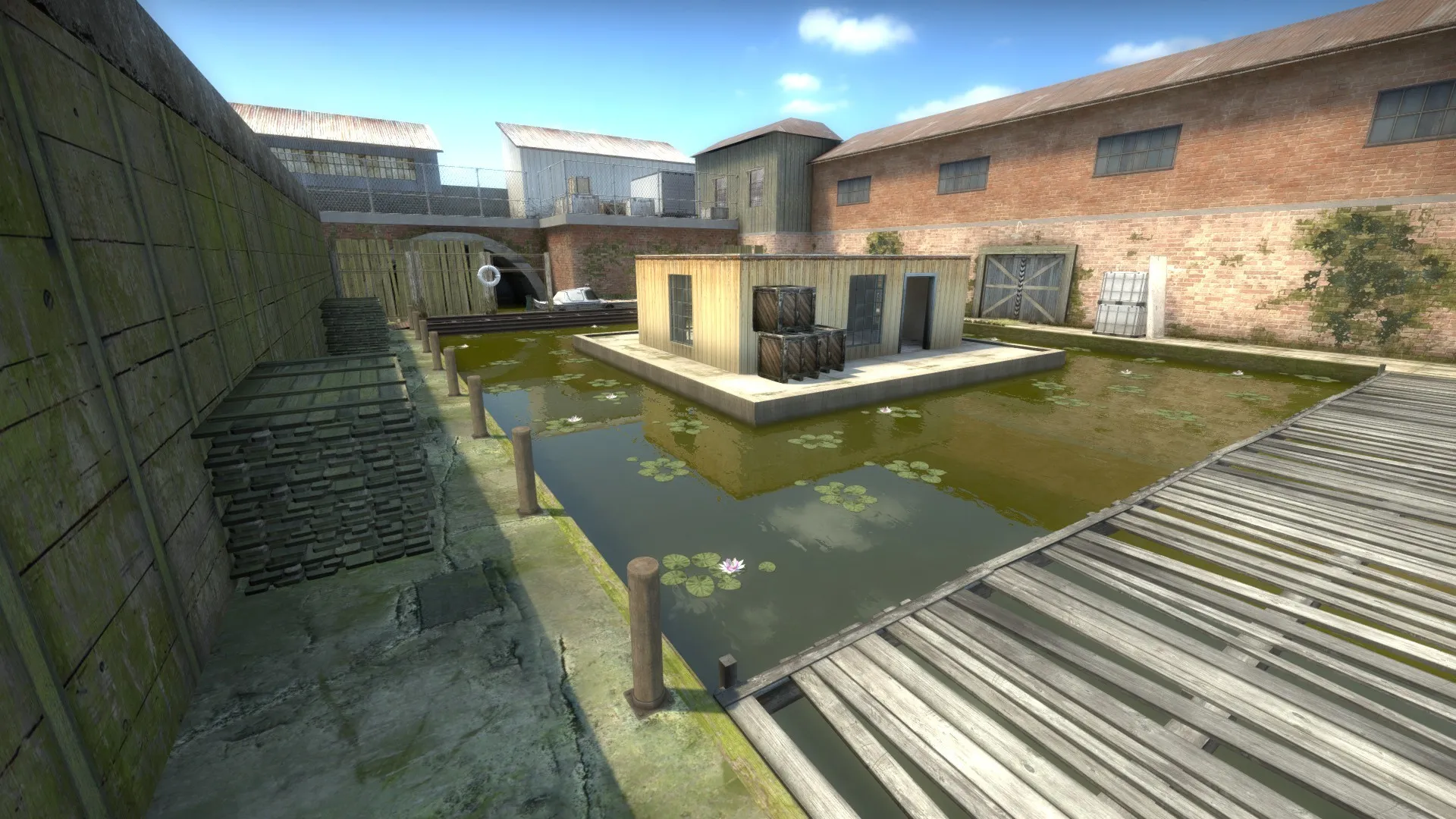
You'll notice that the skies in the screenshots are different, thanks to my use of skydomes. I wrote a tutorial on how I made these skydomes here.
-
I've been working on a spinoff of my aim_six_arenas map that will use a couple of skydomes to create the illusion of multiple skyboxes on a single map, and I thought I could share my workflow on how I was able to create a multi-skin skydome without using programs such as Blender or 3DS Max. Specifically, I was able to port a couple of Valve skybox cubemaps onto a skydome model.
To do this,
- Decompile a skydome model using Crowbar. For me, I recommend decompiling nuke_skydome_001.mdl, located in CS:GO's vpk files.
- Open the .smd file with notepad, which, for nuke_skydome_001.mdl is nuke_skydome_001.smd
- Inside nuke_skydome_001.smd, replace all instances of nuke_skydome_001 with the name of your primary skydome material.
- Open the QC file with Notepad and edit the $modelname and $cdmaterials to whatever folder you want. Add a $texturegroup skinfamilies section and add entries for the materials you'll be adding to the skyname (which, in my case, were skydome_cs_tibet and skydome_jungle). As a precaution, I renamed the QC file itself. In turn, my QC file ended up looking like this:
Spoiler // Created by Crowbar 0.58
$modelname "am_six_arenas\skydome_tibet_jungle.mdl"
$staticprop
$bodygroup "Body" { studio "nuke_skydome_001.smd" }
$surfaceprop "metal"
$contents "solid"
$illumposition -0.002 -0.002 1315.164
$cdmaterials "am_six_arenas\"
$cbox 0 0 0 0 0 0
$bbox -2047.998 -2048.002 0 2048.002 2047.998 2630.329
$definebone "static_prop" "" 0 0 0 0 0 0 0 0 0 0 0 0
$texturegroup skinfamilies { { "skydome_cs_tibet" } { "skydome_jungle" } }
$sequence "idle" { "nuke_skydome_001_anims\idle.smd" activity "act_idle" 1 fadein 0.2 fadeout 0.2 fps 30 }
$KeyValues { qc_path { "value" "am_six_arenas\skydome_tibet_jungle.qc" } }
Afterwards, use Crowbar to compile the QC file.
Now that you have the model compiled, it's time to modify the texture so that it'll fit on the skydome. The only textures that'll fit the nuke_skydome_001.mdl mesh are those in the equirectangular panorama format with a 4:1 aspect ratio, an obvious problem given that Valve's skybox textures are in cubemap format. To do this conversion,
- Export the skybox cubemap VTFs as PNGs or TGA files
- Go to this Cubemap to Panorama tool, created by danilw
- Upload each cubemap to the respective face (BK to Back, LF to left etc.). Under rotation, make sure Up's rotation is set to 90 degrees and that "apply Mipmap" is checked.
- Set the panorama image resolution to a 3:1 aspect ratio. This is because the down face takes up a quarter of the image vertically. For my skydome, I set my resolution to 4096 x 1366, because I wanted to use a 4096x1024 texture for the skydome. Overall, this is how I filled out the Cubemap to panorama tool:
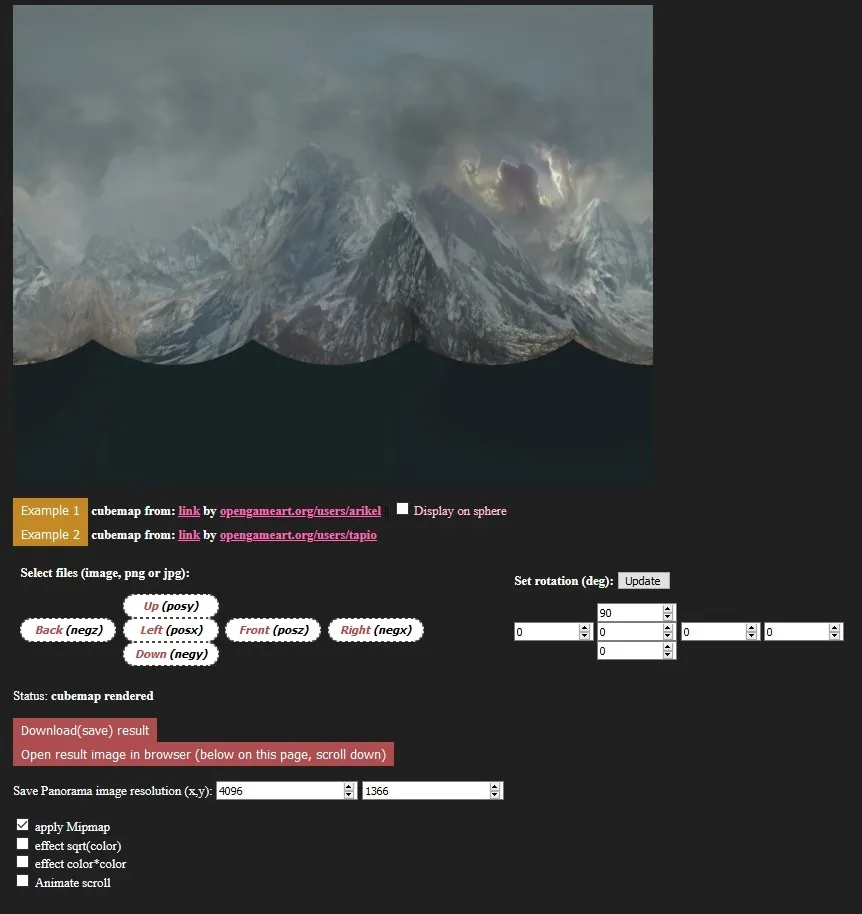
And this is how the PNG I downloaded looked like (image has been resized):
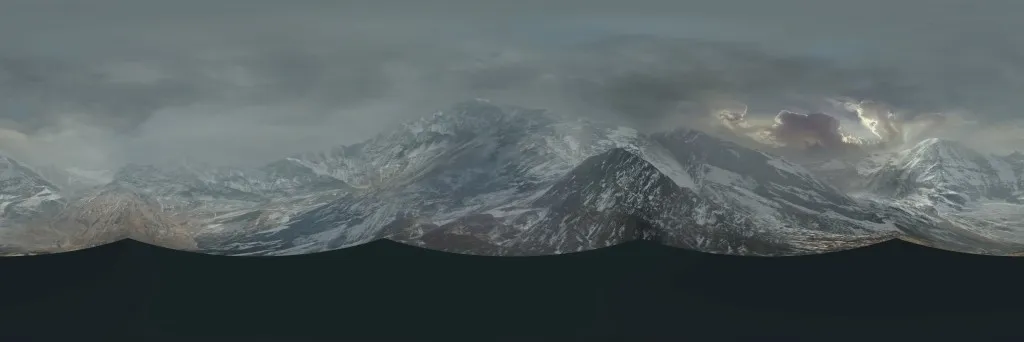
After downloading the PNG, crop out the bottom quarter of the image. Your panorama should now look something like this (image has been resized):

Using VTFedit, import the cropped panorama in the DXT1 format. In the corresponding VMT, add the following lines of codes:
Spoiler "unlitgeneric" { "$basetexture" <VTF name> "$nofog" "1" }
Do the same cubemap to panorama conversion process for any other skybox skins you want to add to the skydome.
Now that you've compiled the model and added textures, add you custom skydome as a prop_static. In the properties, make sure Disable Shadowdepth, Disable Vertex lighting and Disable Self-Shadowing are set to No, while Disable Shadows is set to Yes. Note that the default dimensions of the skydome is 4096x4096, which will cover the whole map if you place it in the 3D skybox. I've found setting a scale override of 0.25 still produced a decent looking skydome.
For cs_tibet and jungle, you'll notice that the sun is baked into the skybox. Therefore, if you want your map to be realistic, you'll have to rotate the skydome to match the light_environment sun angle (also make sure your pitch isn't too different from the original map and the current map). To do that, use the following formula:
Skydome Yaw Rotation = Sun Angle of the Map Where the Skydome Texture Originated From + 90 - Current Map Sun Angle
Let's say you added a cs_tibet skydome to de_vertigo and want to have the sun in the cs_tibet skydome match Vertigo's sun angle. Vertigo's sun angle is 0 54 0, while the sun angle for ar_monastary, the map that uses the cs_tibet sky texture, has a sun angle of 0 153 0. Therefore, the cs_tibet skydome will need to a yaw of 153 + 90 - 54 = 171 for the cs_tibet skydome to match Vertigo's sun angle. For jungle, the skydome will need a yaw of 315 + 90 - 54 = 351, as de_aztec has a sun angle of 0 315 0.
And now some screenshots. Remember, both of these screenshots were taken on the same map:
Spoiler
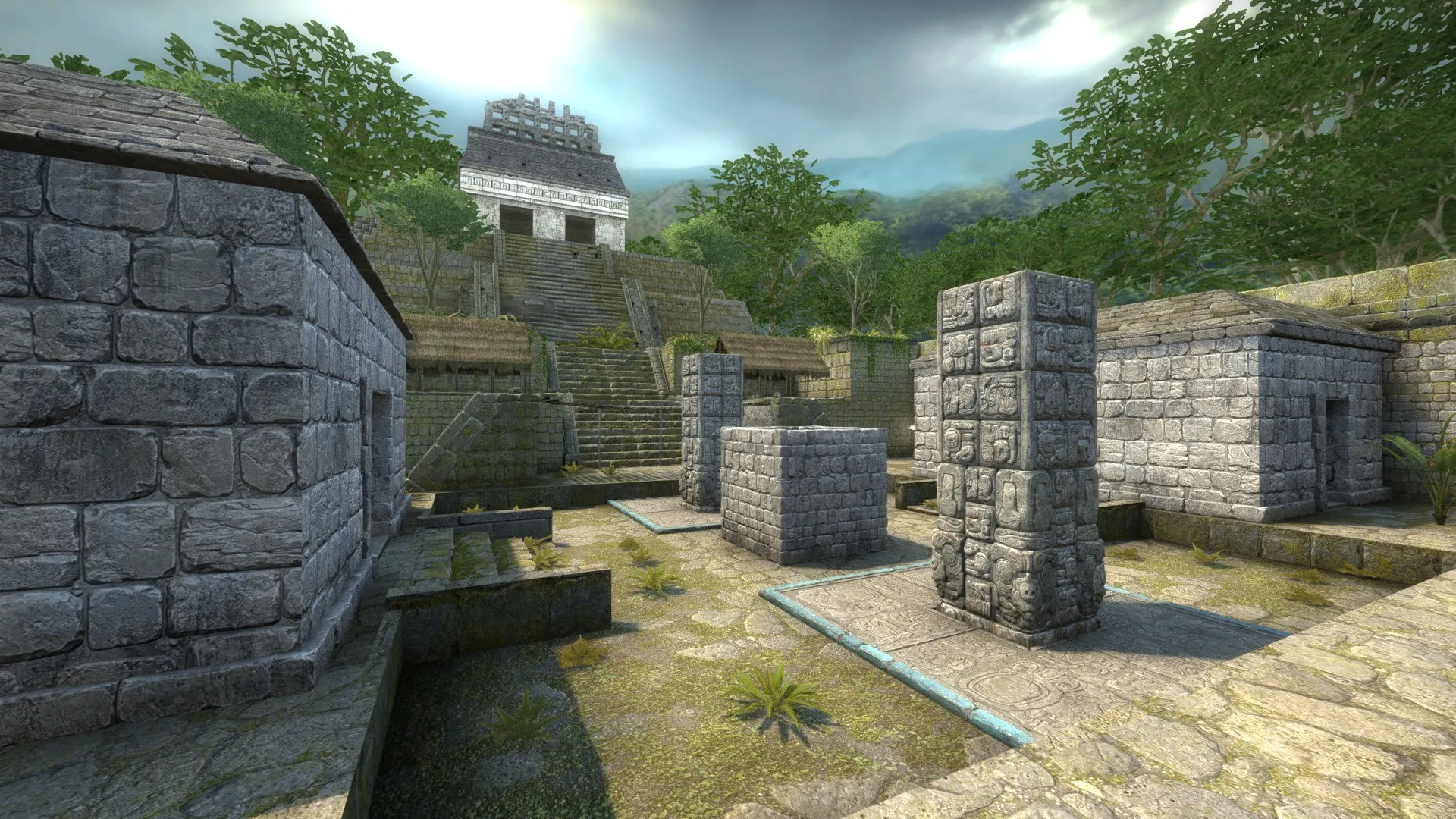
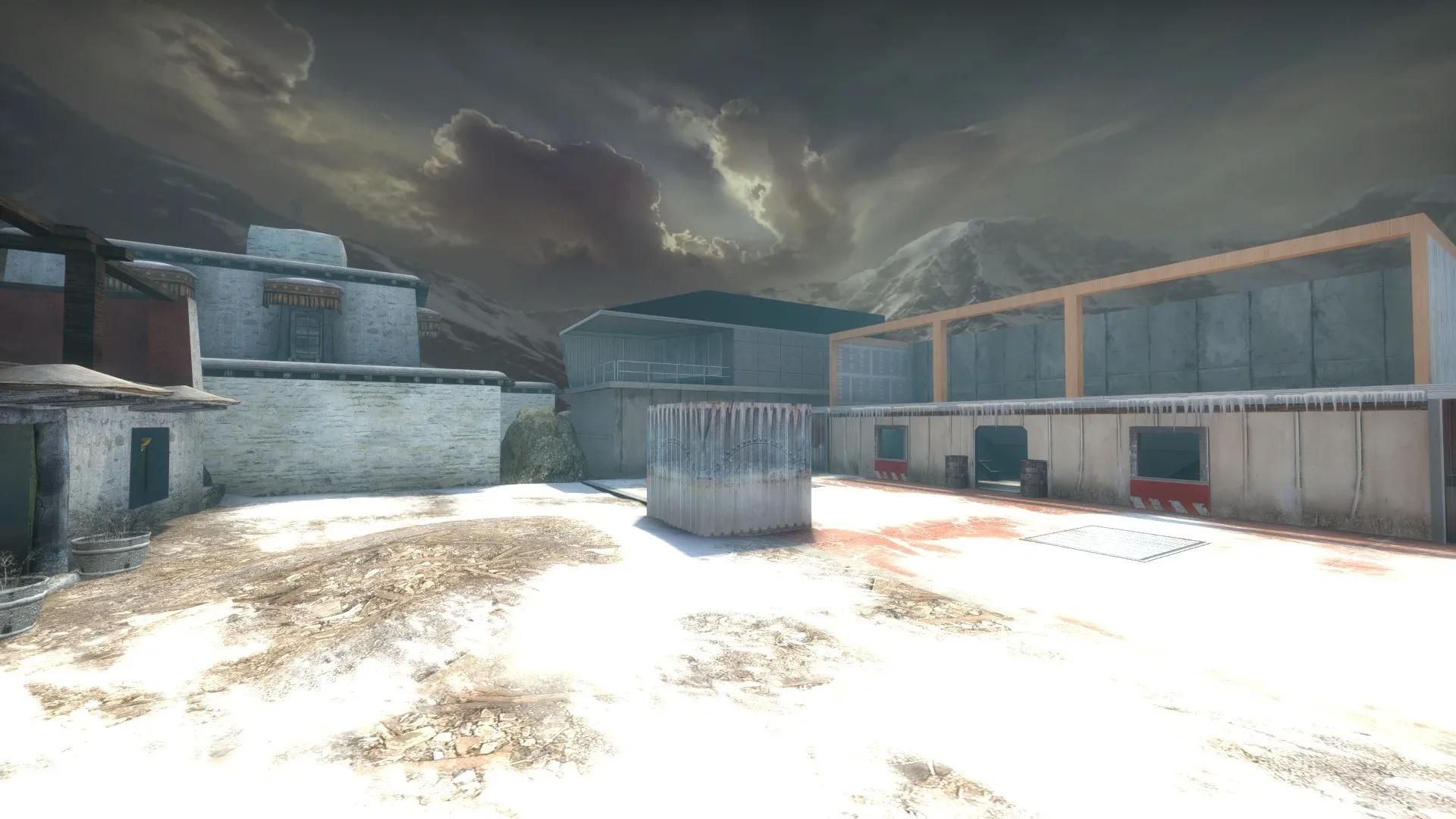
Hopefully, others can use this method to quickly convert other cubemap skyboxes into skydomes. I would also appreciate any feedback you have for this tutorial.
-
As I said at the top, there will be several spinoff maps of aim_six_arenas. In fact, I've already released one that's compatible with Arms Race, Demolition and Deathmatch, AR_Six_Arenas:
This spinoff removes AIM_Six_Arenas' game_player_equip entity, due to that entity causing CS:GO to crash in Arms Race and Demolition modes. While this map was originally designed for those aforementioned modes, it is still playable in casual/competitive modes, where, instead of randomly preselected weapons, players use buyzones to get guns. In other words, if you ever wondered how 1v1 multi arena would play out with buyzones, this map is kind of for you.
Other than that, this map identical to the original, hence no screenshots. For the first 20 seconds, the arena doors are locked, forcing players into 1v1 matchups. After 20 seconds (15 seconds after the end of freeze time), the doors will unlock, allowing players to use the hallway connecting the arenas to hunt down surviving enemies.
-
Original Map (AIM_Six_Arenas) Downloads:
Spinoffs:
- Deathmatch/Demolition/Arms Race compatible version: Steam, Gamebanana, Mapcore
- Showdown Planet: Steam, Gamebanana, MapCore
After several weeks of works, I would like to present to everyone my take on 1v1 multi arena: AIM_Six_Arenas. The map features six 1v1 arenas connected by a hallway. For the first 20 seconds of each round, though, arena doors are locked, forcing players into 1v1 matchups. After 20 seconds, the doors to each arena will unlock, allowing players to use the connecting hallway to hunt down other players. You can and should use the radar to determine where remaining enemies are located.
As there is only one door into each arena, I gave players the ability to teleport directly into an arena, potentially bypassing anyone camping at the door. However, there is a two second delay before you can teleport, so you can't simply use the teleporter to cheaply run away from enemies in the hallway. Also, to reduce the amount of searching after the doors are unlocked, there are indicators in the hallway showing which arenas are currently occupied. This map also has random sets of weapons each round. The matchups are:
- USP-S vs. Glocks
- Five-Seven vs. Tec-9
- Mag-7 vs. Sawed-off
- MP9 vs Mac-10
- Famas vs. Galil
- M4 vs. AK47
- AUG vs. SG 553
Credits:
- TopHatWaffle's Real World Textures: https://www.tophattwaffle.com/downloads/real-world-textures/
- TopHatWaffle's Real World Textures 2: https://www.tophattwaffle.com/downloads/realworldtextures-2/
- TopHatwaffle's Water Source: https://www.tophattwaffle.com/downloads/water-source-textures/
- In addition to Valve's main maps, this map also uses models and textures from cs_agency, de_breach, de_swamp and de_subzero
I also plan on releasing several spinoff maps based off of this map, with individual maps based on the arenas, as well as a more traditional 1v1 multi arena map compatible with the 1v1 plugin.
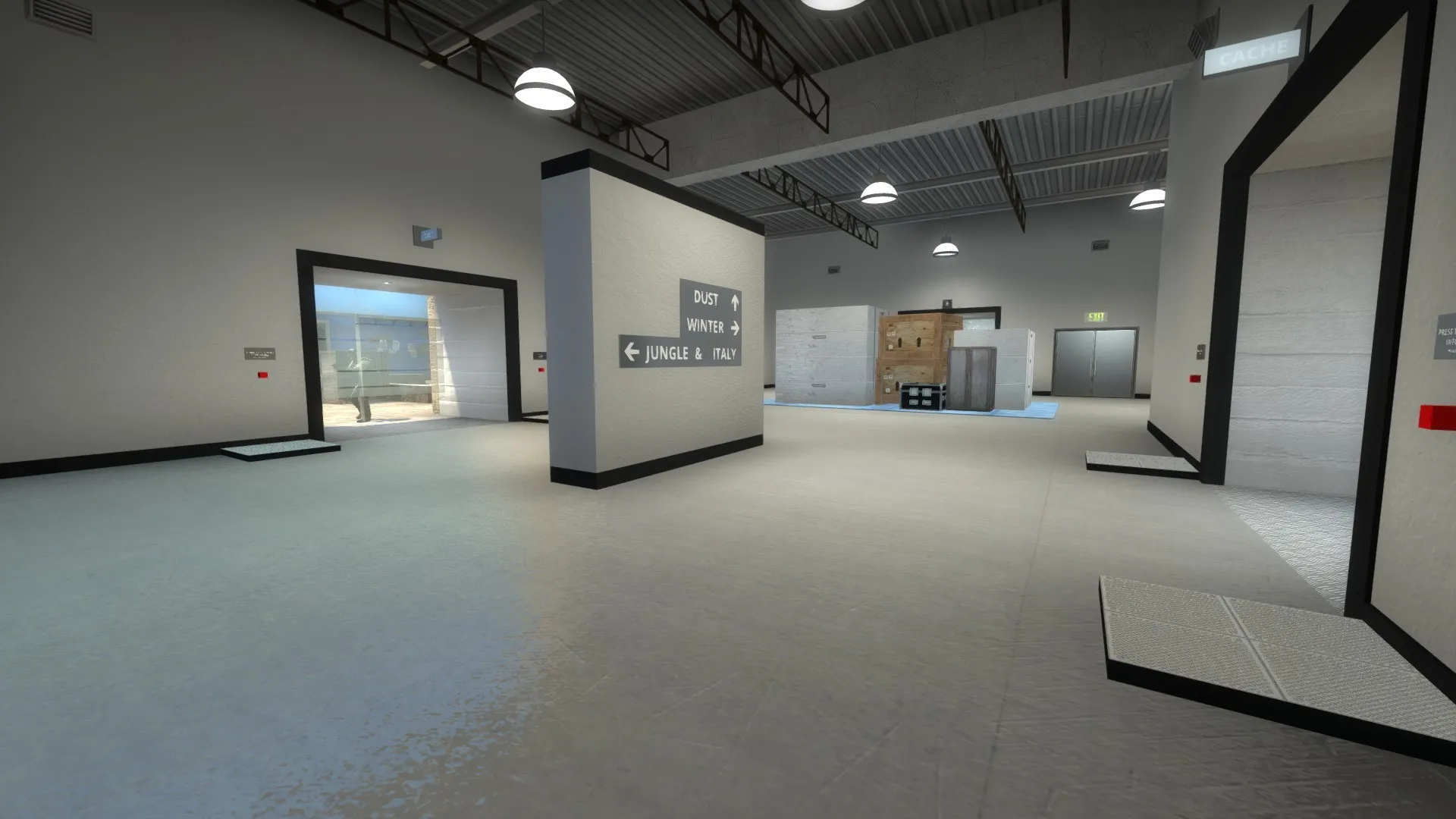
And now screenshots of the six arenas, as well the connecting hallway:
Spoiler
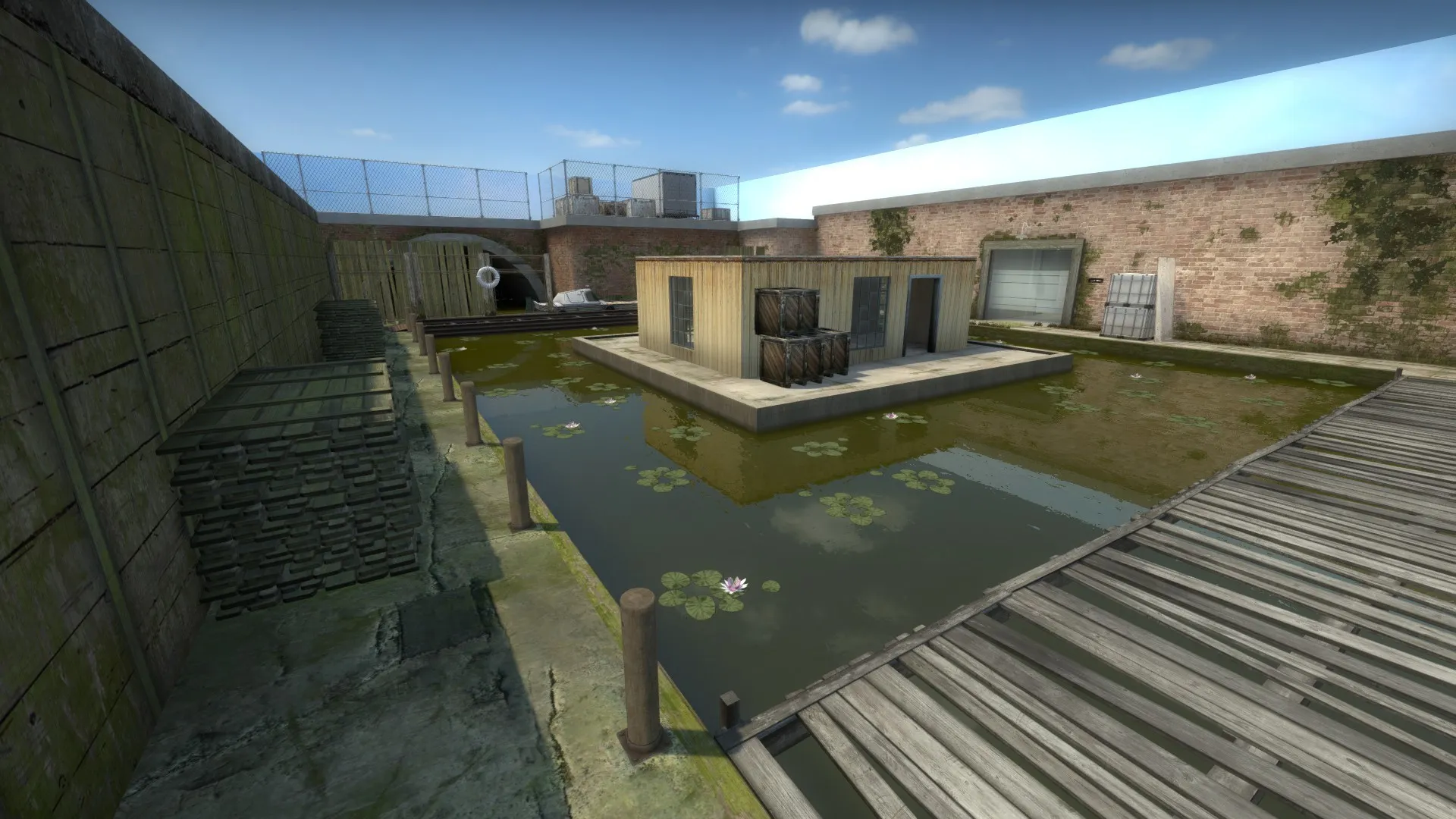
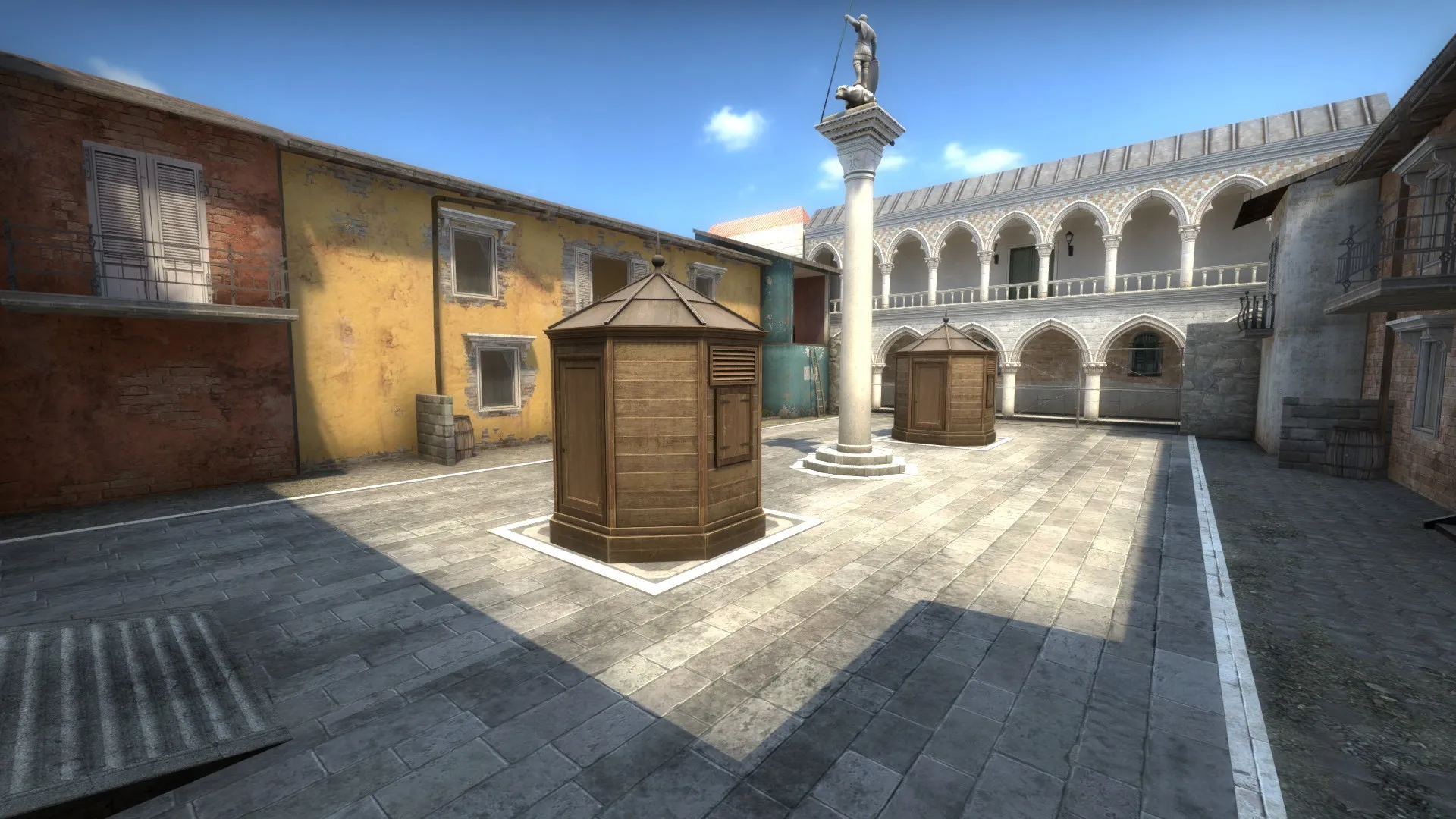
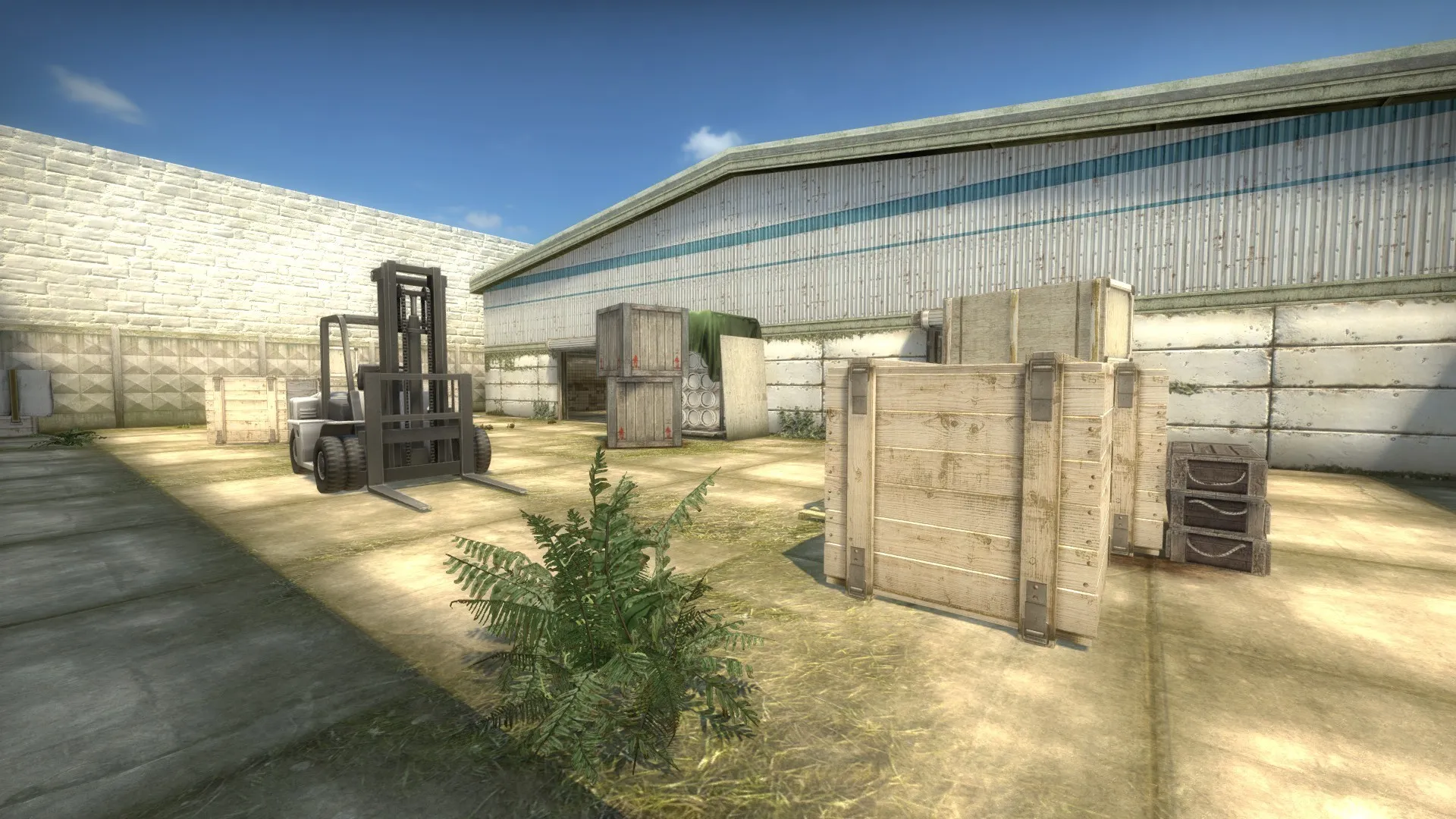
-
 Quote from blackdog
On 12/24/2020 at 9:28 AM, blackdog said: This is an interesting project, but I think you need to work on the central hub. This is basically gonna turn out as a TDM, since there are not gonna be clear fronts (two distinct sides) where players will come from, and running up and down a corridor is not fun.
So I think you need to build a central hub that is more than a corridor, you need an arena that allows people to clash together in a fluid manner. It would work out even better if you could add verticality, placing the different 1-on-1 rooms on different levels. Imagine a mall with a couple of galleries or look up the Panopticon concept (where your rooms would be the cells).
The map will have a radar, so that should make it easier to infer where friends and enemies will be coming from. Also, for one of the spinoff, I plan on having all surviving players teleport to a seventh arena, with Ts and CTs teleporting to distinct sides.
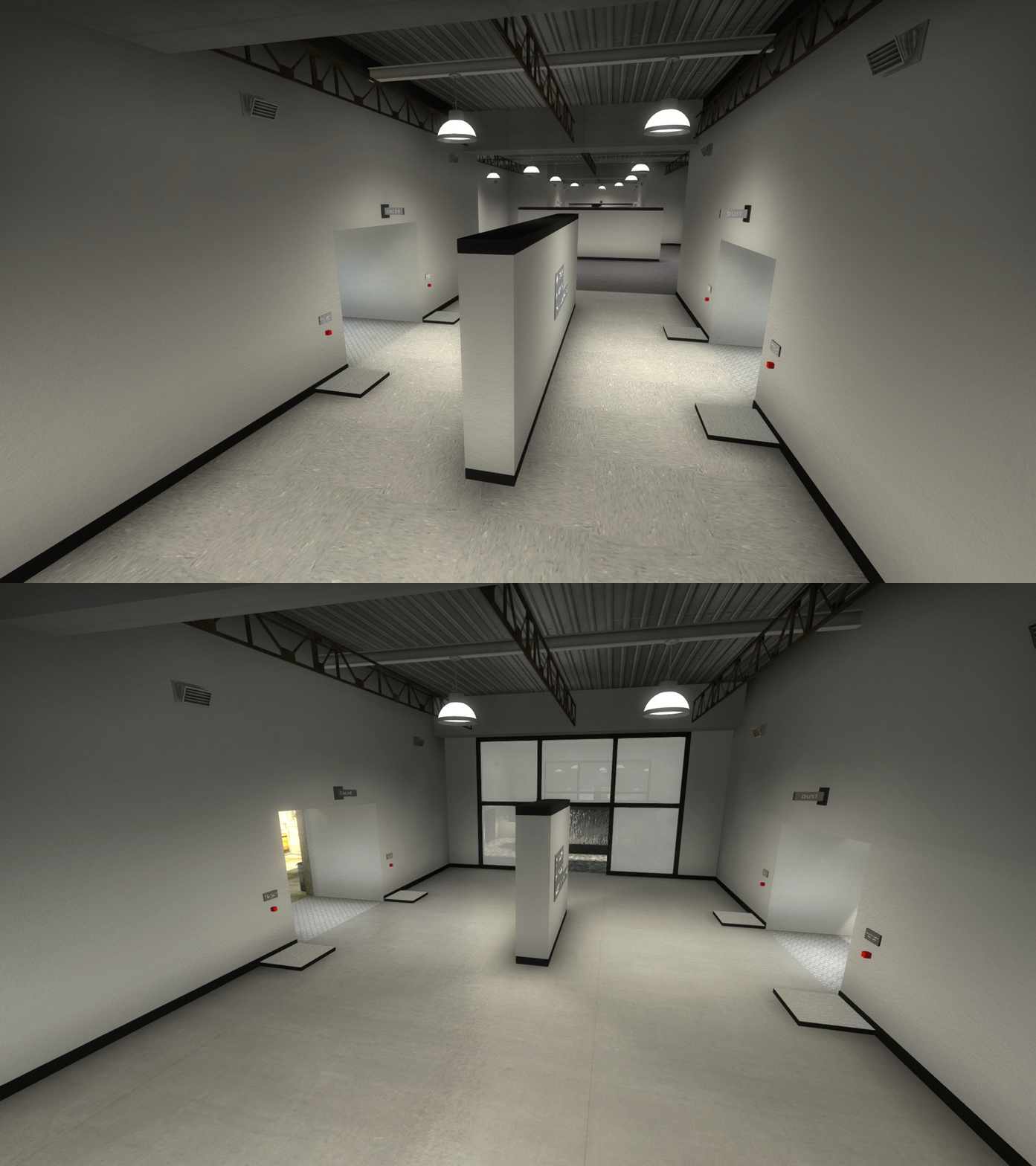
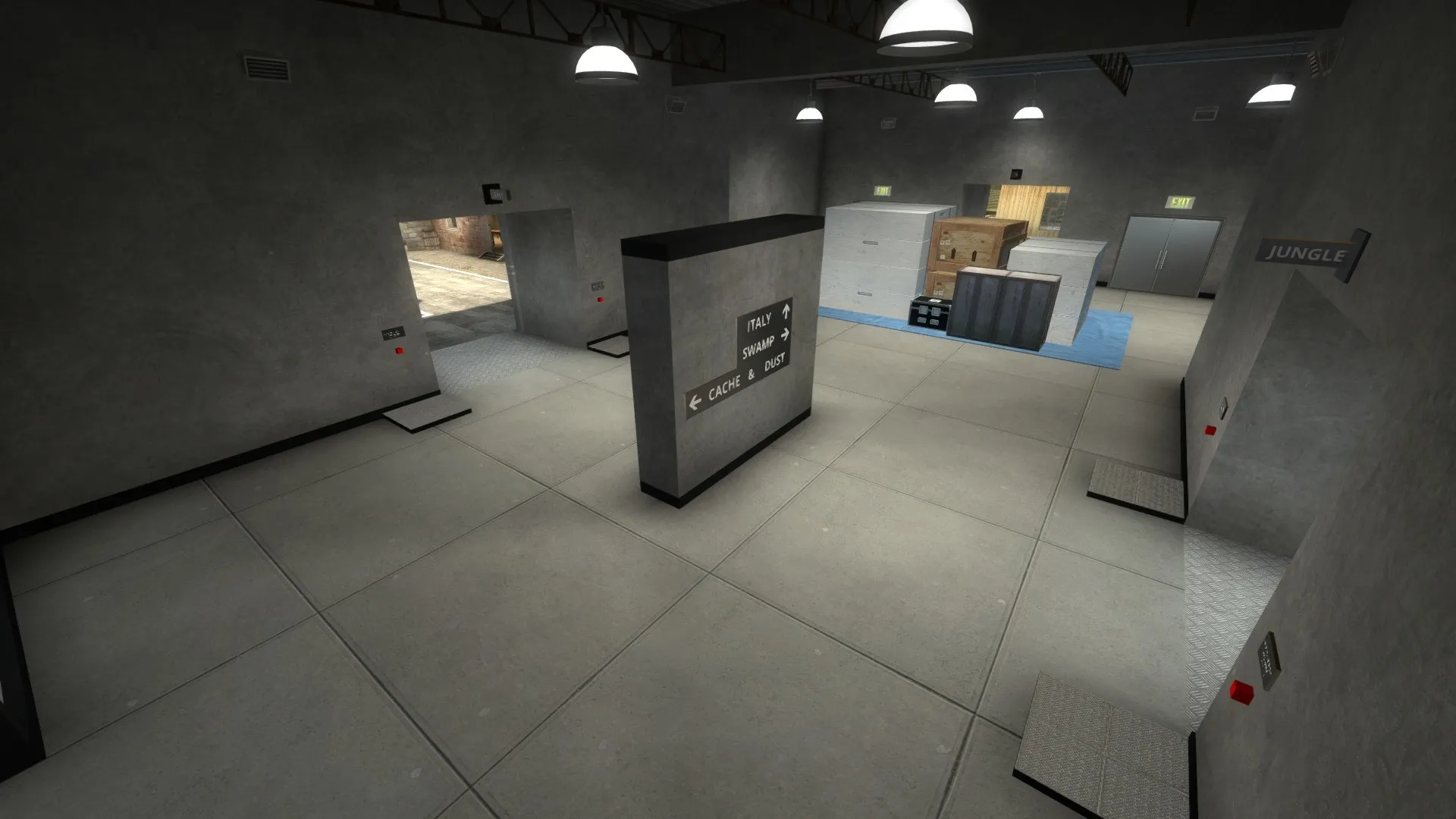
Nevertheless, taking your advice, I decided to overhaul the hallway on the original map so that it feels less hallway-ish. First, I widened the hallway to make it more like an atrium. I also transformed the corridor so that it'll look like three distinct sectors, with the two end sectors connecting to three arenas each. With this, I hope to visually nudge players into checking the two adjacent arenas first before moving across the map to check the other three arenas, hopefully reducing the amount of back and forth running.
Here's a comparison GIF of the changes (I did not record the coordinates for the original screenshot, so this comparison won't be perfect):
Spoiler
And here's another screenshot of the revamped connecting area:
Spoiler
-
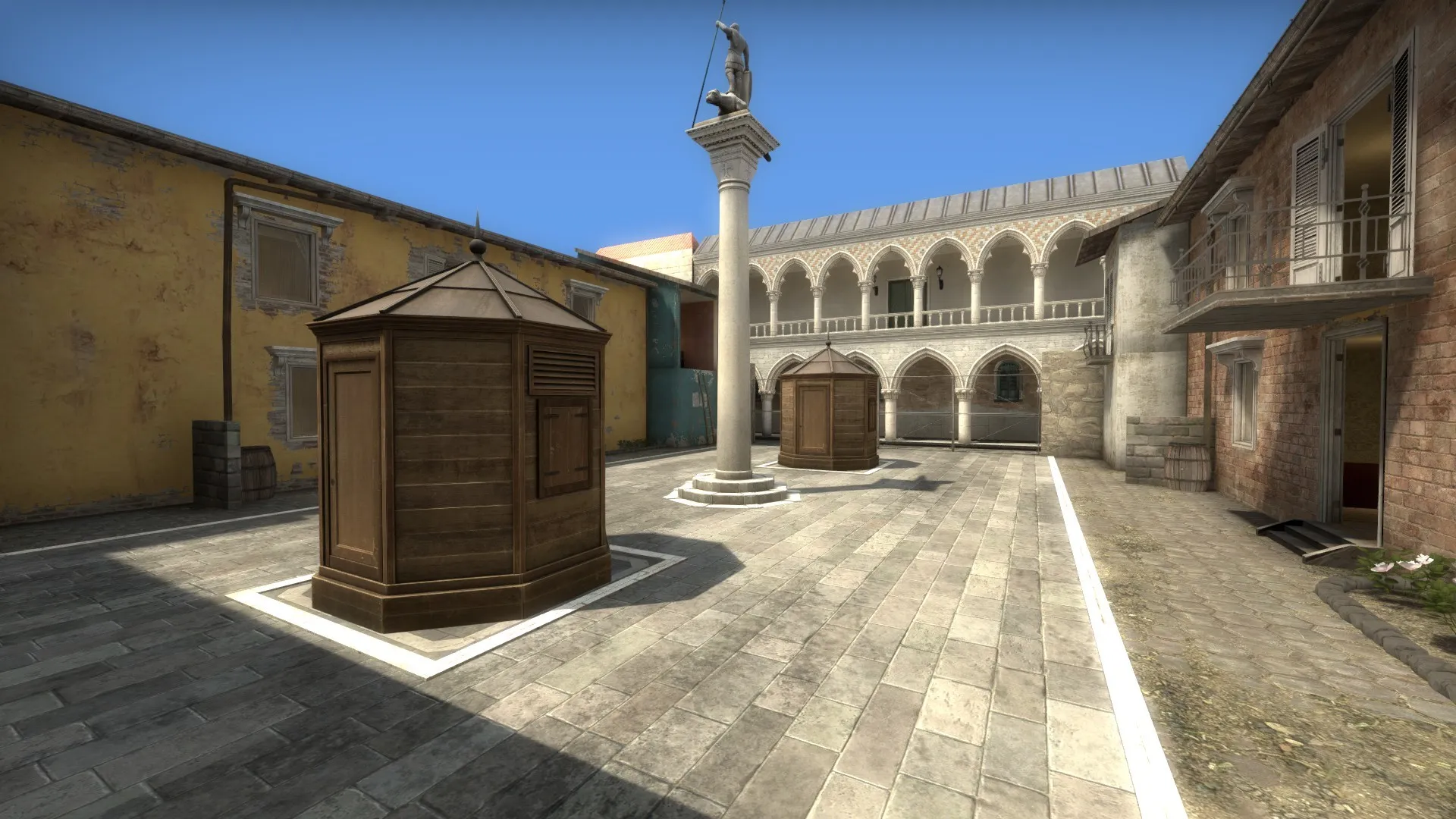
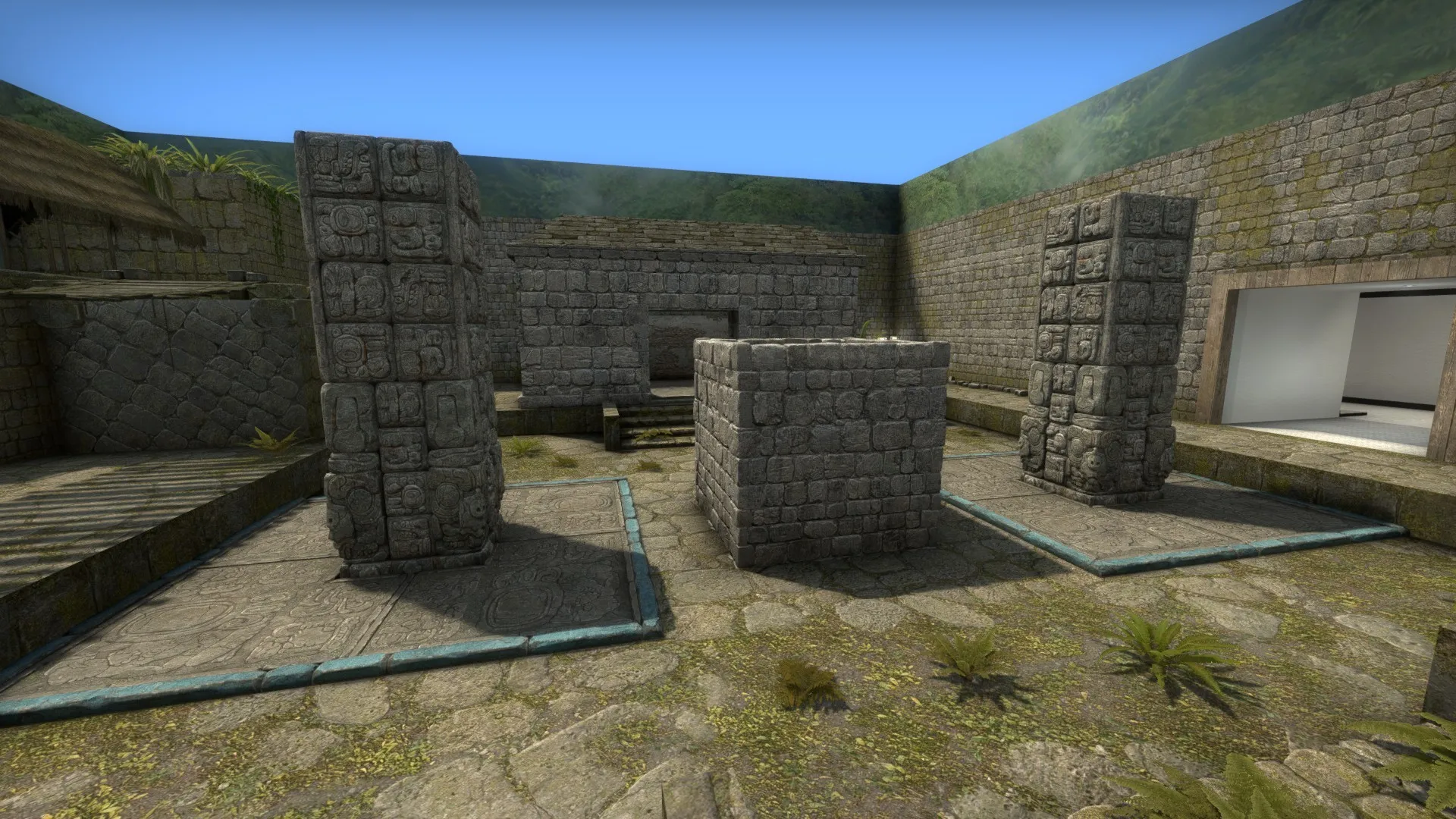
Added some more details to the AIM map I was working on:
Italy/Inferno/Canals (more roofs):
Spoiler
Aztec/Ancient (more foliage):
Spoiler
Subzero/Monastery (more background stuff):
Spoiler
Cache (more foliage):
Spoiler
The content cannot be displayed because it is no longer available. Also, I recently discovered that the game_player_equip entity kind of screws up CS:GO if you're trying to play deathmatch, arms race or demolition modes. In fact, if your game_player_equip is forcibly equipping players and you try to play in arms race mode, the whole game will crash. This means, on top of the 7(!) spinoff maps already planned, I'll be releasing a deathmatch/arms race compatible version as well.
-
I've been working on a AIM/AM map for CS:GO, with a twist. The game initially plays out as a collection of six 1v1 matchups. After 15 seconds, the doors to each arena will unlock, allowing players to walk to other arenas, or to fight it out in the hallway connecting the six arenas. There will also be random sets of weapons each round (AK vs. M4, Tec-9 vs. Five-Seven, Sawed Off vs. Mag-7 and so forth).
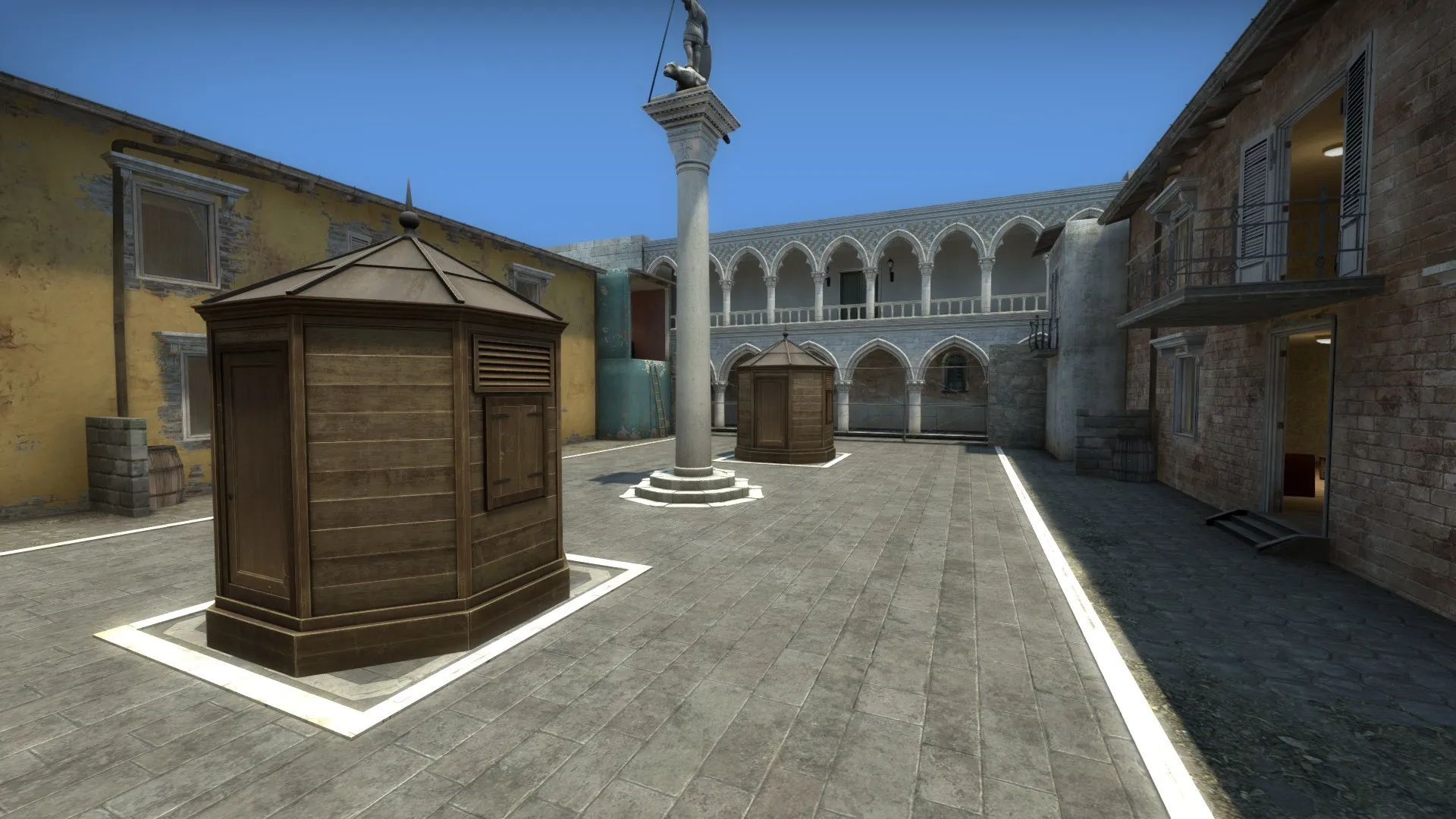
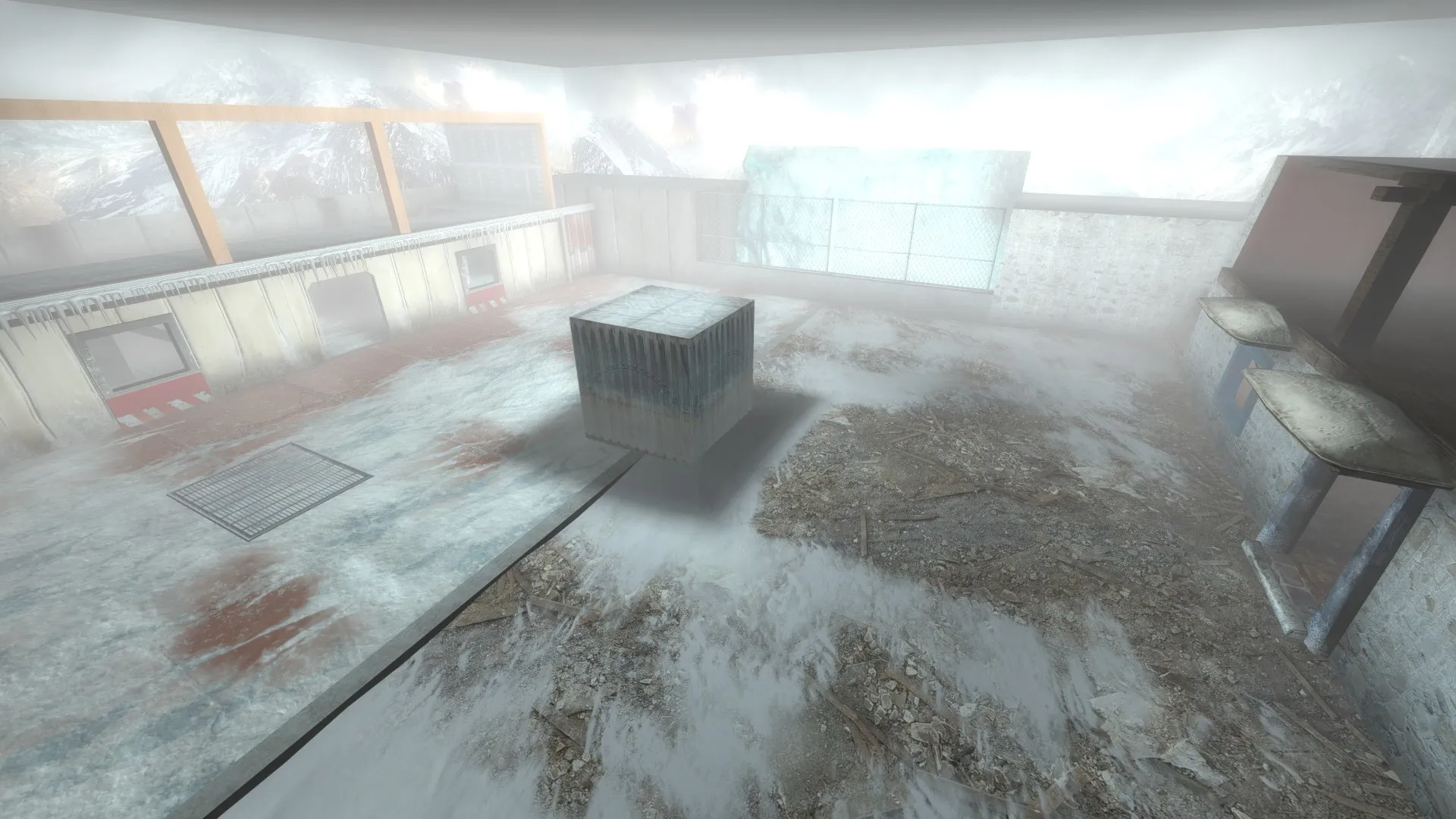
Overall, I envision the map being like a collection of six movie sets, each themed after a CS:GO map. This is why you can see some skybox textures on walls, as they are meant to be something akin to LED screens. Here are how the arenas look like so far:
Sugarmill/Swamp:
Spoiler
Aztec/Ancient:
Spoiler
Dust/Mirage:
Spoiler
Cache (closely based on the official 1v1 Cache arena):
Spoiler
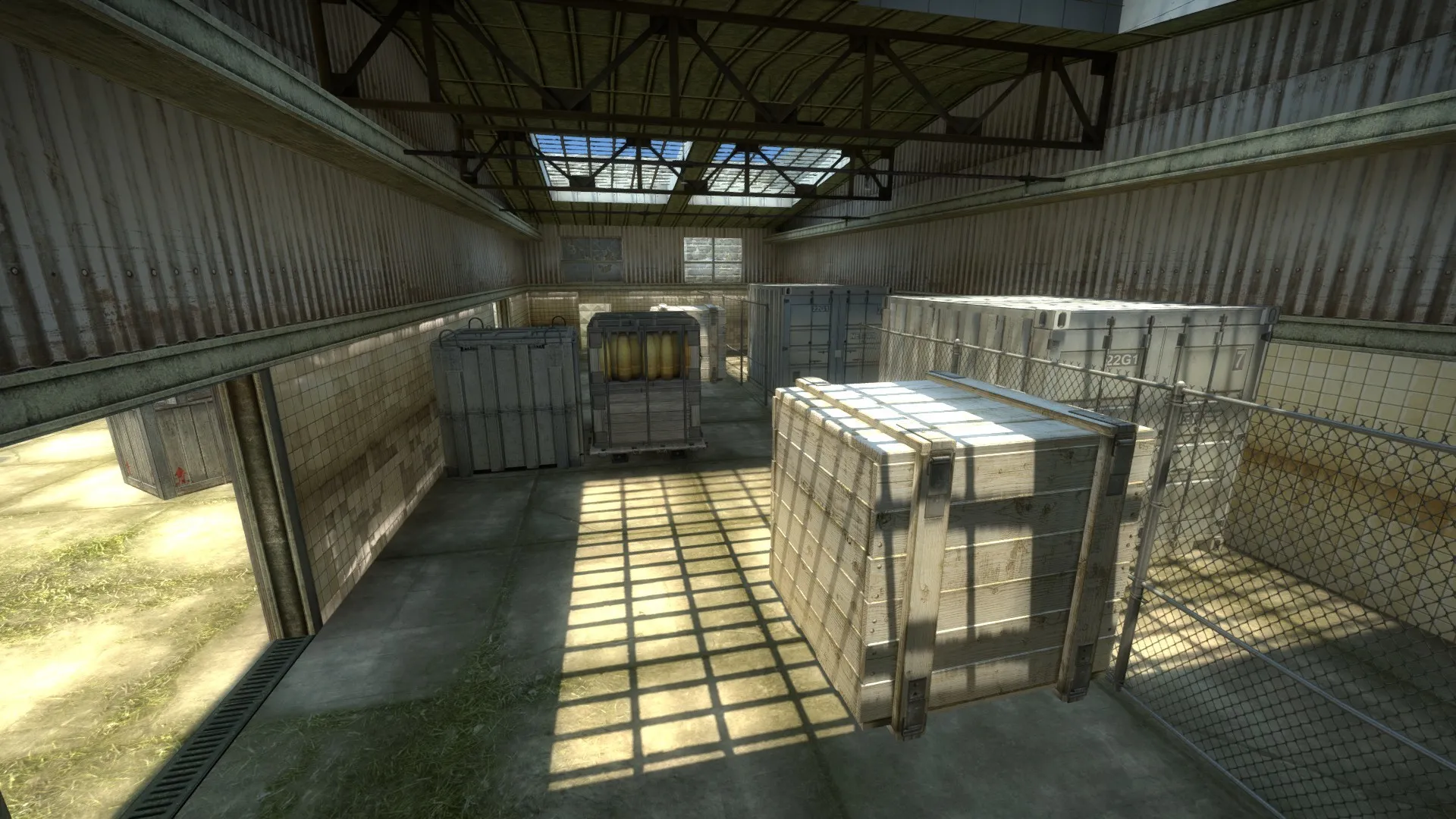
Italy/Inferno/Canals:
Spoiler
Subzero/Monastery:
Spoiler
Hallway that connects the arenas:
Spoiler
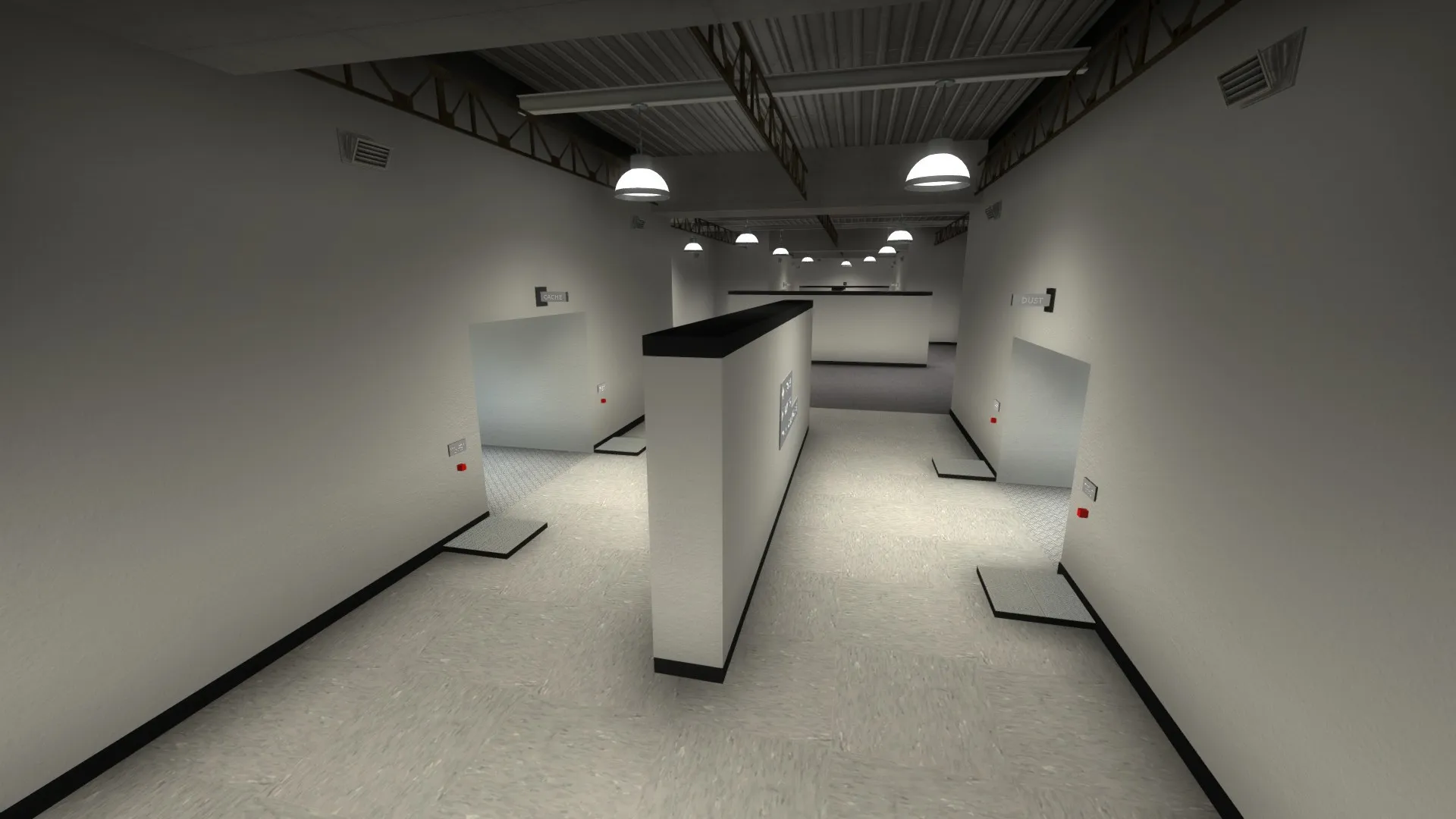
You'll notice some red buttons in the hallway screenshot. Pressing those red buttons will teleport players into the arena, after a two second delay. I added these buttons because there is only one entrance into each arena, which I think would make it really easy for someone to camp inside an arena. In turn, allowing players to potentially teleport behind a camper would be a good way to balance things out. Also, requiring players to stand still for a couple seconds before teleporting prevents players from cheaply teleporting away in a hallway fight.
Finally, I plan on creating a spinoff version without the connecting hallway. Instead, the map will teleport surviving players to a 7th arena after some time. I also plan on creating separate 1v1 maps for each of the arena.
-
I was poking around with a decompiled version of de_subzero when I stumbled on this func_button entity that I thought was kind of amusing. It's located on the snowmobile near bombsite B:
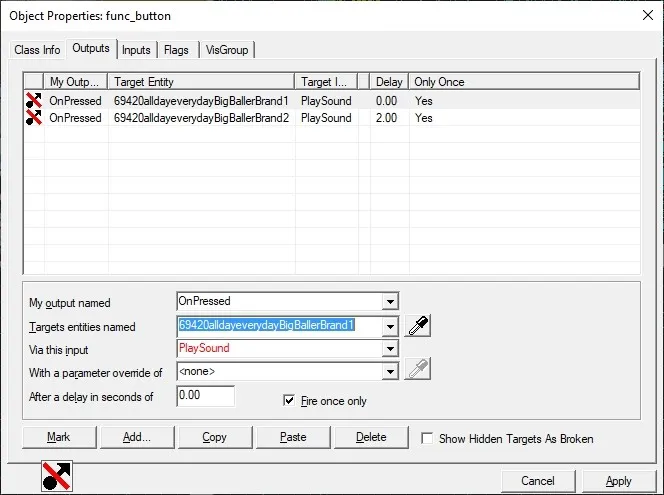
(For Google purposes, the sound names are 69420alldayeverydayBigBallerBrand1 and 69420alldayeverydayBigBallerBrand2)
Just something I thought I could share in light of LiAngelo Ball getting waived today.
-
Just uploaded my map fy_orbiter onto the workshop. You can download it here:
https://steamcommunity.com/sharedfiles/fi…/?id=2296600013
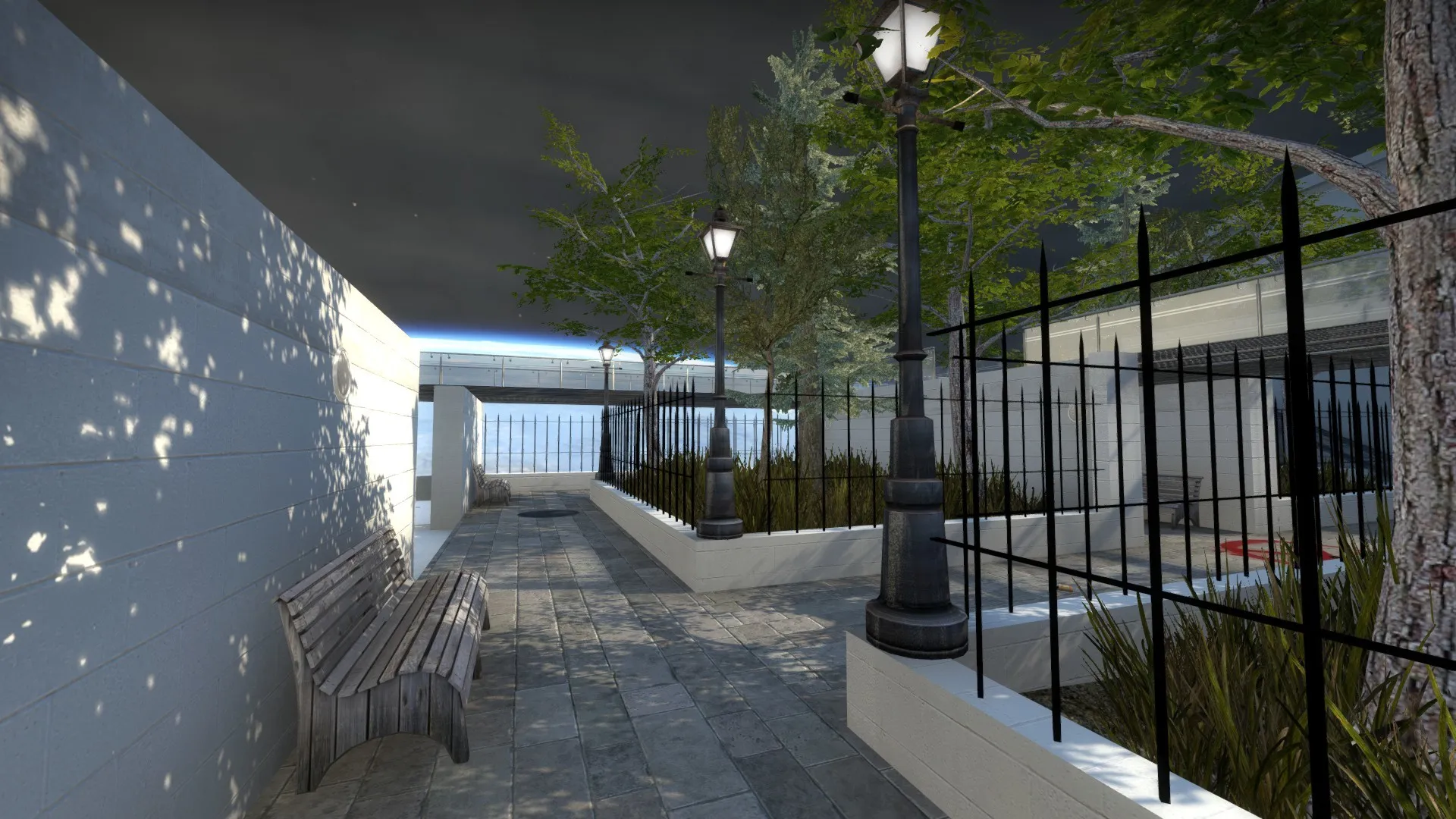
It's an otherwise very simple fight yard map, but I thought I did a fine job with the garden area:
Spoiler
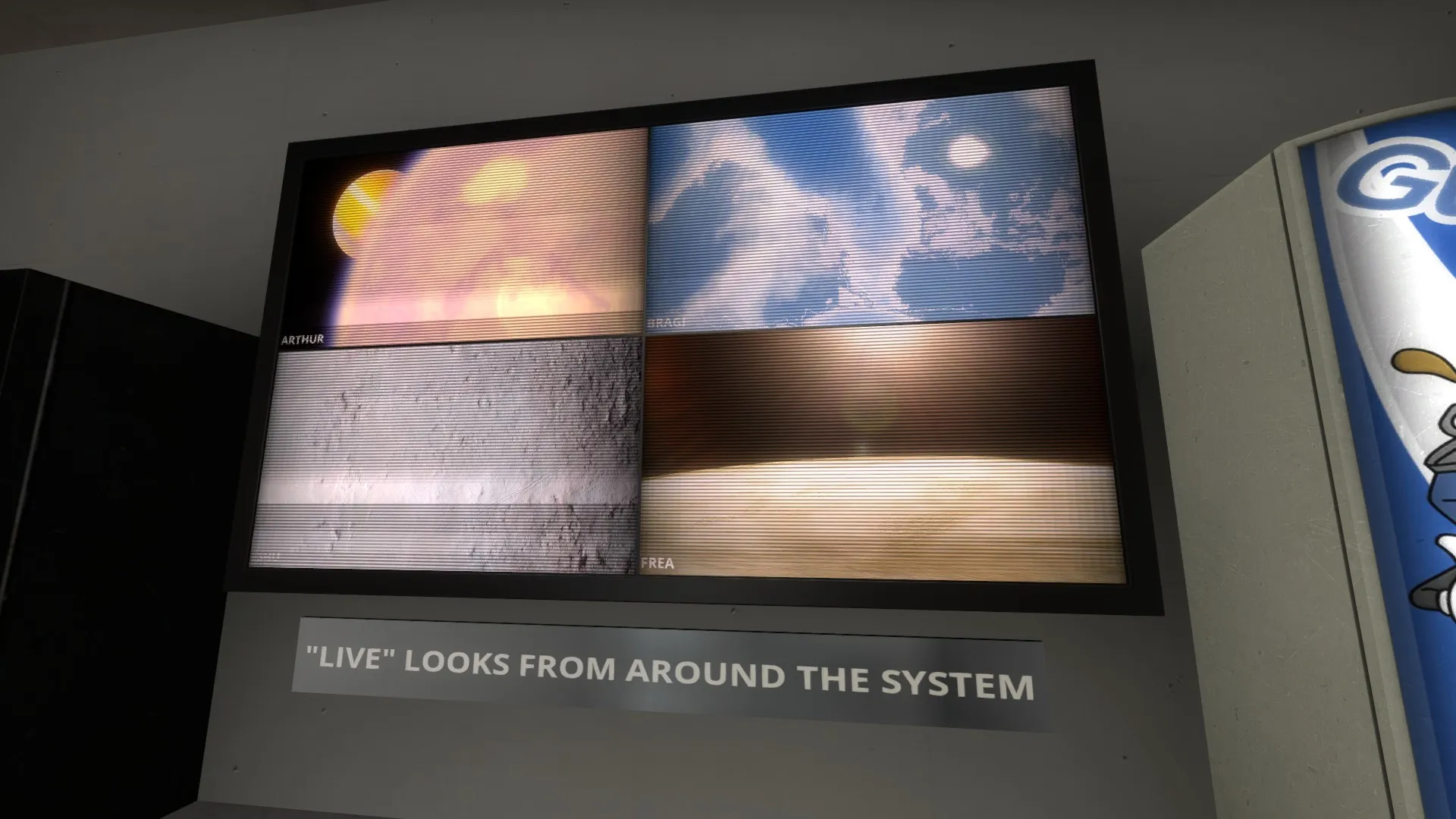
I also like these video screens, which I made using VMT proxies and SpaceEngine (TV frame is from de_breach):
Spoiler
And finally, here's (part of) the skybox I used for this map that I exported from SpaceEngine, used on a different map:
Spoiler
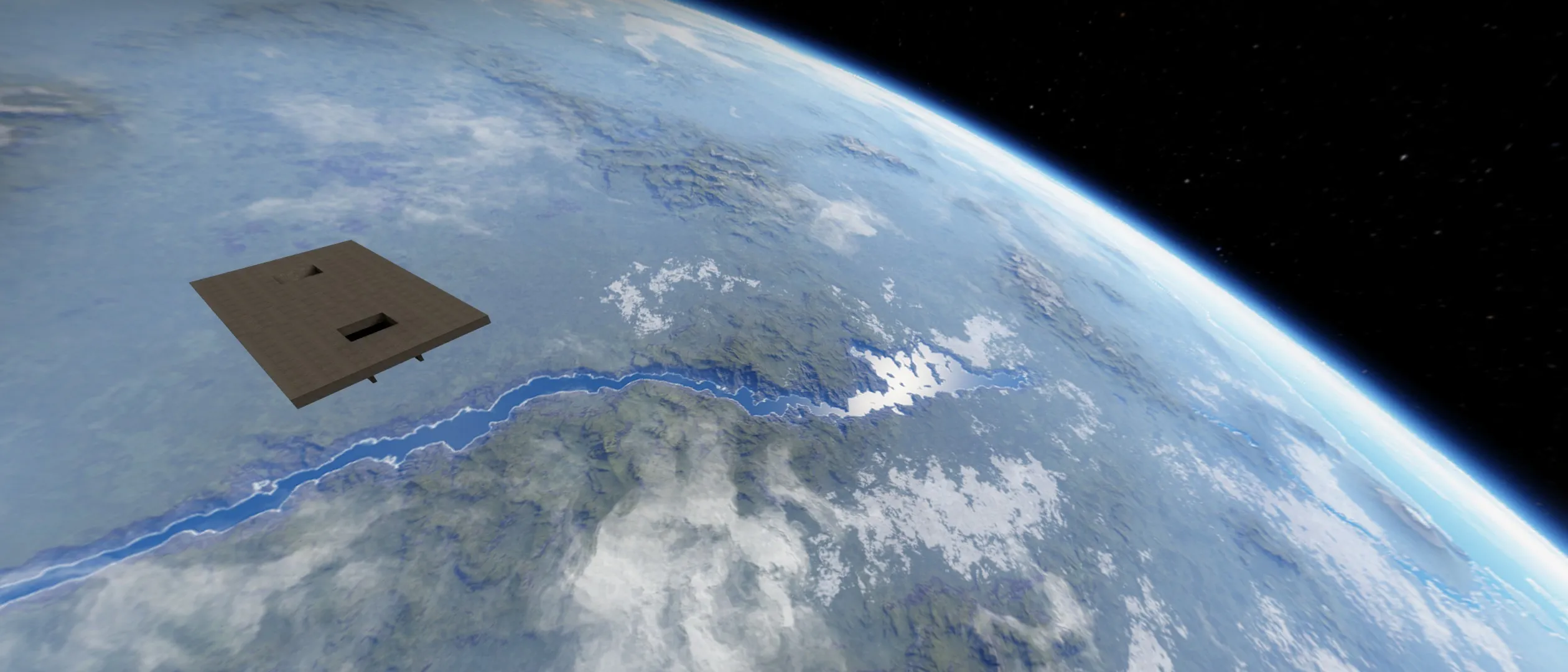
If you want to export a good looking skybox from SpaceEngine without a Pro Version:
- Set SpaceEngine's resolution to a 2:1 aspect ratio (for this map, I set the resolution to 4000x2000)
- Set the projection to cylindrical
- Take a screenshot in PNG format
- Use a panorama to cubemap converter, such as this one, to convert the PNG screenshot into six separate cubemap files
- Rename the cubemap sides to their proper names.
If you used the Panorama to Cubemap tool I linked to, the renaming should be:
- nx -> bk
- ny -> dn
- nz -> lf
- px -> ft
- py -> up
- pz -> rt