1. Forums
  2. Discord
  3. About Mapcore
  4. Patreon Supporters
  • Login
  • Register
  • Search
Everywhere
  • Everywhere
  • Articles
  • Pages
  • Forum
  • More Options
  1. Mapcore
  2. Members
  3. MikeGon

Posts by MikeGon

  • What's going on with your life?

    • MikeGon
    • November 29, 2018 at 6:57 PM
    Quote from [HP]

    6 minutes ago, [HP] said: Wait ! There is no Haribo in Canada ? Or it's more expansive ? I need to know because I'm actually leaving France for Canada in a few months for an undetermined time. :D

    Congrats, and welcome to Canada @ElectroSheep! :D

    Going to Québec I would assume? Montréal?

    Quote from I ♡ The 1950

    34 minutes ago, I ♡ The 1950's said: Oh don't you worry, Haribo is in Canada for a rather low price :) I would have never known just how tasty it is if my German grandmother never got me hooked on it XD

    Yeah many of my good friends are from France, and they we're able to find Haribo candies here too haha

  • CSGO - Questions about custom loading screen

    • MikeGon
    • November 29, 2018 at 6:47 PM
    Quote from fewseb

    11 hours ago, fewseb said: Some mappers, including me, make crests for our maps to go with the screenshots and other promotional stuff, but it never appears in game unfortunately.

    Well, looks like this is another thing we'll have to wait for Valve for... Add it to the list ?


    Thanks guys, I hope something will move soon on that topic!

  • CSGO - Questions about custom loading screen

    • MikeGon
    • November 27, 2018 at 6:57 PM
    Quote from esspho

    On 11/16/2018 at 5:24 AM, esspho said: In my experience the (packed) radar doesn't show on the first time loading the map. If you load the map again, it's mostly fine.

    Ok thanks, that's reassuring!


    Quote from fewseb

    On 11/17/2018 at 4:32 AM, fewseb said: As far as we know, adding map crests to non-official maps is impossible, the map crests for official maps are hard coded in the game to go to their specific map file name. Just like certain voice lines for different factions, maps crests must be manually added for each map and have a separate line of code.

    hmm really? I thought I saw crests on some of you guys maps... maybe I'm dreaming ?


    Quote from Radix

    On 11/17/2018 at 2:13 PM, Radix said: Do you have a loading screen image (named "yourmapname.jpg") in your csgo/maps folder? Eventually CS:GO used the workshop thumbnail ("preview image") as loading screen image before and now you need a separate image(?)

    Yep. Everything is set up properly, I know because its working for a long time, and I didn't touch it since...

    and according to @Serialmapper, the background image is fine on others' machines.... its so weird


    Are any of you guys experiencing the same issue other than @esspho ?

    If nobody knows the solution to this, then I guess we just have to wait for Valve to send some kind of fix...

  • [UE4] Darksiders 3 Art Dump

    • MikeGon
    • November 27, 2018 at 4:15 PM

    Looks amazing dude! Can't wait to play it, loved the first Darksider game back in the day ?

  • CSGO - Questions about custom loading screen

    • MikeGon
    • November 13, 2018 at 9:37 PM
    Quote from Serialmapper

    12 hours ago, Serialmapper said: I just downloaded your map from the workshop and the loading screen works :D

    What i observed after the panorama update is that some .dds radars made with gimp had the colours changed to some yellow and purple combinations.

    Huh? So that would mean the problem was with the PC which I downloaded and tested it on... I'll look at it again tonight just to make sure, but that would mean question#1 and #2 are solved ?

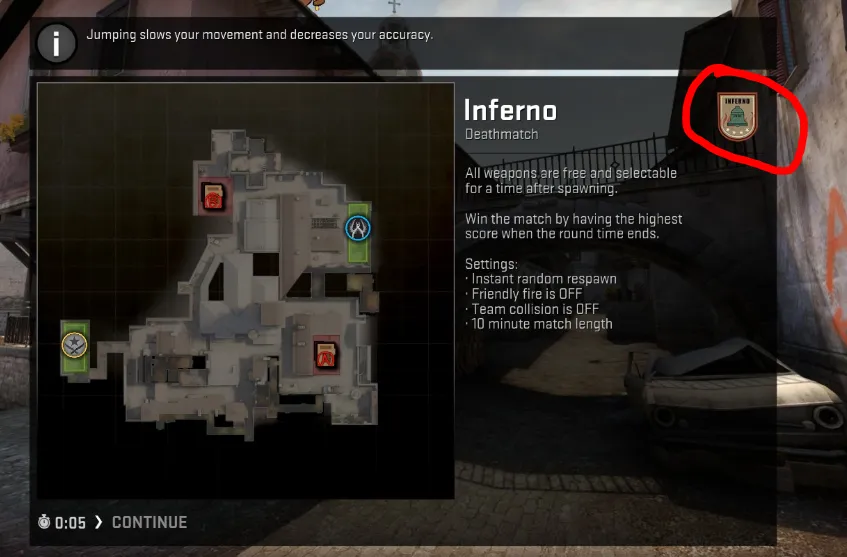
    ...and for my last question, do guys know how I could add my map symbol to the loading screen? Just like this:

    The logo is done since a long time ago, but I never found out how to put it there ?

  • CSGO - Questions about custom loading screen

    • MikeGon
    • November 13, 2018 at 12:47 AM

    Hey guys!

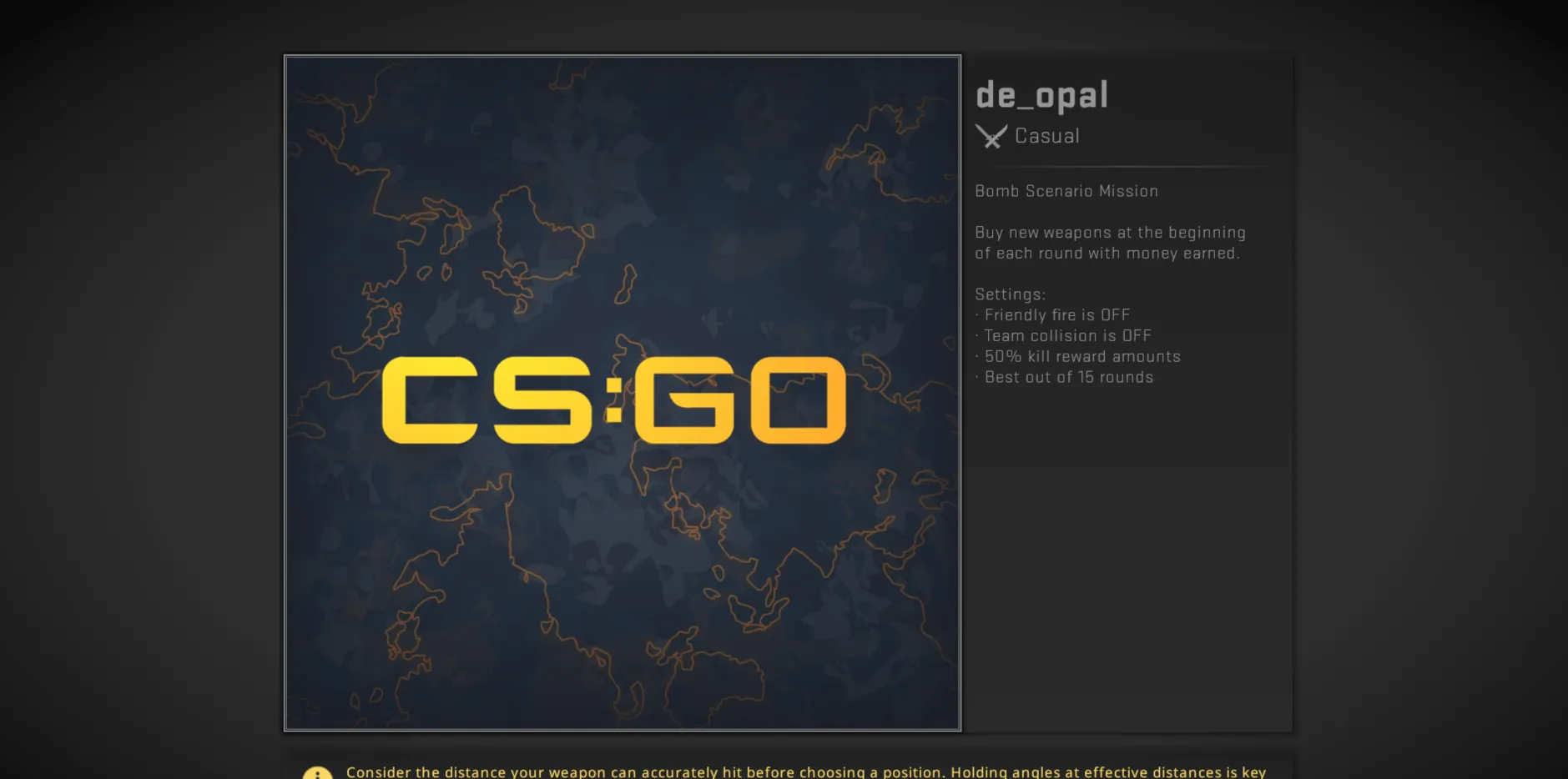
    I've been having problems with my loading screen for my map since the Panorama update:

    I have 3 questions in regards to this. I have searched around but couldn't find an answer...

    • How come my loading screen background image has stopped displaying since the Panorama update? (Both on my machine and other's machines)
    • How come the top down map has stopped displaying since the Panorama update? (Only on other's machines)
    • How can I add a logo for my map at the top right, like official maps usually have?

    Cheers, and Thanks in advance! ❤️

  • MapCore CS:GO Playtesting 5.0

    • MikeGon
    • November 9, 2018 at 3:03 AM

    Hey guys!

    Not quite sure how to do this, I hope this is the right place to ask but... I'd like to organize a playtest for de_opal, on Sunday, with who ever is available and willing to help! I would also be there myself, and record the whole thing!

    Is that possible?

    Thanks, Cheers!

  • Hypothetical-Contest Rules Voting

    • MikeGon
    • November 8, 2018 at 4:00 PM
    Quote from Vilham

    20 minutes ago, Vilham said: This is why I would potentially separate the contest out into an art one and a design one. Have a shorter design one that is about the blockout. Do a test later that allows people to collaborate and art the level up, controversial idea but you could actually take the top 3 designed maps and over them out for people to art up which ever one they want. Similar to the artstation contests where people do concepts and then have a second round where people make the things in the concept.

    Neat idea! I agree, personally I would love to design a map and hand it over to others that are much better at level art than me. I feel like this could result in better maps.

    Just curious... What's the LD/LA ratio of potential participants, or of Mapcore overall? because we need a lot of artists to do something like this, like twice as many as LDs or something...

  • Montréal, Canada - Eidos Montréal is looking for a Level Artist, unannounced project

    • MikeGon
    • November 7, 2018 at 9:48 PM

    Check it out if you're interested:

    https://www.eidosmontreal.com/en/jobs/463

    (English at the bottom of the page)


    Cheers, Have a nice day!

    -Mike

  • Hypothetical-Contest Rules Voting

    • MikeGon
    • November 7, 2018 at 9:13 PM

    You guys are bringing great points, I agree that judges should be industry professional, for all the good reasons you guys mentioned!

    I would certainly participate as well! Really loved the contest last time and learned so much :)

    This whole question is very important to me, because of that tragic misunderstanding that happened at the very end of the last one. As long as the rules are clear, I'm in! ;) (and for the record I don't mean that they were bad last time at all, just they were like... 99% clear haha)
    One thing I would like to be changed this time around, is to strongly encourage people to form teams, and have equally sized teams if possible. I thought it was a bit weird last time to have a competition between people that are by themselves vs teams of 3-4+ persons... For instance, art for a typical map is so much work, that one LD could be matched with 1-2 artists to make a solid team! I may be speaking only for myself here, but when I work on a project like this, I want to focus on level design, not everything.

    I do game jams here in Montréal on a regular basis, and most of the time the organizers strongly encourage or even force participants to be in teams with people they don't know. Participants simply specify their discipline, and are matched accordingly. That way they make new contacts, and learn to work with all kinds of people! Game development is a team activity, at the end of the day. I'm not saying we should go that far with this concept, just food for thought...


    Oh and... why not do one on a modern engine this time around? ;)

  • Opal

    • MikeGon
    • November 7, 2018 at 9:01 PM

    v1.15 is up, my friends!

    Notable changes with this version:

    • Fixed an issue where radar was misaligned since the Panorama update
    • Added color correction to kill low-ends and improve visibility in dark areas, notably the tunnels near T-spawn (yep... I didn't know post-processing existed in this engine up until now ?)
    • Changed CT models back to SAS, to prevent them from blending in with foliage (they might change again in the future, as long as it fits the Skopelos setting)
    • Clip-brushed a couple foliage spots that were easily exploitable
    • Fixed a lot of a dark, heavily shadowed surfaces (still not completely done with that one... takes forever I swear)
    • Replaced ugly buggy flag I made with beautiful flag from @I ♡ The 1950's (Thanks again for that!)
    • Removed an overpowered cover on Bombsite A, the small wall right next to the half-moon block
    • Made many small, mostly visuals improvements all across the map!

    Most important known issues I'm tackling for v1.16:

    • Bug where none of the looping ambient sounds will play (I swear when this one is fixed, I pop the champagne)
    • Some very cheeky spots that are still in there (small cracks we can shoot through and stuff like that)
    • Issue where custom loading screen image doesn't show up since Panorama update
    • Some very dark surfaces that are still there, found especially around windows and door frames

    Special thanks to @Radu for the great feedback!

    My goal is to organize a playtest ASAP, and have this thing finished once and for all before the Christmas holidays.

    Working on Source is very... interesting, to say to least. I will certainly write a post-mortem at the end of this, and present it here or in a separate thread... there's so much things I learned and would like to share, if you guys are interested!

    Cheers!

  • Opal

    • MikeGon
    • September 24, 2018 at 6:11 AM
    Quote from Radu

    On 9/22/2018 at 2:48 AM, Radu said: How is this coming along @MikeGon ? Are those displacements giving you a hard time yet?

    Pretty good @Radu, Thanks for asking!

    I was about to give an update on that other thread but I'll just continue here instead...

    After seeing how great displacement surfaces looked compared to func_detail, I decided to go ahead and replace pretty much all func_details across the map! That's still in progress, but I should be done this week.

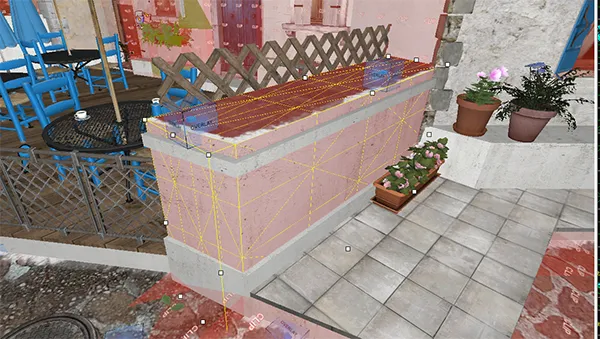
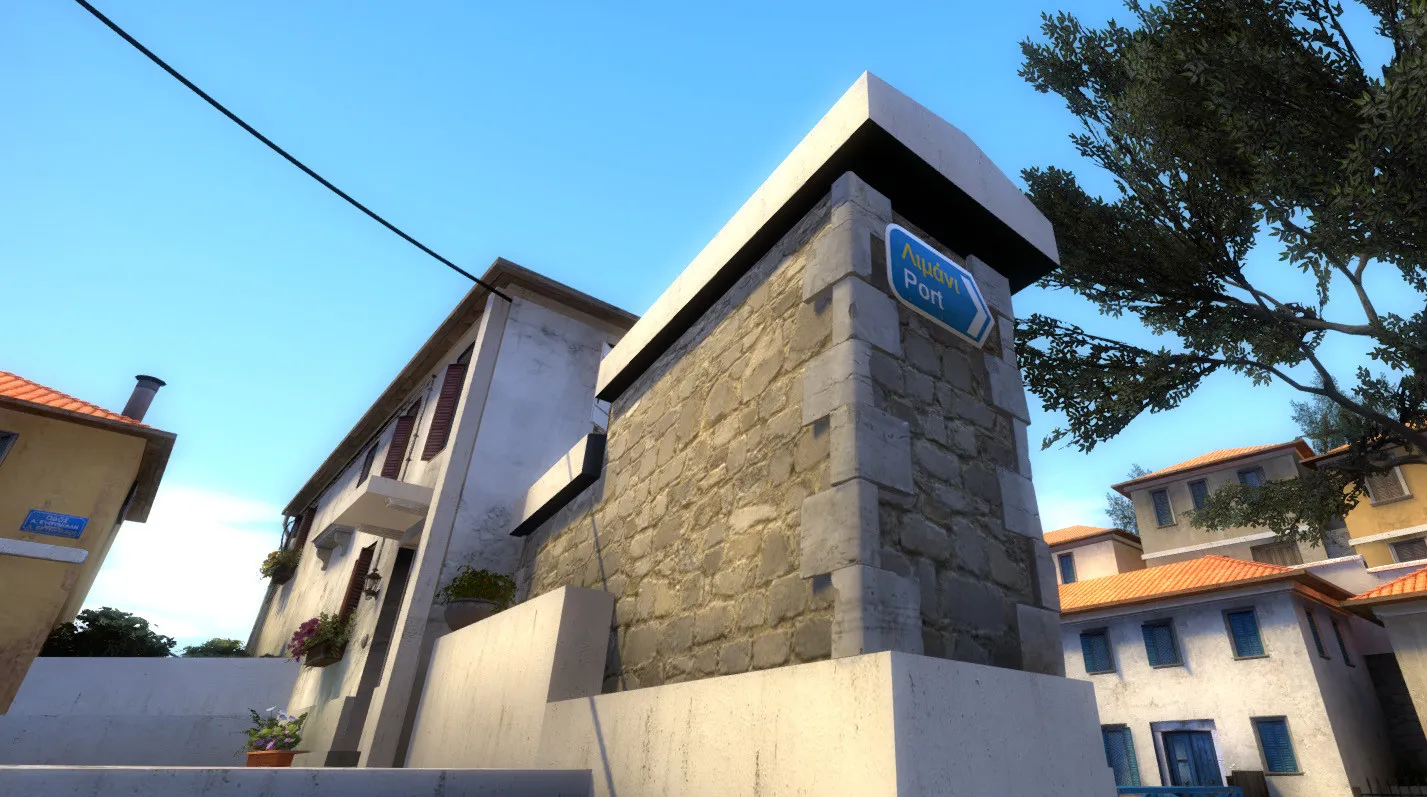
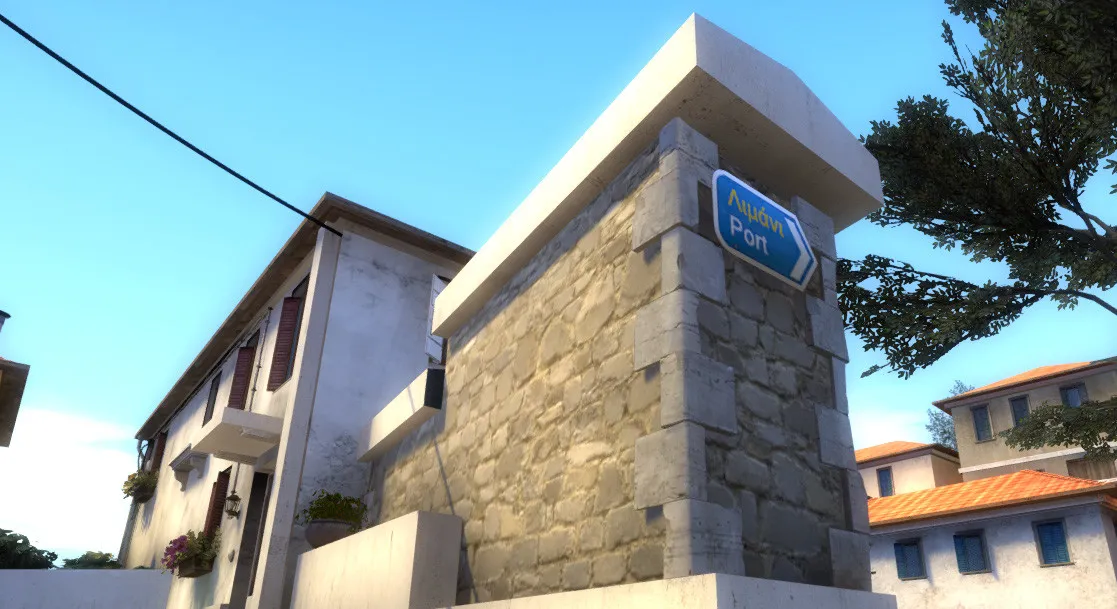
    I LOVE the way they react to light, and have a nice "rounded" effect on the edges, even when its just a simple hard edge:

    In the screenshot above, the gray-looking trim at the bottom is a func_brush. They have the same material applied- notice how well the displacement looks compared to it! ?

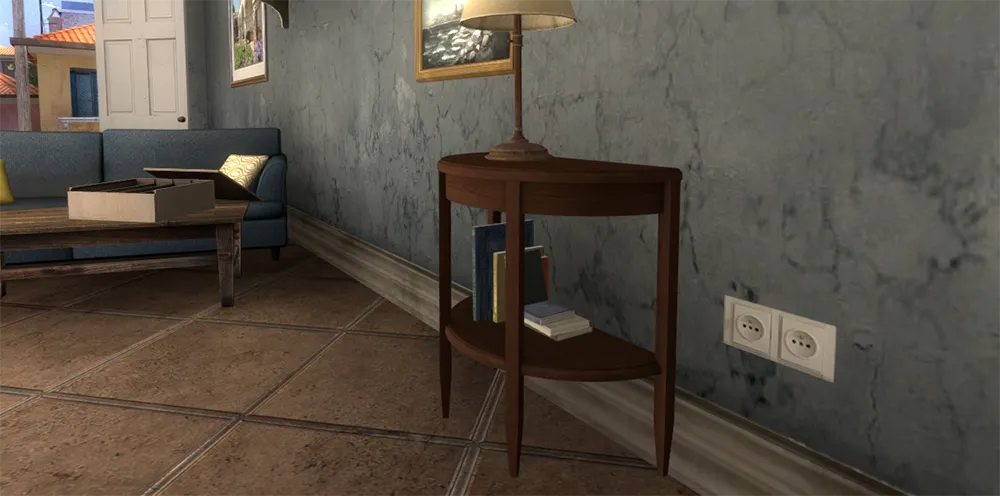
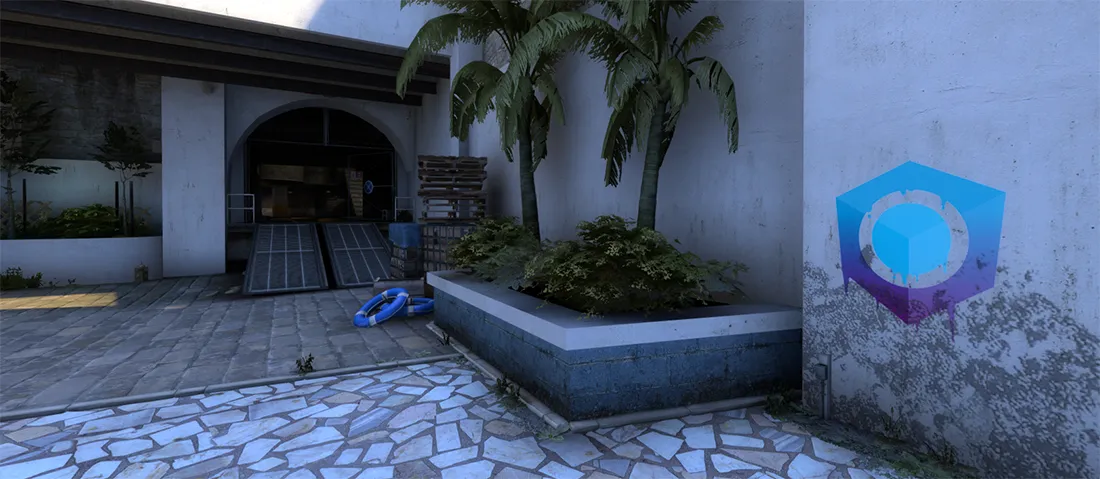
    I also made a couple new props this week, some new Greek residential signs, an European power outlet and a Mapcore graffiti:

    (position not final, I might put it somewhere else- still, its at T-spawn right now)


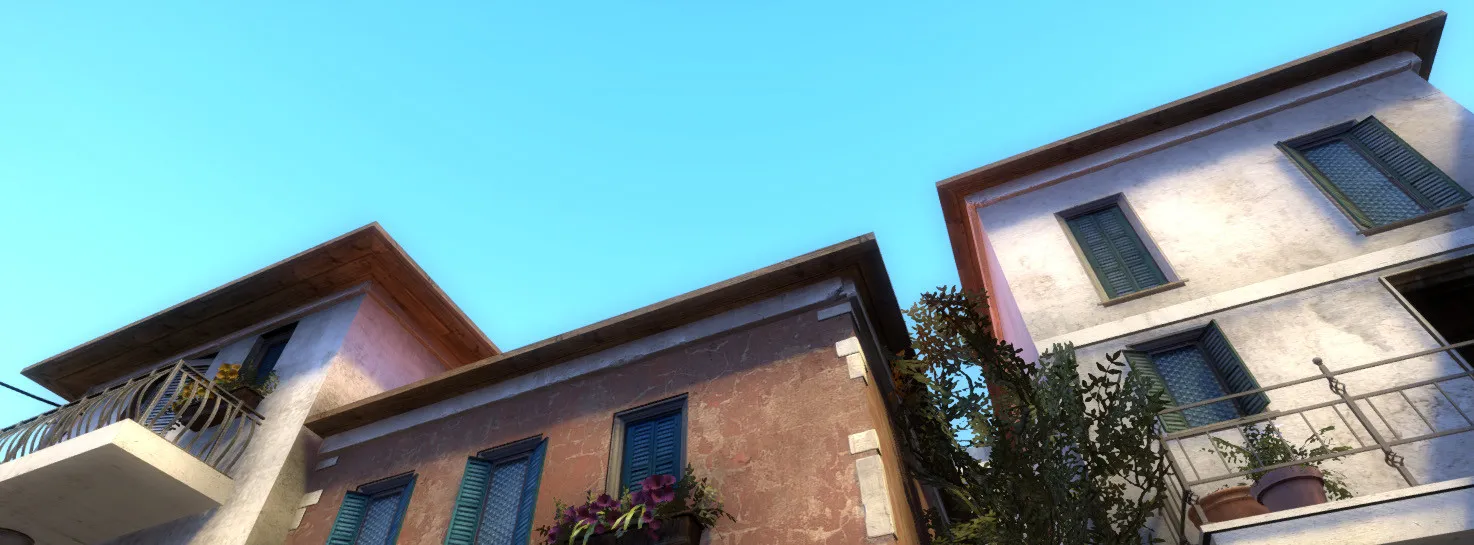
    Next step: I will actually sculpt and vertex paint some of those displacements, to make them look a bit uneven- especially those white plaster blocks since they're everywhere in the map. I think I will have to make a custom blend material for those ?

    Cheers!


    EDIT: Corrected typos

  • CS:GO - Shadows on slim surfaces are very dark

    • MikeGon
    • September 8, 2018 at 12:20 AM
    Quote from Squad

    On 9/5/2018 at 6:22 AM, Squad said: Yeah, pretty much. Not sure why you got the extra set of displacements on every corner of the buildings. Could do without it imo, unless you want more accurate control when painting blend materials. If it's for CSGO, you can go pretty nuts with the amount of displacements.

    @Radu @Squad But adding displacement brushes counts towards the overall brush count right? What you guys are suggesting involves multiplying the amount of brushes on facades that are already complex... Are you sure its okay to do this? I'll start by backing up my stuff, then try it with one buildings and post it here!

    These buildings really need rounded corners like the ones you're showing @untor, I will try to get similar results!


    Quote from blackdog

    On 9/5/2018 at 10:15 AM, blackdog said: Also making buildings instances, would it help at all with performance?

    All the buildings that are outside the play area are instances, and apparently they act the same as if they were in the main vmf file. They don't really help with performance (from what I can tell)

    Thanks guys!

  • CS:GO - Shadows on slim surfaces are very dark

    • MikeGon
    • September 5, 2018 at 5:06 AM

    I managed to get away with replacing a lot of these trims with static_props. It not only fixed the issue for these particular cases, but also looks better (Thanks @poLemin and @ElectroSheep) :

    I other cases, with large brushes, I simply split the brushes and that fixed it- but like I said I can't do that too much though (Thanks again @poLemin !)


    Unfortunately @Harry Poster, the Disable Shadows trick didn't seem to work on any of the func_brushes I tried it on... ?

    Bad shadows are still visible on all of them- Was there another value that needed to be set perhaps?


    For the lightmap scale trick, I'm happy to say that it worked like a charm!


    Quote from grapen

    On 9/1/2018 at 10:17 PM, grapen said: Displacements are only marginally more expensive, but looks nicer and lets you vertex paint. I prefere keeping architecture mostly models and displacements.

    I agree. The challenging thing with these buildings in particular though is that they're made of so many brushes, to create negative spaces to fit the doors and windows:

    ...a decision which I'm kind of regretting now though, I'm thinking of reworking them all from scratch...? They're likely the #1 reason why my brush count is so high is the first place

    But yeah converting all those to displacements would be one hell of a mess right now... I have to simplify them first! (Thanks @grapen and @untor)


    I really didn't want this to become an art project, but the more I work on it, the more I realize that I must step back in 3ds Max and make tons of new props- otherwise it'll never look like what I want it to...

    Thanks so much for your help people, I really appreciate it!

  • CS:GO - Shadows on slim surfaces are very dark

    • MikeGon
    • September 1, 2018 at 8:06 PM

    Wow those are great answers! Thank you so much! ?


    Quote from poLemin

    On 8/31/2018 at 6:24 AM, poLemin said: I don't know if it's a typo or if you acutally approached it incorrectly, but you might want to lower the Lightmap scale of such surfaces. Try values of 4 or 2 for such thin brushes. This should not be done for large brushes where only a tiny part is visible to the player tho.

    My general advice however would be to replace some of these detailed brushes with trim or frame models. Especially, since you are scratching the brush limit already. BSP based detailing should not be a thing anymore. At least not of this magnitude.

    Yes I did mean to increase the resolution of those lightmaps, but I never though about decreasing it- Great idea, I'll try that!

    It totally agree, BSP shouldn't be used for micro, looks horrible anyways. I didn't want to make too much custom art for this project since I want to focus on design, but it looks like I might have to, if I can't find a basic CSGO prop that looks decent...


    Quote from Harry Poster

    On 8/31/2018 at 7:50 AM, Harry Poster said: Make these brushes the "func_brush" entity, set ''Disable Shadows' to yes. Don't worry, it won't delete shadows completely it will only remove this kind of black shadows, this works well with foliage props too.

    This works in 80% so I hope it will help you.

    Neat trick! I do have this problem with some brushes that are already func_brush, I'll use that for those!


    Quote from untor

    On 8/31/2018 at 10:15 AM, untor said: mb convert to displacment?

    Is there some cost to that though? I'm surprised we are so limited with brushes, and not with displacements even if they seem to be a lot more complex... ?


    Quote from ElectroSheep

    On 8/31/2018 at 10:45 AM, ElectroSheep said: Also if you merge several brushes together as one func_detail, the connected faces between the different brushes will disapeared.

    Wow I didn't know that groups could have an impact on performance- I though it was only an editor tool... With this info I can now optimize a lot of stuff across the map- Thank you!!


    Thanks again for the great answers people, I'll recompile and keep you posted!

  • CS:GO - Shadows on slim surfaces are very dark

    • MikeGon
    • August 31, 2018 at 2:12 PM

    Hey guys!

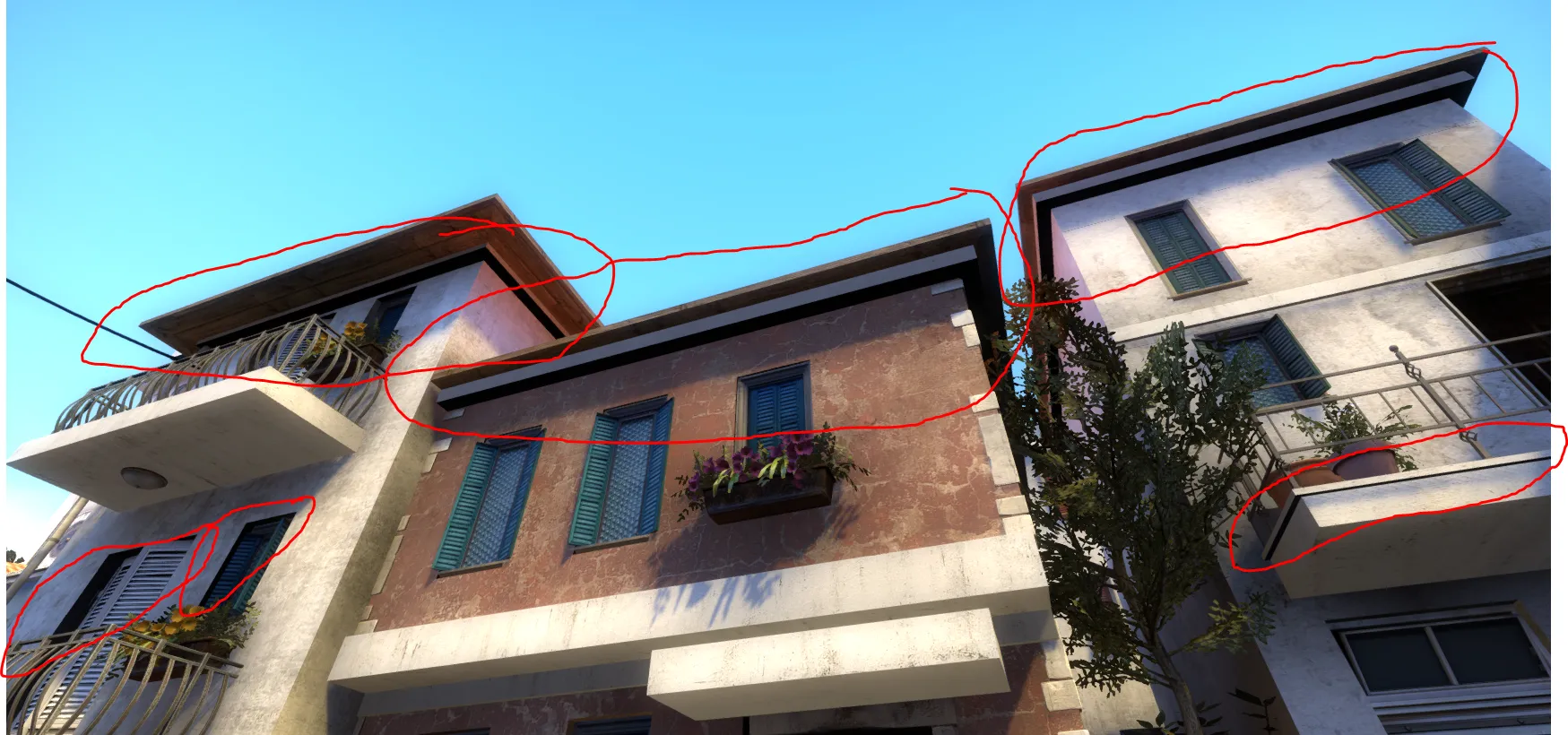
    Title says it all. Here's what I'm talking about:

    It looks like shit ?

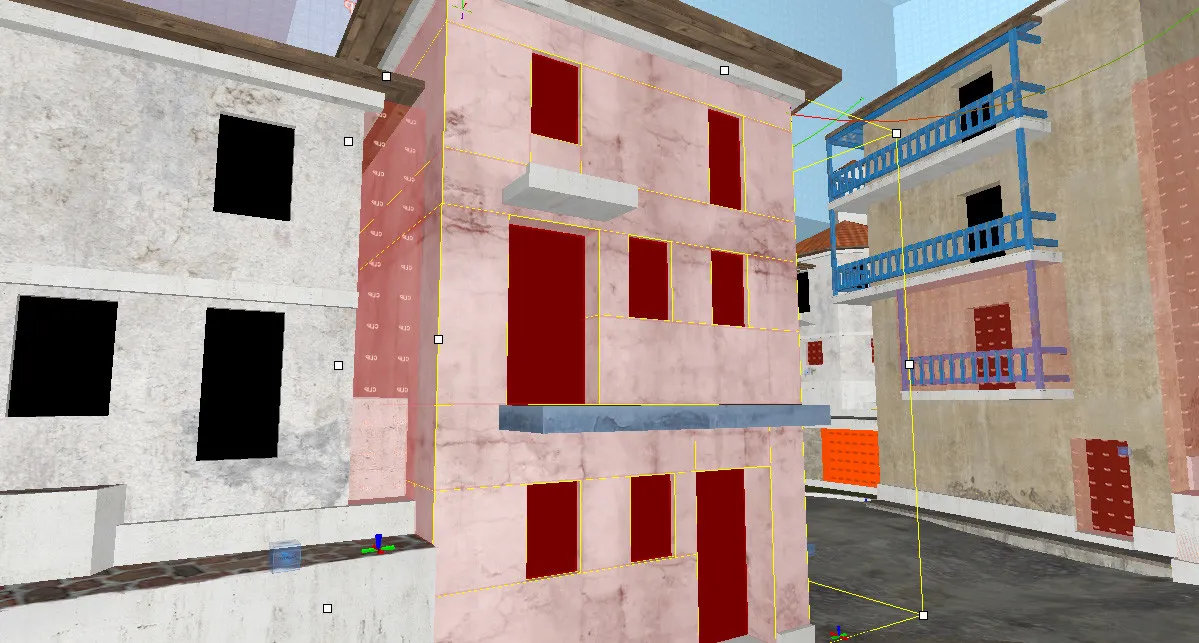
    This happens on faces that have a large surface that's in contact with another brush. These trims under the roofs there are a large, flat brushes that touch the brush below them.


    I found a couple methods for approaching this, but all of them have major downsides:

    • Increasing Lightmap scale: Helps mitigating the issue, but doesn't fix it, at the cost of larger shadowmaps
    • Adding a light source close to it: Helps but difficult to justify most of the time, increases compile time
    • Split them into 4 parts, one for each side: Fixes the issue completely, but increases brush count for the map, which is dangerously close to the limit...

    Have you guys seen this issue before? I don't remember seeing this on other maps in the past...

    Do you know a "golden solution" I'm not aware of? How would you approach this?

    Help would be greatly appreciated❤️

    Cheers!

    -Mike

  • Cyberpunk 2077

    • MikeGon
    • August 27, 2018 at 9:07 PM

    omg

    hmm I can't watch this at work can I

  • [Wingman] Station

    • MikeGon
    • August 24, 2018 at 8:31 PM

    Looking good!

    I really like the composition in the first image!

  • Mapcore Job Census

    • MikeGon
    • August 23, 2018 at 9:52 PM

    Can you add me in there please? :D

    Mike Gonthier, Eidos Montreal, Level Designer

    Portfolio: mikegonthier.com


    Working on the Avengers project!

  • Overwatch

    • MikeGon
    • August 22, 2018 at 8:22 PM

    Congrats on the new map release @[HP]!

    It's gorgeous and it looks fun- Can't wait to try it out tonight!

Discord

The Mapcore Discord is our lively IRC channel of the 2000s reborn. Chat about level design, gaming, and more.

Latest Posts

  1. Custom Gamemodes Contest

    Angel
    July 20, 2026 at 11:46 AM
  2. FAQ

    Angel
    July 20, 2026 at 10:14 AM
  3. Tangerine

    Harry Poster
    July 18, 2026 at 11:10 AM
  4. Any of the old guard still around? D:

    Warby
    July 12, 2026 at 8:23 PM
  5. About our archived forums

    Thrik
    June 30, 2026 at 2:12 PM
  6. Mapcore Discord

    mason_fan123
    June 24, 2026 at 8:52 PM
  7. [CS2] Valley

    Serialmapper
    June 22, 2026 at 11:56 AM
  8. Free Music / SFX Resource - Over 2500 Tracks

    Eric Matyas
    June 18, 2026 at 12:32 PM
  9. Pango [WIP]

    Elowen
    June 11, 2026 at 10:13 AM
  10. [CS2] Dvina

    Jeremy Rivera
    June 11, 2026 at 10:03 AM
  1. Privacy Policy
  2. Contact
Powered by WoltLab Suite™